Top 5 Sketch to Real Photo AI Tools in 2026 (Compared)
Sketch-to-photo AI moved fast between May and October 2026: Midjourney shipped V8.2, OpenAI replaced the DALL-E 3 era with the GPT Image 2.5 line, Google's Nano Banana image models got a 2.1 update, and Adobe turned Firefly into a multi-model hub. If you searched for the best AI tool for turning a sketch into a realistic image five months ago, half of this table didn't exist yet.
Short answer: for most people, Sketch To remains the lowest-friction path from sketch to photorealistic output — and it now runs the current model lines (GPT Image 2.5, Nano Banana 2, Seedream 4.5) behind one upload box. Pick Midjourney V8.2 for cinematic interpretation, Firefly for brand-safe commercial work, the Gemini app for chat-speed iteration on the Nano Banana line, and ChatGPT's GPT Image 2.5 when editing precision matters more than speed.
This is a refresh of our May 2026 comparison, not a new test round. Scores for Sketch To, Midjourney, and Firefly carry over from our May hands-on testing of five reference sketches (a portrait, a product, a building, an animal, and a kid's drawing). The two new lanes — Google's Nano Banana and OpenAI's GPT Image 2.5 — are assessed from each vendor's official specifications and pricing, verified on the vendor pages in October 2026, and clearly labeled as such. Prices, quotas, and commercial terms for every tool were re-checked against official sources this month; several May figures have changed.
What Is Sketch-to-Photo AI?
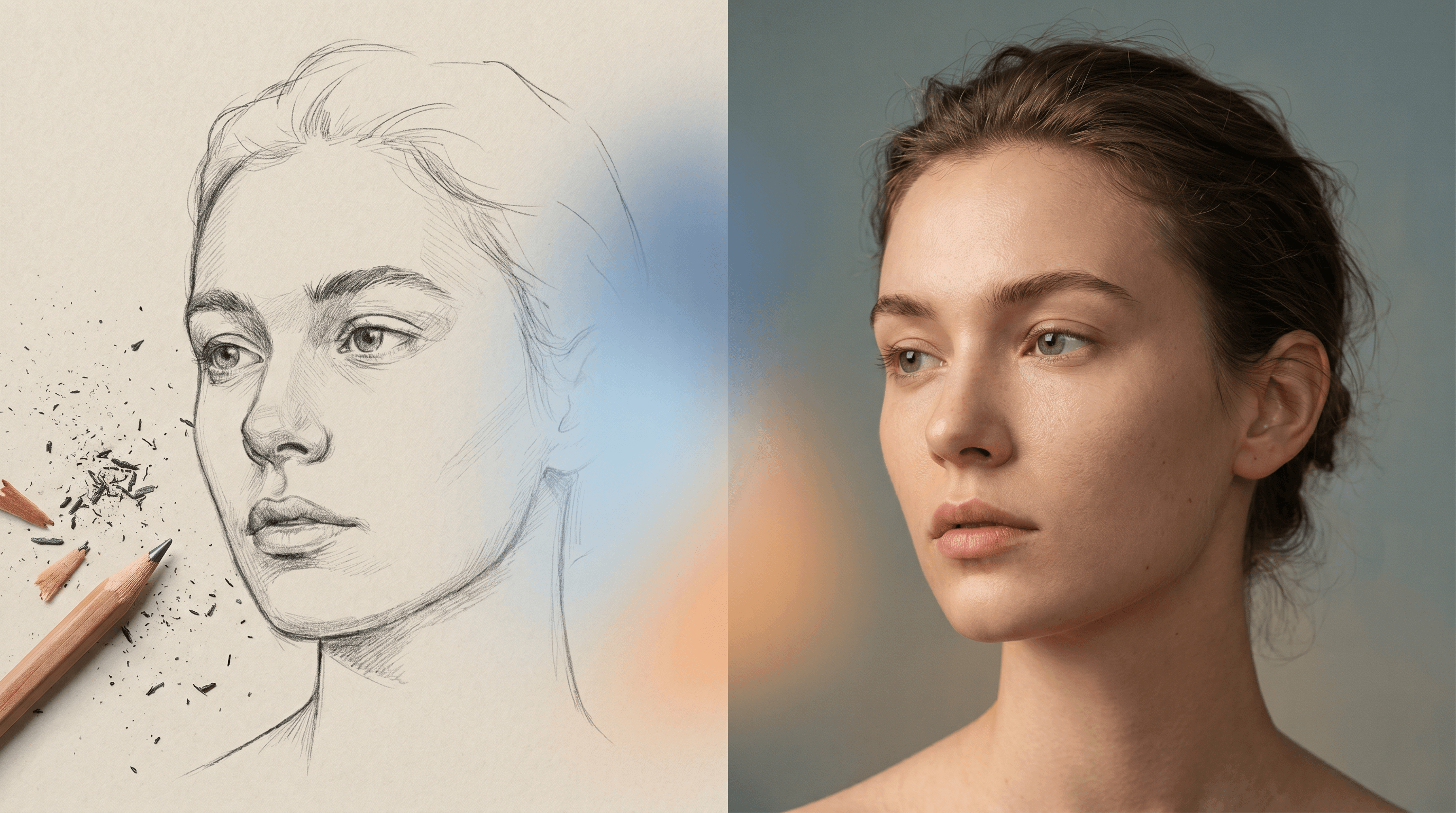
Sketch-to-photo AI takes a line drawing — pencil, ink, or digital sketch — and renders it as a photograph-style image. The tool reads structure (edges, shapes, composition) from the input and synthesizes texture, lighting, and material detail on top of it. Three sub-tasks matter when you compare tools:
- Faithful conversion — keep composition, add realism. Product mockups, architectural concepts.
- Stylized photography — preserve the subject, restyle it as a photo genre (cinematic, documentary, studio).
- Creative reinterpretation — treat the sketch as loose guidance and generate a richer scene around it.

Every tool below leans toward a different sub-task. None is universally best — the triage table later in this article maps your specific job to the strongest current option.
Quick Comparison Table
| Tool | Realism | Speed | Price (entry) | Commercial license | Best for |
|---|---|---|---|---|---|
| Sketch To | 5/5 | 4/5 (~10s) | $95.88/yr (≈$7.99/mo), free trial credits | ✅ Pro plan ($191.88/yr); Basic is personal use | Photoreal output from any sketch, current models included |
| Midjourney V8.2 | 5/5 | 3/5 (~30–60s) | $10/mo (no free tier) | ✅ With any paid subscription; $1M+ revenue companies need Pro/Mega | Cinematic, artistic interpretation |
| Adobe Firefly | 4/5 | 4/5 (~10–15s) | Free daily generations; paid from $9.99/mo | ✅ Firefly-model output commercial-safe; IP indemnity for eligible enterprise | Commercial-safe brand assets, partner models in one place |
| Google Gemini app (Nano Banana 2 → 2.1) | 4/5* | 5/5 (chat-speed) | Free limited access; AI plans from $4.99/mo; API from ≈$0.034/1K image | ✅ Google doesn't claim ownership of generated content | Fast chat-based iteration and edits |
| OpenAI GPT Image 2.5 (ChatGPT) | 4/5* | 4/5 (Flare = "fastest" per OpenAI) | Free limited; ChatGPT Plus $20/mo; API $30/1M output image tokens | ✅ You own the output per OpenAI terms | Editing-precision renders inside a chat workflow |
* New lanes assessed from official specs and published positioning (October 2026), not a new hands-on round. Scores for the other three lanes carry over from our May 2026 testing.
1. Sketch To — Built for sketch-to-photo, now running the current model lines
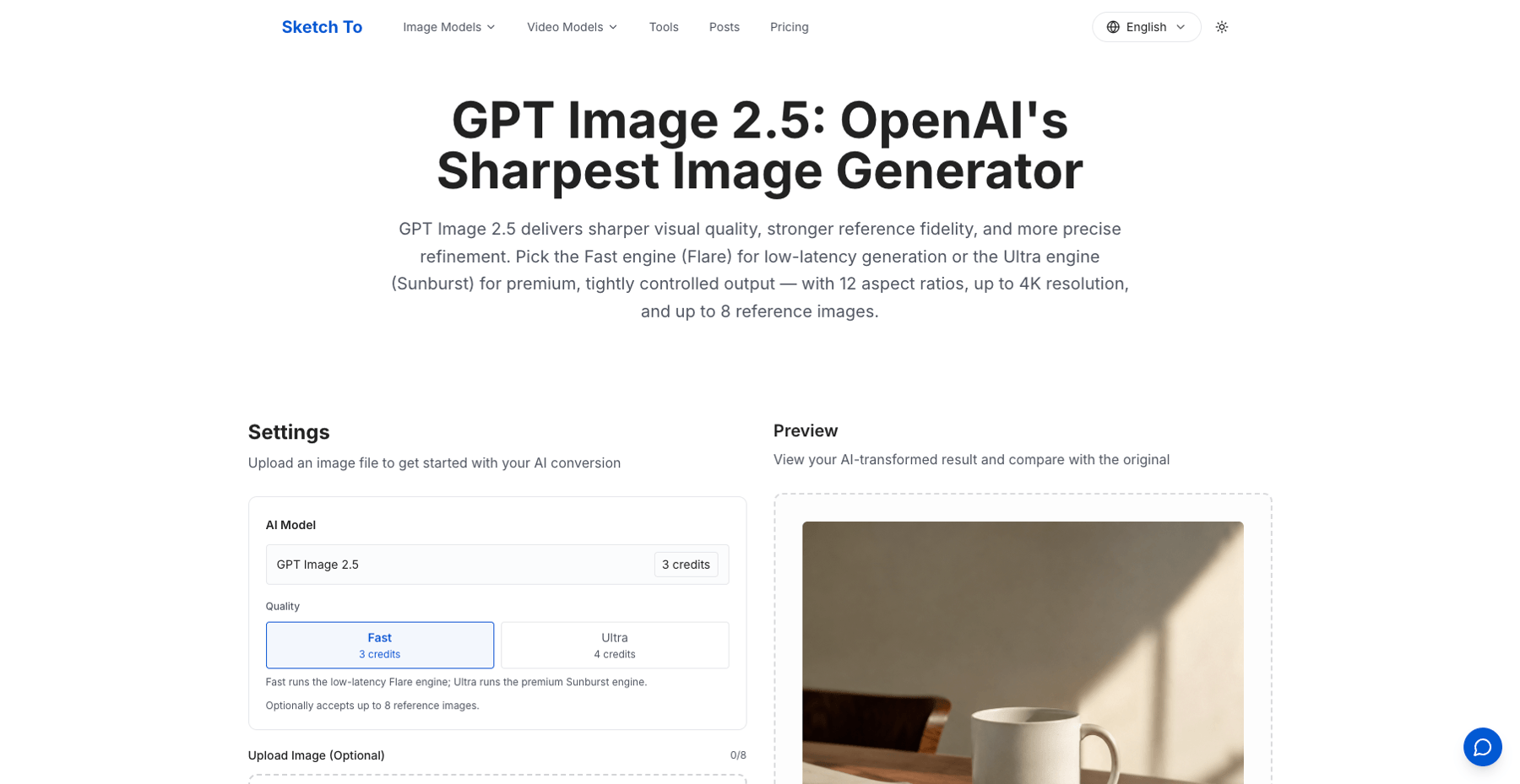
Sketch To stays our reference lane because it removes the prompt-engineering tax: you upload a sketch, pick a model, and get a photo-style render that respects your composition. What changed since May is the model menu. The platform now sells the current generation lines in-product — GPT Image 2.5 (Fast 3 credits / Ultra 4 credits, up to 8 reference images), Nano Banana 2 (4 credits, up to 14 reference images, 4K), and Seedream 4.5 (4 credits, strong multi-image subject identification and reference-detail preservation) — so one upload box covers several of the models compared in this article.
- Realism: 5/5 — fidelity-first models preserve line work and materials best in our May testing (portraits and product sketches especially)
- Speed: 4/5 — roughly 10 seconds per image in our May testing
- Price: Basic $95.88/year (≈$7.99/month, 2,400 credits ≈ 1,200 standard images); Pro $191.88/year (≈$15.99/month, 9,600 credits ≈ 4,800 standard images); new users get 4 free credits. Note that premium models cost 3–4 credits per image, not the 2-credit standard rate.
- Commercial license: ✅ Pro plan includes a commercial license — and this is a correction to our May text, which said commercial use was included in both paid plans. Basic-plan images are licensed for personal use only, and subscription credits reset each billing cycle.
Best for: creators who want a single-purpose, upload-and-render workflow with current models behind it. Not ideal for: heavy artistic restyling or video work.
2. Midjourney V8.2 — Cinematic interpretation, now on V8.2
Midjourney's current version is V8.2 (the docs bill it as an aesthetics, image-quality, and Personalization update over v7, which our May article tested). The character of the output hasn't changed: drop a sketch in, ask for a photograph, and get a gorgeous — but recognizably Midjourney — interpretation with cinematic lighting and creative liberties. If the job is faithful structure, expect iterations.
- Realism: 5/5 — exceptional quality with a distinct cinematic signature (May testing)
- Speed: 3/5 — roughly 30–60 seconds in Fast mode; unlimited Relax generations on Standard and above
- Price: Basic $10/month (3.3 hours of Fast GPU time — 200 minutes, a correction to our May text which said "200 fast hours"), Standard $30/month with unlimited Relax image generations, annual billing saves 20%. No free tier.
- Commercial license: ✅ if you have subscribed at any point, you can use your images "in just about any way you want" — but companies making more than $1,000,000 in gross annual revenue must be on Pro ($60/mo) or Mega ($120/mo).
Best for: marketing visuals, cover art, and mood boards where interpretation is the point. Not ideal for: exact-replica jobs like product-listing renders.
3. Adobe Firefly — Commercial-safe by design, now a multi-model hub
Firefly's pitch is unchanged — trained on licensed and public-domain content, with Content Credentials attached automatically — but the product around it grew. The free plan now offers free daily generations (limits refresh daily), and paid plans run Standard $9.99/mo (2,000 credits) to Premium $199.99/mo (50,000 credits). Every paid plan includes unlimited standard image generations; credits go to premium features and partner-model outputs — Firefly now hosts Google, OpenAI, and Flux models alongside Adobe's own.
- Realism: 4/5 — clean and usable, occasionally plasticky on close-ups (May testing)
- Speed: 4/5 — roughly 10–15 seconds (May testing)
- Price: free daily generations; Standard $9.99/mo; Pro $19.99/mo; Pro Plus $49.99/mo; Premium $199.99/mo. (A correction to our May text: the free tier is daily generations, not 25 credits a month.)
- Commercial license: ✅ Adobe states Firefly-model outputs are safe for commercial use. IP indemnification, however, is available to eligible enterprise customers for select outputs — another May-text correction, which implied indemnification for paid Creative Cloud users generally. You're responsible for checking partner-model output before commercial use.
Best for: agency and in-house designers who need rights-clean output — or one subscription that reaches several vendors' models. Not ideal for: maximum-realism portrait work outside Adobe's stylistic range.
4. Google Gemini app — the Nano Banana line (Nano Banana 2, now 2.1)
Google's image generation lives on the Nano Banana line: Nano Banana 2 is the Gemini 3.1 Flash Image model, and Nano Banana 2.1 is its current update — built for high-efficiency generation, conversational editing, multi-turn character consistency, accurate text rendering, and 1K/2K/4K output per Google's pricing page. (Our May tutorial covered this workflow under the Gemini 3.5 Flash name; Google's current official line is branded Nano Banana.) The workflow is chat: attach a sketch, describe the photo you want, and refine by talking — "warmer light," "swap the background" — with each edit arriving in seconds.
- Realism: 4/5* — strong generalist photorealism; the May tutorial's trade-off still holds: good on rough sketches, weaker at preserving fine line work than fidelity-first tools
- Speed: 5/5 — chat-speed iteration is the lane's whole point
- Price: Gemini's free tier includes limited image generation; Google AI plans run from AI Plus $4.99/mo (2× access) to AI Ultra from $99.99/mo (20×). On the API, Nano Banana 2.1 output images cost about $0.034 per 1K-resolution image ($0.113 at 4K), and the API free tier is not available for the Nano Banana models.
- Commercial license: ✅ Google's terms say it won't claim ownership of generated content.
Best for: fast concept iteration and conversational edits on a sketch. Not ideal for: final renders where every line must land — chain it into a fidelity-first tool for production. Our Gemini sketch-to-photo walkthrough covers that two-tool pipeline step by step.
5. OpenAI GPT Image 2.5 (ChatGPT) — editing precision, DALL-E 3's successor
The DALL-E 3 lane from our May article is retired: OpenAI's current image line is GPT Image 2.5, which ships in two engines — Sunburst ("for workflows where editing precision matters most") and Flare ("our fastest model for high-quality, everyday image generation"). SketchTo exposes both engines in-product; in ChatGPT, image creation is available on every tier in some form: limited on Free, expanded on Plus ($20/mo), and unlimited-and-faster on Pro (from $100/mo).
- Realism: 4/5* — sharper output and stronger reference fidelity are the official positioning for the 2.5 line; the Sunburst engine targets tightly controlled, precision edits
- Speed: 4/5 — Flare is OpenAI's fastest everyday image model
- Price: ChatGPT Free (limited), Go $8/mo, Plus $20/mo, Pro from $100/mo; API pricing is token-based — $30 per 1M output image tokens (plus $8/1M image input tokens)
- Commercial license: ✅ OpenAI's terms are explicit: you own the output.
Best for: sketch-to-photo work that lives inside a chat workflow and needs precise, iterative edits. Not ideal for: bulk production at the lowest cost per image.
Both new lanes are documented-capability assessments from official vendor pages (October 2026), not results from a new hands-on round.
How to Choose: Decision Matrix
| Your goal | Pick this |
|---|---|
| Cheapest reliable photoreal output | Sketch To Basic ($95.88/yr) |
| Highest-fidelity single render from a detailed sketch | Sketch To with a fidelity-first model (GPT Image 2.5 Ultra, Seedream 4.5) |
| Cinematic / marketing visuals | Midjourney V8.2 |
| Legally safe brand assets | Adobe Firefly (Firefly models; enterprise indemnity if eligible) |
| Chat-speed iteration and edits | Gemini app (Nano Banana line) |
| Precision editing inside a chat workflow | GPT Image 2.5 (ChatGPT or in-product) |
| Open-source / on-prem only | Flux.1 [schnell] self-hosted (Apache-2.0; [dev] is non-commercial) |
The Flux lane from our May article didn't disappear — it moved here. Self-hosting still means a 16GB+ GPU and ComfyUI know-how; the license tiers still matter (schnell is Apache-2.0, dev is non-commercial, and the pro API tier requires a paid license).
The best AI tool for turning a sketch into a realistic image, by use case
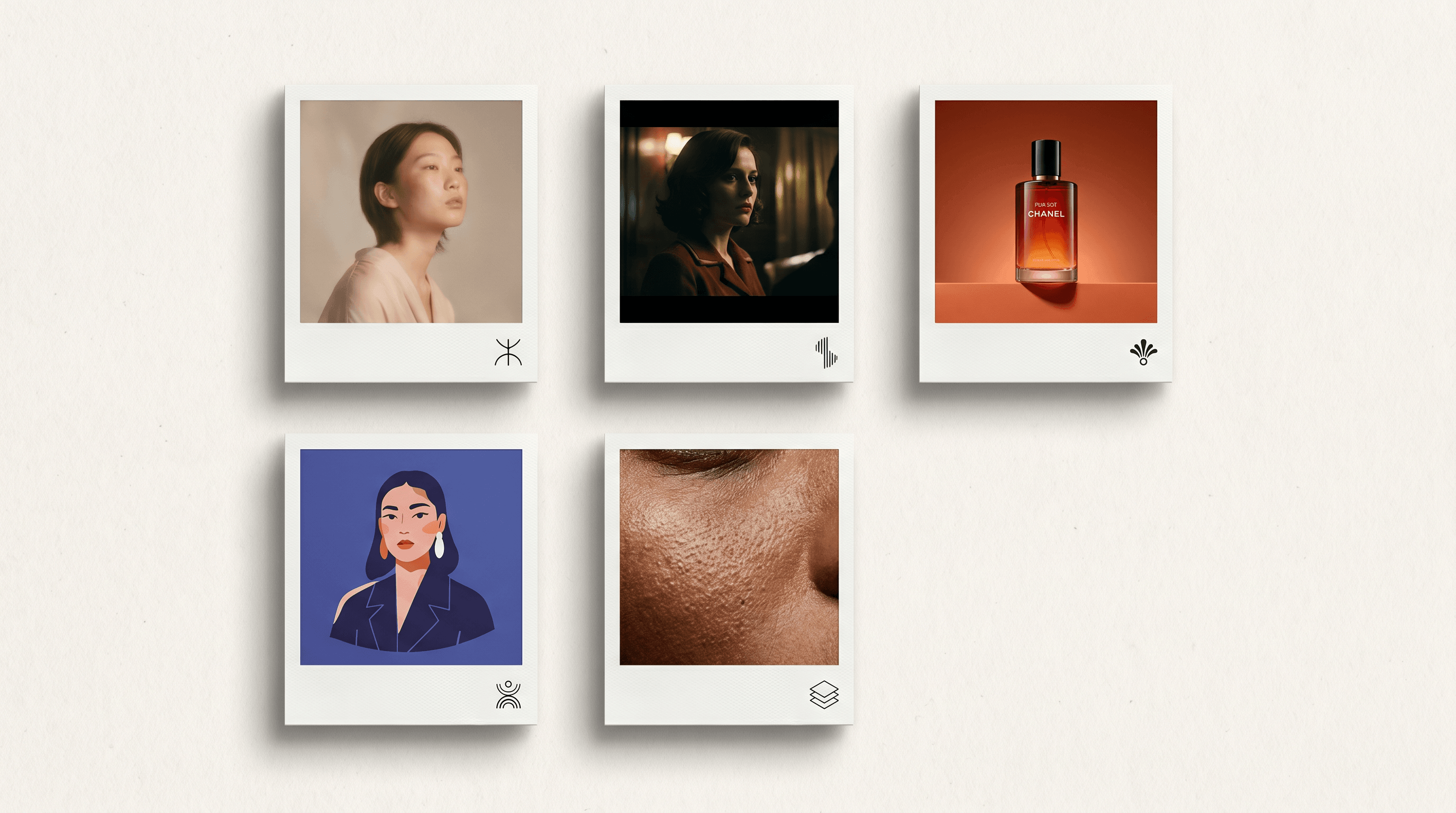
Your sketch type decides more than any leaderboard. Four jobs cover most requests:
| Your use case | First pick | Why | Runner-up |
|---|---|---|---|
| Portrait (people, pets, characters) | Sketch To (fidelity-first models) | Strongest skin texture and line fidelity in our May testing | Nano Banana 2.1 for multi-turn character consistency across a series |
| Product (mockups, packaging, e-commerce) | Sketch To with Seedream 4.5 or GPT Image 2.5 Ultra | Reference-detail preservation and editing precision for client work | Firefly for brand-safe commercial deliverables |
| Lineart-faithful (architecture, fashion, technical) | Sketch To (fidelity-first models) | Preserves exact composition; chat models tend to redraw details | GPT Image 2.5 Sunburst when edit precision outranks speed |
| Creative reinterpretation (concepts, scenes, mood) | Midjourney V8.2 | Interpretation is the feature, not a bug | Gemini app for the fastest explore-and-refine loop |
If your job appears above, the decision is mostly price and workflow — the tools are no longer the bottleneck.
How to Turn a Sketch into a Real Photo — Step-by-Step
We'll use Sketch To because it's the lowest-friction path in this comparison — and it now hosts several of the models above. The flow is the same elsewhere, with extra prompt-tuning.
- Prepare the sketch. A clean line drawing on a light background works best; JPEG or PNG, at least 1024px on the long edge.
- Upload and pick a current model. Sketch To shows the credit cost of every model before you generate — for photo-grade fidelity work, GPT Image 2.5 Ultra (4 credits) or Seedream 4.5 (4 credits) are the strong picks; Nano Banana 2 (4 credits) suits multi-reference edits.
- Add an optional style hint. A short note like "soft studio lighting, 50mm portrait" steers the render; skip it for default photoreal.
- Generate and refine. Re-run with a tighter crop or a changed style hint. Reference-image support goes up to 8 images on GPT Image 2.5 and 14 on Nano Banana 2 and Seedream 4.5.
- Download and use. Output is yours to use — and if the deliverable is commercial, make sure you're on the Pro plan, which carries the commercial license.
FAQ
Can AI really turn a pencil sketch into a real photo? Yes — that's the core function of every tool above. Quality differs by lane: fidelity-first tools preserve your composition; interpretation-first tools restyle it.
What is the best free tool to convert a sketch to a real photo? Adobe Firefly's free daily generations and the Gemini app's limited free image generation are the strongest no-cost options; Sketch To includes 4 free trial credits for new users. Midjourney has no free tier.
How long does sketch-to-photo conversion take? From about 10 seconds (Sketch To, May testing) to chat-speed iteration on the Nano Banana line, to 30–60 seconds in Midjourney Fast mode.
Can I use the output for commercial work? Per vendor terms as of October 2026: Sketch To requires the Pro plan; Midjourney grants broad usage rights to subscribers ($1M+ revenue companies need Pro/Mega); Firefly-model output is commercial-safe with enterprise indemnification when eligible; Google doesn't claim ownership of generated content; OpenAI assigns output ownership to you. Verify the current terms before a paid deliverable — several changed this year.
Which AI tool gives the most realistic results for portrait sketches? Fidelity-first models on Sketch To led our May testing for portrait realism; GPT Image 2.5 Ultra is the strongest officially-documented challenger for precision work.
Do I need to know how to write prompts to use these tools? Not for the upload-and-render lanes (Sketch To, Firefly). Midjourney rewards prompt iteration; the Gemini app and ChatGPT accept plain-English instructions.
What replaced DALL-E 3 and the old version numbers? DALL-E 3 is superseded by the GPT Image 2.5 line (Sunburst/Flare); Midjourney is on V8.2; Google's image line is Nano Banana (2, with 2.1 as the current update); Firefly upgraded to a four-tier plan with partner models.
The honest October 2026 answer to "which tool turns my sketch into a real photo" is that the question split in two: how fast you want to iterate (Gemini app, ChatGPT), and how faithfully you want the render to match your lines (Sketch To's fidelity-first models, GPT Image 2.5 Ultra). Re-verify prices before you commit — this market now moves faster than its comparison tables.
Transforma tus imágenes con IA
Convierte bocetos en imágenes impresionantes, elimina fondos, cambia caras y más — todo con IA.
Prueba Sketch To gratisCompartir
SketchTo Team
Redactor técnico especializado en herramientas de IA, procesamiento de imágenes y flujos de trabajo creativos.
Artículos relacionados
6 Best BeFunky Alternatives for Photo Effects and Toon Filters (2026)
Looking for something similar to BeFunky? Compare six alternatives — Fotor, SketchTo, PicMonkey, Pixlr, Picsart, and Photopea — on cartoon filters, effects, and batch editing.
Best Art Craft Apps: AI Tools for Craft and Design Ideas
A task-by-task guide to art and craft apps: what the trending ArtCraft open-source suite actually is, plus the AI converters — bead patterns, stencils, coloring pages, sketch-to-render — that help real craft projects.
PhotoCraft vs Photoshop: Is the Open-Source Photoshop Alternative Worth Downloading?
PhotoCraft is a free, open-source Photoshop alternative built in Rust. See what v0.7.0 can and can't do against Photoshop, whether it's safe to download, and how to install it.