
The new ChatGPT Images is here
On this page
Share
The latest ChatGPT Images release marks a step-change in how we create and edit visuals with AI. It pairs a new flagship image model with a redesigned Images experience inside ChatGPT, delivering precise edits that preserve what matters, richer transformations, and generation speeds up to 4× faster. For developers, the same capabilities arrive in the API as GPT Image 1.5—with lower costs and stronger brand/logo preservation.
Table of Contents
- Why this update matters: intent‑matching image generation
- A new creation space in ChatGPT
- Improvements, API access, and availability
- FAQ
- Conclusion
Why this update matters: intent‑matching image generation
The core promise of this release is simple: you describe the change, ChatGPT Images applies it—precisely—while preserving critical elements such as lighting, composition, and likeness across uploads, outputs, and subsequent edits. This consistency translates into practical value for photo edits, believable try‑ons, and stylistic or conceptual reimaginings.
Precise edits that preserve what matters
The model now excels at additive, subtractive, and composite edits—combining, blending, and transposing elements without erasing the image’s soul. Instead of starting from scratch each time, you can iterate, retaining key details across rounds.
Creative transformations
Beyond edits, the model reshapes layouts, typography, and scene composition to bring concepts to life while maintaining important details. With preset styles and ideas in the new Images feature, you can explore visually without writing a prompt.
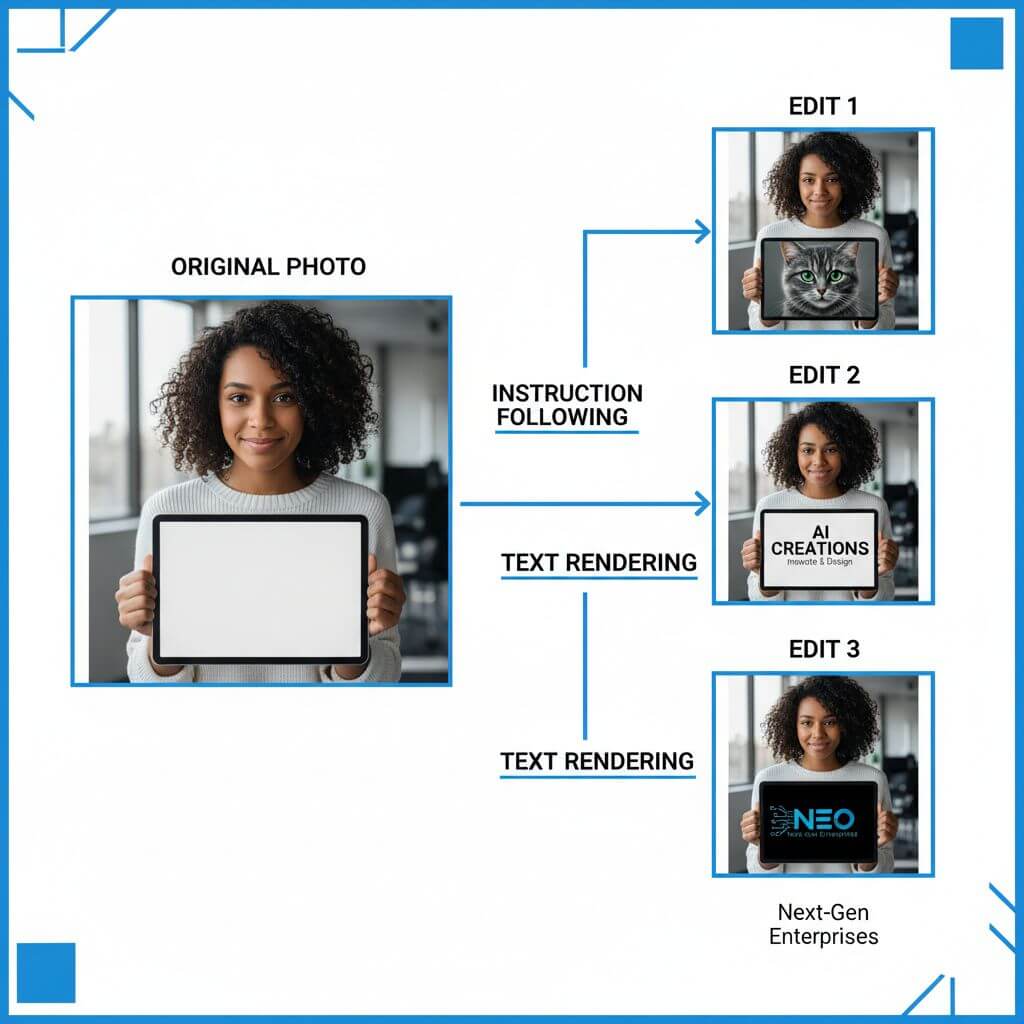
Better instruction following
Compared to the initial release, instruction adherence is notably improved. The system preserves relationships among elements in complex compositions, making layouts, grids, and multi‑object scenes more faithful to your brief.
Sharper text rendering
Dense, small, or structured text is rendered more reliably, enabling use cases like posters, infographics, and mock newspaper layouts that previously required manual cleanup.
A new creation space in ChatGPT
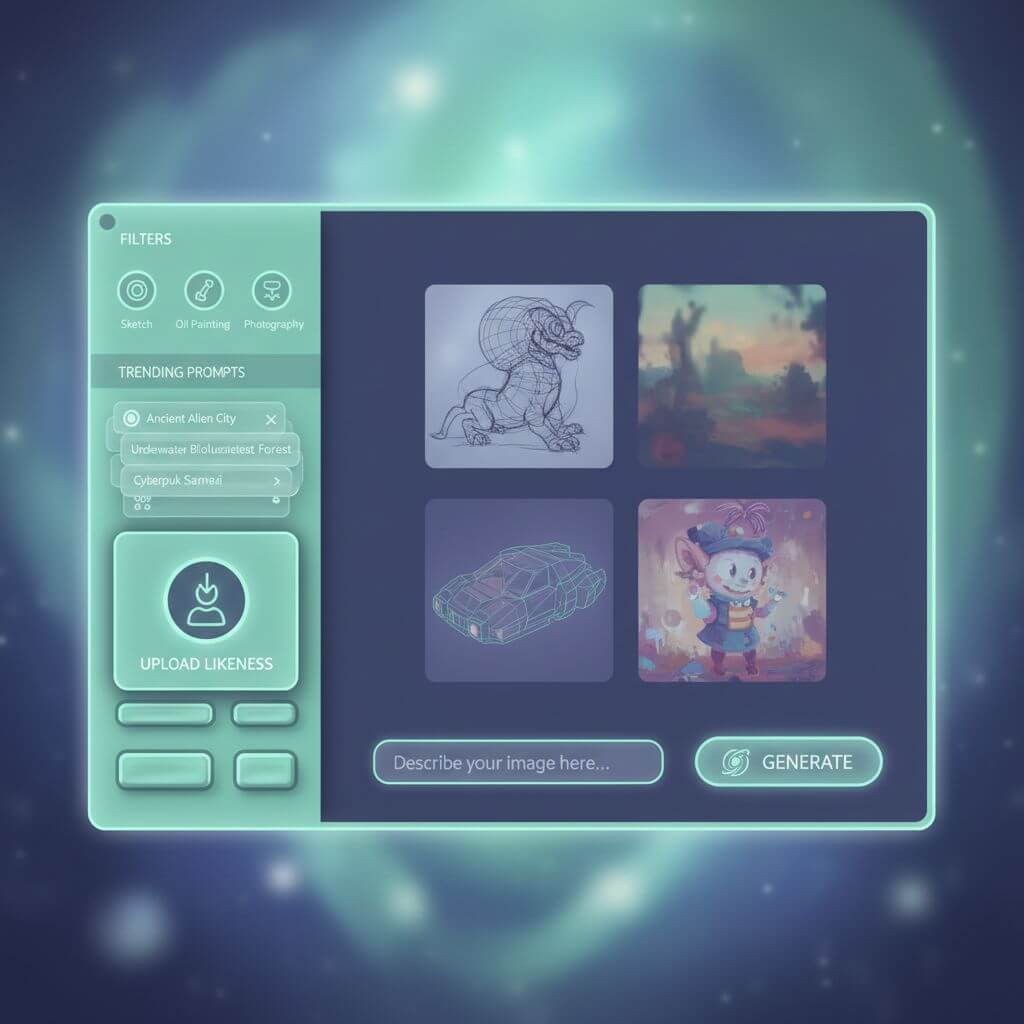
The release also introduces a dedicated Images experience in the ChatGPT sidebar (on mobile and chatgpt.com). It’s designed for faster exploration and iteration.
Sidebar Images experience
You can now browse preset filters and trending prompts that spark ideas. This lowers the barrier to experimentation—helpful for beginners and power users alike.
Likeness upload and reuse
A one‑time likeness upload lets you reuse your appearance in future creations without hunting through your camera roll. This makes iterative storytelling and series design far less tedious.
Faster iteration (up to 4×)
Generation is up to four times faster, and you can continue generating while other images are still rendering. The result: quicker creative loops and less waiting.
Additional quality improvements
Outputs look more natural, and the model handles scenes with many small faces more gracefully—two areas that often exposed the limits of earlier systems.
Improvements, API access, and availability
GPT Image 1.5 in the API
The same capabilities power GPT Image 1.5 in the API. Input/output costs are 20% lower than the previous version, enabling more iterations on the same budget.
Brand preservation and ecommerce use cases
Expect more consistent preservation of logos and key visuals across edits. This makes the model suitable for marketing workflows (graphics, logo variations) and ecommerce catalog generation (variants, scenes, and angles from a single source image).
Rollout and compatibility
The new model is rolling out to all ChatGPT users, and the Images experience is arriving for most users now, with Business and Enterprise access coming later. The earlier version remains available as a custom GPT for continuity.
Known limitations and what’s next
Despite clear gains, the model isn’t perfect. Complex styles, multilingual edge cases, and scientific precision can still falter. OpenAI notes more progress to come—finer‑grained edits and richer detail across languages are on the roadmap.
FAQ
How is this different from the previous ChatGPT Images?
It adheres to instructions more reliably, preserves lighting/composition/likeness across edits, renders dense text better, and generates up to 4× faster.
What makes editing more precise now?
The model focuses on the requested change while minimizing unintended drift, enabling additive, subtractive, and composite edits that keep key details intact.
Can it handle multi‑object layouts and small text?
Yes—improvements in instruction following and text rendering help with grids, posters, and compact typography.
What’s new for developers?
GPT Image 1.5 in the API brings better editing/preservation, more consistent branding, and 20% lower image I/O costs compared to the previous generation.
Is the new Images experience available to everyone today?
It is rolling out now for most users in ChatGPT, with Business and Enterprise access coming later. The underlying image model is available broadly, including via API.
Conclusion
The new ChatGPT Images pushes AI image generation toward intent‑matching creation: precise edits, expressive transformations, faster iteration, and an experience built for exploration. For individuals and teams, that means less friction between an idea and a usable visual.
If you need to convert an image to a sketch or turn a sketch back into a realistic image alongside your creative workflow, you can try Sketch To (https://www.sketchto.com/).
Transform Your Images with AI
Turn sketches into stunning images, remove backgrounds, swap faces, and more — all powered by AI.
Try Sketch To FreeShare
Sketch To
Tech writer covering AI tools, image processing, and creative workflows.
Related Articles

Jitish Kallat: Wind Study (Hilbert Curve)
Explore Google Arts & Culture’s interactive "Wind Study (Hilbert Curve)" by Jitish Kallat—how wind data and math make the invisible visible.

Knitted Doll AI Prompt: 7 Templates That Work
Use this knitted doll AI prompt guide to turn photos or sketches into cozy yarn dolls. Includes 7 templates, material words, and fixes.

AI Visual Reference for Landing Page Design
Use an AI visual reference for landing page design to turn rough sketches into clearer prompts, fewer retries, and stronger drafts.