
Seedream 4.5: ByteDance's Most Advanced AI Image Editor
Experience the all-round improvement of Seedream 4.5 through overall model scaling. Accurately identify main subjects in multi-image editing, strictly preserve reference image details, and enjoy enhanced typography with dense text rendering for professional visual creatives with high consistency and fidelity.
Settings
Upload an image file to get started with your AI conversion
Optionally accepts up to 14 reference images.
Preview
View your AI-transformed result and compare with the original

↑ Example result. Try it yourself!
Why Choose Seedream 4.5 for AI Image Editing?
Seedream 4.5 achieves comprehensive improvements across all dimensions. From multi-image editing to poster design, experience professional-grade capabilities that deliver exceptional results.
Accurate Multi-Image Editing
Upload up to 14 images and let Seedream 4.5 accurately identify target elements across all inputs. Enable controllable and consistent multi-image generation with precise subject identification and seamless integration.
Reference Image Consistency
Seedream 4.5 preserves facial features, lighting, color tone, and other details from your reference images. Deliver professional editing capabilities with high fidelity to your original source materials.
Enhanced Typography & Text Rendering
Create professional posters with designer-level composition and typography. Seedream 4.5 offers clear and readable small text rendering, ideal for posters, brand visuals, and other creative scenarios.
Professional Poster & Logo Design
Design stunning posters with proper layout, typography hierarchy, and visual balance. Perfect for marketing materials, brand assets, and creative projects that require professional visual output.
Smart Subject Recognition
Seedream 4.5 accurately identifies the main subjects in your images, making it easy to edit specific elements while preserving the overall composition and background integrity.
High-Fidelity Output
Generate images with exceptional quality and consistency. Every edit maintains professional standards with precise detail preservation and natural-looking results.
Real-World Applications of Seedream 4.5
Discover how professionals across industries leverage Seedream 4.5's multi-image editing, typography, and poster design capabilities to create stunning visual content.
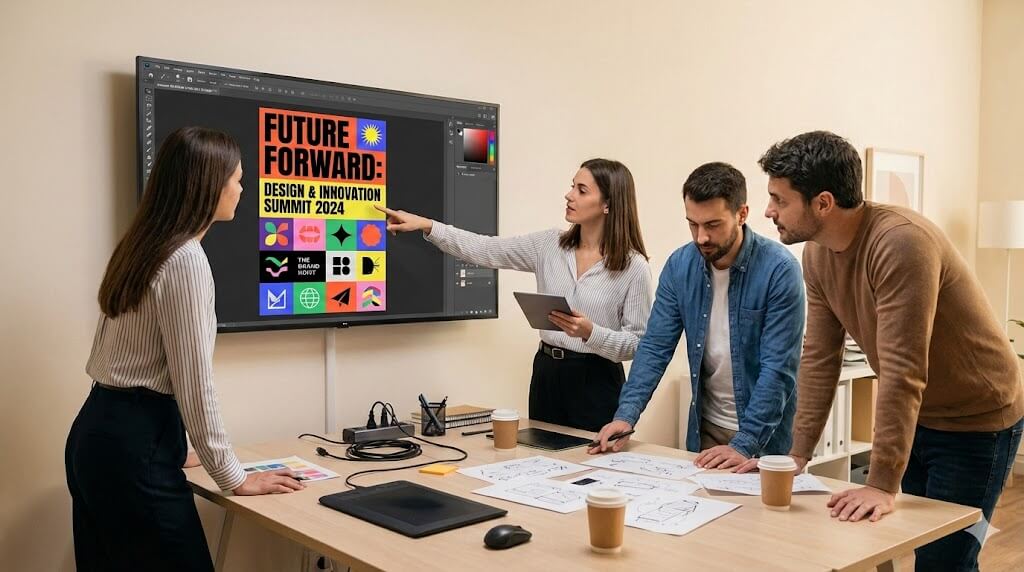
Marketing Teams: Professional Poster Design
Marketing professionals use Seedream 4.5 to create eye-catching posters with proper typography, brand colors, and promotional text. The enhanced text rendering ensures clear, readable content that drives engagement and conversions.
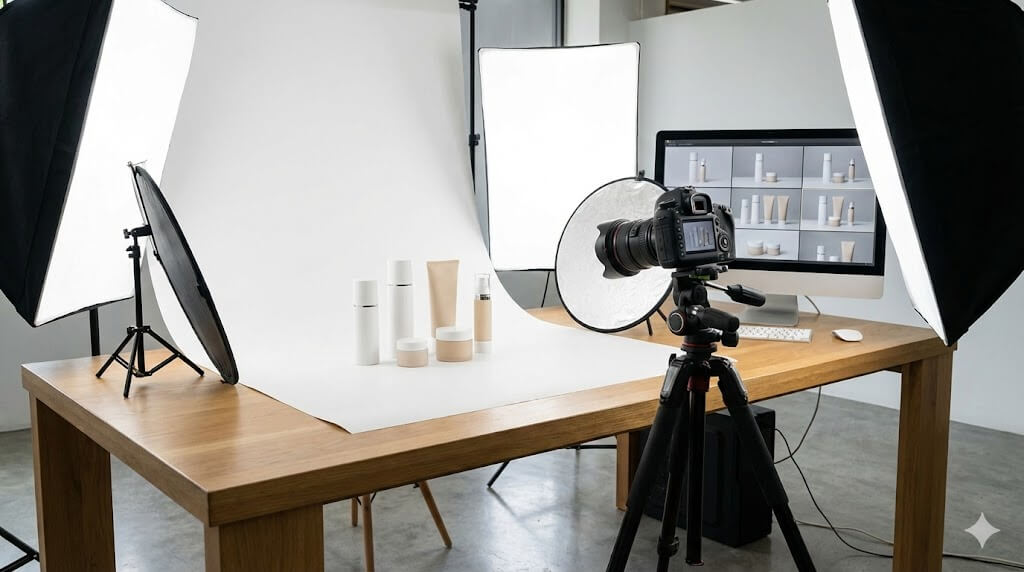
E-commerce: Consistent Product Imagery
E-commerce teams leverage Seedream 4.5's multi-image editing to maintain consistent product presentations across catalogs. Upload multiple reference images and generate cohesive visuals with preserved brand aesthetics.

Designers: Brand Visual Creation
Professional designers use Seedream 4.5 for rapid brand visual iteration. From logo integration to promotional materials, the model's typography and layout capabilities enable quick concept development with professional results.
How to Use Seedream 4.5: 3 Simple Steps
Start creating with Seedream 4.5 in under a minute. Our streamlined workflow makes professional AI image editing accessible to everyone.
Register for Free Seedream 4.5 Credits
Create your Sketchto account to instantly receive free credits for Seedream 4.5. No payment required to start - experience ByteDance's most advanced image model with our generous free trial.
Upload Images & Describe Your Edits
Upload up to 14 images to Seedream 4.5 and describe your desired modifications. Specify poster layouts, text changes, or multi-image editing requirements. Seedream 4.5 understands natural language instructions.
Generate & Download Results
Click generate and watch Seedream 4.5 transform your images in seconds. Download high-quality results with professional typography, consistent styling, and preserved reference image details.
Pro Tips for Best Results with Seedream 4.5
Leverage Multi-Image Editing:
Use multiple reference images to achieve consistent results. Seedream 4.5 excels at identifying and preserving key elements across multiple inputs.
Be Specific with Typography:
For poster designs, describe the text content, font style, and layout preferences. Seedream 4.5's enhanced typography capabilities deliver professional results.
Preserve Reference Details:
When editing portraits or branded content, mention which elements to preserve. Seedream 4.5 maintains facial features, lighting, and color consistency.
What Users Say About Seedream 4.5
“Seedream 4.5's multi-image editing is a game-changer! I can now maintain character consistency across entire marketing campaigns. The typography rendering is incredibly professional - finally an AI that understands poster design.”

Michael Torres
Creative Director
“As an e-commerce manager, I need consistent product imagery across hundreds of SKUs. Seedream 4.5 preserves the exact lighting and color tones from my reference photos. The multi-image capability has cut our editing time by 70%.”

Sarah Kim
E-commerce Manager
“The poster design capabilities in Seedream 4.5 are remarkable! Dense text rendering that's actually readable, proper typography hierarchy, and professional layouts. It's like having a graphic designer on demand.”

James Anderson
Marketing Manager
“What impressed me most is how Seedream 4.5 preserves facial features and expressions from reference images. For our portrait-based campaigns, this consistency is essential. Best AI image editor I've used!”

Elena Rodriguez
Brand Strategist
Frequently Asked Questions About Seedream 4.5
Everything you need to know about using ByteDance's Seedream 4.5 AI image editor on our platform