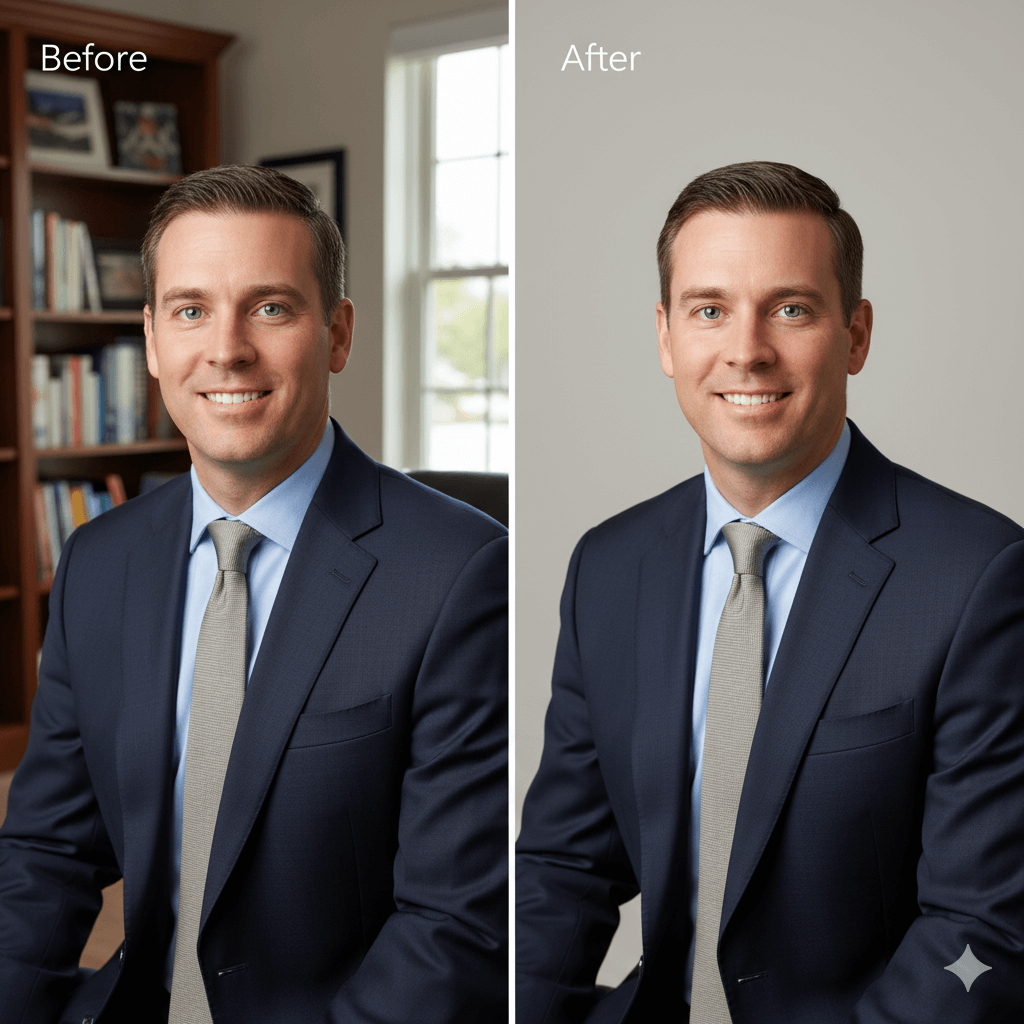
One-Click AI Background Remover

Automatically remove background from any image with our smart background remover ai. Get clean, professional-grade transparent backgrounds instantly. Start your free trial today.

Background Remover

Upload an image file to get started with your AI conversion

Upload Image (Optional)0/3

Nano Banana is ready for this Tool input mode.

Preview

View your AI-transformed result and compare with the original

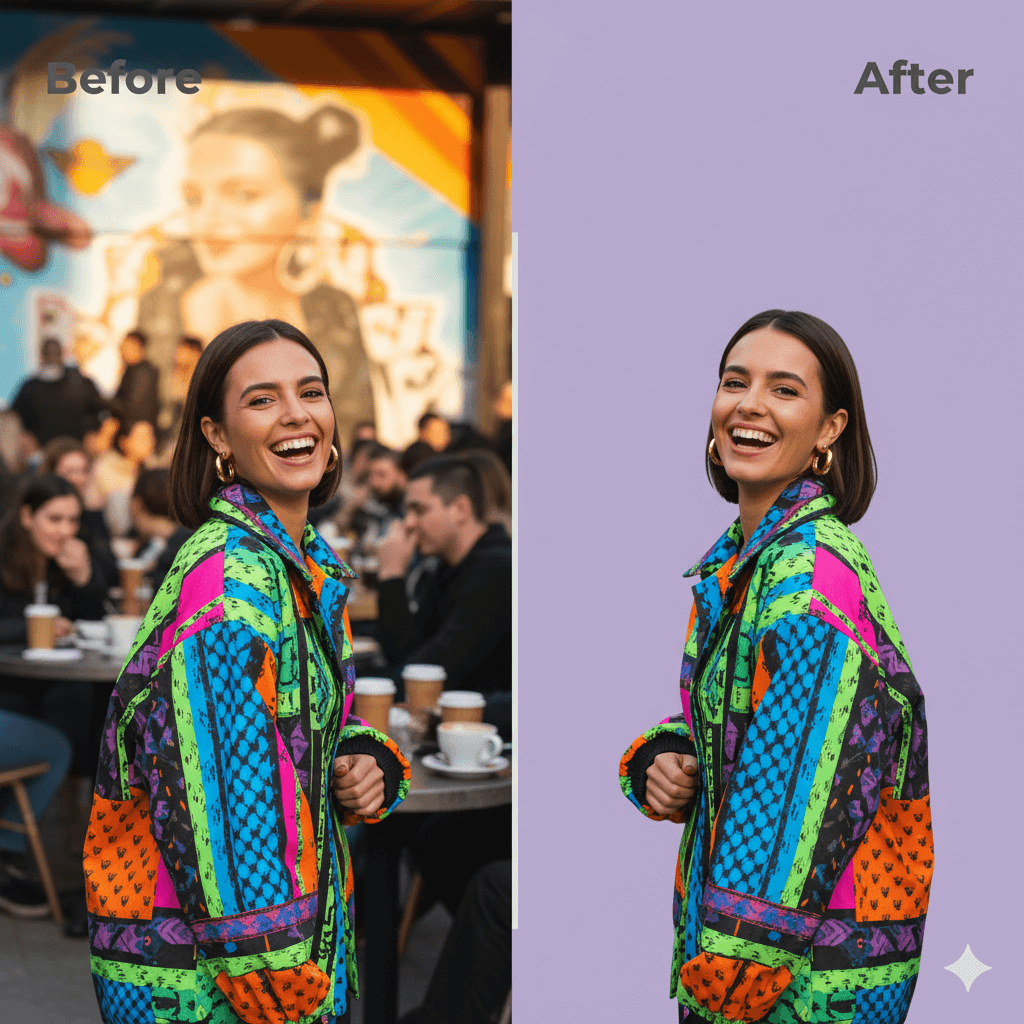
Example result

↑ Example result. Try it yourself!

Why Our Tool to Remove Background From Image is Better

Stop wondering how to remove background from photo manually. Our AI tool is trained to handle complex scenarios, providing superior quality and speed that sets you free from tedious editing.

  • Unmatched Precision with Our Background Remover AI

    Our AI doesn't just cut—it analyzes. It intelligently handles tricky edges like hair, fur, and complex details, giving you a crisp, clean cutout every time. Use it as a perfect transparent background maker for any project.

  • Instant Remove Background Online in 5 Seconds

    No more waiting. Upload your image, and our tool delivers a perfect result in about 5 seconds. Sign up for your remove bg free trial and get free credits to experience this power immediately.

  • For E-commerce: Your Go-To Free Background Remover

    Over 80% of online shoppers say product photos are key. Our tool helps you remove bg to create professional, white-background images for Amazon, Shopify, and eBay, proven to boost sales by up to 30%.

  • For Designers: The Ultimate Transparent Background Maker

    Stop wasting hours with the pen tool. Use our bg remove tool to isolate subjects, logos, and objects in seconds. Speed up your workflow and integrate subjects into any design flawlessly.

  • For Photographers: Master How to Remove Background From Photo

    Our background remover is a lifesaver for portrait and wedding photographers. It handles complex edges like hair and veils with 99% accuracy, saving you hours of manual masking and editing in post-production.

  • For Fun: Easy Remove Background Online

    Create hilarious memes, custom stickers for your chats, or amazing collages. Our tool makes it easy to remove background from any photo. Cut out your friends, pets, or yourself and paste them anywhere!

Real-World Use Cases for Background Removal

Discover how professionals across different industries use our AI background remover to create stunning visuals and streamline their workflow.

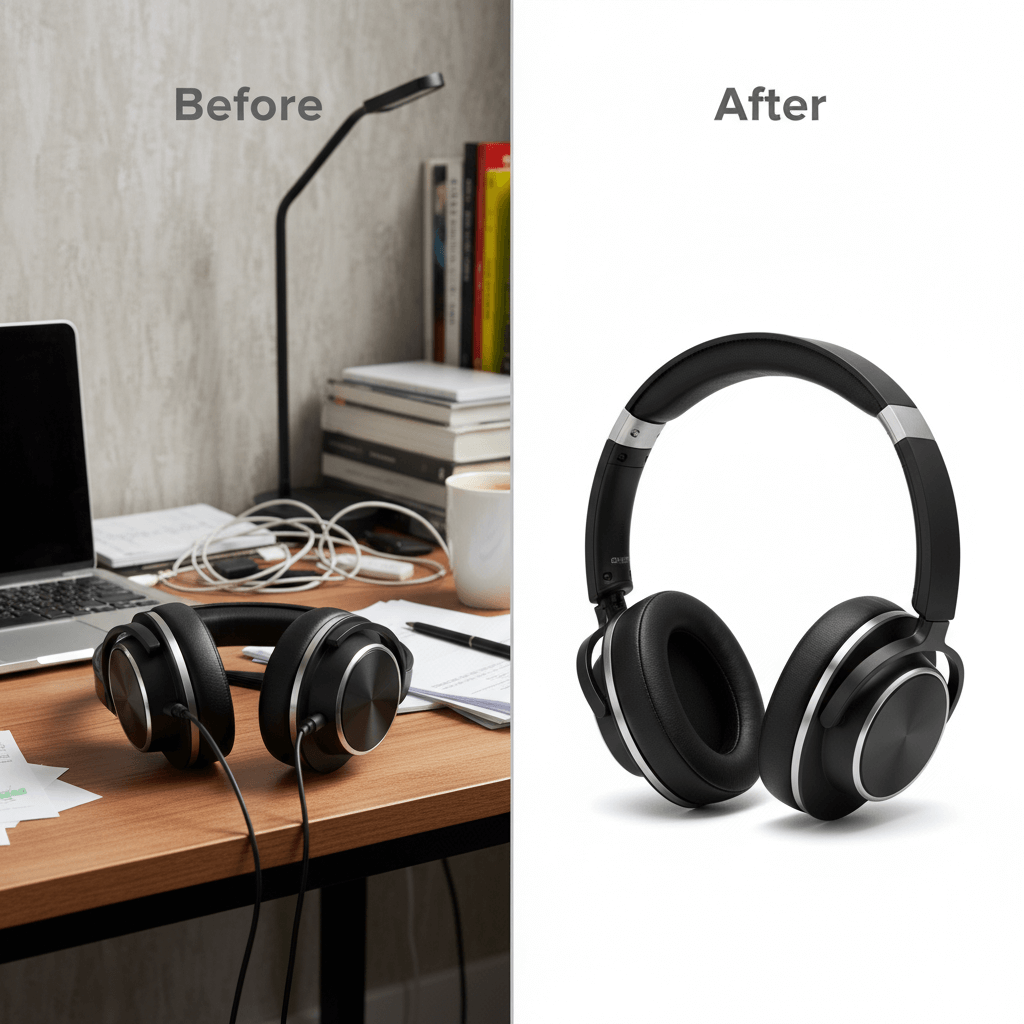
E-commerce Product Photography
E-commerce Owners

E-commerce Product Photography

Online store owners use our background remover to create professional white-background product photos. Clean product images boost conversion rates by up to 30% and meet marketplace requirements for Amazon, eBay, and Shopify.

Social Media & Marketing Content
Marketers & Creators

Social Media & Marketing Content

Content creators and marketers leverage our tool to create eye-catching graphics for social media posts, ads, and promotional materials. Remove backgrounds instantly to create engaging content that stands out in crowded feeds.

Professional Portraits & Headshots
Professionals

Professional Portraits & Headshots

Job seekers and professionals use our AI to create polished headshots with clean backgrounds for LinkedIn profiles, resumes, and corporate websites. Get professional-looking portraits without expensive photo shoots.

How to Remove Background From Image in 3 Seconds

Yes, it's that fast. Get started with our remove bg free trial and see how easy it is to remove bg from any picture.

  • 1

    Upload Your Image

    Drag and drop your file or click "Upload". Sign up to get your free credits and start using our free background remover trial immediately.

  • 2

    Let the AI Work

    Instantly, our background remover ai will automatically detect the subject and remove the background with incredible precision. No clicks needed.

  • 3

    Download Your Image

    Your new image with a transparent background is ready. Download it as a high-resolution PNG. It's the perfect transparent background maker.

Pro Tips for Best Results

Image Quality:

For optimal quality, upload an image where the subject (person, product, or object) is clear and well-defined. Our AI handles most images, but a clear subject will result in an even more precise cutout.

Subject Matter:

Portrait photos, product images, and objects with clear edges work exceptionally well with our background remover ai.

Professional Models:

Upgrade to professional AI models for industry-leading background removal quality and enhanced precision for complex edges.

Pricing

Transform your images with AI. Choose the plan that fits your needs.

Basic

$7.99$9.99/mo

Perfect for personal use and casual creators.

2400 credits (≈ 1200 images / year)

Includes

  • Own your creations
  • Access to Standard Generation
  • Image history saved
  • Standard Quality Download

Billed annually · Save $24/year

Cancel anytime. No lock-in contract.
Best Value · 4x MoreMost Popular

Pro

$15.99$19.99/mo

For power users and professionals.

9600 credits (≈ 4800 images / year)

Everything in Basic, plus

  • Commercial License Included
  • Priority Support
  • 4x More Credits
  • Priority email support

Billed annually · 75% cheaper per image

Cancel anytime. No lock-in contract.
Frequently Asked Questions

Everything you need to know about our pricing plans

Do unused credits roll over?+

To ensure we can offer the most competitive pricing and generous credit allowances each month, your credits reset at the start of each billing cycle. This model allows us to provide you with the best possible value in every billing period.

Can I use the generated images commercially?+

Yes, commercial use is a key feature of our Pro plan. Pro subscribers own the rights to their creations and can use them for any commercial purpose, including marketing, advertising, and resale. Images generated under the Basic plan are licensed for personal use only.

What happens if I run out of credits?+

Don't let your creativity stop! You have a few great options: (1) Purchase a Credit Pack for an instant one-time top-up — no subscription needed. (2) Upgrade your plan to get more credits and unlock more features instantly. (3) Wait for your next billing cycle when credits will automatically refresh. We'll send you a notification when you're running low so you can decide what's best for you.

What are Credit Packs?+

Credit Packs are one-time purchases that give you credits instantly without a subscription. They do not auto-renew, so you only pay when you need more. Purchased credits are valid for 1 year from the date of purchase. You can buy multiple packs at any time to top up your balance.

How do I cancel my subscription?+

We believe in flexibility. You can cancel your subscription at any time with just a few clicks in your account settings. No questions asked. After canceling, you'll continue to have access to your plan's features and credits until the end of your current billing period.

What payment methods do you accept?+

We accept all major credit cards (Visa, MasterCard, American Express) through Stripe. All transactions are secure and encrypted.

What counts as one credit?+

Typically, generating one image uses 2 credits. However, certain advanced features or higher resolutions might consume more. You will always see the credit cost before you generate an image, so there are no surprises.

Do you offer a free trial?+

Yes! Every new user gets 4 free credits upon signing up to experience the power of our AI. No credit card required. If you love it and need more, you can subscribe to one of our plans anytime.

What's the difference between Basic and Pro plans?+

Basic plan is perfect for personal use and casual creators, offering 200 credits (~100 images) per month. Pro plan is designed for power users and professionals, with commercial license, priority support, and 800 credits (~400 images) — that's 4x more images for just $10 more!

Trusted by Over 100,000+ Happy Users

"This is the best background remover I've ever used. I run a Shopify store, and this tool saves me at least 10 hours a week. The cutouts are perfect every time."
Emily L.
E-commerce Owner
"As a designer, I need to remove bg constantly. This bg remover is my new secret weapon. The AI handles hair better than any other tool I've paid for."
David C.
Graphic Designer
"I use this to remove background from image files for my blog and social media. It's incredibly fast and the quality is stunning. The free trial was enough to convince me!"
Sarah J.
Marketing Manager
"I'm a photographer, and the 'remove background' feature is a lifesaver. It cuts my editing time in half, especially for client portraits. Highly recommend."
Mark T.
Professional Photographer

Frequently Asked Questions

Everything you need to know about our AI background remover

We offer a free trial that includes free credits for you to test the full power of our tool. You can sign up, remove background from several images for free, and see the high-quality results for yourself. If you need more, you can upgrade to a paid plan.

For optimal quality, upload an image where the subject (person, product, or object) is clear and well-defined. Our AI handles most images, but a clear subject will result in an even more precise cutout.

Yes! This is our biggest advantage. Our AI is specifically trained to identify and cleanly mask complex edges like hair, fur, and fine details, giving you a professional result that other tools can't match.

After you remove background, you will receive a PNG file with a transparent background. You can then place this image on a new background, use it in a design, upload it to your e-commerce store, or use it in any project that requires a clean subject cutout.

Our background remover supports all common image formats including JPG, JPEG, PNG, WebP, and more. Simply upload your image and our AI will automatically process it to remove the background.

Our AI background removal is lightning fast! Most images have their backgrounds removed within 5-10 seconds using our advanced AI processing technology.