
8 AI Tools for Instagram Content Creation
On this page
Share
Creating scroll-stopping Instagram content takes more than ideas—it takes the right AI stack to move from concept to visuals, video, and voice at speed. This guide evaluates eight AI tools that can help you ship posts, reels, carousels, and UGC ads with less friction and more consistency.
Table of Contents
- What Makes a Great AI Tool for Instagram
- The 8 Best AI Tools for Instagram Content Creation
- FAQ
- Conclusion
What Makes a Great AI Tool for Instagram
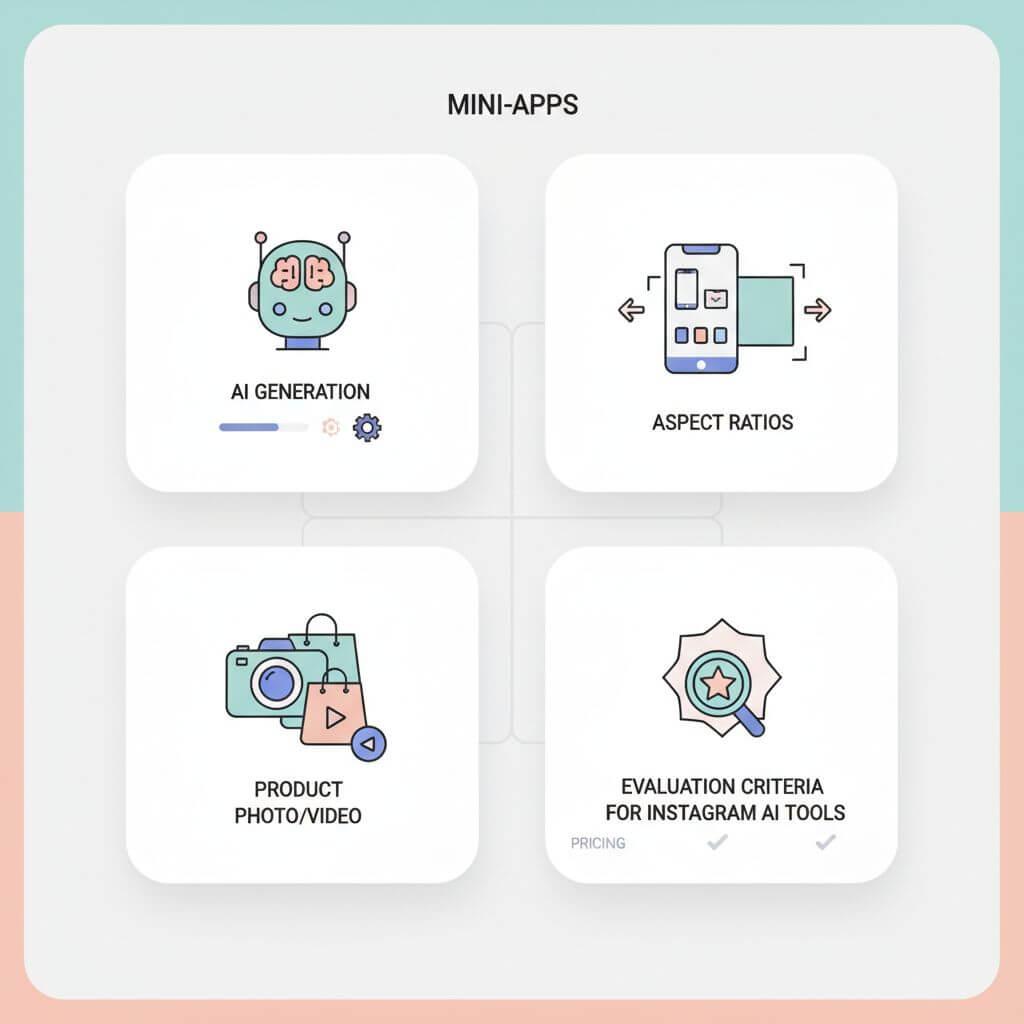
Choosing tools for Instagram isn’t only about flashy generations—it’s about reliability, speed, and how well a tool fits your end-to-end workflow.
1) AI generation where it matters
- Text-to-image and text-to-video that produce on-brand visuals quickly.
- Smart AI edit tools: background remover, object swap, generative fill.
2) Mini-apps and utilities
- Headshots, logos, AI retouching, product staging, template libraries.
- Quick UGC helpers for product shots and short promos.
3) Aspect ratios and export control
- Square (1:1), vertical (9:16), and cinematic options with caption-safe margins.
- High-quality exports for ads and creator partnerships.
4) Creator/ecommerce readiness
- Product photo and video options, including props and lighting simulations.
- Consistency features: brand kits, style presets, and batch edits.
5) Pricing and value
- Free tiers for testing, fair pricing to scale.
- Collaboration and version control if you work in teams.
The 8 Best AI Tools for Instagram Content Creation
1) ImagineArt
An all-in-one AI creative suite for Instagram creators. It combines AI image and video generation, voice/music tools, mini-apps (headshot/logo generators), background removal, and robust AI image editing. Hairstyle and clothes changers make it easy to try aesthetic variations without a full reshoot.
- Standout: 10+ aspect ratios, product photo/video pipelines, node-based workflows for planning whole campaigns, and team collaboration.
- Models: Access to top models (e.g., Imagen 4, Google Nano Banana, Google Veo 3.1, Sora 2, Runway, Kling, Hailuo, PixVerse, Flux, Seedream, Seedance) in one interface.
- Best for: Creators and teams who need multi-modal generation plus structured workflows.
- Pricing: 50 free tokens/day; Pro from $15/month.
2) Picsart
A fast, intuitive mobile-first editor with AI photo tools and a huge library of templates, stickers, and fonts. Its text-to-image/video features and AI Replace enable quick experiments and visual refreshes.
- Standout: Drag-and-drop simplicity and publish-to-Instagram flow.
- Best for: Influencers/solo creators who value speed and convenience.
- Pricing: Free tier available; premium from $13/month.
3) Krea
Text-to-image and video generation focused on aesthetic consistency. Build moodboards, campaigns, and themes that share the same visual DNA. Tweak lighting, color, and framing without restarting.
- Standout: Precision styling with an easy web interface and community prompt ideas.
- Best for: Branding-led creators who want cohesion across feeds.
- Pricing: Free account with limits; paid from $10/month.
4) Zebracat
Turns scripts or short prompts into finished videos—visuals, voiceover, captions, transitions, and music included. Optimized for reels and short-form ads.
- Standout: Fast concept-to-video pipeline with natural AI voices and stock integrations.
- Best for: Video-first marketers focused on Instagram ads and explainers.
- Pricing: No free tier; starts at $39/month.
5) Canva
Template-driven design meets light AI generation (Magic Design, Magic Write, text-to-image). Great for carousels, stories, reels covers, and team collaboration through shared projects and brand kits.
- Standout: Massive template library and real-time co-editing.
- Best for: Teams and creators who need speed and brand consistency.
- Pricing: Core features free; AI generation in paid plans from $15/month.
6) Adobe Firefly
Professional-grade AI integrated into Photoshop, Illustrator, Premiere, etc. Powerful text-to-image, generative fill, and text effects with the fidelity pros expect.
- Standout: Quality, control, and seamless movement across Adobe apps.
- Best for: Agencies and designers producing high-end Instagram visuals.
- Pricing: From $9.99/month (Creative Cloud plans vary).
7) Fotor
Fast AI photo enhancement: retouch portraits, remove objects, fix lighting, and keep a consistent look with preset filters and overlays. Also includes AI generation and simple design templates.
- Standout: Polished results without a steep learning curve.
- Best for: Mobile-first creators turning raw shots into ready-to-post images.
- Pricing: From $8.99/month.
8) ChatGPT
Your creative assistant for ideation: captions, hooks, hashtags, campaign outlines. Pair it with a visual tool to execute, e.g., write a script with ChatGPT, then generate visuals in ImagineArt or design in Canva.
- Standout: Strategic thinking and fast copy iteration; supports image/video via connected workflows.
- Best for: Streamlining planning and keeping copy/visuals aligned.
- Pricing: Free tier; Plus from $20/month.
FAQ
Which tool is best for beginners?
Picsart and Canva are the easiest on-ramp—templates and simple AI edits let you publish quickly. If you want both images and videos from one place, ImagineArt is a strong starting point.
What aspect ratios should I use for Instagram?
- Square: 1:1 for grid posts.
- Vertical: 9:16 for reels and stories.
- 4:5 vertical for portrait feed posts. Always preview safe zones for captions.
How do I keep my brand consistent?
Use brand kits (Canva) or node-based workflows (ImagineArt). Lock color, fonts, and style prompts. Build templates for product reveals and UGC.
Do I need AI for captions and hashtags?
ChatGPT helps brainstorm hooks, CTAs, and variations fast. Pair it with your visual tool to align tone and visuals.
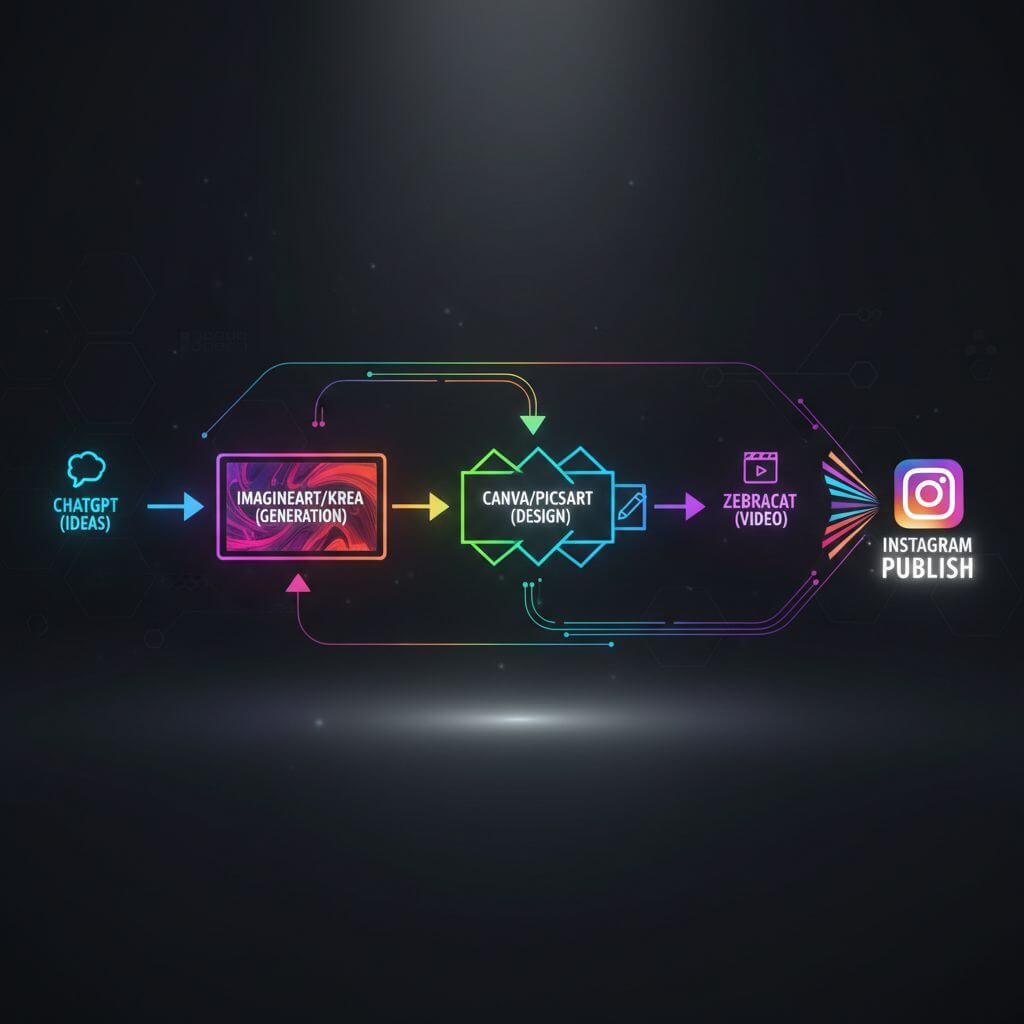
What’s a good end-to-end workflow?
- Ideas and scripts: ChatGPT.
- Visual generation: ImagineArt or Krea.
- Design and layout: Canva or Picsart.
- Video-first ads: Zebracat.
- Finishing touches: Fotor or Adobe Firefly.
Is pricing comparable across tools?
Free tiers are common, but limits vary. Pro features range from about $9–$20/month for most design tools; Zebracat is pricier for video at $39/month. Always verify current pricing.
Conclusion
Instagram success is about speed, cohesion, and creative experimentation. If you want an all-rounder, ImagineArt covers multi-modal generation and campaign workflows. For design speed and team collaboration, Canva leads. Krea keeps your aesthetic tight; Picsart streamlines mobile creation; Zebracat accelerates short-form video; Adobe Firefly unlocks pro-grade fidelity; Fotor polishes photos in minutes; and ChatGPT keeps your ideas and copy flowing.
If you need to convert images to sketches or turn sketches back into realistic images during your creative process, you can try Sketch To.
Transform Your Images with AI
Turn sketches into stunning images, remove backgrounds, swap faces, and more — all powered by AI.
Try Sketch To FreeShare
Sketch To
Tech writer covering AI tools, image processing, and creative workflows.
Related Articles

Local AI Image Generator vs Online Sketch Tools
A local AI image generator gives you privacy and offline use; online sketch to image AI tools win on speed and polish. Full 2026 comparison.

Reve 2.0 Alternative: Sketch-to-Image Layout Control
Looking for a Reve 2.0 alternative? Compare 6 layout-based AI image generators and see when sketch-to-image beats 4K layout control.

MAI Image 2.5 Alternatives for Sketch Scene Control
Compare 7 MAI Image 2.5 alternatives for scene control. See when sketch-to-image beats text prompts for layout, perspective, and composition.