
Qwen-Image-Layered: Layered Decomposition for Editability
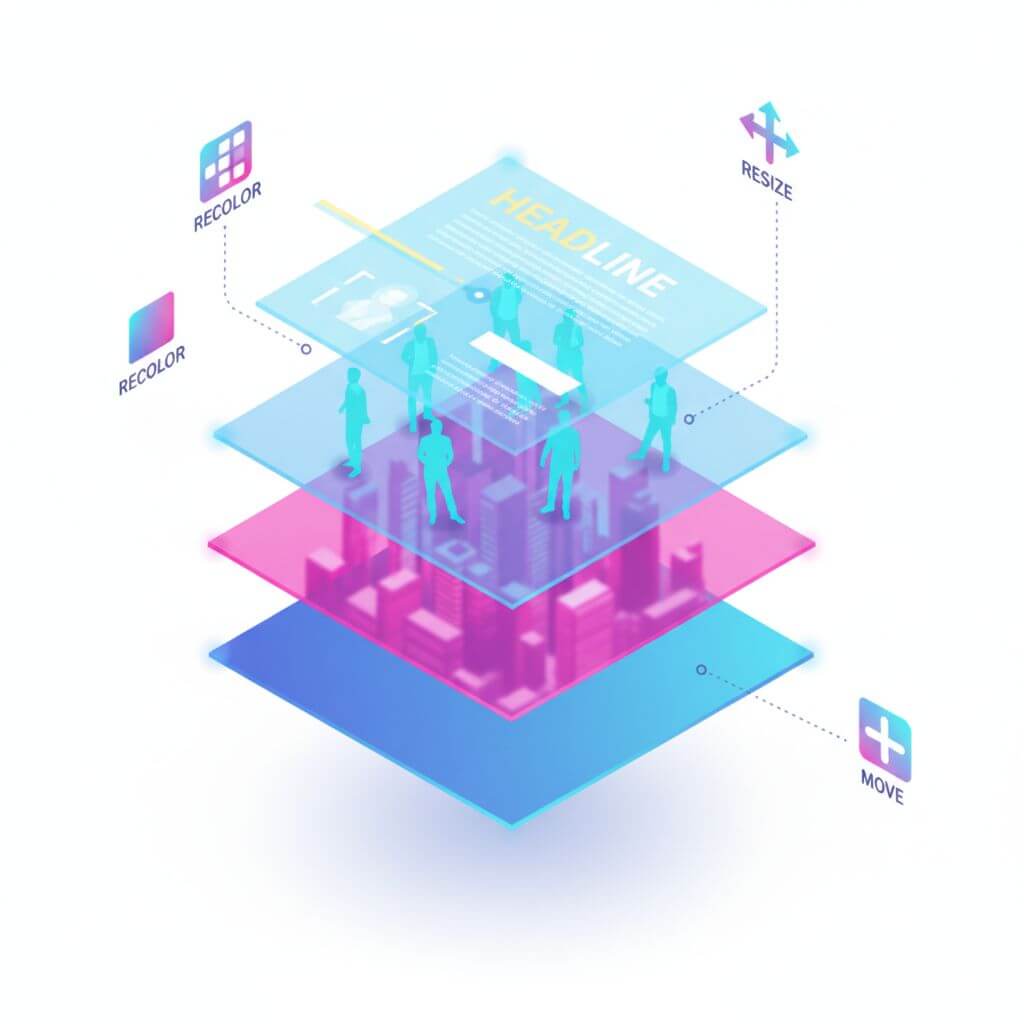
Modern image editing demands precision without collateral changes. Qwen-Image-Layered introduces a structured way to achieve this: decomposing a single raster image into multiple RGBA layers so that each semantic or structural element can be edited in isolation. This reimagines images as composable layers, enabling intuitive, repeatable, and high-fidelity edits.
Table of Contents
Layered Decomposition for Inherent Editability
Qwen-Image-Layered decomposes a given image into multiple RGBA layers. Each layer holds a specific semantic or structural role (e.g., a person, text, foreground object), plus an alpha channel that encodes the exact footprint of that element on the canvas. By isolating content physically, the model inherently preserves consistency across edits—changes in one layer never corrupt neighboring content.
Independent RGBA Layers
- Separation of concerns: Objects, text, and background become distinct RGBA layers.
- Pixel-accurate masks: The alpha channel precisely bounds where edits apply.
- Predictable outcomes: Edits to a layer don’t bleed into others.
Elementary Operations with High Fidelity
Because elements are disentangled, basic operations become robust:
- Recoloring respects object boundaries and lighting within the layer.
- Resizing and repositioning do not distort unrelated regions.
- Deleting is clean—removal of one layer leaves the rest intact.
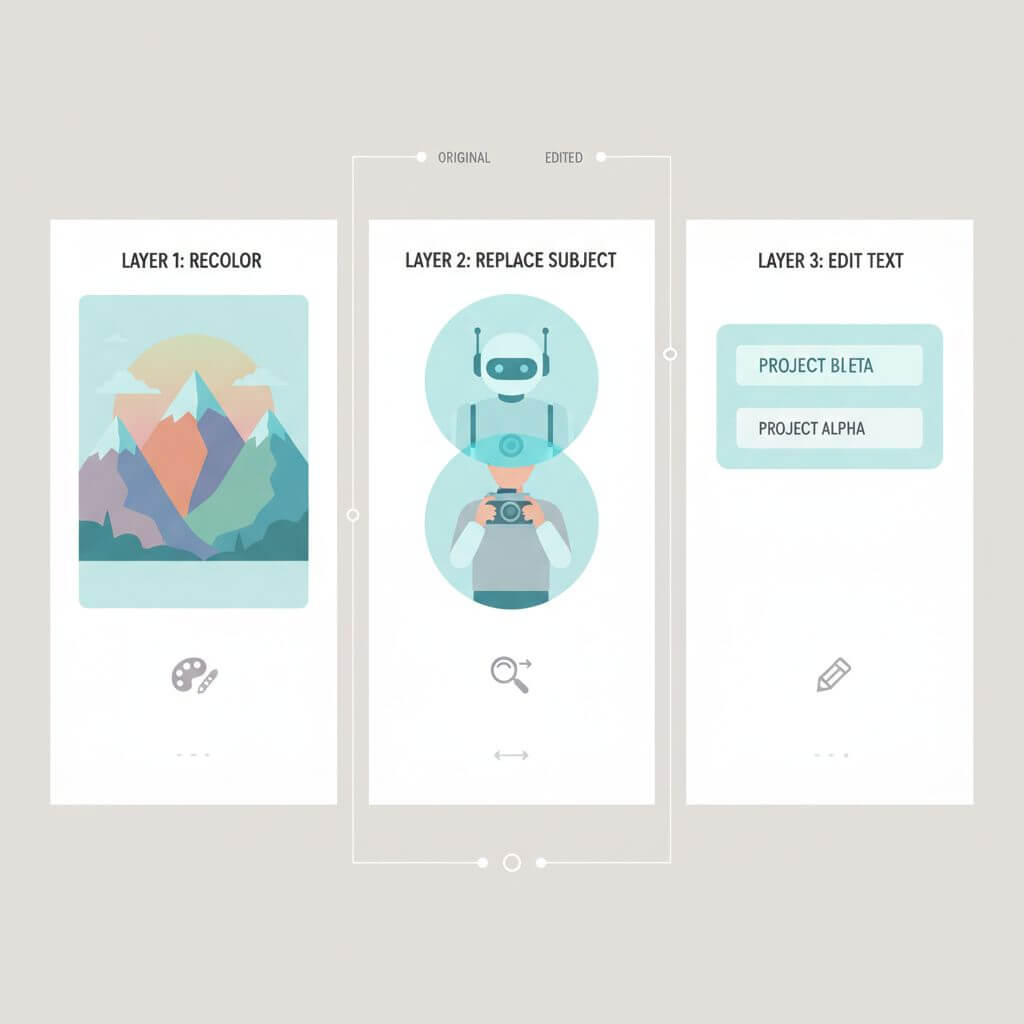
Examples: Recolor, Replace, Text Edit, Delete, Resize, Move
- Recolor the first layer while keeping all other content untouched.
- Replace a subject (e.g., swap the second layer from a girl to a boy) without re-rendering the entire scene.
- Revise embedded text (e.g., change a sign to “Qwen-Image”) in its dedicated layer.
- Delete unwanted objects cleanly by removing their layer.
- Resize an object without artifacts or warping outside its layer.
- Move objects freely across the canvas while maintaining global coherence.
Flexible and Iterative Decomposition
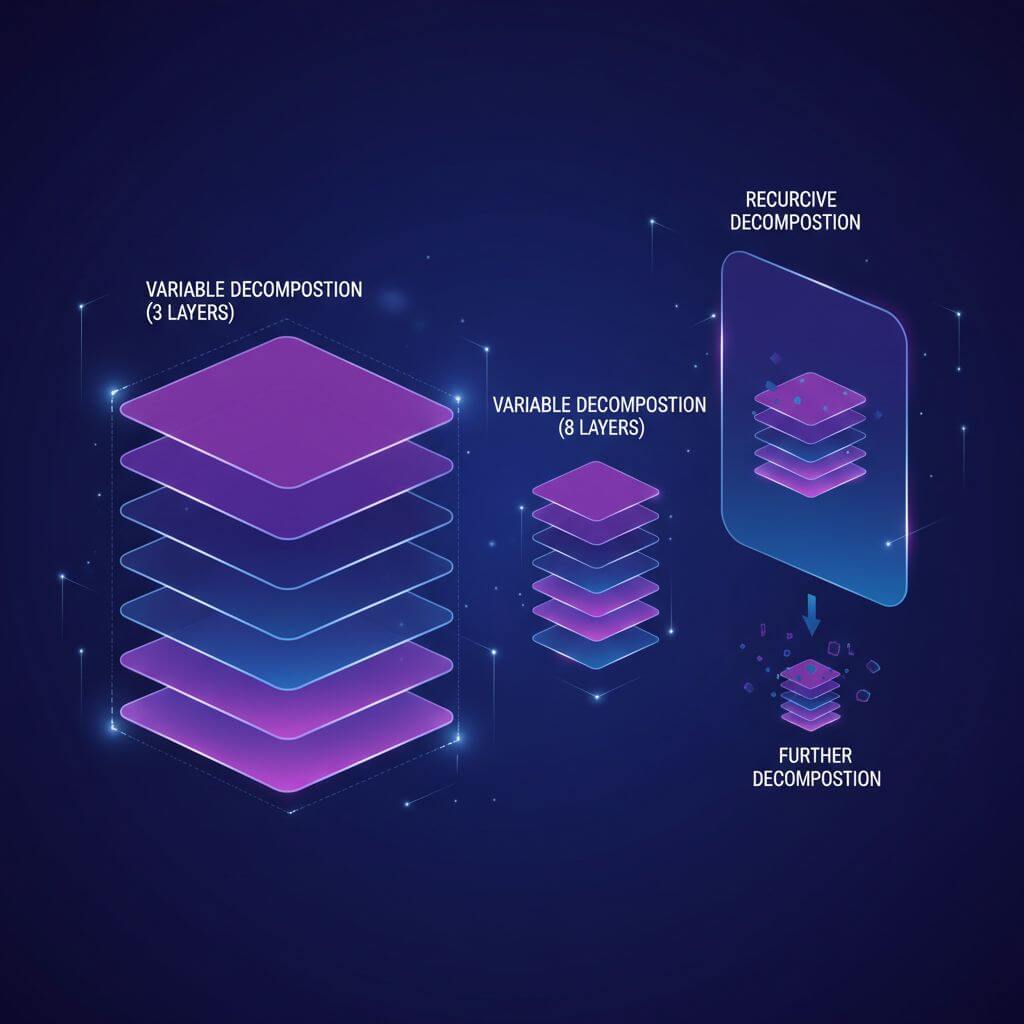
Qwen-Image-Layered is not limited to a fixed number of layers. It supports variable-layer decomposition tailored to your task—e.g., 3 coarse layers for quick edits, or 8 finer layers for precise control. Moreover, decomposition is recursive: any layer can itself be decomposed further, enabling effectively infinite granularity. This hierarchical approach scales from broad adjustments to meticulous refinements without changing the editing paradigm.
FAQ
-
What is an RGBA layer in this context? An image layer containing red, green, blue, and alpha (transparency) channels, where alpha defines the exact region of that layer’s content.
-
How is this different from a simple segmentation mask? Beyond categorical segmentation, each layer is an editable, self-contained RGBA slice of the image—ready for recoloring, repositioning, and compositing without affecting others.
-
How does it ensure consistency during edits? Physical isolation. Edits are applied only to the target layer, preventing unintended spillover.
-
Does this help with photorealism and visual fidelity? Yes. By restricting edits to the relevant pixels, the method preserves the rest of the scene untouched, maintaining coherence and fidelity.
-
Can layers reflect occlusion and ordering? Yes. Layer order and alpha manage visibility and compositing, enabling realistic overlaps and z-ordering.
-
How many layers should I choose? It depends on the task. Fewer layers for speed and simplicity; more layers for fine-grained control. You can also decompose a layer further later.
Conclusion
Qwen-Image-Layered bridges raster imagery with structured, editable representations. By reconstructing images as composable RGBA layers, it enables intuitive, precise, and robust editing—from recoloring and text updates to clean deletions, resizes, and relocations. Flexible depth and recursive decomposition further adapt the workflow to the complexity of real-world tasks.
If you need to convert images to sketches or turn sketches back into realistic images, you can try Sketch To.
Transform Your Images with AI
Turn sketches into stunning images, remove backgrounds, swap faces, and more — all powered by AI.
Try Sketch To FreeShare
Sketch To
Tech writer covering AI tools, image processing, and creative workflows.
Related Articles
GPT-6 Astra Use Cases for Image and Design Work: What's Real So Far
A source-attributed catalog of GPT-6 Astra's real image and design use cases — 3D worlds, frontend design, media production — plus the honest gap and what it means for your tools.
GPT-6 Astra Frontend Design: Can a Computer-Use Model Replace Your Sketch Tools?
GPT-6 Astra turns sketches into working UI and runs frontend QA checks. We compare its documented capabilities with specialized sketch-to-render tools on output, speed, cost, and access — plus a decision framework per deliverable.
AI UI Generation: World-Model Interfaces vs Sketch-to-Code
Runway's Solaris generates interfaces frame by frame as images; sketch-to-code tools produce runnable software. Here's which AI UI generation route fits which job.