

Best AI Photo to Sketch Tools in 2026 (Free & Paid)
On this page
Share
Picking an AI photo to sketch tool shouldn't take longer than creating the sketch itself. With TikTok's #phototrend hitting 8.5 million views and AI image tools flooding Product Hunt weekly, the options are overwhelming. We tested 6 popular AI photo to sketch converters — uploading the same set of portraits, landscapes, and pet photos to each — and compared output quality, speed, style variety, and pricing so you can decide in minutes, not hours.
Evaluation criteria: output quality (detail preservation, line accuracy), style variety, processing speed, ease of use, pricing value, and unique capabilities like reverse conversion.
Last updated: April 2026
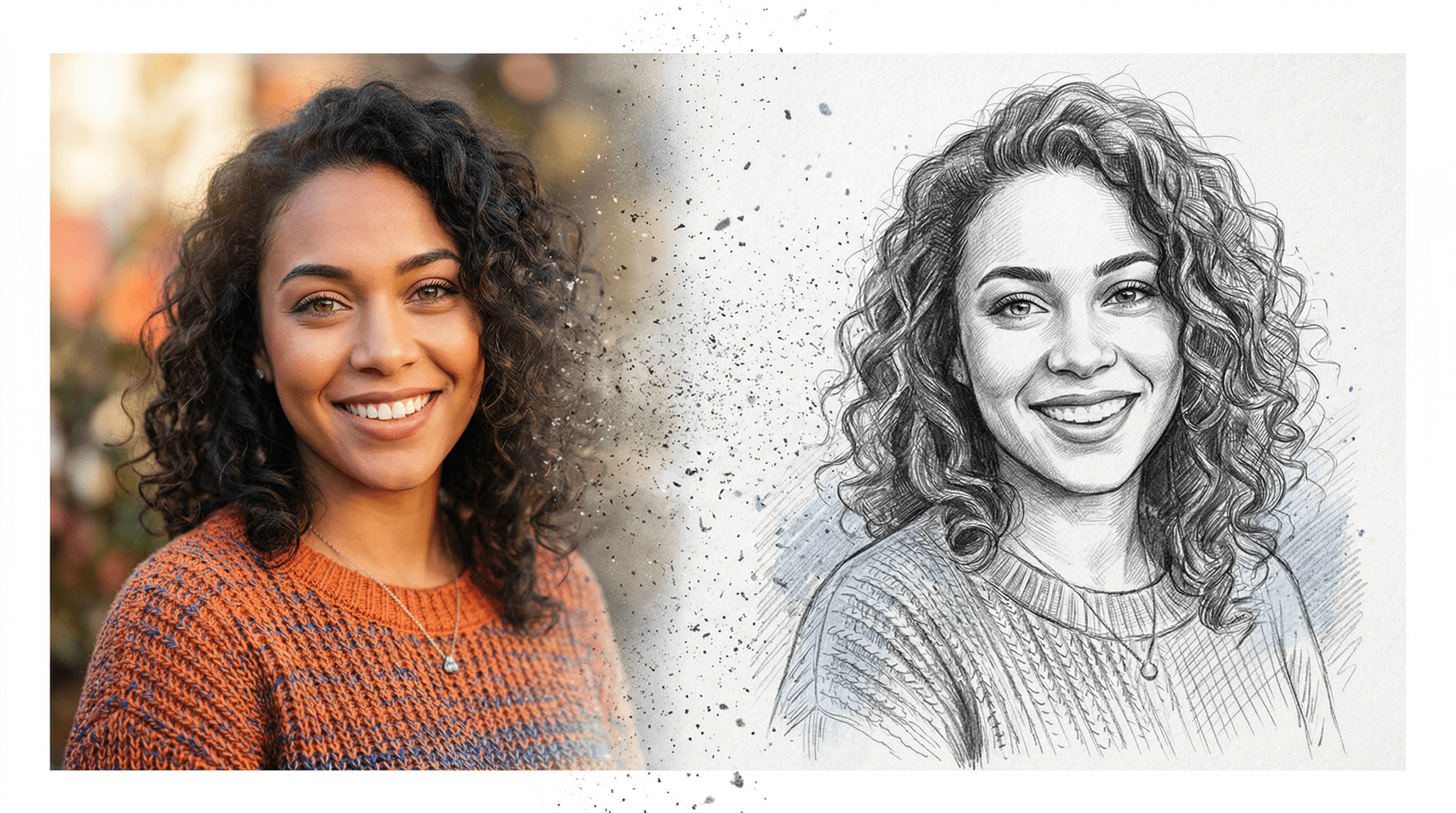
Table of Contents
- Quick Comparison Table
- Fotor
- Sketch To
- VanceAI VansPortrait
- PhotoDirector
- Canva
- LightX
- How to Choose
- FAQ
Quick Comparison Table
| Tool | Best For | Sketch Styles | Reverse (Sketch→Photo) | Free Tier | Starting Price | Rating |
|---|---|---|---|---|---|---|
| Fotor | Casual editing + sketch effects | 10+ filters (pencil, charcoal, color) | No | Yes (with limits) | $8.99/mo | 4.2/5 |
| Sketch To | Bidirectional conversion | 2 AI models (Standard + Professional) | ✅ Yes | Free trial credits | $8/mo | 4.5/5 |
| VanceAI VansPortrait | Quick line drawings | 2 types + anime style | No | 5 images/mo | $9.90/mo | 4.0/5 |
| PhotoDirector | Desktop power users | Multiple AI art styles | No | Free version | $3.33/mo (billed yearly) | 4.3/5 |
| Canva | Designers already on Canva | Sketchify app presets | ✅ (AI Sketch to Image) | Yes | $15/mo | 3.8/5 |
| LightX | Custom styles via text prompts | Prompt-based + presets | No | 7-day trial | ~$9.99/mo | 4.0/5 |
Pricing verified as of April 2026. Ratings based on our testing across output quality, speed, and value.
Fotor — All-in-One Photo Editor with Sketch Filters
Fotor is a web-based photo editor trusted by over 300 million users that includes AI photo to sketch conversion as part of its broader editing toolkit. In our testing, Fotor produced clean pencil sketches with good edge detection, especially on high-contrast portraits.
Key Features
- 10+ sketch styles: pencil, charcoal, color sketch, Picasso, cubism, minimalist outline, and more
- Intensity slider: fine-tune sketch strength from subtle to bold
- AI Line Art mode: optimized for clean, high-contrast line drawings — popular for tattoo stencil creation
- Batch processing: available on Pro plans
- Additional tools: background remover, AI enhancer, collage maker, and 100k+ design templates
Pricing
- Free: basic tools with watermark and limited exports
- Pro: $8.99/mo or $39.99/year — ad-free, 200+ effects, full sketch access
- Pro+: $19.99/mo or $89.99/year — adds 1M+ stock photos and commercial license
Best For
Casual users who want photo to sketch as part of a larger editing workflow. Fotor is a solid pick if you occasionally need sketch effects but spend most of your time on other edits.
Limitations
- No reverse conversion (sketch to photo)
- Sketch output relies on filters rather than dedicated AI models, so complex scenes can lose detail
- Free tier adds watermarks and limits resolution
- No batch sketch processing on the free plan
Sketch To — Bidirectional Photo-Sketch Conversion
Sketch To is a dedicated AI photo to sketch platform with one feature most competitors lack: bidirectional conversion. It turns photos into sketches and turns rough sketches into realistic photos using specialized AI models. In our testing, the Professional model produced notably realistic results with fine texture detail.
Key Features
- Image to Sketch: convert any photo into a pencil sketch with adjustable detail
- Sketch to Image AI: turn hand-drawn sketches into realistic photos — a unique capability among the tools tested
- Two AI models: Standard (fast, good for everyday use) and Professional (higher detail, better realism for commercial work)
- Background Remover: isolate subjects before or after conversion
- Image Upscaler: increase output resolution for print-quality results
- Uncrop: expand image boundaries with AI fill
Pricing
- Basic: $8/mo (960 credits/year, ~480 images)
- Pro: $16/mo (6,000 credits/year, ~3,000 images)
- New users get free trial credits to test both models
Best For
Users who need sketch-to-photo conversion alongside photo-to-sketch. Artists, illustrators, and designers who sketch concepts on paper and want to see realistic previews will find this especially useful.
Limitations
- No free ongoing tier — only trial credits for new users
- Fewer preset filter styles compared to Fotor or LightX (focused on AI model quality over filter variety)
- Processing speed on the Professional model is slower (~10-15 seconds vs. ~3 seconds for Standard)
- Web-only — no native desktop or mobile app
VanceAI VansPortrait — Fast AI Line Drawing Generator
VanceAI's VansPortrait is one of the fastest AI photo to sketch converters available, processing most images in under 5 seconds. It uses GAN (Generative Adversarial Network) technology specifically trained for edge detection and line art generation.
Key Features
- AI-powered line drawing: identifies edges and contours for clean line art output
- 2 sketch types: line drawing and stencil styles
- Selfie to anime: converts portraits into anime-style illustrations
- Fast processing: most conversions complete in under 5 seconds
- Adjustable presets: brightness, contrast, and line intensity controls
- Privacy: uploaded images are deleted within 24 hours
Pricing
- Free: 5 sketch conversions per month
- Basic: $9.90/mo — faster processing, batch mode, priority support
- Pro: $19.90/mo — higher resolution output, more credits, commercial license
- Each sketch download costs 2 credits
Best For
Users who need quick line drawings or stencils from photos. The anime conversion feature makes it popular with social media content creators.
Limitations
- Limited to line art and stencil styles — no pencil texture or charcoal effects
- No reverse conversion (sketch to photo)
- Free tier caps at 5 images/month, which runs out quickly
- Output resolution is lower on the free plan
- Limited style variety compared to prompt-based tools
PhotoDirector — Desktop AI Art Studio
PhotoDirector by CyberLink is a full-featured desktop photo editor that includes AI sketch conversion as part of its AI Art module. According to CyberLink, PhotoDirector supports mosaic, sketch, watercolor, and oil painting styles powered by generative AI — making it a strong pick if you want an AI photo to sketch tool bundled with professional editing.
Key Features
- AI Art module: converts photos into sketches, oil paintings, watercolors, and mosaics
- Multiple drawing styles: "Oil painting," "Colorful," "Crayon," and dedicated pencil sketch options
- Layer-based editing: apply sketch effects to specific layers or areas
- RAW support: process camera RAW files directly
- Desktop performance: processes locally, so large files and batch jobs run faster than cloud tools
- One-time purchase option: available as both subscription and perpetual license
Pricing
- PhotoDirector 365: $14.99/mo or $39.99/year ($3.33/mo effective)
- PhotoDirector Ultra: $99.99 one-time purchase (perpetual license)
- Free version: available with limited AI features
Best For
Desktop power users who want AI photo to sketch alongside professional photo editing. Photographers who already work with RAW files and layers will appreciate the integrated workflow.
Limitations
- Sketch conversion is a small part of a large app — if you only need sketches, you're paying for features you won't use
- Windows-focused (Mac support is more limited)
- AI Art styles are preset — no custom prompt input
- Steeper learning curve than web-based tools
- Annual subscription required for the latest AI models
Canva — Design Platform with Sketch Effects
Canva offers photo to sketch through its Sketchify app integration, turning any uploaded image into a sketch-style illustration within the Canva editor. With over 190 million monthly active users (according to Canva's 2025 annual report), it's the most widely used platform on this list — though its sketch conversion is a secondary feature, not a core focus.
Key Features
- Sketchify app: one-click conversion from photo to hand-drawn illustration style
- AI Sketch to Image: reverse conversion — draw a rough sketch and Canva's AI generates a finished image
- Design integration: use sketch outputs directly in presentations, social media posts, and documents
- Team collaboration: share sketch-enhanced designs with team members in real time
- 100M+ template library: combine sketch effects with Canva's design ecosystem
Pricing
- Free: basic sketch effects with Canva watermark on premium elements
- Pro: $15/mo or $120/year — full access to Sketchify and all AI features
- Business: $20/user/mo — adds brand kits and team management
- Enterprise: custom pricing
Best For
Designers and marketers who already use Canva and want to add sketch effects without switching tools.
Limitations
- Sketch quality is filter-based, not purpose-built AI — results lack the detail of dedicated tools
- Sketchify offers limited style customization
- The $15/mo Pro price is high if you only need sketch conversion
- Output quality varies significantly depending on the input image
- No dedicated sketch-specific settings (line weight, shading control)
LightX — Prompt-Based AI Sketch Generator
LightX takes a different approach to AI photo to sketch conversion by letting you describe the sketch style you want using text prompts. Instead of picking from preset filters, you can type "cross-hatching with fine ink lines" or "rough charcoal sketch with heavy shading" and the AI generates a matching result.
Key Features
- Text prompt control: describe any sketch style and the AI generates it
- Preset styles: quick-select options like pencil, ink, and charcoal for users who prefer not to write prompts
- Cross-hatching and ink art: specialized in detailed hatching techniques
- Multiple export formats: JPEG and PNG output
- Cross-platform: works on web, iOS, and Android
- Deep learning model: analyzes depth, edges, and lines for accurate conversion
Pricing
- Free trial: 7 days with full access
- Premium: approximately $9.99/mo (annual discount of 44% available)
- Premium includes 1,000 AI credits/month, no watermarks, and unlimited cloud storage
Best For
Creative users who want fine control over sketch style without being limited to presets. The prompt-based approach is ideal for artists with a specific aesthetic in mind.
Limitations
- Prompt-based generation can produce inconsistent results — the same prompt may yield different outputs
- No reverse conversion (sketch to photo)
- Free trial is time-limited (7 days), not usage-limited
- Text prompt interface has a learning curve for users unfamiliar with describing visual styles
- Mobile app experience is better than the web version
How to Choose the Right AI Photo to Sketch Tool
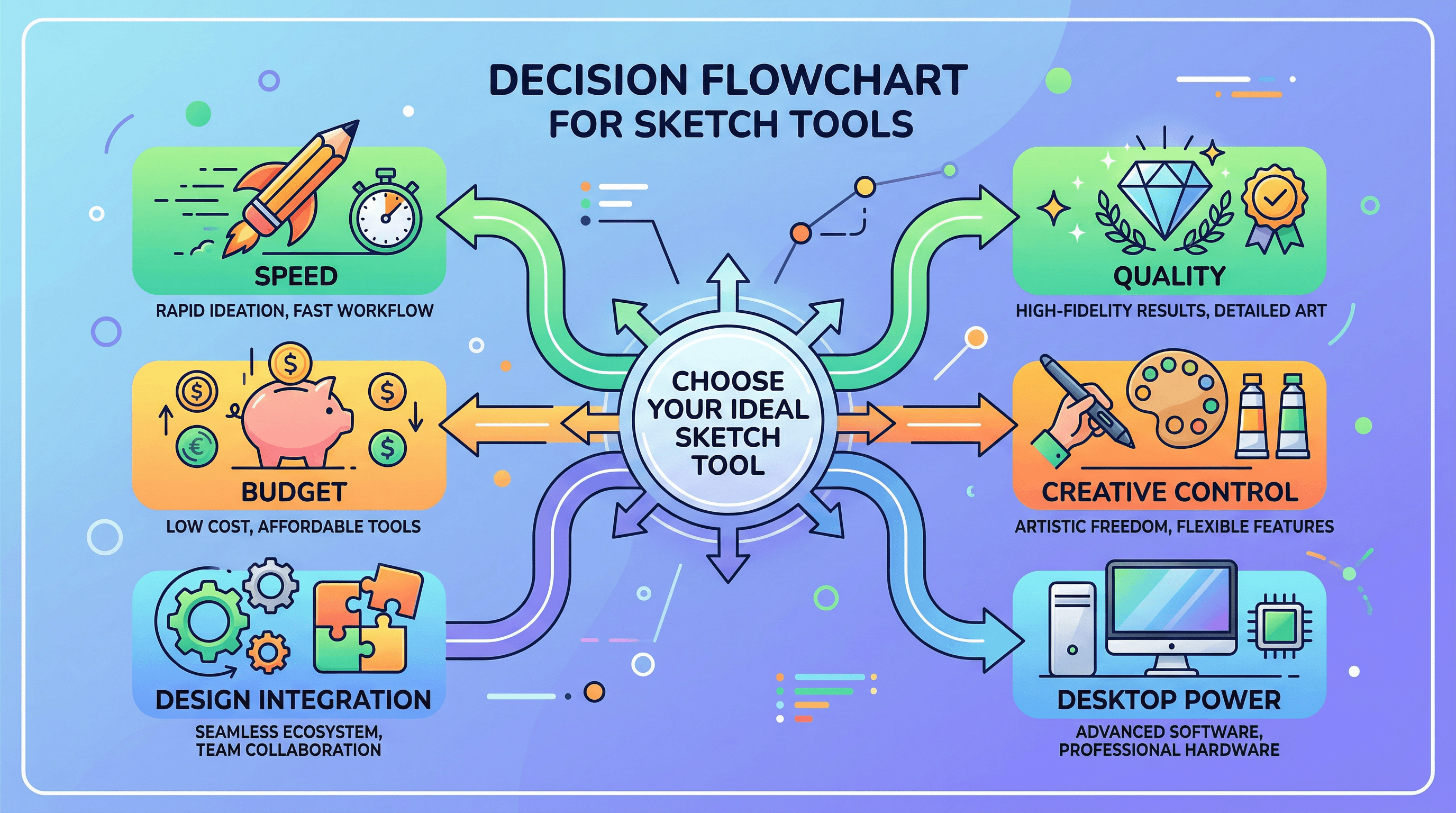
The best AI photo to sketch tool depends on what you're actually trying to do. Here's a quick decision framework:
- If you need sketch↔photo bidirectional conversion: Sketch To is the only tool tested that handles both directions with dedicated AI models.
- If you want variety in sketch styles with a full editor: Fotor gives you 10+ filters inside a complete photo editing suite, starting at $8.99/mo.
- If speed matters most: VanceAI VansPortrait processes images in under 5 seconds and offers a free tier.
- If you're already a desktop photo editor: PhotoDirector bundles sketch conversion with RAW editing and layers for $3.33/mo on annual billing.
- If you live in Canva for design work: Sketchify keeps everything in one place, though sketch quality is more basic.
- If you want custom sketch styles: LightX's prompt-based approach gives you the most creative control over the final look.
Budget picks: Fotor (free tier available), VanceAI (5 free images/month), PhotoDirector ($3.33/mo annual). Quality picks: Sketch To (Professional model), PhotoDirector (desktop processing), LightX (prompt control).
FAQ
Which AI photo to sketch tool is the best for free?
Fotor and VanceAI VansPortrait both offer usable free tiers. Fotor provides basic sketch filters with no monthly limit but adds watermarks. VanceAI gives you 5 high-quality conversions per month without watermarks. For a quick one-time test, Sketch To's free trial credits let you try their Professional model, which produced the most detailed output in our testing.
Can AI turn a sketch back into a realistic photo?
Yes, but only two tools on this list support it. Sketch To's "Sketch to Image AI" feature uses a dedicated model to convert rough drawings into photorealistic images. Canva also offers "AI Sketch to Image" within its editor. The remaining four tools only support the photo-to-sketch direction.
Is AI photo to sketch good enough for professional use?
For most commercial applications, yes. Sketch To's Professional model and PhotoDirector's AI Art module both produce output suitable for client presentations, product mockups, and marketing materials. For fine art reproduction or gallery-quality prints, you may want to use AI-generated sketches as a starting point and refine them manually.
How accurate are AI sketch converters compared to hand-drawn sketches?
AI sketch converters excel at edge detection and basic line work but can struggle with artistic interpretation. In our testing, dedicated tools like VanceAI and Sketch To captured facial features and architectural details well, while filter-based tools (Fotor, Canva) sometimes missed subtle details. For portraits, expect 80-90% accuracy on key features from the best tools.
Do AI photo to sketch tools work with any image type?
Most tools handle portraits, landscapes, pets, and objects well. High-contrast images with clear subjects produce the best results across all tools tested. Low-light photos, blurry images, and very busy compositions tend to produce messy sketches regardless of which tool you use.
Conclusion
Each of these 6 AI photo to sketch tools fills a different niche. There's no single "best" option — only the best fit for your workflow, budget, and the type of sketches you need. Start with a free tier or trial to test your specific images before committing to a paid plan. The comparison table at the top gives you the fastest way to narrow down your shortlist based on the features that matter most to you.
Transform Your Images with AI
Turn sketches into stunning images, remove backgrounds, swap faces, and more — all powered by AI.
Try Sketch To FreeShare
Sketch To
Tech writer covering AI tools, image processing, and creative workflows.
Related Articles

Text to Image vs Sketch to Image: Krea 2 Lessons
Compare text to image vs sketch to image after Krea 2, and learn when prompts, sketches, or both fit concept art and design work.

Local AI Image Generator vs Online Sketch Tools
A local AI image generator gives you privacy and offline use; online sketch to image AI tools win on speed and polish. Full 2026 comparison.

Reve 2.0 Alternative: Sketch-to-Image Layout Control
Looking for a Reve 2.0 alternative? Compare 6 layout-based AI image generators and see when sketch-to-image beats 4K layout control.