Gemini Sketch to Image: Turn Drawings into Stunning AI Art
Use our Gemini sketch to image generator to transform any rough sketch into a polished, detailed image in seconds. Powered by the latest Gemini AI, the Gemini sketch to image tool preserves your composition while rendering photorealistic, painterly, or stylized output. Start with free credits and try Gemini sketch to image online.
Upload Image
Upload an image file to get started with your AI conversion
Click or drop your image here
Max 5MB
Maximum quality with the best detail and accuracy
Preview
View your AI-transformed result and compare with the original
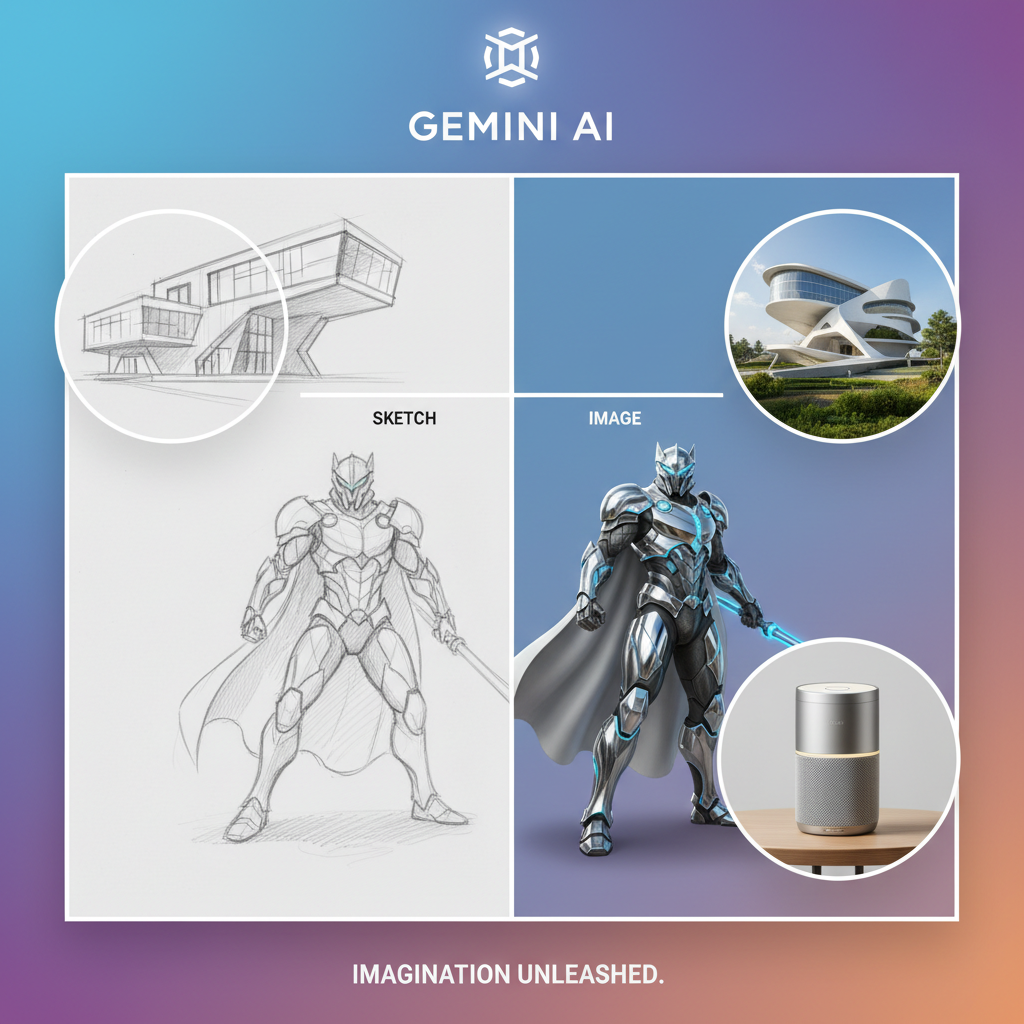
↑ Example result. Try it yourself!
Why Choose Our Gemini Sketch to Image Generator
See how the Gemini sketch to image tool combines Gemini's latest AI with sketch-aware rendering to deliver faithful, high-quality results. Join creators using Gemini sketch to image to ship visual ideas faster.
Powered by the Latest Gemini AI
Our Gemini sketch to image generator is tuned for Gemini's latest multimodal capabilities, so the Gemini sketch to image tool understands rough lines, loose proportions, and unclear strokes that other generators miss.
Composition-Faithful Conversion
Unlike generic prompt-only generators, the Gemini sketch to image tool locks onto your sketch composition. The Gemini sketch to image generator preserves layout, perspective, and object placement while filling in style and detail.
9 Render Styles Out of the Box
Pick from photorealistic, cinematic, fantasy, anime, oil painting, watercolor, isometric 3D, concept art, and product render. The Gemini sketch to image generator covers most creative briefs without prompt engineering.
Custom Prompt Control
Layer your own description on top of the sketch. The Gemini sketch to image tool blends your text intent with the sketch geometry, so creators get precise control over mood, lighting, and color.
Fast Iteration for Designers
Sketch a thumbnail, run Gemini sketch to image, refine. The Gemini sketch to image generator is built for rapid iteration — perfect for concept artists, product designers, and storyboard artists working under deadline.
Free Gemini Sketch to Image Credits
Start using the Gemini sketch to image generator for free. Sign up to claim trial credits and convert your first sketches with the full Gemini sketch to image pipeline — no credit card required.
Real Ways People Use Gemini Sketch to Image
See how designers, artists, and product teams use the Gemini sketch to image generator to ship visual ideas faster.

Concept Art and Storyboards
Concept artists use the Gemini sketch to image generator to turn thumbnail sketches into finished frames in minutes. Gemini sketch to image preserves the composition while applying cinematic lighting and color, so creators can pitch ideas with high-fidelity visuals instead of rough scribbles.

Product Design Visualization
Industrial and product designers use the Gemini sketch to image tool to render hand-drawn product sketches as photorealistic visualizations. The Gemini sketch to image generator keeps proportions accurate and applies studio lighting for portfolio-grade product imagery without 3D software.

Social Media and Content Creation
Creators on TikTok, Instagram, and X use the Gemini sketch to image generator to share drawing-to-image transformations. Gemini sketch to image makes great before/after content, and the Gemini AI angle gives the Gemini sketch to image clips strong reach within the AI community.
How to Use Gemini Sketch to Image
Convert any sketch into a finished image in three simple steps with our Gemini sketch to image generator.
- 1
Upload Your Sketch
Upload any hand-drawn or digital sketch to the Gemini sketch to image generator. Clean line work is ideal, but the Gemini sketch to image tool also handles rough thumbnails and loose pencil drawings.
- 2
Pick a Style or Write a Prompt
Choose one of the 9 preset render styles, or write a custom prompt. The Gemini sketch to image generator combines your sketch with the chosen style so Gemini knows exactly what to render.
- 3
Download Your Gemini Sketch to Image Result
Generate, preview, and download your finished image. The Gemini sketch to image tool delivers high-resolution output ready for portfolios, social posts, product mockups, or concept presentations.
Pro Tips for the Best Gemini Sketch to Image Results
Clean Line Work:
For the sharpest results from the Gemini sketch to image tool, use clear, high-contrast sketches. Clean dark lines on a light background help the Gemini sketch to image generator lock onto your composition.
Combine Style + Prompt:
Pick a preset style and add a short prompt describing mood or lighting. The Gemini sketch to image generator merges both signals so Gemini outputs feel exactly the way you imagined.
Iterate in Passes:
Run Gemini sketch to image once for a rough render, then refine your sketch and rerun. The Gemini sketch to image tool is fast enough to support multiple design passes in a single session.
Pricing
Transform your images with AI. Choose the plan that fits your needs.
Basic
Perfect for personal use and casual creators.
Includes
- Own your creations
- Access to Standard Generation
- Image history saved
- Standard Quality Download
Billed annually · Save $24/year
Cancel anytime. No lock-in contract.
Pro
Best Value · 4x MoreFor power users and professionals.
Everything in Basic, plus
- Commercial License Included
- Priority Support
- 4x More Credits
- Priority email support
Billed annually · 75% cheaper per image
Cancel anytime. No lock-in contract.
Loved by Designers, Illustrators, and Creators
"The Gemini sketch to image generator nails the composition of my rough thumbnails. I sketch a layout in 30 seconds and Gemini sketch to image gives me a finished cinematic frame I can show clients."
"I've tried other sketch-to-image tools, but this Gemini sketch to image tool actually respects what I drew. It uses Gemini's understanding of structure, so the Gemini sketch to image output stays on-brief instead of going off the rails."
"For storyboards, the Gemini sketch to image generator is a huge unlock. I sketch a frame, run Gemini sketch to image, and pitch the look in the same meeting. Gemini's speed plus the sketch lock-in is unbeatable."
"As an illustrator I was skeptical, but the Gemini sketch to image tool is great for blockout passes. I draft with pencil, then Gemini sketch to image gives me lighting and color references I can paint over."
Gemini Sketch to Image: Frequently Asked Questions
Everything you need to know about turning drawings into images with our Gemini sketch to image generator
The Gemini sketch to image generator is an online tool that converts your sketches into finished images using the latest Gemini AI. Our Gemini sketch to image tool reads the composition of your sketch and renders it in your chosen style — photorealistic, cinematic, anime, and more.
Most generic generators ignore your sketch and rely on prompts alone. The Gemini sketch to image generator locks onto the structure of your drawing first, so Gemini sketch to image preserves layout, perspective, and object placement instead of hallucinating a different scene.
The Gemini sketch to image tool is tuned for the latest Gemini multimodal models. As Gemini's image and reasoning capabilities improve, our Gemini sketch to image generator inherits those upgrades automatically — so Gemini sketch to image keeps getting better over time.
Yes — you can try the Gemini sketch to image generator with free credits after signing up. The Gemini sketch to image tool lets you test all 9 render styles and a few custom prompts before deciding whether to upgrade for more Gemini sketch to image runs.
The Gemini sketch to image generator works with everything from rough thumbnails to clean line art. For best Gemini sketch to image results, use sketches with clear contrast — dark lines on a light background help Gemini interpret your composition accurately.
Yes. The Gemini sketch to image generator lets you combine a preset render style with your own text prompt. Gemini sketch to image blends both signals so you get a result that matches your sketch structure and your written intent at the same time.