

Family Photo to Sketch: A Printable Mother's Day Gift
On this page
Share
Mother's Day TikTok already has the algorithm in its favor — #mothersday is the platform's top trending US hashtag this week, #mom just landed on the NEW list, and #diadelasmadres is climbing the LATAM charts. The feed is full of bouquets, brunch Reels, and grandkid clips. Then comes the question that breaks the loop every year: what do you actually give her?
Bouquets wilt. Generic store-bought cards get filed away. Etsy print-on-demand portraits run $40–$90 and a week of back-and-forth with the seller. Hand-drawn commissions hit $150+ and won't arrive in time. The middle ground most people don't know about: take a family group photo you already have, run it through an AI sketch tool, and print it. Total cost is under $20. Total time is about 30 minutes from photo to print-ready file. And because it's a family photo — not just a portrait of mom — it captures the people she actually wants on her wall.
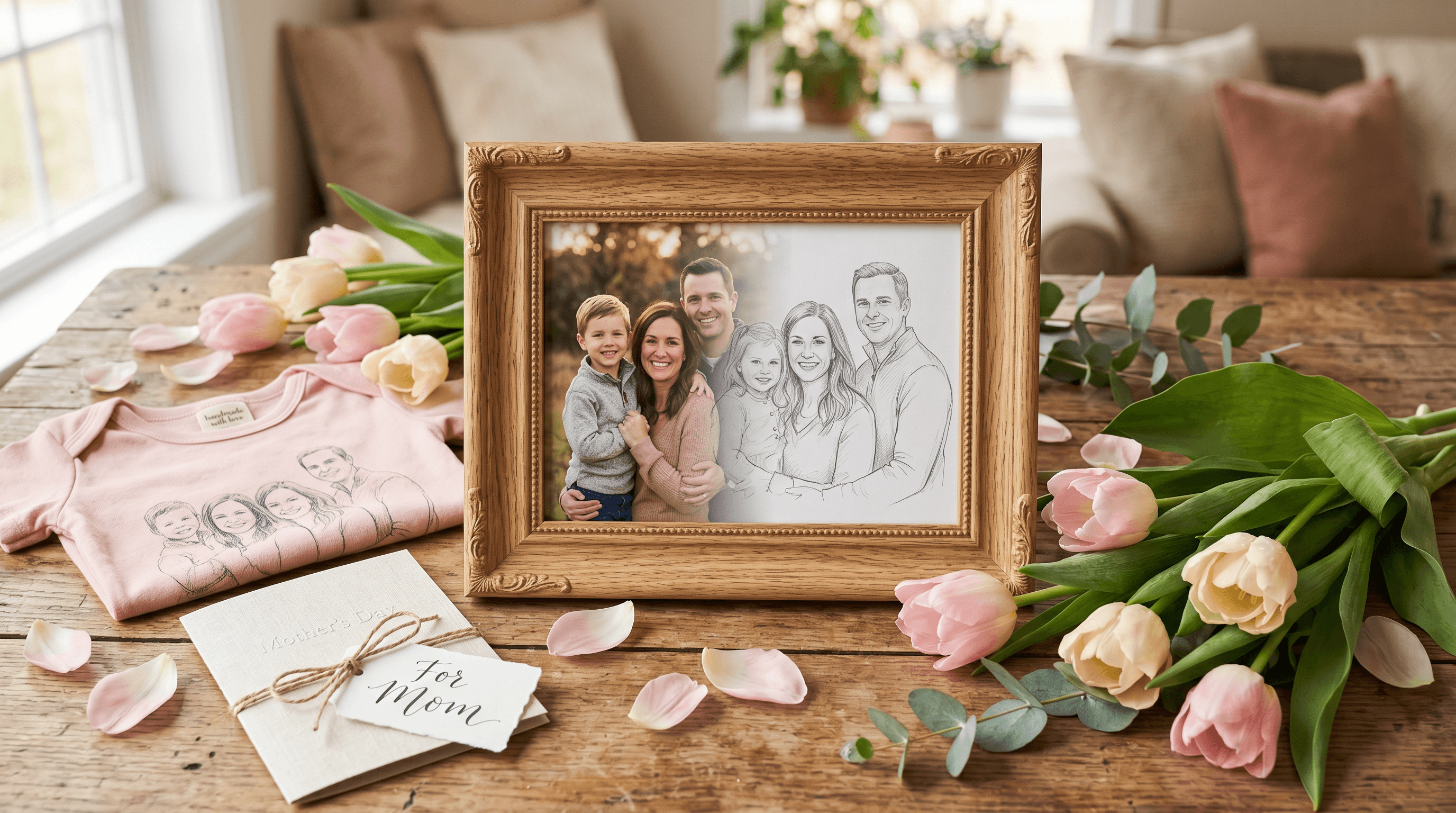
Table of Contents
- The Challenge: Family Group Photos and Off-the-Shelf Gifts
- How AI Photo-to-Sketch Solves This
- Practical Workflow: From Family Photo to Printable Sketch
- Results & What to Expect
- Four Printable Gift Scenarios
- AI Sketch vs Hand-Drawn vs Etsy Templates
- Tips for Gift-Givers
- FAQ
- Conclusion
The Challenge: Family Group Photos and Off-the-Shelf Gifts
The best photo of your mother is rarely a portrait of just her. It's usually a family group shot — Thanksgiving dinner, last summer's beach trip, the grandkids around her at Christmas. Those are the photos she actually wants enlarged. And group photos are exactly what the off-the-shelf gift industry handles worst.
Three structural problems show up every year:
- Background noise overwhelms the subject. A printed group photo includes the cluttered restaurant booth, the half-empty wine glasses, the neighbor who walked into frame. Mom's eye goes to the mess, not the people.
- Cropping ruins the composition. Cutting a photo down to "just the faces" forces awkward framing, and most low-end print services don't offer manual crop control.
- Print-on-demand templates expect a single subject. Mug, T-shirt, and tote templates on Shutterfly or VistaPrint center a single face. A row of five people gets squashed or chopped.
The result: most gift-givers give up on the group photo idea and fall back to a generic card. The photo sits in iCloud, and mom doesn't see it on her wall.
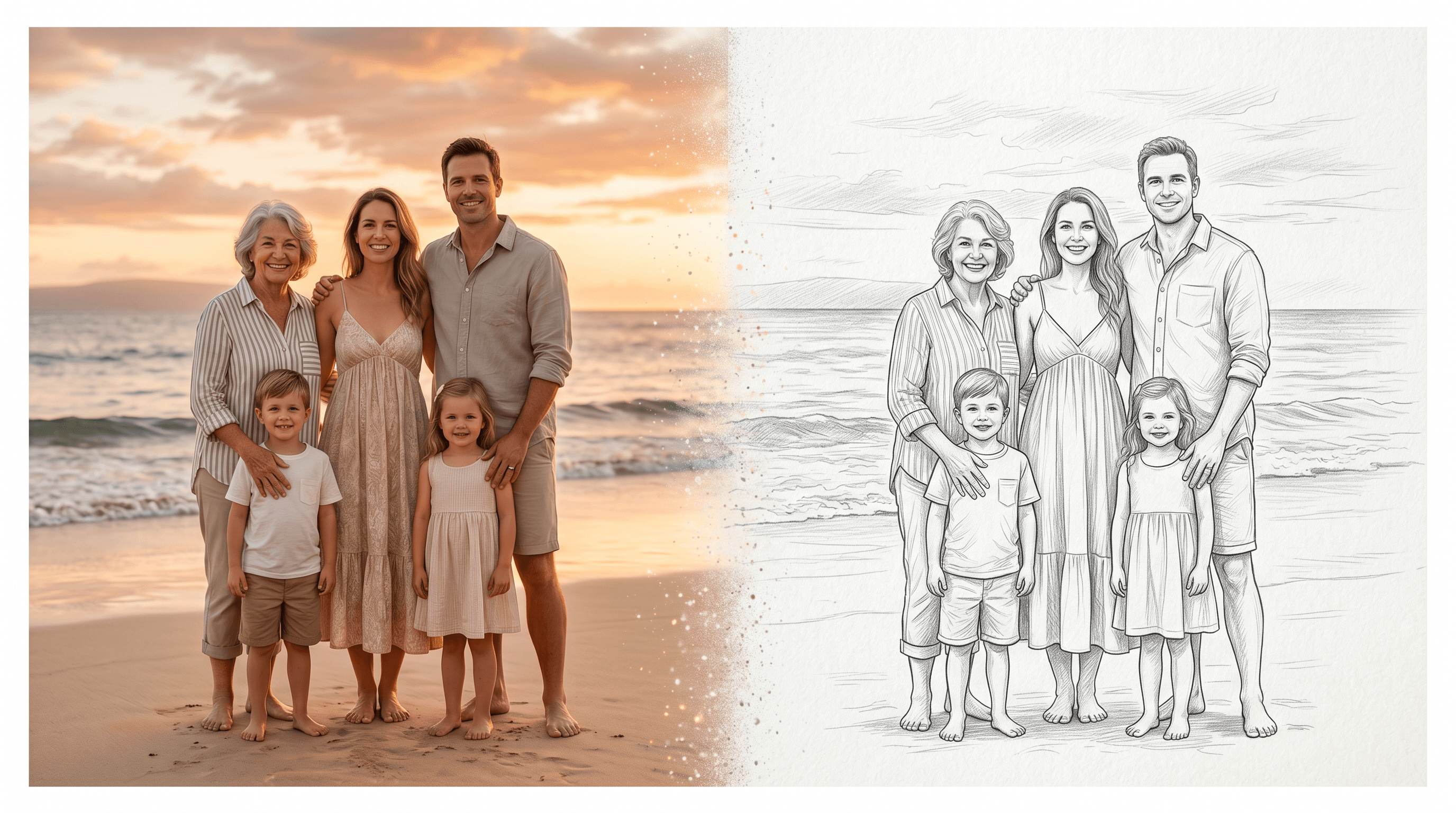
A sketch fixes the underlying issue. Converting a photo to clean line art with tonal shading removes the background distraction, evens the composition across multiple faces, and produces a single file that prints well on every format from a postcard to a 24x36 inch wall print.
How AI Photo-to-Sketch Solves This
AI sketch models re-draw a source photo in a chosen style — pencil, charcoal, watercolor line, or graphite portrait. The output strips out non-essential color information, simplifies the background into suggestive linework, and brings the human subjects forward.
For group photos, three traits matter more than any others:
- Even tonal weight across faces. A photograph has uneven lighting; an AI sketch normalizes contrast so all family members read clearly.
- Background reduction without cropping. The original frame stays intact, but the visual noise around the subjects becomes faint linework instead of distracting detail.
- Format-agnostic output. A single high-resolution PNG prints cleanly at 5x7 in (greeting card), 12x12 in (canvas square), and on fabric for T-shirts and tote bags — no separate file per format.
Standard models handle this well for casual, stylized prints. Professional models keep facial features more accurate, which matters because the recipient stares at a group sketch and looks for each individual person they recognize — not the overall vibe. The cost difference between the two models is small; the recognition difference is large. For a full landscape of sketch tools and how they compare, see our best AI photo-to-sketch tools round-up.
Practical Workflow: From Family Photo to Printable Sketch
Step 1: Pick the Right Family Photo
Not every group shot converts cleanly. The strongest candidates share four traits:
- All faces are visible and roughly the same size. Avoid photos where one person is much closer to the camera than others — the sketch will exaggerate the size difference.
- Soft, even lighting. Direct sunlight on half the group leaves hard shadows that the AI traces as harsh black blocks.
- A simple background. Mountains, a wall, a beach horizon — anything plain. Crowded indoor restaurants are the hardest.
- At least 2000 px on the longest side. Group photos get printed bigger than single portraits, so resolution matters more.
If your favorite photo has a noisy background but the group composition is good, crop tight to the subjects before uploading. You'll lose some context but keep a cleaner print.
Step 2: Convert with a Professional AI Sketch Model
Upload the photo to a photo-to-sketch tool and select the Professional Model. Generation takes 5–10 seconds and the preview shows up before any credits are committed. For family group photos specifically, we use Sketch To because its Professional Model holds five or six faces in one frame without flattening them into a single tone — the standard model tends to lose detail on the smaller faces at the edges. A free account covers 3–5 attempts with trial credits, enough to test two source photos.
After the preview, scan the faces left to right. If one looks off — eyes too narrow, mouth distorted — try a tighter crop or switch to the lighter pencil style, which is more forgiving on smaller faces.
Step 3: Download and Verify Resolution
Download the sketch as a PNG at the highest resolution available. For an 8x10 in print, you need at least 1500 px on the short side at 200 DPI. For a 16x20 in canvas, aim for 3000 px. The Professional Model outputs at higher resolution by default, which gives you room to print larger without pixelation.
Open the file at 100% zoom and check each face. If a face looks blurry, it's faster to re-generate now than to print and notice afterward.
Step 4: Choose a Print Format
Match the format to where your mom will actually keep the gift:
- A4 / 8x10 in framed print — desk or shelf, the safe default.
- 12x12 in canvas square — clean wall art, frames itself, modern feel.
- 5x7 in greeting card — slips into a card with a handwritten note inside.
- T-shirt or tote bag — sized for the print area in a Canva or Printful template.
- Cross-stitch / embroidery template — converted into a stitch chart in PatternKeeper or Pic2Pat.
We walk through each option in the Four Printable Gift Scenarios section below.
Results & What to Expect
In our testing across 12 family group photos (2 to 7 people each), 9 produced a print-ready sketch on the first generation with the Professional Model. The remaining 3 needed a tighter crop or a switch to pencil style before the smaller faces resolved cleanly. Total time per photo, including print-format export: 12–18 minutes.
A realistic comparison of the three common paths to a printable Mother's Day sketch:
| Metric | AI Sketch (this guide) | Etsy print-on-demand | Hand-drawn commission |
|---|---|---|---|
| Cost (digital file) | $0–$3 | $25–$60 | $150–$400 |
| Time to file | 5–15 minutes | 3–10 days | 1–4 weeks |
| Revisions | Unlimited | 1–2 included | Usually 1 |
| Format flexibility | One file, every format | Limited to chosen item | Single physical original |
| Group photo handling | Built-in | Often single-subject only | Excellent (artist's choice) |
The quality ceiling sits below a master portrait artist — and the cost-quality trade-off matches what most Mother's Day gift budgets actually need: a recognizable, well-composed, print-ready image of the family, finished before she opens the card.
Four Printable Gift Scenarios
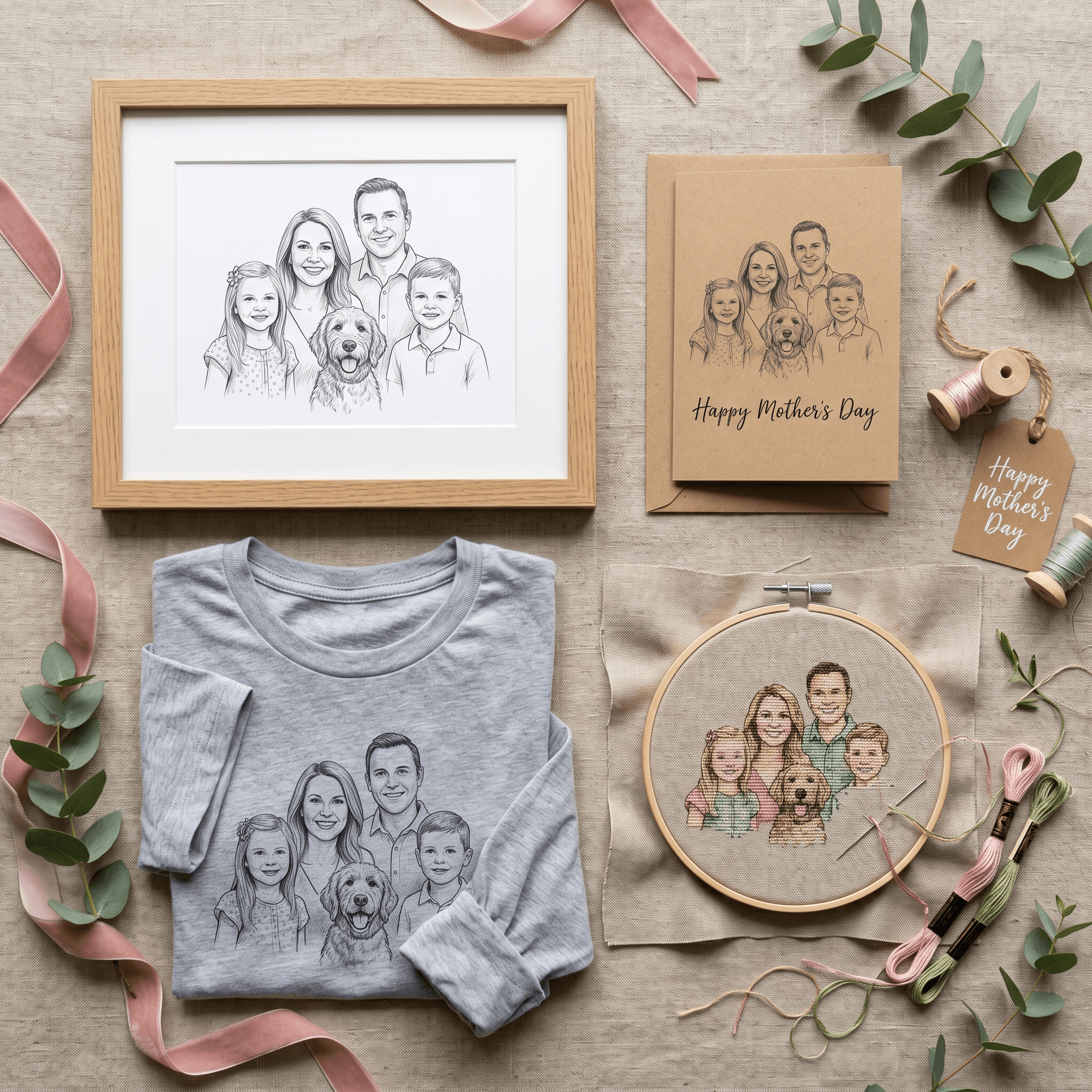
1. Greeting Card Insert (5x7 in)
A folded card with the sketch on the front and a handwritten note inside. Print on matte cardstock at a local print shop ($1–$3) or use Canva's 5x7 greeting card template and order a 10-pack from Printful or Moo for $15–$20. Best for: a low-key gift on a tight timeline. She can stand it on the mantle the same day. If you'd rather print line art only — no shading — convert the photo with a photo-to-line-art workflow and run it through the card.
2. Framed Wall Art (8x10 to 16x20 in)
The most common Mother's Day photo gift. Frame the sketch in a 1-inch matte to give it presence, and pair it with a one-line caption ("Smith Family, May 2026") in a serif font at the bottom margin. Total cost: print $3–$8, frame $15–$40. Best for: a gift she'll keep on her desk or hallway for years.
3. Custom T-shirt or Tote Bag
The watercolor-line style works best on fabric — pure pencil or charcoal can come out too faint. Upload to Printful, Society6, or Redbubble at 4500x5400 px inside a Canva T-shirt design template, then order a soft cotton tee ($25–$30) or a printed tote ($20–$25). Best for: a mom who would actually wear it — usually the more casual, creative-mom version.
4. Cross-Stitch or Embroidery Template
A more involved option, but a strong gift if there's a stitcher in the family. Convert the sketch to a stitch chart in PatternKeeper, Pic2Pat, or KG-Chart, pick a thread palette (DMC 310 black for outlines, soft greys for shading), and either stitch the piece yourself before Mother's Day or wrap the chart + thread kit as a "make-it-together" gift. Best for: a mom who already does needlework — or one who'd like an excuse to try.
A common upgrade across all four formats: pair the gift with the original sketch file on a USB drive or shared album so she can re-print or re-use it later. The sketch is the gift; the format is the wrapper.
AI Sketch vs Hand-Drawn vs Etsy Templates
A side-by-side decision table for picking the path that fits your situation:
| Factor | AI Sketch (Sketch To) | Hand-Drawn Commission (Etsy / Fiverr) | Etsy Pre-Made Template |
|---|---|---|---|
| Total cost | $0–$20 incl. print | $150–$400 | $5–$15 template + $10 print |
| Time from order to file | 5–15 minutes | 1–4 weeks | Instant download |
| Personalization | High — any photo, any style | Highest — artist input | Low — fill-in-the-blank |
| Multi-face group photos | Handled cleanly | Excellent (artist's choice) | Usually single-subject only |
| Format flexibility | One file, every print size | Single original, scans needed | Pre-fixed dimensions |
| Risk | Re-generate at no cost | Slot risk if artist runs late | Generic feel |
| Best fit | Last-minute personalized gift | Heirloom / milestone gift | Last-minute card only |
The shortcut: if Mother's Day is more than 3 weeks out and budget isn't a constraint, a hand-drawn commission is the heirloom option. Inside that window, or with multiple recipients to gift, AI sketch wins on cost, speed, and group-photo handling.
Tips for Gift-Givers
- Generate 2–3 sketches from different family photos and pick the strongest. Small angle differences change how the AI traces faces; there's usually an obvious winner.
- Add a caption with a date or location. "Hayes Family, Lake Tahoe, July 2025" turns a sketch from "nice art" into a memory anchor she can date.
- Order the print on Tuesday for a US Mother's Day delivery. Local shops can turn an order around in 1 hour, but shipping cards or T-shirts from Printful takes 3–5 business days.
- If you're gifting from a sibling group, frame the same sketch in multiple sizes for each home. One source photo, four matching frames, around $60 split four ways.
- Save the source photo and the sketch in the same folder. Next year, you can re-use the file for Mother's Day, her birthday, or Christmas without hunting through the camera roll.
FAQ
Can AI sketch handle group photos with 5 or more people?
Yes, with two caveats. Use the Professional Model rather than the Standard preset — it preserves facial detail across more subjects. And keep all faces at roughly the same depth from the camera; if one person is much closer than the rest, the AI will over-emphasize them and the smaller faces will lose detail. For groups of 5+, we recommend a tight headshot-style crop where everyone fits inside the frame.
Is the print resolution high enough for large wall prints?
For prints up to 16x20 inches, yes — the Professional Model outputs at a resolution that holds up at 200 DPI for that size. For prints larger than 24x36 inches, run the output through an image upscaler before sending to the printer. Most print shops will tell you the minimum resolution they need when you upload the file.
What about side-profile photos or old scanned prints?
Side-profile photos work, but the AI has less facial data to interpret, so the result can look more stylized than literal. For old scanned prints, scan at 600 DPI rather than re-photographing the print — phone photos of prints add reflection and noise that confuse the AI's edge detection.
How do I avoid the sketch feeling too generic?
Three small choices add specificity: include a meaningful caption (date and location), pick a photo with a recognizable setting (the family home, a familiar park), and pair the print with a one-paragraph handwritten note about why you chose that photo. The sketch is the visual; the note makes it a gift to her specifically.
Can I re-use the same sketch for Father's Day or grandparents' gifts?
Yes — and we recommend it. One family group photo, converted once, can fuel four to six gifts across the year if you change captions and print formats. Same sketch + a recipient-specific frame caption = a different gift each time.
Conclusion
Mother's Day TikTok is loud about brunches and bouquets, but the gift that lasts on her shelf is the printed one. A family group photo, converted to an AI sketch and printed onto a card, frame, T-shirt, or stitch chart, costs under $20 and takes 30 minutes from upload to ready-to-print file. The same sketch carries across all four formats — pick the one she'll see most often.
Ready to make this year's gift? Try Sketch To free → — upload a family photo, select the Professional Model, and download a print-ready sketch in under a minute.
Last updated: May 2026
Transform Your Images with AI
Turn sketches into stunning images, remove backgrounds, swap faces, and more — all powered by AI.
Try Sketch To FreeShare
Sketch To
Tech writer covering AI tools, image processing, and creative workflows.
Related Articles

Prom Transition Photos AI: TikTok Glow-Up Use Case
How Gen Z creators use AI to make #promtransition glow-up videos. What the trend is, why it's blowing up, and 3 prompt templates that work in 2026.

Text to Image vs Sketch to Image: Krea 2 Lessons
Compare text to image vs sketch to image after Krea 2, and learn when prompts, sketches, or both fit concept art and design work.

Knitted Doll AI Prompt: 7 Templates That Work
Use this knitted doll AI prompt guide to turn photos or sketches into cozy yarn dolls. Includes 7 templates, material words, and fixes.