

Knitted Doll AI Prompt: 7 Templates That Work
On this page
Share
Last updated: June 21, 2026
You upload a cute sketch, type "make it a knitted doll," and the result comes back as a plastic toy, a fuzzy cartoon, or a doll with melted yarn texture. The idea is clear, but the knitted doll AI prompt is too vague for the model to preserve material, shape, and charm at the same time.
This guide gives you a repeatable knitted doll AI prompt formula, seven copy-ready templates, material words, composition words, and failure fixes for turning a photo, reference image, or sketch into a cozy yarn-doll image. It is written for creators using an AI knitted doll generator, a sketch-to-image tool, or a general image model.
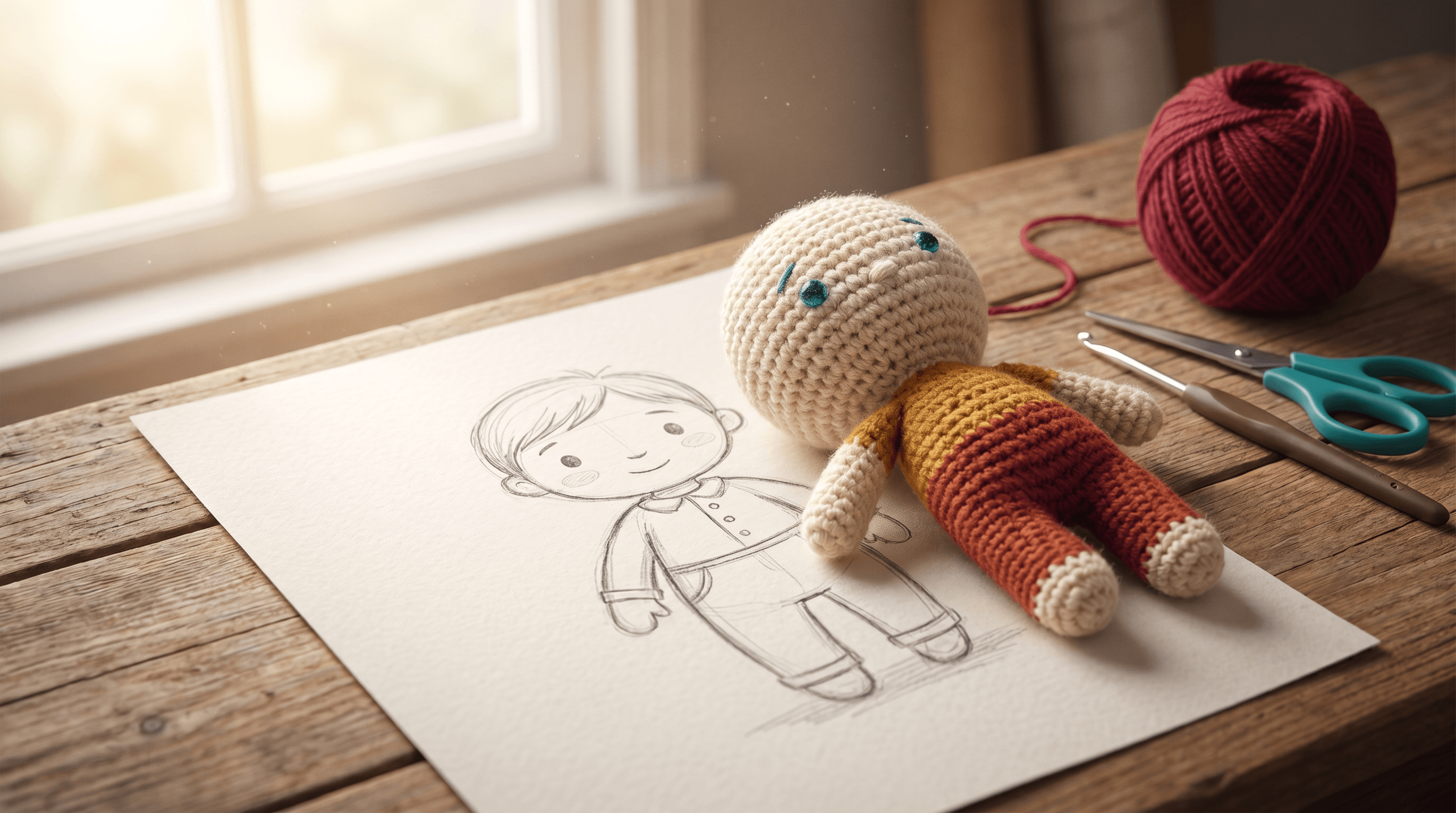
Table of Contents
- What Is a Knitted Doll AI Prompt?
- Why Your Knitted Doll AI Prompt Fails
- The Knitted Doll AI Prompt Formula
- 7 Ready-to-Use Knitted Doll AI Prompt Templates
- Material, Stitch, and Composition Words
- How to Use a Sketch or Reference Image
- Common Failures and Fixes
- FAQ
What Is a Knitted Doll AI Prompt?
A knitted doll AI prompt is a structured image prompt that tells an AI model to render the subject as a handmade yarn doll, not just a cute toy. It should define the subject, doll type, yarn material, stitch texture, face details, camera setup, background, and constraints in one clear instruction.
That structure matters because image models do not automatically know which detail is most important. Google's Imagen guide recommends starting with subject, context, and style, then refining with details until the image matches your target. OpenAI's image generation cookbook also emphasizes prompt structure, explicit constraints, and small iterative changes for reliable production results.
For this style, the winning prompt does three jobs:
- It preserves the reference: the face shape, outfit, pose, or sketch silhouette.
- It translates the material: yarn fibers, crochet loops, embroidered eyes, soft stuffing, and seams.
- It controls the shot: close-up craft photography, toy product photo, character sheet, or social avatar.
Use the knitted doll AI prompt as a miniature art direction brief. The model needs to know what to keep, what to transform, and what to avoid.
Why Your Knitted Doll AI Prompt Fails
Most knitted doll AI prompt failures happen because the prompt names the style but not the physical rules of the style. "Knitted doll" alone can produce a plush toy, a wool felt doll prompt result, a crochet amigurumi figure, or a fuzzy 3D cartoon, depending on the model's guess.
Here are the common weak prompts and why they fail:
| Bad prompt | Likely result | Better direction |
|---|---|---|
| "Make this a knitted doll" | Generic toy with random texture | Define yarn, stitch pattern, embroidered face, and soft stuffing |
| "Cute plush toy AI prompt" | Fuzzy plush, not knitted | Add crochet loops, ribbed knit rows, and visible yarn fibers |
| "Wool felt doll prompt" | Needle-felt texture with no stitches | Use it only if you want felted wool, not crochet or knitting |
| "Turn my sketch into a toy" | Plastic vinyl or 3D figurine | Say handmade amigurumi, fabric seams, yarn limbs, and matte fibers |
In our testing, the first useful improvement was not adding more adjectives. It was separating the knitted doll AI prompt into components: subject, material, construction, composition, lighting, and negative constraints.
The Knitted Doll AI Prompt Formula
The best knitted doll AI prompt formula is: reference subject + handmade doll type + yarn construction + face details + outfit details + camera composition + lighting + background + negative constraints. This keeps the subject recognizable while forcing the model to render a tactile yarn object instead of a generic mascot.
Use this base formula:
Use the uploaded [photo/sketch/reference] as the same subject.
Transform it into a handmade [amigurumi/crochet/knitted] doll.
Preserve [pose, outfit, hairstyle, key accessories].
Use [yarn color palette], visible crochet loops, soft wool fibers, stitched seams, embroidered eyes, tiny plush limbs.
Composition: [close-up craft photo / full-body toy product shot / character sheet / social avatar].
Lighting and background: [soft window light / studio product lighting / cozy desk background].
Avoid: plastic skin, glossy vinyl, realistic human skin, hard action-figure joints, extra limbs, warped hands, unreadable text, watermark.
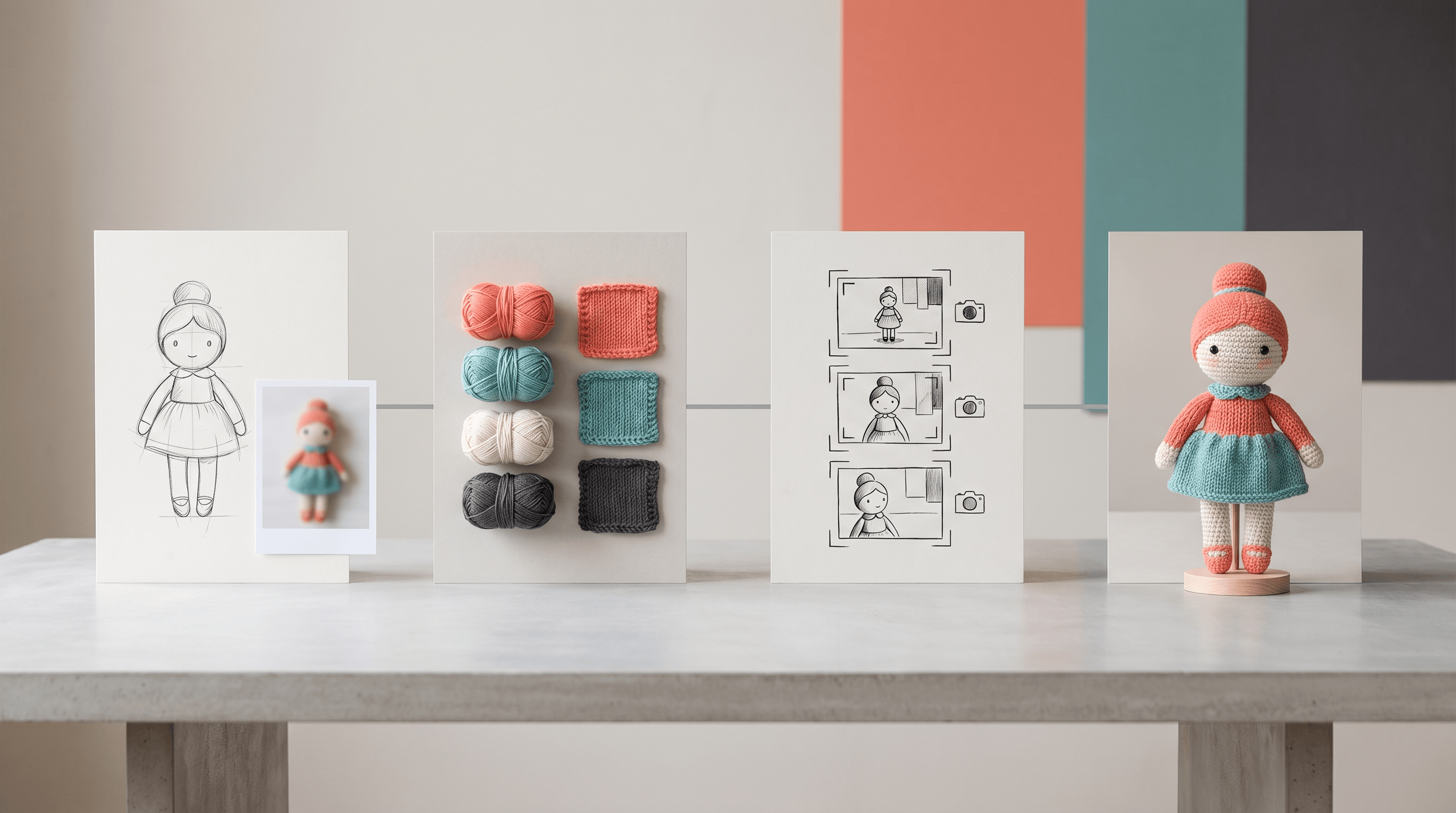
The formula works because it answers the model's most important questions before the model invents answers. Google Cloud's prompt engineering guide gives the same basic advice for image generation: describe objects, scenery, lighting, and style when you need realistic, high-quality images.
7 Ready-to-Use Knitted Doll AI Prompt Templates
Each knitted doll AI prompt below is written so you can paste it into an AI image tool. Replace the bracketed fields with your subject details. If you are using a sketch, keep the reference-preservation line. If you are writing text-to-image only, remove the upload line.
Template 1: Photo to Cozy Amigurumi Doll
Use the uploaded photo as the same person or character. Transform the subject into a cozy handmade amigurumi knitted doll, rounded head, tiny plush limbs, visible crochet loops, soft wool fibers, embroidered black eyes, gentle stitched smile, preserved hairstyle and outfit colors, warm cream and coral yarn palette, close-up craft photography on a wooden desk, soft window light, shallow depth of field. Avoid plastic skin, glossy vinyl, realistic pores, hard toy joints, extra fingers, watermark.
What it does: This knitted doll AI prompt is best for a selfie, pet photo, or character reference where likeness matters more than complex scenery.
Customization tip: Add 3-5 identity details: "round glasses," "blue hoodie," "curly black hair," or "striped scarf."
Template 2: Sketch to Knitted Doll
Use the uploaded sketch as the exact pose and silhouette. Turn it into a handmade knitted doll in amigurumi style, simple round face, embroidered eyes, soft stuffed body, ribbed knit rows, visible yarn texture, tiny stitched shoes, preserved outfit shape from the sketch, full-body toy product photo, neutral paper backdrop, soft studio lighting. Avoid changing the pose, adding realistic skin, making it a plastic figurine, messy background, watermark.
What it does: This knitted doll AI prompt keeps your drawing's composition while adding yarn material and doll construction.
Customization tip: Upload your sketch to Sketch To and use the Professional Model when the pose or outfit matters. It is built for sketch-to-image conversion, so the linework carries the composition while your prompt controls material and finish.
Template 3: Wool Felt Doll Prompt
Use the uploaded reference as the same character. Recreate it as a handmade wool felt doll, needle-felted wool surface, soft fuzzy fibers, rounded cheeks, tiny stitched mouth, bead-like embroidered eyes, felted clothing shapes, pastel craft palette, standing on a small wooden base, macro product photography, soft diffused light. Avoid crochet loops, hard plastic, glossy eyes, realistic human skin, extra limbs, text, watermark.
What it does: Use this wool felt doll prompt when you want fuzzy needle-felt texture instead of visible knit stitches.
Customization tip: Do not mix "wool felt" and "crochet loops" unless you want a hybrid. The model may blur both textures.
Template 4: Plush Toy AI Prompt with Knitted Details
Transform [subject] into a soft plush toy AI prompt result with knitted details: padded stuffed body, rounded plush proportions, ribbed sweater texture, yarn hair, embroidered eyes, stitched seams, soft fabric limbs, gentle smile, cozy nursery shelf background, warm product photography, realistic textile fibers. Avoid hard plastic, hyper-realistic human face, sharp joints, scary expression, messy labels, watermark.
What it does: This knitted doll AI prompt sits between plush toy and yarn doll, useful for social avatars and gift-style mockups.
Customization tip: Use "ribbed sweater texture" for clothes and "yarn hair" for the head so the model does not cover everything with one fuzzy material.
Template 5: Handmade Gift Doll
Create a handmade knitted doll gift based on [person/pet/character], small keepsake scale, hand-crocheted yarn body, soft stuffing, embroidered eyes, stitched smile, preserved signature accessory [accessory], placed inside a kraft gift box with tissue paper, cozy craft table, warm natural light, realistic yarn fibers, premium Etsy-style product photo. Avoid plastic packaging, glossy toy finish, unreadable text, extra limbs, watermark.
What it does: This knitted doll AI prompt is best for a birthday, Mother's Day, couple gift, or custom craft product concept.
Customization tip: Add one emotional prop: "tiny coffee cup," "mini camera," "red bow," or "small paw-print charm."
Template 6: Character Sheet for Makers
Design a knitted doll character sheet for [subject], front view, side view, and back view of the same handmade yarn doll, consistent colors, crochet loops, stitch seams, embroidered face, simple outfit panels, small notes represented as blank design marks, clean white background, flat studio lighting, craft design reference sheet. Avoid readable text, inconsistent costume, realistic skin, plastic joints, watermark.
What it does: This knitted doll AI prompt helps you explore construction details before making a final image.
Customization tip: Because models can struggle with exact multi-view consistency, generate 2-4 versions and choose the one with the most stable outfit layout.
Template 7: Failure-Fix Prompt
Revise the previous image into a clearly handmade knitted doll. Increase visible crochet loops and yarn fibers. Make the face embroidered, not realistic. Soften the stuffed limbs. Preserve the original pose, outfit colors, and main accessory. Use soft craft photography and a simple background. Remove plastic shine, human skin texture, hard toy joints, distorted fingers, extra limbs, text, and watermark.
What it does: This knitted doll AI prompt is for a second pass when the first output is close but too plastic, too human, or too messy.
Customization tip: Change only one or two lines at a time. OpenAI's guide frames small iterative changes as a control tool for reliable image workflows, and that is especially true for tactile styles.
Material, Stitch, and Composition Words
A strong knitted doll AI prompt uses precise material words, not just mood words. "Cute," "cozy," and "adorable" help tone, but they do not force yarn texture. Material vocabulary does.
| Goal | Words to use | Avoid if you do not want |
|---|---|---|
| Crochet/amigurumi texture | crochet loops, amigurumi, visible yarn fibers, ribbed rows | smooth plastic, vinyl, clay |
| Knitted fabric | stockinette stitch, ribbed knit, yarn strands, soft wool | needle-felted surface |
| Felted wool | needle-felted wool, fuzzy fibers, soft felt texture | crochet loops, clear stitches |
| Plush toy finish | padded body, fabric seams, soft stuffing, plush limbs | hard joints, shiny shell |
| Face details | embroidered eyes, stitched smile, bead-like eyes | realistic pores, detailed teeth |
| Product photo | wooden craft table, neutral backdrop, softbox lighting | cluttered room, harsh flash |
For composition, pick one clear shot type:
- Close-up craft photo: best for yarn texture and cozy mood.
- Full-body toy product shot: best for the whole outfit and doll silhouette.
- Character sheet: best for testing outfit construction.
- Social avatar crop: best for profile pictures.
- Gift-box mockup: best for custom present concepts.
How to Use a Sketch or Reference Image
The fastest workflow is: clean the sketch, upload it to a sketch-to-image tool, paste the knitted doll AI prompt, generate 2-4 variants, and fix one failure at a time. The sketch controls pose and proportions; the prompt controls yarn, stitch texture, lighting, and background.
Step 1: Clean the sketch or photo
Use a clear image with one main subject. For sketches, remove heavy paper shadows and crop close to the character. For photos, pick a front-facing or three-quarter view with visible hair, outfit, and accessories.
Step 2: Upload to a sketch-to-image tool
Open Sketch To and choose a sketch-to-image workflow. A clean sketch gives the AI a stronger layout anchor than text alone. If you need sharper yarn texture or faithful outfit details, select the Professional Model before generating.
Step 3: Paste one knitted doll AI prompt
Start with Template 2 for sketches or Template 1 for photos. Do not combine all seven templates. One focused knitted doll AI prompt usually beats a long mixed prompt.
Step 4: Generate variants and compare
Look for three things: the subject is recognizable, the doll is clearly made of yarn, and the composition matches your intended use. If one of those fails, use the fix table below.
Common Failures and Fixes
When a knitted doll AI prompt fails, change the physical instruction before changing the style. The model needs fewer vague mood words and more construction rules.
| Failure | Add this fix | Remove or avoid |
|---|---|---|
| Looks like plastic toy | "visible yarn fibers, matte wool, crochet loops, stitched seams" | "3D toy," "vinyl," "collectible figure" |
| Face is too human | "embroidered eyes, stitched smile, simple round doll face" | "realistic portrait," "skin detail" |
| Sketch pose changed | "preserve exact pose and silhouette from the sketch" | extra action words that conflict with the drawing |
| Texture becomes fuzzy felt | "clear crochet loops, ribbed knit rows" | "felted," "fur," "fluffy" |
| Outfit loses detail | list 2-4 key outfit features | long accessory lists |
| Background distracts | "neutral craft table, simple backdrop, shallow depth of field" | crowded scene descriptions |
| Hands or limbs distort | "tiny plush limbs, simple mitten hands" | realistic fingers |
For GEO and AI citation quality, structure matters too. The Princeton-led GEO paper accepted at KDD 2024 reported that optimization methods can raise visibility in generative engine responses by up to 40%. That is why this guide uses direct answers, tables, and copyable prompt blocks instead of burying fixes in prose.
FAQ
What is the best knitted doll AI prompt for beginners?
The best knitted doll AI prompt for beginners is a short formula: "Use the uploaded reference as the same subject, transform it into a handmade amigurumi knitted doll, visible crochet loops, soft wool fibers, embroidered eyes, stitched smile, cozy craft photo, avoid plastic and realistic skin." Add only 3-5 identity details.
Should I use a photo or a sketch for a knitted doll AI prompt?
Use a photo when likeness matters and a sketch when pose, outfit shape, or composition matters. A photo gives the AI facial and color details; a sketch gives stronger layout control. For a stylized yarn doll, a clean sketch plus a focused knitted doll AI prompt often gives the most controllable result.
What is the difference between a wool felt doll prompt and a knitted doll AI prompt?
A wool felt doll prompt creates a fuzzy needle-felted surface with soft blended fibers. A knitted doll AI prompt creates visible yarn construction, such as crochet loops, ribbed knit rows, and stitched seams. Both can look handmade, but the surface texture and construction logic are different.
How do I stop the AI from making a plastic toy?
Add material constraints and negative terms. Use "matte wool, visible yarn fibers, crochet loops, soft stuffing, embroidered eyes" and avoid "plastic, vinyl, glossy, realistic skin, action figure." If the first output is close, use the failure-fix knitted doll AI prompt instead of rewriting everything.
Can I use these prompts in an AI knitted doll generator?
Yes. These templates work in most AI knitted doll generator tools, general image generators, and sketch-to-image tools. If the tool supports reference images, keep the reference-preservation line. If it is text-only, replace that line with a detailed subject description.
Conclusion
A knitted doll AI prompt works when it reads like craft direction, not just style direction. Name the subject, preserve the reference, specify the handmade doll type, describe yarn construction, choose one camera setup, and add negative constraints for plastic, realistic skin, and distorted limbs.
Start with Template 1 for photos, Template 2 for sketches, and Template 7 for repairs. Save your best knitted doll AI prompt once it works; the same structure can become a wool felt doll prompt, plush toy AI prompt, or gift-box mockup with only a few changed words.
Ready to turn a sketch into a cozy yarn-doll image? Try Sketch To free -> - upload your sketch, paste a knitted doll AI prompt, and generate a polished craft-style result without redrawing from scratch.
Sources: Google Imagen prompt guide, OpenAI image generation prompting guide, Google Cloud prompt engineering guide, GEO: Generative Engine Optimization.
Transform Your Images with AI
Turn sketches into stunning images, remove backgrounds, swap faces, and more — all powered by AI.
Try Sketch To FreeShare
Sketch To
Tech writer covering AI tools, image processing, and creative workflows.
Related Articles

AI Visual Reference for Landing Page Design
Use an AI visual reference for landing page design to turn rough sketches into clearer prompts, fewer retries, and stronger drafts.

Claude Design Workflow: Pair It With Sketch-to-Image AI
Build a faster Claude design workflow: use Claude for ideation and copy, Sketch To to render sketches into images, and Figma where it still wins.

Sketch to Image AI Layout Control: A How-To Guide
Learn why sketches give stronger layout control than text prompts. A step-by-step sketch-to-image AI workflow for design-ready images.