Add Watermark to Image: Protect Your Photos Instantly
Use our powerful add watermark tool to add watermark to any image in seconds. Whether you need to add watermark to photos for copyright protection or branding, our add watermark online tool delivers professional results instantly.
Settings
Upload an image file to get started with your AI conversion
Maximum quality with the best detail and accuracy
Preview
View your AI-transformed result and compare with the original
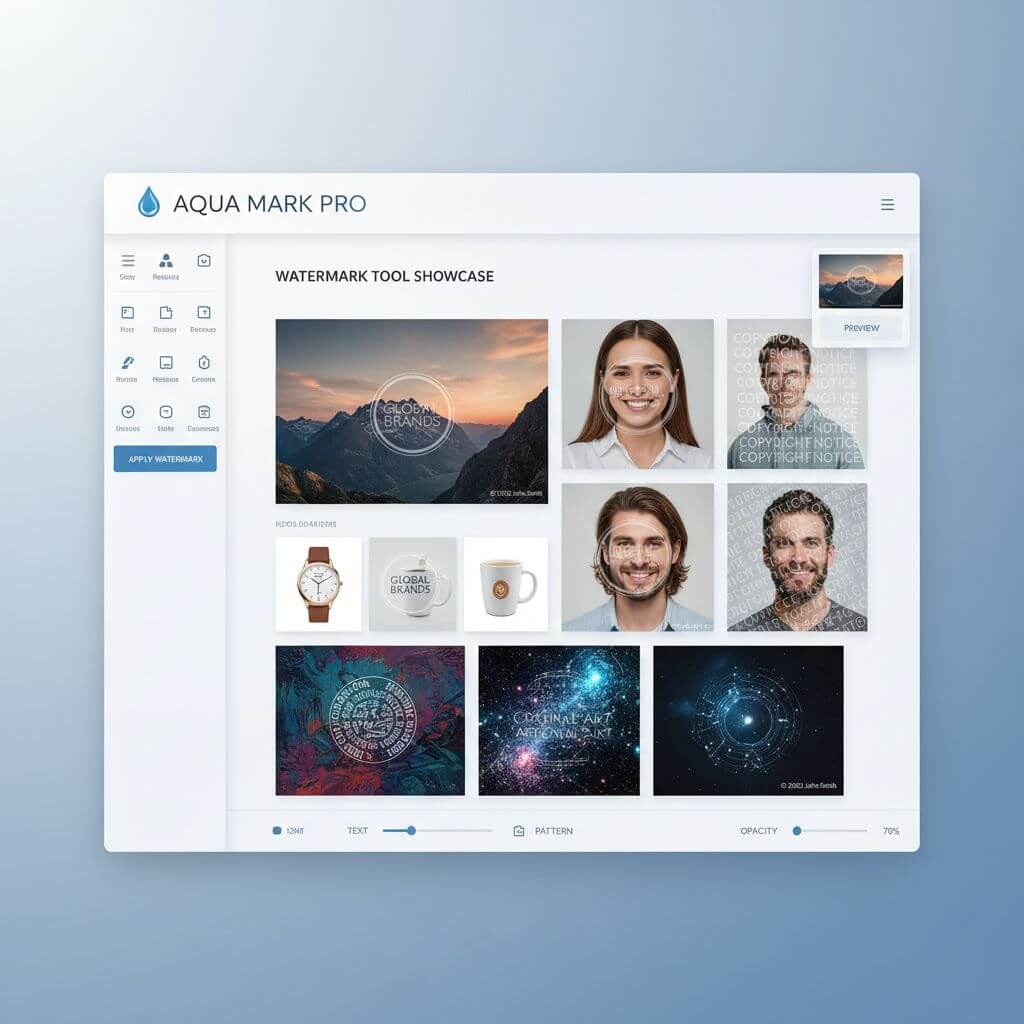
↑ Example result. Try it yourself!
Why Choose Our Add Watermark Tool
Discover how our add watermark tool makes it easy to add watermark to images. Protect your creative work and establish your brand with our professional add watermark solution.
Professional Copyright Protection
Our add watermark tool helps you add watermark to images for robust copyright protection. Add watermark to your photos to prevent unauthorized use and establish ownership of your creative work with our add watermark solution.
Add Watermark in Seconds
Upload your image and add watermark instantly with our fast tool. No complex software needed—our add watermark online tool lets you add watermark to pictures in just a few clicks, saving you valuable time.
Customizable Watermark Styles
Our add watermark tool offers various styles to add watermark to your images. Choose from text watermarks, logo watermarks, or custom designs. Add watermark that perfectly matches your brand identity.
Text & Logo Watermarks
Add watermark with your business name, website, or custom logo using our add watermark tool. Whether you want to add watermark with text or graphics, our tool provides flexible options to add watermark professionally.
Smart Watermark Placement
Our add watermark tool intelligently positions your watermark for optimal protection. Add watermark in corners, across the image, or as a pattern. Our add watermark solution ensures your watermark protects without distracting.
Transparent Watermark Options
Add watermark with adjustable transparency using our add watermark tool. Control opacity levels when you add watermark to photos, ensuring your watermark is visible yet doesn't overpower your original image.
Real-World Applications to Add Watermark
See how professionals use our add watermark tool to protect their work and establish their brand across various industries.

Photography & Creative Work
Professional photographers use our add watermark tool to add watermark to their images before sharing online. Add watermark to protect your portfolio, client previews, and social media posts from unauthorized use with our add watermark solution.

E-commerce & Product Images
Online sellers add watermark to product photos to protect their original images. Use our add watermark tool to add watermark with your brand logo, preventing competitors from stealing your product photography.

Social Media & Branding
Content creators add watermark to establish brand recognition. Our add watermark tool helps you add watermark consistently across all your social media content, building brand awareness while protecting your creative work.
How to Add Watermark to Your Images
Add watermark to your photos in three simple steps. Start protecting your images with our intuitive add watermark tool!
- 1
Upload Your Image
Drag and drop your image or click to upload. Sign up to access our add watermark tool and get free credits to add watermark to multiple images easily.
- 2
Describe Your Watermark
Specify the watermark style you want to add. Our add watermark tool will intelligently add watermark to your image with proper positioning and transparency for professional results.
- 3
Download Protected Image
Preview your watermarked image and download in high resolution. Our add watermark tool delivers professional quality every time you add watermark to photos.
Pro Tips for Adding Watermarks
Strategic Placement:
When you add watermark, consider placing it where it's visible but doesn't cover important details. Our add watermark tool helps position watermarks in corners or as subtle overlays across the image.
Watermark Descriptions:
Be specific when describing your watermark style. Our add watermark tool works best with detailed prompts like 'subtle copyright text in bottom right' or 'semi-transparent logo centered' to add watermark exactly as you envision.
Balance Protection & Aesthetics:
The best watermarks protect without distracting. Use our add watermark tool to find the right balance of visibility and subtlety when you add watermark to your valuable images.
Pricing
Transform your images with AI. Choose the plan that fits your needs.
Basic
Perfect for personal use and casual creators.
Includes
- Own your creations
- Access to Standard Generation
- Image history saved
- Standard Quality Download
Billed annually · Save $24/year
Cancel anytime. No lock-in contract.
Pro
Best Value · 4x MoreFor power users and professionals.
Everything in Basic, plus
- Commercial License Included
- Priority Support
- 4x More Credits
- Priority email support
Billed annually · 75% cheaper per image
Cancel anytime. No lock-in contract.
Trusted by 100,000+ Creators Who Add Watermark Daily
"This add watermark tool is exactly what I needed! I add watermark to all my photography work now. The watermarks look professional and my images are protected. Best tool to add watermark I've found!"
"As a content creator, I need to add watermark to protect my work. This add watermark tool makes it so easy to add watermark to hundreds of images. The quality is amazing and the process is incredibly fast."
"Our design agency uses this add watermark tool for client previews. We add watermark to concepts before final approval. It's reliable, fast, and the watermarks look professional every time."
"I was looking for a simple way to add watermark to my artwork. This tool exceeded expectations. I can add watermark with custom text and the transparency is perfect. Highly recommend for artists!"
Add Watermark: Frequently Asked Questions
Everything you need to know about using our add watermark tool to protect your images
An add watermark tool helps you add watermark to images for copyright protection and branding. When you add watermark to your photos, you establish ownership and deter unauthorized use. Our add watermark tool makes it easy to add watermark professionally to any image.
Our add watermark tool is designed for speed and efficiency. You can add watermark to most images within 10-15 seconds. Simply upload your photo, describe the watermark you want, and our add watermark tool will add watermark instantly with professional results.
Yes! Our add watermark tool offers flexible options to add watermark. You can add watermark with custom text like your name, website, or copyright notice. Describe your desired watermark and our add watermark tool will add watermark according to your specifications.
We offer a free trial of our add watermark tool that includes complimentary credits so you can add watermark to multiple images. This lets you experience the full power of our add watermark solution before deciding to upgrade. Sign up to start using our add watermark tool today!
The best placement to add watermark depends on your goal. For subtle branding, add watermark in a corner. For stronger protection, add watermark across the center or as a repeating pattern. Our add watermark tool can help you add watermark in any position you prefer.
No! Our add watermark tool is built to maintain image quality when you add watermark. The watermark is seamlessly integrated, preserving your original image resolution. When you add watermark with our tool, the result looks professional without quality loss.