AI Interior Design: Transform Any Room Instantly
Upload a photo and let our AI room design engine reimagine your space in seconds. The tool analyzes room dimensions, natural lighting, and architectural features to generate photorealistic redesigns across dozens of styles — from mid-century modern to japandi. No design experience required.
Settings
Upload an image file to get started with your AI conversion
Maximum quality with the best detail and accuracy
Preview
View your AI-transformed result and compare with the original
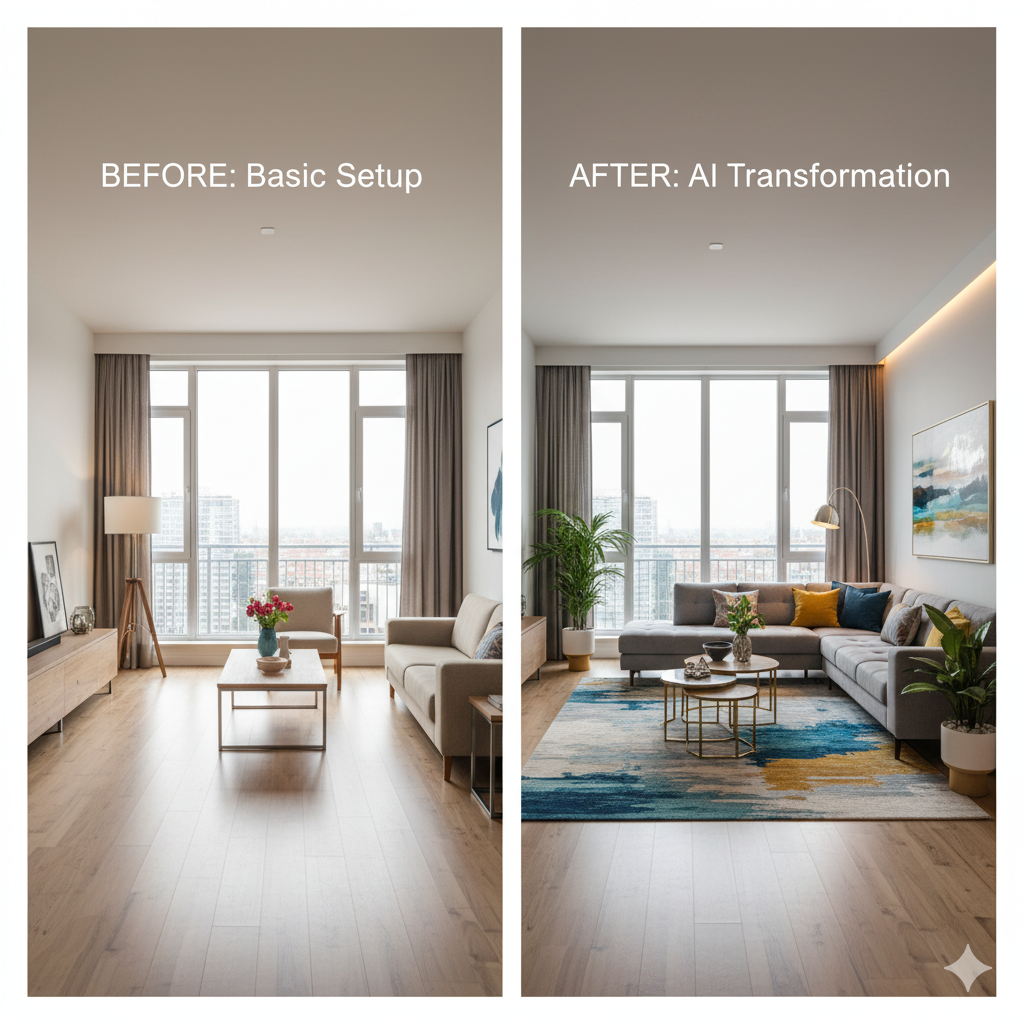
↑ Example result. Try it yourself!
Why Designers and Homeowners Choose This AI Interior Design Platform
Powered by computer vision trained on millions of professionally designed interiors, the platform understands spatial relationships, color harmony, and furniture proportions to deliver results that rival a $300/hr design consultant.
Spatial Intelligence That Understands Your Room
The AI room design engine reads room dimensions, ceiling height, window placement, and existing architectural details to suggest furniture arrangements that maximize both flow and function. It factors in the 60-30-10 color rule and proper traffic pathways automatically.
Photorealistic Visualization in Under 60 Seconds
See your transformed space with accurate lighting, shadows, and material textures. Unlike mood boards or flat renderings, the room visualization shows how Scandinavian minimalism, industrial loft, or coastal farmhouse design styles would actually look in your specific room.
Homeowner-Friendly: No Learning Curve
Planning a kitchen remodel or living room refresh? Upload a photo, pick a style, and get a professional visualization instantly. Experiment with bold wallpaper, open shelving, or a complete layout change — all before spending a dollar on materials.
Virtual Home Staging for Real Estate Professionals
According to the National Association of Realtors, staged homes sell 73% faster. Virtual staging with this tool costs $29-75 per photo compared to $1,500-6,000 for physical staging — a 97% cost reduction while achieving comparable buyer engagement.
A Design Assistant for Professional Decorators
Interior designers use the platform to generate 5-10 concept variations in minutes instead of hours. Present clients with mid-century modern, japandi, and art deco options side by side — then refine the winner together during consultation.
Unlimited Creative Exploration
Try a moody dark academia library, a bright Scandinavian nursery, or an industrial loft conversion — all from the same room photo. Mix styles, swap color palettes, and iterate freely. There is no penalty for experimentation.
Real-World Interior Design Applications
From weekend DIY projects to million-dollar listings, see how AI interior design helps people make confident room design decisions.

Home Renovation & Remodeling
Use AI room design to visualize a kitchen remodel, bathroom update, or full-home renovation before committing to contractors. Test whether that open floor plan actually works, see how dark cabinets look against your existing countertops, or compare hardwood vs. tile — all without spending a cent on samples.
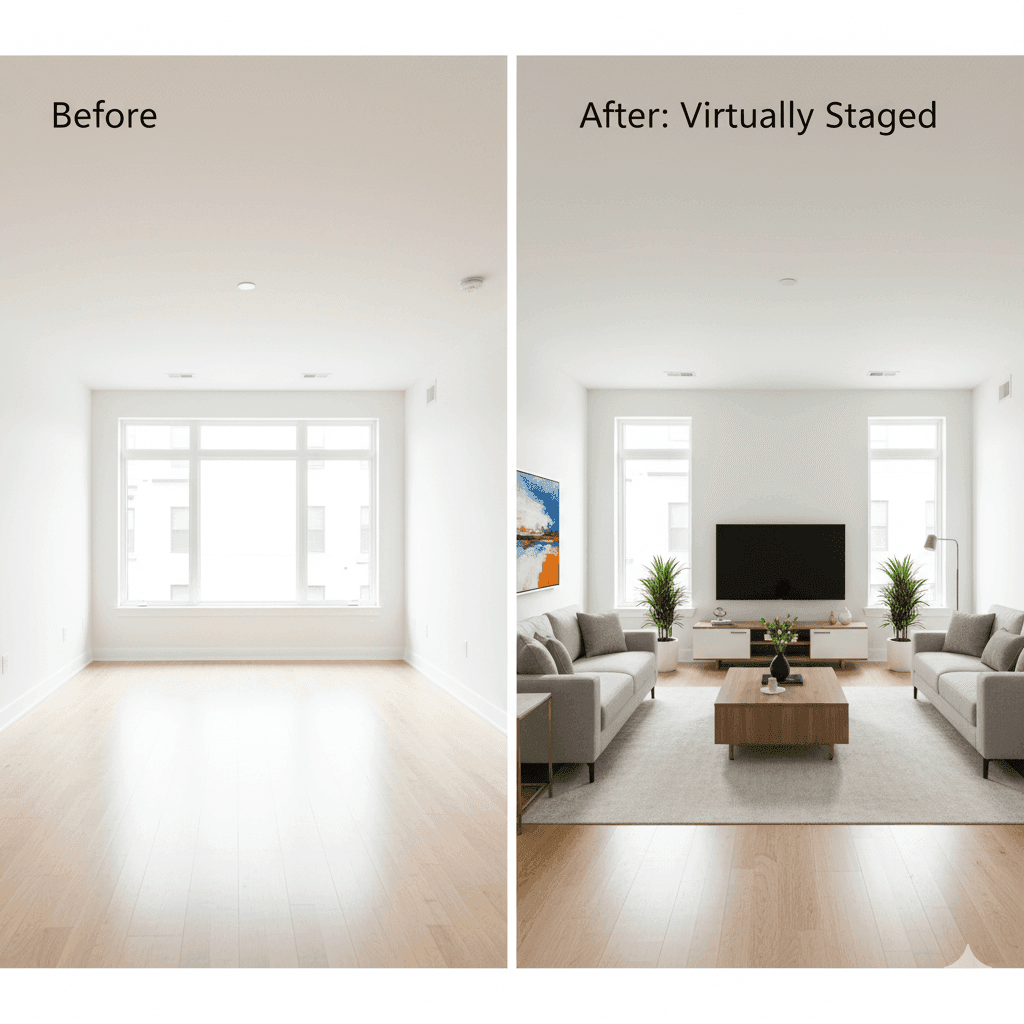
Virtual Home Staging for Real Estate
NAR reports that staged homes sell 73% faster and for 6-25% more. Physical staging runs $1,500-6,000 per property; virtual staging here costs a fraction of that. Furnish empty rooms with style-appropriate pieces, adjust for target demographics, and generate multiple staging options per listing.

Professional Design Concept Development
Compared to tools like Havenly, Modsy, or RoomGPT, this platform gives designers full prompt control and faster iteration cycles. Generate a japandi concept, an industrial loft version, and a coastal farmhouse option in under five minutes — then walk clients through each direction with photorealistic previews.
How AI Room Design Works in 3 Simple Steps
From photo upload to finished visualization in about one minute. No software to install, no account required for your first design.
- 1
Upload Your Room Photo
Snap a photo of any space — living room, bedroom, kitchen, home office, or commercial space — and upload it. The system accepts JPG, PNG, and WEBP files up to 10MB.
- 2
Choose a Style or Write a Custom Prompt
Select from preset styles like mid-century modern, Scandinavian minimalism, japandi, industrial loft, coastal farmhouse, or art deco. Or describe your vision in a custom prompt for full creative control.
- 3
Download Your Redesigned Space
Receive a high-resolution visualization in seconds. Download the image to share with contractors, compare with other options, or use as a reference for furniture shopping.
Pro Tips for Best Results
Photo Quality:
Use a wide-angle shot that captures the full room including walls, floor, and ceiling line. Natural daylight produces the most accurate color matching in the output. Avoid heavy filters or HDR effects on the source photo.
Style Preferences:
Be specific in your prompt. Instead of 'modern,' try 'warm minimalist with oak furniture, linen textures, and terracotta accents.' The more detail you provide, the closer the result matches your vision.
Multiple Variations:
Generate 3-4 options for the same room to compare approaches. You might discover that your living room looks better in japandi than the Scandinavian style you originally had in mind.
Pricing
Transform your images with AI. Choose the plan that fits your needs.
Basic
Perfect for personal use and casual creators.
Includes
- Own your creations
- Access to Standard Generation
- Image history saved
- Standard Quality Download
Billed annually · Save $24/year
Cancel anytime. No lock-in contract.
Pro
Best Value · 4x MoreFor power users and professionals.
Everything in Basic, plus
- Commercial License Included
- Priority Support
- 4x More Credits
- Priority email support
Billed annually · 75% cheaper per image
Cancel anytime. No lock-in contract.
What Our Users Are Saying
"I was quoted $4,200 by a local designer for a living room consultation and concept boards. This tool gave me eight style variations in 10 minutes, and I ended up with a mid-century modern look I absolutely love. Total spend on the actual furniture: $2,800 — within my budget because I knew exactly what to buy."
"Virtual staging used to cost me $150-200 per photo through a third-party service with 48-hour turnaround. Now I stage listings myself in under two minutes. My average days-on-market dropped from 34 to 21 since I started using the platform for every listing."
"As a designer billing $250/hr, my time is best spent on client relationships and custom details — not generating initial mood boards. This tool handles the concept phase so I can present five polished directions in our first meeting instead of two."
"Renovated my 650 sq ft apartment on a $8,000 budget. I generated visualizations for every room before buying a single piece of furniture. The final result matched the previews almost exactly — no expensive mistakes or returns."
Frequently Asked Questions
Everything you need to know about AI interior design before getting started
The tool uses computer vision to analyze your room photo — detecting walls, floors, windows, furniture, and lighting — then generates a photorealistic redesign based on your chosen style or custom prompt. It applies professional principles like the 60-30-10 color rule, proper scale, and balanced composition automatically.
Yes. New accounts receive free credits to generate several designs at no cost. No credit card required. Paid plans are available when you need higher volume or priority processing.
Any enclosed space with visible walls and floor: living rooms, bedrooms, kitchens, bathrooms, home offices, dining rooms, and commercial spaces like restaurants or retail stores. Outdoor patios and open-air spaces produce less consistent results.
The room visualization preserves your room's actual proportions, window placement, and architectural features. Furniture arrangement is scaled correctly to the space. Many users report that their finished renovations closely match the generated design concept previews.
Professional interior designers typically charge $150-500/hr for consultations. This tool complements their work rather than replacing it — designers use it to accelerate concept development, while homeowners use it for quick inspiration and planning. For complex projects involving structural changes or custom millwork, a human designer remains essential.
Most designs generate in 30-60 seconds. Upload your photo, select a style, and receive a finished visualization in about one minute.