AI UI Mockup Generator from Sketch for Polished App Screens
Use our AI UI mockup generator from sketch to turn rough wireframes, notebook drawings, and low-fidelity screen ideas into polished app mockups. Upload a UI sketch, choose a product style, and generate presentation-ready screens for product concepts, client reviews, and indie hacker launches.
Upload Image
Upload an image file to get started with your AI conversion
Click or drop your image here
Max 5MB
Maximum quality with the best detail and accuracy
Preview
View your AI-transformed result and compare with the original
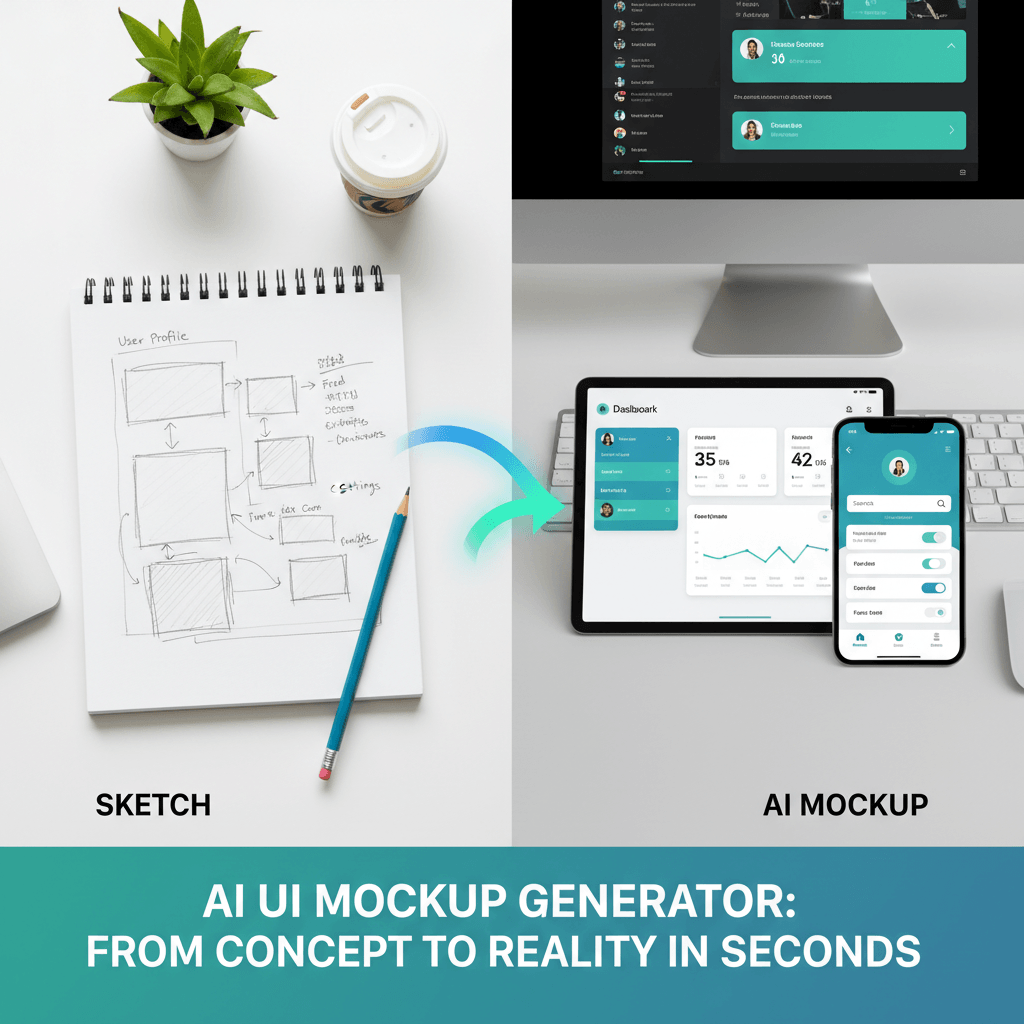
↑ Example result. Try it yourself!
Why Use This AI UI Mockup Generator from Sketch
Move from rough UI thinking to polished product screens without rebuilding every frame by hand. This tool focuses on app screens, wireframes, and product workflows instead of generic product packaging mockups.
Sketch-to-Screen Layout Preservation
Upload a wireframe, paper sketch, or rough app layout and the AI UI mockup generator from sketch keeps the important structure intact. Navigation, cards, buttons, tabs, and content zones stay close to your original idea while the visual design becomes more polished.
Polished App Mockups for Early Ideas
Turn messy product sketches into credible UI mockups before investing in full design work. Founders, PMs, and designers can use the AI UI mockup generator from sketch to show a concept clearly in minutes.
Preset Styles for Real Product Workflows
Choose SaaS dashboards, mobile apps, fintech screens, ecommerce flows, AI agent consoles, analytics dashboards, landing pages, or prototype boards. Each preset guides the AI toward product interface mockups rather than broad visual art.
Better Design Reviews
Bring a more finished screen into critiques, stakeholder reviews, and client calls. The tool gives teams a clear visual target while preserving the intent of the original wireframe.
Useful for Indie Hacker Launches
When you need landing page visuals, waitlist screenshots, or early product mocks, this AI UI mockup generator from sketch helps convert napkin UI ideas into cleaner screens that are easier to share.
Custom Prompt Control
Use the default prompt for a fast result or describe your product category, brand tone, platform, and interaction states. Keep the layout fixed while exploring visual polish, component style, color, and screen density.
Best Uses for AI UI Mockup Generator from Sketch
Turn rough interface thinking into polished mockups for product discovery, pitches, and design collaboration.

Startup Product Prototypes
Founders and indie hackers use the AI UI mockup generator from sketch to convert notebook wireframes into polished SaaS dashboards, onboarding flows, and app screens for validation, waitlists, and launch pages.

Client and Stakeholder Presentations
Designers turn early wireframes into cleaner app mockups before client reviews. A polished screen helps stakeholders react to layout, hierarchy, and product direction without needing a full design sprint first.

Design Sprints and Agent-Native Interfaces
Product teams sketch AI workflows, dashboards, and mobile flows, then generate UI mockups for quick comparison. This is especially useful when exploring agent-native interfaces and generative UI concepts.
How to Generate a UI Mockup from a Sketch
Create a polished app screen mockup from a rough sketch in three practical steps.
- 1
Upload a UI Sketch or Wireframe
Start with a notebook sketch, whiteboard photo, low-fidelity wireframe, or rough screen capture. Clear boxes, labels, and navigation areas help the AI UI mockup generator from sketch understand your structure.
- 2
Pick a Product Style
Choose a preset such as SaaS dashboard, mobile app, landing page, fintech app, ecommerce flow, or AI agent console. You can also write a custom prompt for a specific product niche or brand direction.
- 3
Generate and Refine the Screen
Review the generated UI mockup, download it, or run another variation with clearer instructions. Preserve the wireframe while exploring typography, color, component styling, and screen polish.
Pro Tips for Stronger UI Mockups
Label Key Areas:
Write short notes like sidebar, chart, CTA, hero, tabs, or pricing cards on the sketch so the model can map each zone to the right UI component.
Use Simple Wireframes:
Strong rectangles, clear hierarchy, and visible screen boundaries usually produce better UI mockups than crowded sketches with overlapping annotations.
Describe the Product Context:
Add context such as B2B analytics app, consumer fitness app, AI workflow tool, or fintech dashboard to guide the interface style without losing your layout.
Pricing
Transform your images with AI. Choose the plan that fits your needs.
Basic
Perfect for personal use and casual creators.
Includes
- Own your creations
- Access to Standard Generation
- Image history saved
- Standard Quality Download
Billed annually · Save $24/year
Cancel anytime. No lock-in contract.
Pro
Best Value · 4x MoreFor power users and professionals.
Everything in Basic, plus
- Commercial License Included
- Priority Support
- 4x More Credits
- Priority email support
Billed annually · 75% cheaper per image
Cancel anytime. No lock-in contract.
Used by Teams Turning Wireframes into UI Mockups
"I sketch product ideas during customer calls, then use this AI UI mockup generator from sketch to turn the best ones into screen concepts for our weekly review."
"For early client pitches, I can upload a rough wireframe and get a polished app screen mockup fast. It gives us a shared visual before we spend time in Figma."
"As an indie hacker, I use it to create believable SaaS dashboard mockups from notebook sketches. The results are clear enough for landing pages and waitlists."
"The AI agent console preset is exactly what I needed. It turns rough workflow sketches into modern product UI without drifting into unrelated art styles."
AI UI Mockup Generator from Sketch FAQ
Answers about turning sketches and wireframes into polished app screen mockups
An AI UI mockup generator from sketch turns a rough UI sketch, wireframe, or low-fidelity screen layout into a more polished app screen mockup. It is designed for product interfaces like SaaS dashboards, mobile apps, landing pages, and AI workflow tools.
Upload a clear paper sketch, whiteboard photo, digital wireframe, or screenshot of a low-fidelity layout. Simple boxes, labels, navigation areas, and screen boundaries help the generator preserve your intended structure.
The tool is designed to preserve the main layout, proportions, navigation zones, and component hierarchy from your sketch. Results can vary, so clear line work and explicit labels usually produce stronger UI mockups.
This tool focuses specifically on UI and app screen mockups. Presets, prompts, and page copy target product workflows, wireframes, dashboards, mobile apps, landing pages, and agent-native interfaces instead of broad visual compositions or packaging mockups.
Yes. Many users start with a quick sketch, generate a polished direction, then rebuild or refine the strongest version in Figma. It is useful for early ideation, stakeholder alignment, and visual exploration before detailed design.
You can start with free credits after signing up. Use them to test a few wireframes, compare presets, and refine your prompt before generating more product mockup variations.