

What Is Gemini Omni? Google's Multimodal Image AI
On this page
Share
You sketched a face on a napkin during a coffee break. Could a single AI model turn that line drawing into a photo-real portrait, write the headline above it, and edit the background — all from one prompt? That is roughly the promise behind Gemini Omni.
This guide explains what Gemini Omni is, how it handles images and sketches, where it shines for creative work, and where a specialized sketch-to-image tool is still the safer pick.
Last updated: 2026-05-17
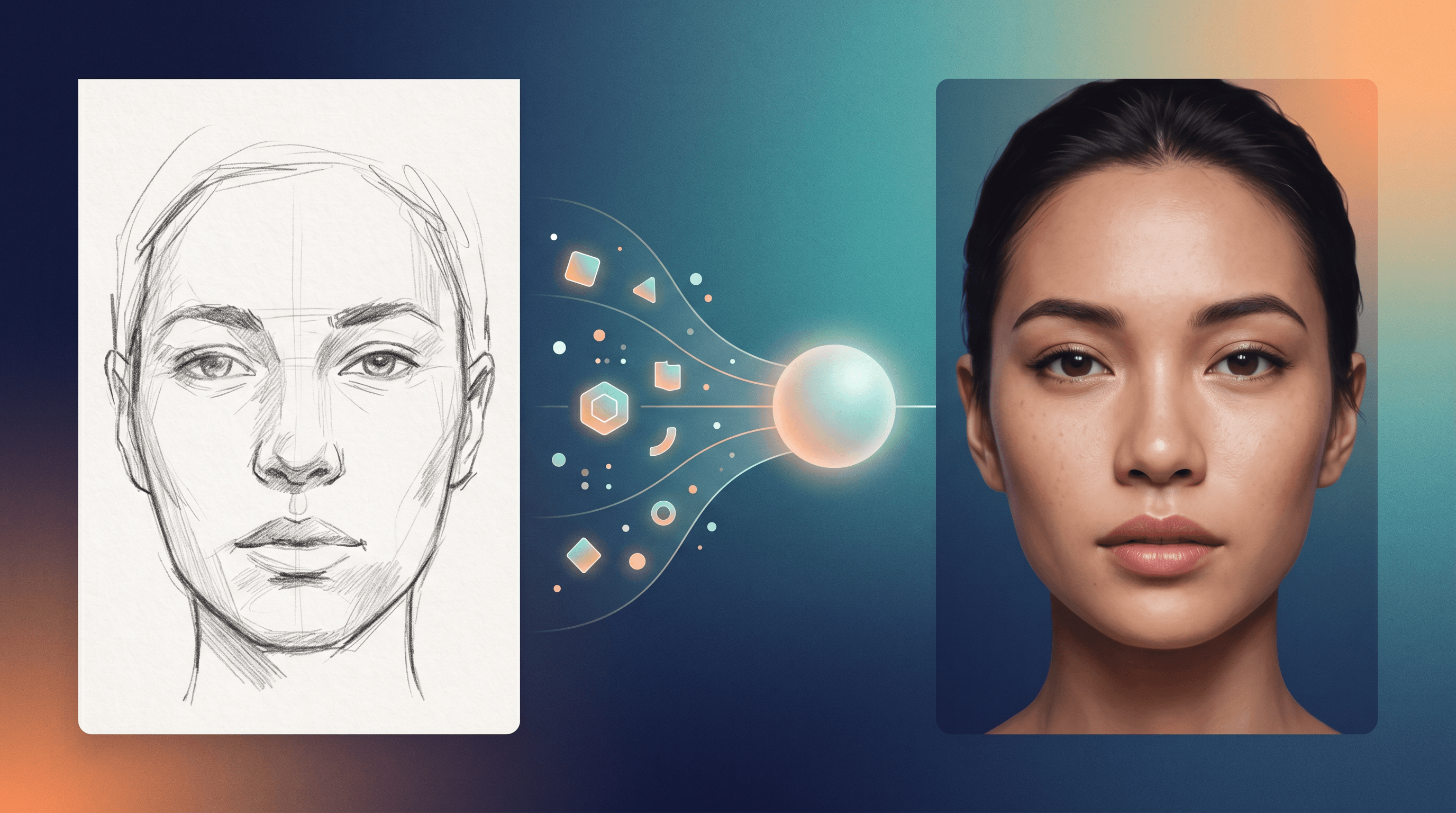
Table of contents
- What is Gemini Omni?
- Key features and capabilities
- How Gemini Omni works
- Gemini Omni for creative workflows
- How to try Gemini Omni
- Common use cases
- Limitations and what's next
- FAQ
What is Gemini Omni?
Gemini Omni is Google's multimodal AI image model that generates, edits, and reasons about images from natural-language prompts, reference images, and sketches in a single model. It sits inside Google's Gemini product line, alongside the chat-focused Gemini assistant and the Imagen image models, and is tuned for image input + image output rather than only text.
Two things make Gemini Omni stand out from earlier image models:
- One model, many image tasks. Text-to-image, image editing, inpainting, style transfer, and image-grounded Q&A run through the same model instead of a stack of separate ones.
- Native sketch and reference understanding. It treats a rough sketch, a screenshot, or a reference photo as first-class input you can reason about, not just a prompt embellishment.
For readers searching "what is Gemini Omni", the short answer: it is Google's attempt to ship a general-purpose image brain that can see, draw, and edit in one place — a direct counter to multimodal models from OpenAI and Anthropic.
Key features and capabilities
Gemini Omni's feature surface is wide. The capabilities below are the ones that matter most for visual creators and sketch-to-image users.
| Capability | What it does | Useful for |
|---|---|---|
| Text-to-image | Generate images from a written prompt | Concept art, social media visuals |
| Image editing | Edit a region of an existing image with a prompt | Background swaps, object removal |
| In-image text rendering | Render readable words and short sentences inside an image | Posters, logos, ad creatives |
| Style control | Match or transfer the style of a reference image | Brand-consistent illustrations |
| Sketch + reference input | Accept a line drawing or rough sketch as guidance | Sketch-to-photo, line art coloring |
| Multi-image reasoning | Compare, describe, or merge multiple input images | Mood boards, before/after edits |
| Long prompt understanding | Handle multi-sentence prompts with spatial detail | Detailed scene composition |
Does Gemini Omni accept sketch input? Yes — you can upload a line drawing or napkin sketch as a reference image, and Gemini Omni will use it as structural guidance for the generated output. This is the capability most relevant to sketch-to-image users, and it is where Gemini Omni overlaps with dedicated tools like Sketch To.
The catch: Gemini Omni treats your sketch as one signal among many, not the primary structural constraint. We will come back to that in the Creative Workflows section, because it is the deciding factor between "use Gemini Omni" and "use a specialized sketch-to-image tool".
How Gemini Omni works
Under the hood, Gemini Omni is a multimodal transformer. Instead of explaining the architecture math, here is the picture that matters for using it well.
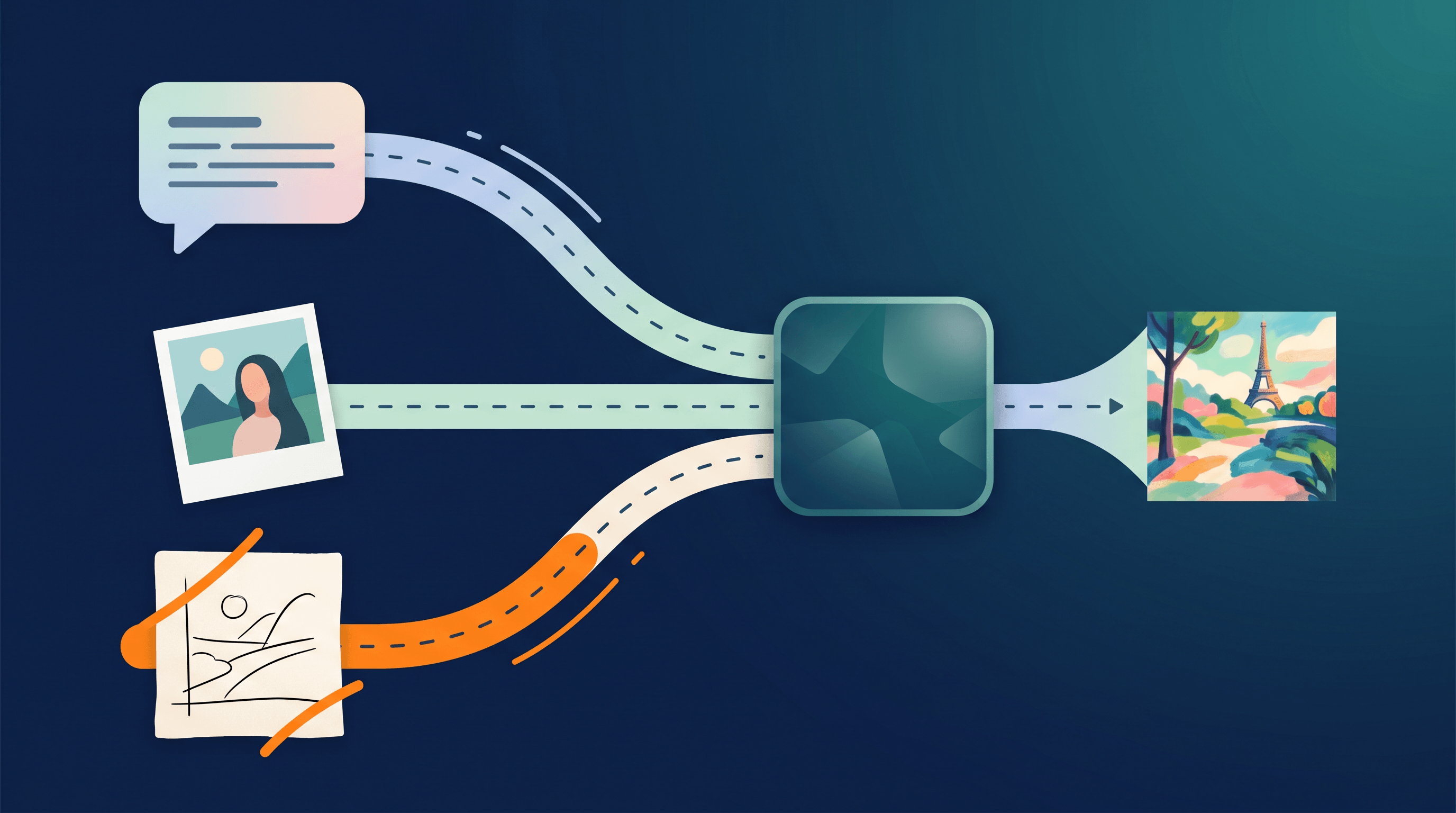
A traditional text-to-image model takes a string of words and tries to draw the matching picture. A traditional image editor takes a mask plus a prompt. Gemini Omni collapses both into one flow:
- Tokenize everything. Your text prompt, your reference image, and your sketch are all converted into a shared token space — like translating English, French, and pixels into one common language the model can read.
- Reason across modalities. The model can attend to "the dog in the sketch", "the red color in the photo", and "the word Tuesday in the prompt" at the same time. It treats them as parts of one scene description.
- Generate or edit pixels. The model emits image tokens that get decoded back into a picture. If you provided an input image, it can keep most pixels and only rewrite the regions you asked to change.
The practical effect: you can say "use the structure from sketch A, the color palette from photo B, and add the headline Spring Sale in the top-left", and the model treats this as a single instruction instead of three separate steps. That is what makes Gemini Omni feel different from chaining a sketch ControlNet, a color reference, and a typography tool.
The trade-off is also visible at this layer. Because Gemini Omni is one general model spread across many tasks, it does not apply the heavy structural constraints that a model trained specifically for sketch-to-image does. Your line work is a hint, not a hard rule.
Gemini Omni for creative workflows
This is the section that matters most if you are a sketcher, illustrator, or product designer. Gemini Omni is impressive at general-purpose image work, but the gap between "general multimodal" and "specialized sketch-to-image" gets wider the more your work depends on fine line accuracy.
Here is an honest breakdown of where Gemini Omni helps in sketch-driven workflows and where it falls short.
What Gemini Omni does well for sketches
- Concept-stage exploration. Throw in a rough sketch and ask for five style variations — anime, watercolor, isometric, 3D, photoreal. Gemini Omni is fast and surprisingly varied.
- Mood and color suggestion. Pair a sketch with a color reference photo and ask for "this scene, in this palette". The result is a plausible mood board in seconds.
- Cleanup and re-rendering. Take a messy thumbnail sketch and ask Gemini Omni to "redraw cleanly, keep the composition". Useful for storyboards and pitches.
- Adding scenery around a subject. Sketch the main subject, then ask the model to imagine the background. Good for concept art and game ideation.
Where Gemini Omni falls short for sketches
- Tight line fidelity. If your sketch has a specific eyebrow shape, hand pose, or product silhouette, Gemini Omni is likely to "interpret" rather than "obey". Details drift between generations.
- Photo-real conversion from line art. Turning a pencil drawing of a person into a realistic photograph is the hardest sketch-to-image task, and it is where general models lose the most ground.
- Iterative refinement on the same sketch. Re-running with small prompt tweaks often shifts composition, instead of locking the structure and only changing surface style.
- Commercial-grade detail. For client deliverables — product mockups, character turnarounds, marketing visuals from approved sketches — the variance is usually too high.
This is the core trade-off. A general multimodal model like Gemini Omni gives you breadth: one tool, many tasks, friendly interface. A specialized sketch-to-image tool gives you control: hard structural lock, consistent detail, predictable output.
If your goal is to turn a sketch into a polished, on-brief illustration or a photo-real image, you want a tool built for that single job. Sketch To is one such tool — its Professional Model treats your line art as the structural ground truth and renders photo-realistic results in about ten seconds, which is the level of control general models still struggle to match.
How to try Gemini Omni
You can try Gemini Omni through the official Google entry points:
- Gemini app and web — Open the Gemini chat interface, upload a reference image or sketch, and ask for an edit or a generation. Available in the free tier with usage limits and in paid Gemini plans with higher quotas.
- Google AI Studio — Pick the Gemini Omni model from the model selector, paste a prompt, attach images, and inspect token usage. Useful if you want to test prompt structure before wiring it into code.
- Gemini API (Vertex AI) — Call the model from your own backend. This is the path for app developers and automation. Expect per-token pricing for input and output, with image input billed by tile size.
A practical first test: upload a 5-second sketch of a face, ask "render this as a black-and-white film still", and see how the model handles your line work. You will quickly feel whether the level of fidelity matches your project.
If your project is specifically sketch → realistic image or sketch → polished illustration, run the same test in parallel on a specialized tool. Upload the same sketch to Sketch To, pick the Professional Model, and compare the two outputs side by side. For pure photo-real sketch conversion, the specialized model is usually the cleaner pick. For "give me five wild style variations off this sketch", Gemini Omni is great.
Common use cases
Gemini Omni shows up in a handful of repeatable workflows. The examples below are intentionally written so creators can match a workflow to their own project.
- Social media post visuals. Generate on-brand square or vertical images from a short prompt plus a brand color reference. Useful for Instagram, TikTok thumbnails, and X posts.
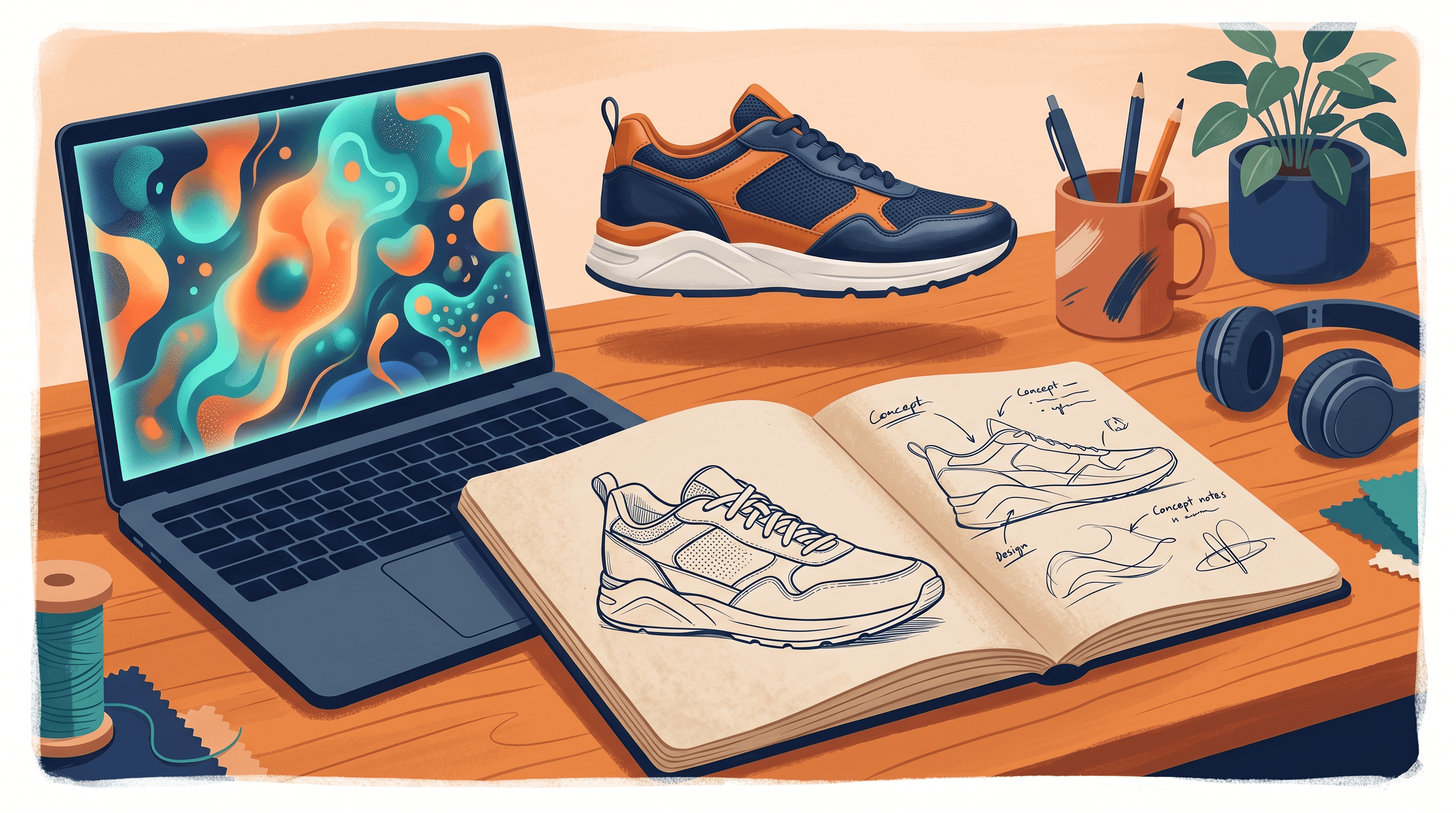
- Concept sketches for products and characters. Start from a thumbnail sketch, ask for clean redraws in three different styles, and pick one to iterate on.
- Line art coloring. Upload a pencil or ink sketch and ask the model to color it in a specific palette. Good for casual personal projects and webcomic drafts.
- Sketch-to-realistic exploration. Try converting a portrait sketch into a photo. Treat the output as inspiration, not as a final deliverable, because detail accuracy varies.
- Storyboard generation. Sketch each panel roughly, then ask Gemini Omni to render the full storyboard in a consistent style.
- Image editing for blog and marketing. Replace backgrounds, remove unwanted objects, or restyle product photos with a prompt instead of a layered Photoshop edit.
- Reference mood boards. Merge multiple input images and ask for "the mood of these, but for a winter scene". Helpful at the pitch and brief stage.
For most of these, the workflow is "Gemini Omni for exploration, a specialized tool for the finished piece". Sketch-driven projects in particular benefit from this split — broad ideation in a general model, final render in a sketch-to-image tool.
Limitations and what's next
Gemini Omni is powerful, but it has clear edges that matter for serious creative work.
- Detail consistency across generations. Faces, hands, logos, and small text drift between runs even with the same prompt. Locking a specific look across a sequence of images is hard.
- Strict sketch obedience. As covered above, line work is a hint, not a constraint. For tight sketch-to-image projects this is the biggest gap versus specialized models.
- High-resolution output. Gemini Omni outputs are good for web and social, but professional print or large-format work often needs upscaling and cleanup afterward.
- Long, dense in-image text. Short headlines render well. Paragraphs of text inside an image still break.
- Rate limits and quotas. Heavy use bumps into per-minute and per-day caps, especially on free and lower-tier plans.
- Regional availability. Some features and the latest Gemini Omni updates roll out region by region. Check the official Gemini docs for your country.
The trajectory is clear: Google is investing heavily in multimodal, so expect tighter sketch control, better in-image text, and higher resolution outputs over the next year. The current trade-off — general breadth versus specialized fidelity — will narrow, but it is unlikely to disappear soon. Specialized sketch-to-image models still hold an edge anywhere structural accuracy is non-negotiable.
FAQ
Is Gemini Omni free to use?
A limited version of Gemini Omni is free inside the Gemini app and Google AI Studio, with usage caps. Higher quotas, faster responses, and full feature access require a paid Gemini plan or pay-as-you-go API billing through Vertex AI.
Does Gemini Omni support sketch input?
Yes. You can upload a hand-drawn sketch or line art as a reference image, and Gemini Omni will use it as guidance for the generated output. The catch is that it treats your sketch as a soft hint, so the rendered image often deviates from your exact lines. For strict sketch-to-image fidelity, a specialized tool such as Sketch To's Professional Model gives tighter structural control.
Can I use Gemini Omni images commercially?
Output from Gemini Omni can be used commercially in most cases, but the exact license depends on which Google product or API plan you are on. Check the current Gemini and Vertex AI usage terms before shipping commercial work, especially for brand assets, marketing campaigns, or merchandise.
What is the difference between Gemini and Gemini Omni?
Gemini is the umbrella brand for Google's multimodal AI family, covering chat, coding, reasoning, and image tasks. Gemini Omni is the image-focused model in that family, tuned for generation, editing, and visual reasoning. If you are asking "what is Gemini Omni", think of it as the image specialist inside the broader Gemini line.
Is Gemini Omni or a dedicated sketch-to-image tool better for turning sketches into realistic images?
For pure sketch-to-realistic conversion, a dedicated sketch-to-image tool is usually better. Gemini Omni is excellent at fast style exploration and concept work, but it does not lock onto your line work the way a sketch-specific model does. If your goal is a photo-real portrait or a polished illustration that closely matches your original drawing, a tool like Sketch To — with a Professional Model designed for high-fidelity sketch input — is the safer choice.
Conclusion
Gemini Omni is Google's bet on one image model that can see, draw, and edit. For broad creative exploration — concepts, mood boards, social visuals, quick stylistic experiments — it is fast, varied, and genuinely fun. For sketch-driven projects where the line work needs to be respected, the trade-off shifts: a specialized sketch-to-image model still wins on fidelity and consistency.
Ready to turn your sketches into photo-real images or polished illustrations? Try Sketch To free → — AI-powered sketch-to-image conversion with a Professional Model built specifically for high-fidelity line art rendering, no design skills required.
Transform Your Images with AI
Turn sketches into stunning images, remove backgrounds, swap faces, and more — all powered by AI.
Try Sketch To FreeShare
Sketch To
Tech writer covering AI tools, image processing, and creative workflows.
Related Articles

Recraft V4: Image Generation with Design Taste
Explore Recraft V4, the latest AI model for image generation that emphasizes design taste and artistic direction.
NextStep-1.1: RL-Enhanced Autoregressive Image Generation
Step's NextStep-1.1 fixes visualization failures via RL and stability, advancing autoregressive flow-matching image generation.
Qwen-Image-Layered: Layered Decomposition for Editability
Introducing Qwen-Image-Layered, a model that decomposes images into RGBA layers for precise, consistent, and inherently editable workflows.