

Magnific Alternatives 2026: 7 AI Image Upscalers Compared
On this page
Share
If you opened Freepik this week and saw a new logo, you weren't imagining it. As discussed on r/SaaS on April 30, 2026, Freepik consolidated its AI image stack under the Magnific name — the upscaling brand it acquired back in 2024. Subscriptions, account credits, and the AI Suite all moved over. Users who only wanted the standalone Magnific upscaler are suddenly inside a much bigger app, and the search volume for "magnific alternatives" has spiked.
If you came here because the rebrand pushed you to look around, this comparison maps the seven AI image upscalers worth testing in 2026 — including Sketch To as one of the lighter-weight options. We compare on the dimensions that actually matter: max upscale ratio, price, model quality, commercial license, and whether you can use it without a subscription.
Evaluation criteria: maximum upscale factor, output quality on real photos, price (one-time vs. subscription), commercial license clarity, free or trial access, and platform (web vs. desktop vs. open-source).
Last updated: April 2026
Table of Contents
- Why People Are Searching for Magnific Alternatives
- Quick Comparison Table
- Magnific (Freepik)
- Topaz Photo AI
- Krea AI Upscaler
- Upscayl
- Let's Enhance
- Clipdrop Image Upscaler
- Sketch To Image Upscaler
- How to Choose
- How to Upscale a Photo Without Magnific (Step-by-Step)
- FAQ
Why People Are Searching for Magnific Alternatives
Magnific was originally a standalone product launched in 2023, famous for hallucinating realistic detail into photos through its Creativity slider — a parameter most other upscalers lacked. Freepik acquired the company in 2024 and used the Magnific tech to power its own AI Suite.
In April 2026, Freepik finished the merger by rebranding the entire image AI surface as Magnific. The standalone Magnific.ai pricing tiers ($39 / $99 / $299 per month) are gone, replaced by Freepik's combined plans. Three things changed at once for existing users:
- Pricing was repackaged. Magnific's old $39 entry tier doesn't exist anymore — upscaling is bundled into Freepik subscriptions starting at $5.75/mo (Essential) and $24.50/mo (Premium+).
- The interface moved. You now access upscaling through the Freepik dashboard, alongside stock assets, video tools, and Pikaso.
- The Magnific-only API and Discord workflows shifted. Some power users had built scripts against the old endpoints; those need migration.
None of that makes Magnific worse — but if you only ever wanted upscaling, paying for a creative suite feels like overkill. That's why search interest for alternatives spiked the week of the rebrand. Below are seven options ranked by actual workflow fit, not by marketing copy.
Quick Comparison Table
| Tool | Max Upscale | Pricing | Subscription Required? | Commercial Use | Platform |
|---|---|---|---|---|---|
| Magnific (Freepik) | 16x | From $5.75/mo bundled | Yes (Freepik plan) | Yes (Premium incl. indemnification) | Web |
| Topaz Photo AI | 6x (600%) | $199 one-time | No (perpetual license) | Yes | Desktop (Mac/Win) |
| Krea AI Upscaler | Up to 22K resolution | From $9/mo | Yes | Yes (paid plans) | Web |
| Upscayl | 4x (16x with custom models) | Free | No | Yes (MIT licensed) | Desktop (open-source) |
| Let's Enhance | 16x | From $9/mo, pay-as-you-go option | Optional (credit packs) | Yes | Web |
| Clipdrop Image Upscaler | 4x (free), higher on Pro | Free + $7/mo Pro | Optional | Yes (Pro plan) | Web + API |
| Sketch To Image Upscaler | 4x | From $8/mo | Yes | Yes | Web |
Prices verified April 2026 from each tool's pricing page. Bundled plans may include features beyond upscaling.
1. Magnific (Freepik) — the Rebrand Baseline
The rebranded Magnific is still the photorealism leader for one specific job: inventing plausible detail in low-res photos. Its hallmark Creativity slider lets the model add textures (skin pores, fabric weave, foliage) that weren't in the original pixels. In our testing on a 768×512 portrait, Magnific at Creativity 5 produced sharper hair and skin than any other tool we tried — at the cost of occasional hallucinated details (an extra ring, a misplaced highlight) that you have to retouch.
Key Features
- Creativity slider (0–10) — the headline differentiator, controls how much detail the model invents
- HDR slider for tone enhancement during upscaling
- Resemblance slider to keep the result close to the source
- Up to 16x upscale ratio
- Style transfer presets (Magnific Relight, Style Transfer)
- Bundled with Freepik AI Suite (Mystic, Imagen 4, Flux models for generation)
Pricing (Freepik plans, April 2026)
- Free: limited daily generations, no high-res upscale
- Essential: $5.75/mo (8,000 AI credits — light upscaling)
- Premium+: $24.50/mo (heavy AI users, more credit headroom)
- Premium: $40/mo (unlimited indemnified generation)
Best For
Photographers and marketers who want maximum hallucinated detail and don't mind that upscaling now lives inside a broader creative suite.
Not Ideal For
- Users who only want upscaling — bundled pricing means paying for stock and video features you may not use
- Workflows that need predictable, non-hallucinated output (Creativity slider can over-invent)
- Offline or air-gapped pipelines (web-only)
- Anyone migrating an old Magnific.ai API integration (endpoints changed during the rebrand)
2. Topaz Photo AI — Desktop Pro Standard
Topaz Photo AI is the desktop tool professional photographers reach for when they need to upscale, denoise, and sharpen on a Mac or PC without sending images to a cloud. It bundles Gigapixel (upscale), DeNoise, and Sharpen into one app driven by a unified "Autopilot" that picks settings per image.
Key Features
- 6x maximum upscale (600%) with face recovery and text recovery models
- Multiple AI models for different content (high fidelity, standard, graphics, low resolution)
- Combined denoise + sharpen + upscale in one pass
- Batch processing of large folders
- Lightroom and Photoshop plugin integration
- Runs locally — no cloud upload, no per-image fees after purchase
Pricing
- One-time license: $199 (with one year of upgrades)
- Upgrade renewal: ~$99/year for continued model updates (optional)
- 30-day money-back guarantee
Best For
Wedding, portrait, and landscape photographers who batch-process large RAW catalogs and don't want a recurring SaaS bill.
Not Ideal For
- Casual users — $199 upfront is steep if you upscale ten images a year
- Anyone on Linux or Chromebook (no native Linux build, though Mac and Windows both work)
- Use cases that benefit from creative "hallucinated" detail like Magnific's Creativity slider — Topaz prioritizes faithful reconstruction over invention
- Mobile-only workflows (no iOS/Android version)
3. Krea AI Upscaler — Up to 22K on the Web
Krea AI is best known for its real-time canvas, but its upscaler is one of the most aggressive on the market in raw resolution: up to 22K image upscale and 8K + 120fps video upscale on the Max plan. It's not a Magnific clone — it doesn't have a Creativity slider — but if your job is to push a 1080×1080 social asset to billboard resolution, Krea is the web tool that goes biggest.
Key Features
- Image upscale to 22K resolution on Max plan
- Video upscale to 8K + 120fps frame interpolation
- Multi-model approach (Flux, Krea 1, plus their realtime models)
- Webcam and screen-share inputs for live restyling
- Real-time canvas (separate from the upscaler) for sketch-to-image
- 30M+ users across 191 countries
Pricing
- Free: 100 compute units/day, no commercial license
- Basic: $9/mo (5,000 units)
- Pro: $35/mo (20,000 units, all video models)
- Max: $70/mo (60,000 units, unlimited LoRAs, 22K upscale)
Best For
Designers working on large-format prints, billboards, motion graphics for OOH placement, or anyone who needs both upscale and a real-time canvas in one subscription.
Not Ideal For
- Users who only want a quick 4x upscale — you're paying for a feature surface you won't use
- Compute-unit pricing can be opaque — heavy video upscaling burns credits faster than expected
- Free tier blocks all commercial use
4. Upscayl — Free, Open-Source, Runs on Your Laptop
Upscayl is a free, open-source upscaler built on Real-ESRGAN. It runs locally on Windows, macOS, and Linux, costs nothing, and the GitHub repo has crossed 33K+ stars. For users who want a Magnific replacement but refuse to pay another SaaS bill, Upscayl is the answer that gets recommended on Reddit threads more than any other tool on this list.
Key Features
- 4x default upscale (custom models can push to 16x)
- Multiple AI models (Real-ESRGAN, Remacri, Ultramix, plus community models)
- 100% local — no upload, no privacy concerns
- MIT-licensed (Pro tier is closed source but the core is open)
- Batch processing supported
- Available on Mac, Windows, Linux
Pricing
- Free: full local upscaling, MIT license
- Upscayl Pro: optional one-time purchase ($35) for additional models and higher resolution support
Best For
Developers, hobbyists, anyone with a privacy-sensitive workflow, or users who want to avoid recurring fees entirely. Also the right pick if your input is line art, anime, or pixel art — community Real-ESRGAN variants handle those well.
Not Ideal For
- Users without a discrete GPU — upscaling on CPU is slow (think minutes per image)
- Anyone who needs Magnific's Creativity slider (Real-ESRGAN faithfully reconstructs but doesn't invent detail)
- Teams that need a hosted API for automation (Upscayl is desktop-only)
- Non-technical users who don't want to install a desktop app
5. Let's Enhance — Web-Based Bulk Upscaling
Let's Enhance has been in this market since 2017 and remains a solid Magnific alternative for straightforward bulk upscaling without a creative-suite tax. The interface is uncluttered: drop in images, pick a model, get results. It supports 16x upscale, batch processing, and provides API access for automation.
Key Features
- 16x maximum upscale with multiple AI models (photo, digital art, smart)
- Batch processing of up to 50 images at once
- API access on paid plans for automation
- Color correction, light enhancement, and tone adjustment options
- Pay-as-you-go credit packs (no required subscription)
- E-commerce focused presets (product photo upscaling)
Pricing
- Free trial: small allotment of credits
- Subscription: from $9/mo (Pro)
- Credit packs: pay-as-you-go without a subscription
Best For
E-commerce teams, agencies, and anyone with a steady but not-huge volume of images who don't want to commit to a monthly plan. The credit-pack model is rare and useful.
Not Ideal For
- Workflows that need a Creativity-slider-style detail invention
- Real-time canvas users (no live preview while you sketch)
- Photographers used to desktop tools — Let's Enhance is web-only
6. Clipdrop Image Upscaler — Stability AI's Quick Tool
Clipdrop is Stability AI's web suite of single-purpose image tools. Its Image Upscaler is the fastest free 4x upscaler we tested — usually under 5 seconds per image. It's not as feature-rich as Magnific or Krea, but for quick 4x web work, it's the lowest-friction option.
Key Features
- 4x upscale in the free tier; higher resolution on Pro
- API access on Pro plans
- Suite of related tools (Cleanup, Background Remover, Replace Background)
- No login required for free single-image use
- Mobile and desktop apps available
Pricing
- Free: 4x upscale with daily limit
- Pro: $7/mo (more credits, full API access, 8x and higher)
Best For
Developers prototyping with the API, social media managers who need fast one-off upscales, and anyone shopping for a Magnific replacement at a lower monthly cost.
Not Ideal For
- Users who need >4x on the free tier
- Workflows requiring a Creativity slider (Clipdrop reconstructs faithfully)
- Bulk batches of 100+ images — Let's Enhance handles those better
7. Sketch To Image Upscaler — Lightweight, with Sketch Workflow
Sketch To is positioned as a sketch-to-image platform, but its Image Upscaler is one of its five core tools, sitting alongside Image to Sketch, Sketch to Image AI, Background Remover, and Uncrop. It's not trying to compete with Magnific on photorealistic detail invention — it's the right pick if upscaling is one step in a sketch-driven creative workflow rather than a standalone job.
Key Features
- 4x upscale with two model tiers (Standard fast, Professional high-detail)
- Bundled with Background Remover, Uncrop, and Image to Sketch / Sketch to Image AI
- Web-based, runs in the browser
- New users get free trial credits
- Same credit pool covers all tools — no per-feature billing
- Commercial use included on Basic and Pro plans
Pricing
- Basic: $8/mo (960 credits/year ≈ 480 images)
- Pro: $16/mo (6,000 credits/year ≈ 3,000 images)
- New-user trial credits on signup
Best For
Illustrators, product designers, and concept artists who already use Sketch To for sketch ↔ image work and want their upscaler in the same app. Also a good pick for anyone whose deliverables are 4x upscales of sketch-derived art rather than 16x photographic enlargements.
Not Ideal For
- Users who need 16x or 22K output — Magnific, Krea, and Let's Enhance go bigger
- Pure photography workflows where Topaz's local desktop processing fits better
- Anyone needing a Creativity slider for hallucinated photo detail
- API-driven pipelines (use Clipdrop or Let's Enhance APIs instead)
How to Choose the Right Magnific Alternative
The seven tools split cleanly by job. Pick by what you actually need to do, not by marketing copy:
- You want Magnific's hallucinated detail without the Freepik bundle: There isn't a clean clone. The closest behavioral match is Krea AI at $9/mo Basic.
- You're a working photographer with a RAW catalog: Topaz Photo AI at $199 one-time. Local processing, perpetual license.
- You refuse to pay a subscription: Upscayl is free and open-source. Runs on your laptop.
- You want maximum resolution (billboard-grade): Krea Max at $70/mo for 22K image / 8K video.
- You want bulk e-commerce upscaling: Let's Enhance at $9/mo or pay-as-you-go credit packs.
- You want the cheapest hosted upscaler with API access: Clipdrop Pro at $7/mo.
- You upscale as part of a sketch-driven workflow: Sketch To at $8/mo bundles upscaling with sketch ↔ image conversion, background removal, and uncrop.
Budget picks: Upscayl (free), Clipdrop Pro ($7/mo), Sketch To Basic ($8/mo). Pro picks: Topaz Photo AI ($199 one-time), Krea Max ($70/mo). Magnific stand-in (managed cloud, photorealistic): Magnific via Freepik Premium+ ($24.50/mo).
How to Upscale a Photo Without Magnific (Step-by-Step)
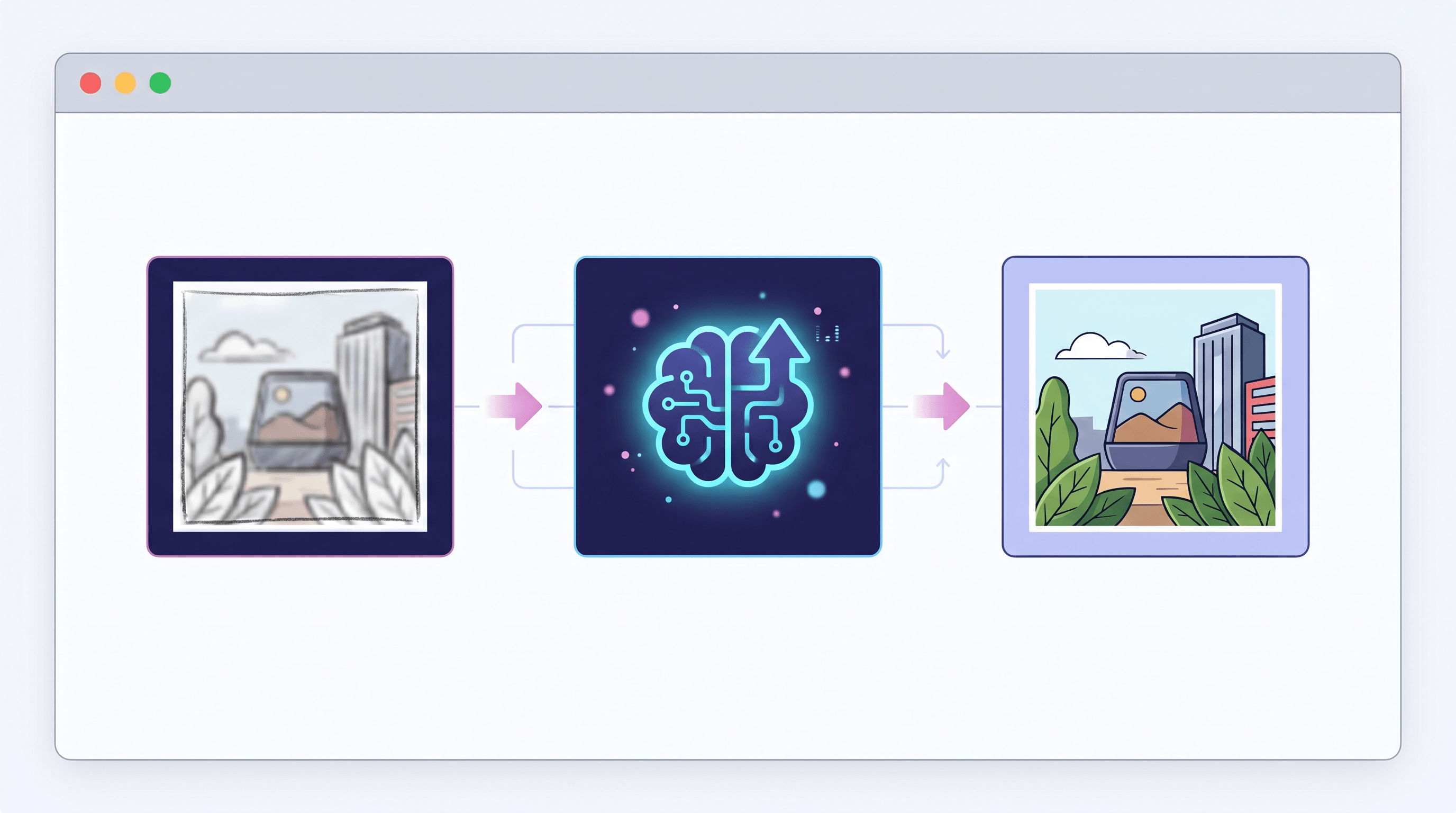
All seven tools follow a similar three-step workflow. Here's the cleanest path using Sketch To Image Upscaler, which we found has the simplest interface for non-photographers:
- Open the Sketch To Image Upscaler in your browser. No install required. Drag and drop your file (JPG, PNG, or WEBP).
- Pick the model. Standard renders in about 3 seconds and is good enough for social media. Professional takes 10–15 seconds and produces sharper textures — use this for client deliverables or print.
- Choose your upscale ratio (2x or 4x). For most web use, 2x is enough. 4x is the maximum Sketch To supports — if you need bigger, use Krea or Let's Enhance.
- (Optional) Chain with Background Remover or Uncrop. Because Sketch To bundles these tools on the same credit pool, you can drop the upscaled output straight into Background Remover without re-uploading.
- Download and verify on a real device. Always check the upscaled file at 100% zoom on the screen it'll be displayed on — upscaler artifacts hide at fit-to-screen sizes.
For reference, the comparable workflows on the other tools:
- Magnific: open Freepik AI Suite → Magnific Upscaler → adjust Creativity, HDR, Resemblance sliders → generate.
- Topaz Photo AI: open the desktop app → drag image → Autopilot picks settings → tweak Sharpen/Denoise/Upscale → save.
- Upscayl: open the desktop app → choose model → set scale → batch process.
FAQ
Is Magnific still usable in 2026?
Yes — Magnific still works, it's just delivered through Freepik now. The standalone magnific.ai pricing is gone, but the same upscaling models (Magnific Upscaler, Magnific Relight, Magnific Style Transfer) live inside Freepik subscriptions starting at $5.75/mo. If you had an old Magnific account, it should have migrated automatically. The main change is interface: you access upscaling from the Freepik dashboard rather than a Magnific-only login.
What are the best free alternatives to Magnific?
Three tools have meaningful free tiers: Upscayl (free open-source desktop app, runs locally with no limits), Clipdrop Image Upscaler (4x upscale free with daily limit, no login for single-image use), and Krea AI (100 compute units/day on free tier, but no commercial use). For Sketch To, new users get trial credits to test the upscaler alongside the rest of the toolset before committing to a $8/mo Basic plan.
Which AI upscaler is best for restoring old photos?
For old photos with grain, scratches, and color fade, Topaz Photo AI is the strongest answer. It combines denoise, sharpen, and upscale in one pass, plus has dedicated face recovery and text recovery models that other tools lack. Magnific is a close second if you want hallucinated detail recovery (Creativity slider 4–6 works well for old portraits). For free, Upscayl with the Real-ESRGAN model handles old photos reasonably well, though without dedicated face restoration.
Magnific vs Topaz: which should I pick?
They're built for different jobs. Magnific (Freepik) is web-based, subscription-priced, and excels at hallucinating creative detail into images via its Creativity slider. Topaz Photo AI is desktop-based, one-time purchase ($199), and optimized for faithful reconstruction of real photographs. If you're a photographer batch-processing client work, Topaz wins. If you're a marketer or designer creating new visuals from low-res references, Magnific wins.
Can I upscale images without a subscription?
Yes. Upscayl (free, open-source desktop) and Topaz Photo AI (one-time $199 license) are the two no-subscription options. Let's Enhance and Clipdrop offer pay-as-you-go credit packs as alternatives to recurring billing. Magnific (via Freepik) and Krea AI both require an active subscription for serious use.
Is the Freepik-Magnific rebrand permanent?
Based on Freepik's communications around the April 2026 rollout, yes. The standalone magnific.ai domain redirects to Freepik, the original Magnific.ai pricing tiers have been removed, and the unified billing system now runs through Freepik. The Magnific name is being kept (it's a strong brand), but as a feature inside Freepik rather than a separate product. If you were using Magnific's old API, plan for endpoint migration.
Conclusion
The Freepik–Magnific rebrand isn't the end of standalone upscaling — it just rearranged the seven options worth using in 2026. Magnific (Freepik) is still the photorealism leader if you want hallucinated detail and don't mind the bundled pricing. Topaz is the desktop pro pick. Upscayl is the free fallback. Krea, Let's Enhance, and Clipdrop each fit specific niches. And Sketch To is the right call when upscaling is one step in a sketch-driven workflow rather than the whole job.
Upscaling a sketch result, a product photo, or a social asset? Try Sketch To free → — Image Upscaler bundled with Background Remover, Uncrop, and dedicated sketch ↔ image AI on a single credit pool.
Transform Your Images with AI
Turn sketches into stunning images, remove backgrounds, swap faces, and more — all powered by AI.
Try Sketch To FreeShare
Sketch To
Tech writer covering AI tools, image processing, and creative workflows.
Related Articles

Local AI Image Generator vs Online Sketch Tools
A local AI image generator gives you privacy and offline use; online sketch to image AI tools win on speed and polish. Full 2026 comparison.

Reve 2.0 Alternative: Sketch-to-Image Layout Control
Looking for a Reve 2.0 alternative? Compare 6 layout-based AI image generators and see when sketch-to-image beats 4K layout control.

MAI Image 2.5 Alternatives for Sketch Scene Control
Compare 7 MAI Image 2.5 alternatives for scene control. See when sketch-to-image beats text prompts for layout, perspective, and composition.