AI Remove Object from Photo: Erase Anything Instantly
Experience the power of our AI remove object tool to instantly remove object from photo. Whether you need to remove unwanted objects from vacation shots or erase distracting elements from professional images, our AI remove object technology delivers seamless results in seconds.
Settings
Upload an image file to get started with your AI conversion
Maximum quality with the best detail and accuracy
Preview
View your AI-transformed result and compare with the original
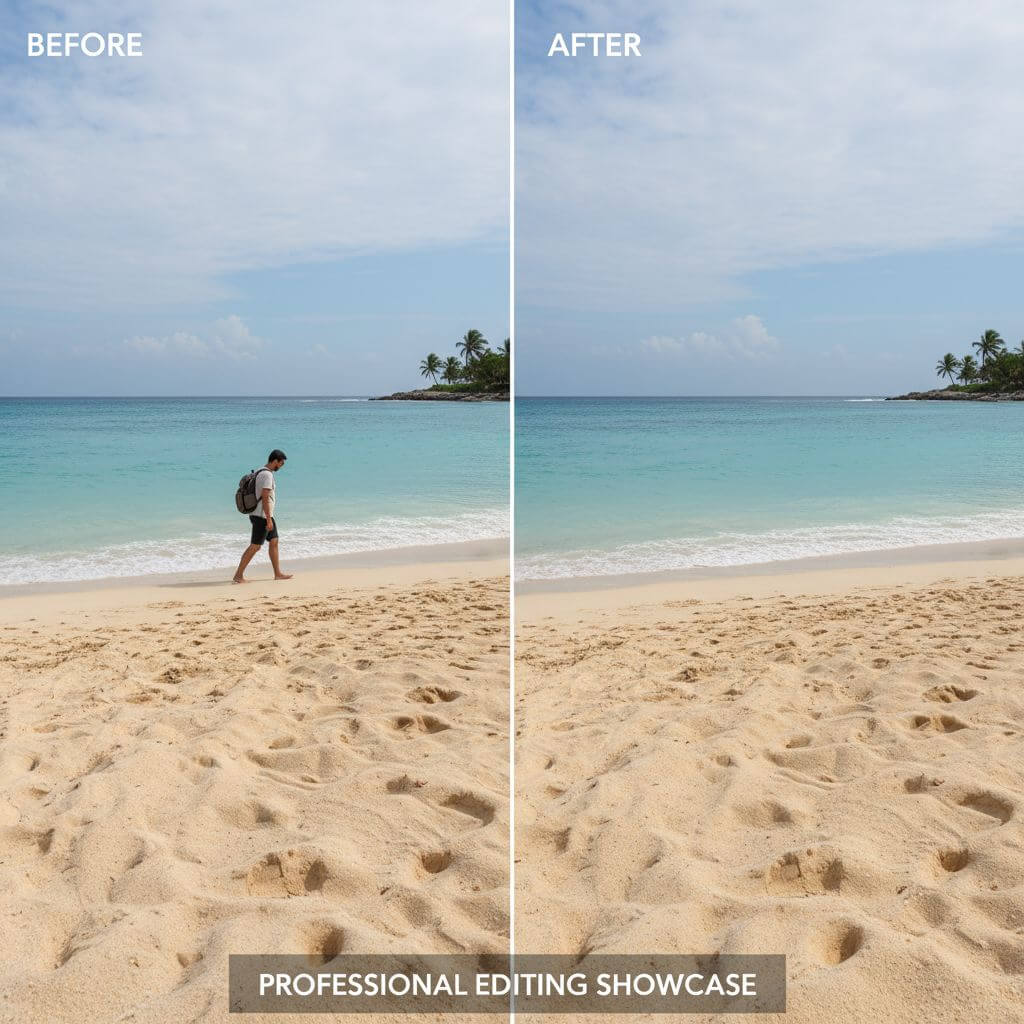
↑ Example result. Try it yourself!
Why Our AI Remove Object Tool Stands Out
Discover how our AI remove object technology revolutionizes the way you remove object from photo. Say goodbye to complex editing and hello to instant, professional object removal with our intelligent AI remove object tool.
Intelligent AI Remove Object Detection
Our AI remove object tool uses advanced machine learning to accurately detect and remove object from photo while intelligently reconstructing the background. The AI remove object algorithm analyzes surrounding pixels to seamlessly fill removed areas.
Remove Object in 10 Seconds
Upload your image and use our AI remove object tool to remove unwanted objects instantly. No complex editing required—simply mark what to remove and our AI remove object technology handles the rest, delivering clean results in seconds.
Remove Multiple Objects at Once
Our AI remove object tool can remove object from photo including people, text, watermarks, and debris all in one pass. Whether removing a single item or multiple elements, our AI remove object solution handles it efficiently.
Preserve Image Quality
When you remove object from photo using our tool, the AI remove object technology maintains original resolution and quality. Our AI remove object algorithm ensures seamless blending so removed areas look completely natural.
Remove Unwanted Objects from Any Photo
From vacation photos to product images, our AI remove object tool works on any image type. Remove object from photo whether it's a tourist photobombing, power lines, or any distracting element using our versatile AI remove object solution.
Smart Background Reconstruction
Our AI remove object technology doesn't just erase—it intelligently reconstructs what's behind the object. When you remove object from photo, the AI remove object tool fills the space with realistic textures, patterns, and colors.
Real-World Applications for AI Remove Object
See how professionals across industries use our AI remove object tool to remove object from photo and create flawless visuals effortlessly.

Real Estate & Property Photos
Real estate professionals use our AI remove object tool to remove object from photo including cars, trash bins, and clutter from property images. Create clean, appealing listings by using our AI remove object technology to remove unwanted objects from interior and exterior shots.

Travel & Vacation Photography
Travelers leverage our AI remove object tool to remove object from photo like tourists photobombing, signs, and other distractions. Use our AI remove object solution to remove unwanted objects and capture perfect memories from your adventures.
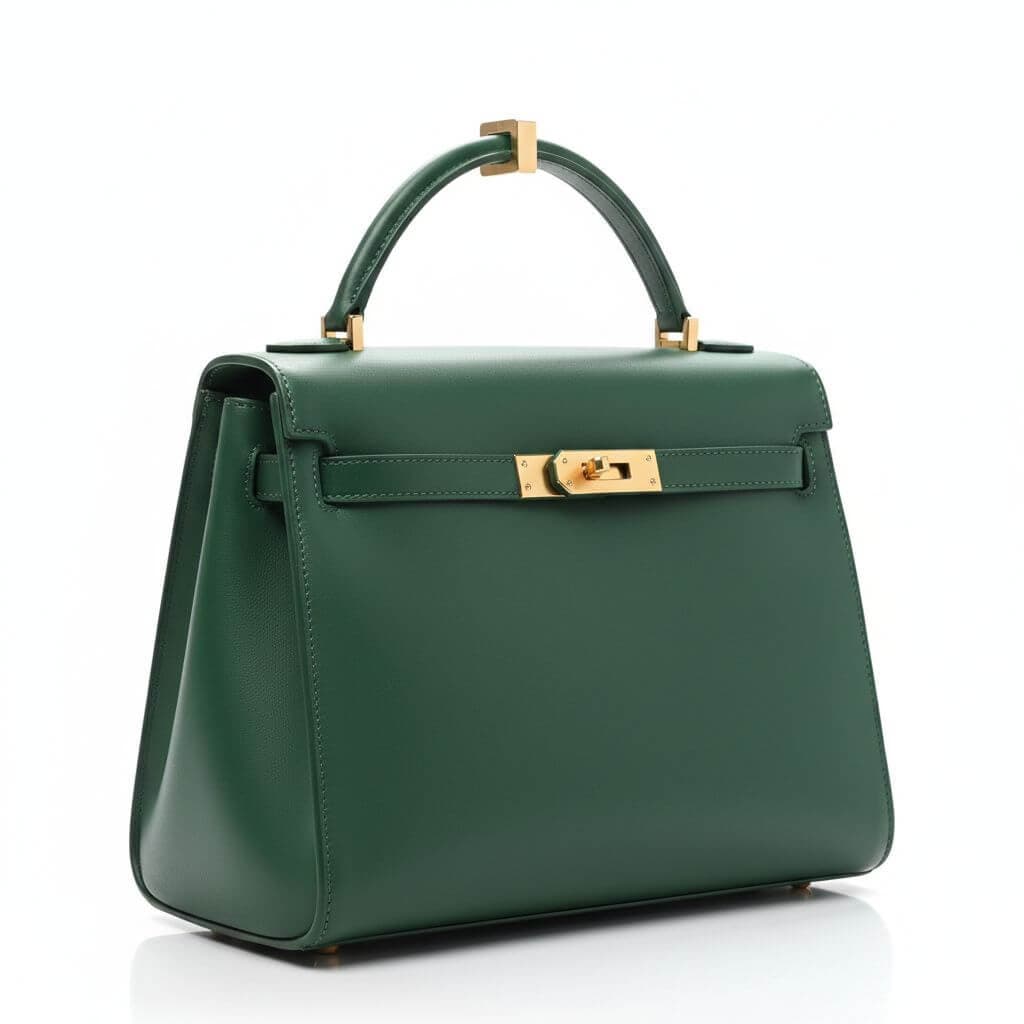
E-commerce & Product Images
Online sellers use our AI remove object tool to remove object from photo for clean product catalogs. Remove unwanted objects like packaging, labels, or background items with our AI remove object technology to create professional product imagery.
How to Remove Object from Photo with AI
Remove unwanted objects in three simple steps using our intuitive AI remove object tool. Start removing objects now!
- 1
Upload Your Photo
Drag and drop your image or click to upload. Sign up to access our AI remove object tool and get free credits to remove object from photo on multiple images.
- 2
Select Objects to Remove
Describe or mark the objects you want to remove. Our AI remove object tool will intelligently detect and remove unwanted objects while preserving the surrounding context and natural background.
- 3
Download Your Clean Image
Preview your image with objects removed and download in high resolution. Our AI remove object tool delivers professional results every time you remove object from photo.
Pro Tips for AI Remove Object
Be Specific About Objects:
For best results with our AI remove object tool, clearly describe what you want to remove. Specific prompts like 'remove the person in red shirt' help the AI remove object technology target exactly what you need removed.
Simple Backgrounds Work Best:
Our AI remove object tool excels when removing objects from photos with uniform backgrounds. While our AI remove object technology handles complex scenes too, simpler backgrounds yield the cleanest results when you remove object from photo.
Use Premium Models:
Upgrade to premium AI models for the most realistic results. Our advanced AI remove object tool provides superior background reconstruction with enhanced texture matching when you remove unwanted objects.
Pricing
Transform your images with AI. Choose the plan that fits your needs.
Basic
Perfect for personal use and casual creators.
Includes
- Own your creations
- Access to Standard Generation
- Image history saved
- Standard Quality Download
Billed annually · Save $24/year
Cancel anytime. No lock-in contract.
Pro
Best Value · 4x MoreFor power users and professionals.
Everything in Basic, plus
- Commercial License Included
- Priority Support
- 4x More Credits
- Priority email support
Billed annually · 75% cheaper per image
Cancel anytime. No lock-in contract.
Trusted by 150,000+ Users Who Remove Object Daily
"This AI remove object tool is incredible! I use it to remove object from photo for all my real estate listings. The results are so clean, buyers can't tell anything was removed. Best object remover I've found!"
"As a photographer, I needed an AI remove object tool that could remove unwanted objects without losing quality. This tool exceeds expectations. I can remove object from photo for client work in seconds instead of hours."
"Our e-commerce team uses this AI remove object tool daily to remove object from product photos. It's fast, reliable, and the object removal quality is consistently excellent for our catalog."
"I was skeptical about using an AI remove object tool, but this proved me wrong. It can remove object from photo so naturally, maintaining perfect textures and colors. Highly recommend for anyone needing to remove unwanted objects regularly!"
AI Remove Object: Frequently Asked Questions
Everything you need to know about using our AI remove object tool to remove object from photo
An AI remove object tool uses artificial intelligence to automatically detect and remove object from photo while intelligently reconstructing the background. Our AI remove object technology analyzes the surrounding pixels and textures to seamlessly fill the removed area, making it look like the object was never there.
Our AI remove object tool is designed for speed and efficiency. You can remove object from photo within 10-15 seconds. Simply upload your image, specify what to remove, and our AI remove object technology will process and deliver clean results instantly.
Yes! Our advanced AI remove object tool can remove object from photo whether it's a single item or multiple elements. The AI remove object technology processes all marked objects simultaneously, efficiently removing everything you specify in one pass.
We offer a free trial of our AI remove object tool that includes complimentary credits so you can remove object from photo on multiple images. This lets you experience the full power of our AI remove object technology before deciding to upgrade.
Our AI remove object tool can remove virtually anything—people, text, watermarks, logos, power lines, trash, vehicles, and more. Whether you need to remove object from photo for professional or personal use, our AI remove object technology handles all types of unwanted elements.
Absolutely! Our AI remove object tool is built to maintain original image quality when you remove object from photo. The AI remove object technology preserves resolution, reconstructs realistic textures, and ensures seamless blending so the final result looks professionally edited.