
FLUX 2 Max: The Top-Tier of the FLUX 2 Family
FLUX 2 Max is Black Forest Labs' highest-fidelity image model. It pushes detail, prompt adherence, and reference image control further than FLUX 2 Pro — the right pick when the image has to look right at hero size, on a billboard, or in a print spread. Try FLUX 2 Max online today.
Settings
Upload an image file to get started with your AI conversion
Maximum quality with the best detail and accuracy
Preview
View your AI-transformed result and compare with the original
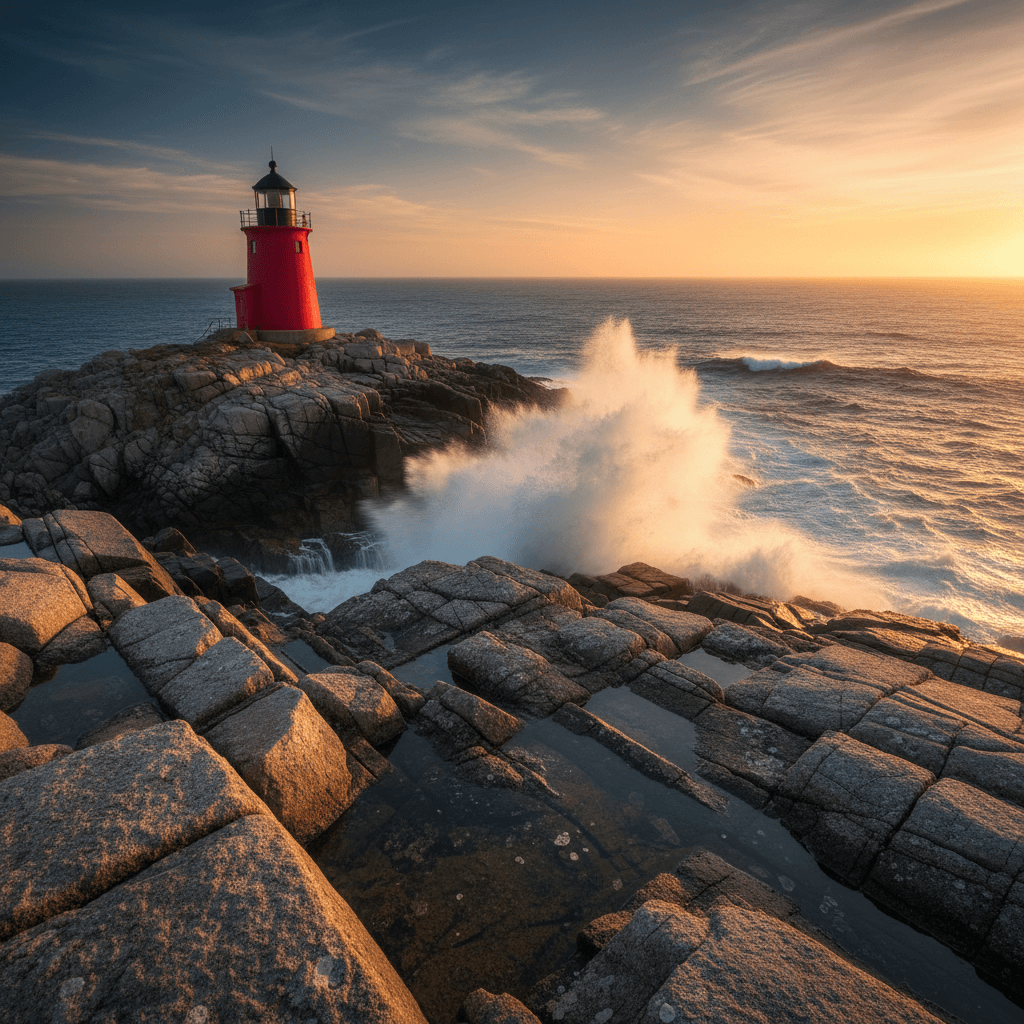
↑ Example result. Try it yourself!
What FLUX 2 Max Adds Over FLUX 2 Pro
FLUX 2 Max is built for the cases where Pro is close but not quite there. Sharper textures, cleaner edges, and tighter prompt adherence — all at the same 4MP ceiling and the same up-to-8 reference image support.
Maximum Fidelity in the FLUX 2 Family
FLUX 2 Max is the top-tier model in the FLUX 2 lineup. Skin micro-detail, fabric weave, brushed-metal grain, and product seams come through cleaner than they do on FLUX 2 Pro — useful when a single hero asset has to carry a whole campaign.
Tighter Prompt Adherence
FLUX 2 Max sticks closer to long, structured prompts. Specific lens choices, lighting setups, and styling notes land more reliably, which means fewer regenerations to get the exact frame an art director asked for.
Up to 8 Reference Images
Combine up to 8 reference inputs in a single FLUX 2 Max generation. Use them to lock in a model's face for an editorial shoot, keep brand objects on-spec, or carry a color treatment across a campaign.
Resolution Up to 4MP
FLUX 2 Max supports 0.5MP, 1MP, 2MP, and 4MP output. The fidelity advantage shows up most at 2MP and 4MP — exactly the sizes you actually want for hero banners, print, and large-format display.
Production-Ready Aspect Ratios
Square, 16:9, 9:16, 3:2, 2:3, 4:3, 3:4, 4:5, 5:4, plus match-input. FLUX 2 Max covers the aspect ratios commercial work runs in — from cinematic landscape to vertical social and editorial layouts.
Predictable 2-Credit Pricing
FLUX 2 Max charges 2 credits per generated image, no matter how many reference inputs you include. Twice the cost of FLUX 2 Pro, easy to compare, and much easier to budget than per-megapixel pricing.
What FLUX 2 Max Is Built For
FLUX 2 Max earns its credit premium on hero work — the assets that get cropped, zoomed, and put in front of the most viewers.

Hero & Campaign Imagery
Brand and creative teams use FLUX 2 Max for the assets that have to carry a campaign — homepage heroes, paid social key art, and out-of-home spots where image quality is the difference between credible and obviously AI.

Commercial Product Photography
FLUX 2 Max handles brushed metal, fine textiles, sapphire crystal, and other materials where micro-detail matters. Pair it with reference images of the actual product to keep the asset commercially accurate at 4MP.

Print & Editorial Assets
Magazines, agencies, and print teams use FLUX 2 Max when the file ends up on paper. The fidelity advantage over FLUX 2 Pro shows up most at 2MP and 4MP — exactly the sizes editorial layouts need.
How to Use FLUX 2 Max in Three Steps
FLUX 2 Max is one model away in the same Sketchto editor. No separate plan, no separate setup.
Sign In and Claim Free Credits
Create a Sketchto account to receive free trial credits. Free credits work on FLUX 2 Max — at 2 credits per image, the same trial gets you fewer generations than FLUX 2 Pro, but the per-image quality is higher.
Write a Detailed Prompt
FLUX 2 Max rewards effort in the prompt. Spell out lens, lighting, framing, and texture explicitly. Optionally add up to 8 reference images for character, product, or style consistency.
Generate at the Right Size
Pick aspect ratio and resolution from the FLUX 2 Max config panel. Stay at 1MP while iterating, then push to 2MP or 4MP for the keeper. Hit Generate and download the result.
Tips for Better FLUX 2 Max Results
Use it where Pro fell short:
FLUX 2 Max earns its credit premium on hero shots, brand work, and anything destined for print. For drafts and exploration, stay on FLUX 2 Pro and only burn Max credits on the keeper.
Push the prompt detail:
Long, structured prompts work better here than terse ones. Mention lens (e.g., 100mm macro), lighting (e.g., single-source rim, soft fill), and material (e.g., brushed titanium, walnut grain) explicitly.
Lock identity with references:
When fidelity matters, supply reference images for any face or product that has to look right. FLUX 2 Max preserves identity better with references than with text-only descriptions.
What Users Say About FLUX 2 Max
“We use FLUX 2 Pro for everything except the hero. The hero is FLUX 2 Max. The fidelity bump is real — fabric weave, fine lighting, the stuff people scrutinize on a homepage.”

Sofia Martins
Creative Director
“FLUX 2 Max stuck the landing on a print spread we were about to shoot on location. Brushed metal, leather grain, hard rim light — it nailed it from a structured prompt and two reference images.”

Henrik Lund
Photographer
“What sold me on FLUX 2 Max was prompt adherence. Long prompts with lens and lighting actually land. We do fewer regenerations per asset, which more than pays back the 2-credit cost.”

Priya Shah
Art Director
“Honest take: most days I am on FLUX 2 Pro. But when an image has to hold up under scrutiny — keynote slide, OOH, print — I switch to FLUX 2 Max and it is worth the extra credits.”

Marcus Weber
Studio Lead
FLUX 2 Max — Frequently Asked Questions
What you need to know before using FLUX 2 Max on Sketchto