
Add Watermark to an Image Online

Use this add watermark workflow to place attribution text, a brand name, a website, or a logo-inspired mark on an image. Upload your source, describe the content, position, size, and opacity, then inspect the AI-edited result before download.

Add Watermark to Image

Upload an image file to get started with your AI conversion

Upload Image (Optional)0/3

Nano Banana is ready for this Tool input mode.

Preview

View your AI-transformed result and compare with the original

Example result

↑ Example result. Try it yourself!

Why Use This Add Watermark Tool?

Describe the mark you want instead of placing it manually. A visible watermark can communicate attribution or branding, but it does not by itself create or prove legal ownership.

  • Visible Attribution

    Place a creator name, website, copyright notice, or brand label on a preview before sharing it. Watermarks can deter casual reuse but cannot prevent every unauthorized copy.

  • Prompt-Based Image Editing

    Upload a supported image, describe the mark, and submit the edit from the browser. Processing time varies by the selected model and provider load.

  • Customizable Watermark Styles

    Specify text, color, visual treatment, size, position, and transparency in the prompt. Add a logo reference image when the chosen model supports your intended workflow.

  • Text & Logo Watermarks

    Prompt for a business name, website, creator handle, copyright notice, or simple graphic mark. Check generated text carefully because image models can misspell words.

  • Smart Watermark Placement

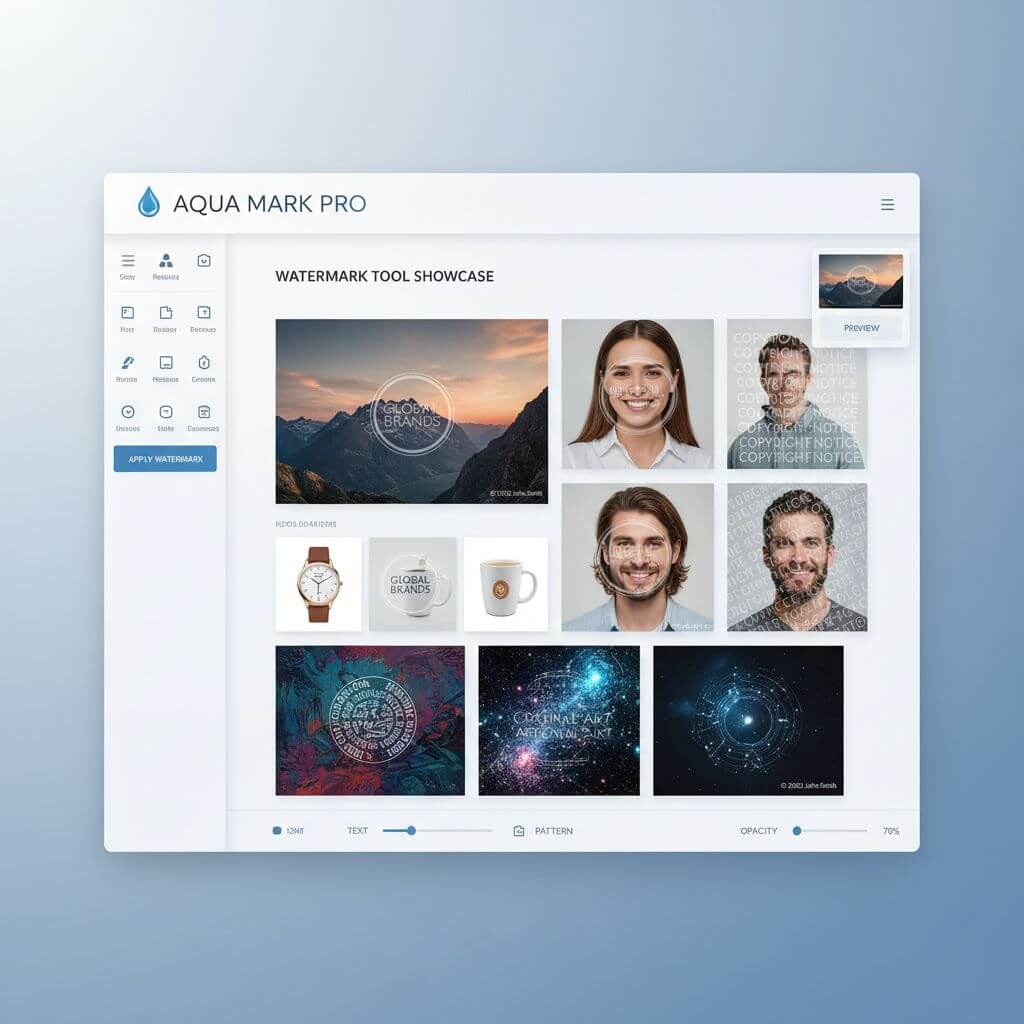
    Describe a corner placement for subtle attribution, a centered overlay for a client preview, or a repeated pattern for broader coverage.

  • Transparent Watermark Options

    Ask for an opaque, semi-transparent, embossed, monochrome, or low-contrast treatment, then confirm the output remains readable without hiding important details.

Common Watermark Workflows

Use visible attribution or branding on photography previews, product images, and original social content.

Photography & Creative Work
Photographers & Artists

Photography & Creative Work

Place a studio name, creator handle, or client-preview label on photography before sharing a proof or low-resolution preview.

E-commerce & Product Images
E-commerce Sellers

E-commerce & Product Images

Add a store name or brand mark to original product photography while keeping the product itself clear and easy to evaluate.

Social Media & Branding
Influencers & Brands

Social Media & Branding

Apply a consistent creator name, website, or visual mark to original posts so viewers can identify the source when an image is reshared.

How to Add Watermark to Your Images

Prepare the source image, describe the mark and placement, then review the generated edit.

  • 1

    Upload Your Image

    Upload the image you want to edit. You can also add reference images when they help communicate a logo or visual direction.

  • 2

    Describe Your Watermark

    State the exact text or visual idea, requested location, scale, color, and opacity. Ask the model to leave the rest of the image unchanged.

  • 3

    Download Protected Image

    Inspect spelling, placement, opacity, and any unintended changes to the source. Download the result or revise the prompt and try again.

Pro Tips for Adding Watermarks

Strategic Placement:

A corner is less intrusive, while a centered or repeated mark is harder to crop out. Keep important faces, products, and text readable.

Watermark Descriptions:

Use concrete wording such as 'small white copyright text in the bottom-right corner' or 'semi-transparent logo reference centered over the image.'

Balance Protection & Aesthetics:

Review the mark at full size and thumbnail size. It should remain legible without obscuring the part of the image viewers need to evaluate.

Pricing

Transform your images with AI. Choose the plan that fits your needs.

Basic

$95.88/year

Perfect for personal use and casual creators.

2400 credits (≈ 1200 images / year)

Includes

  • Own your creations
  • Access to Standard Generation
  • Image history saved
  • Standard Quality Download

Equivalent to $7.99/month · Save $24/year

Cancel anytime. No lock-in contract.
Best Value · 4x MoreMost Popular

Pro

$191.88/year

For power users and professionals.

9600 credits (≈ 4800 images / year)

Everything in Basic, plus

  • Commercial License Included
  • Priority Support
  • 4x More Credits
  • Priority email support

Equivalent to $15.99/month · 75% cheaper per image

Cancel anytime. No lock-in contract.
Frequently Asked Questions

Everything you need to know about our pricing plans

Do unused credits roll over?+

To ensure we can offer the most competitive pricing and generous credit allowances each month, your credits reset at the start of each billing cycle. This model allows us to provide you with the best possible value in every billing period.

Can I use the generated images commercially?+

Yes, commercial use is a key feature of our Pro plan. Pro subscribers own the rights to their creations and can use them for any commercial purpose, including marketing, advertising, and resale. Images generated under the Basic plan are licensed for personal use only.

What happens if I run out of credits?+

Don't let your creativity stop! You can purchase a Credit Pack for an instant one-time top-up, or wait for your next billing cycle when subscription credits refresh. To switch subscription plans, cancel the current plan and select a new one after the paid period ends.

What are Credit Packs?+

Credit Packs are one-time purchases that give you credits instantly without a subscription. They do not auto-renew, so you only pay when you need more. Purchased credits are valid for 1 year from the date of purchase. You can buy multiple packs at any time to top up your balance.

How do I cancel my subscription?+

We believe in flexibility. You can cancel your subscription at any time with just a few clicks in your account settings. No questions asked. After canceling, you'll continue to have access to your plan's features and credits until the end of your current billing period.

What payment methods do you accept?+

We accept major credit cards through Stripe and PayPal. All transactions are handled securely by the selected payment provider.

What counts as one credit?+

Typically, generating one image uses 2 credits. However, certain advanced features or higher resolutions might consume more. You will always see the credit cost before you generate an image, so there are no surprises.

Do you offer a free trial?+

Yes! Every new user gets 4 free credits upon signing up to experience the power of our AI. No credit card required. If you love it and need more, you can subscribe to one of our plans anytime.

What's the difference between Basic and Pro plans?+

Basic plan is perfect for personal use and casual creators, offering 200 credits (~100 images) per month. Pro plan is designed for power users and professionals, with commercial license, priority support, and 800 credits (~400 images) — that's 4x more images for just $10 more!

Add Watermark: Frequently Asked Questions

Practical answers about watermark purpose, prompts, logos, credits, placement, and output quality.

An add watermark tool places visible text or a graphic mark on an image for attribution, branding, or preview labeling. A watermark can communicate the source and deter casual copying, but it is not a substitute for copyright registration or access control.

Generation time varies by the selected model, image complexity, and provider load. The page shows task status and displays the edited image when processing completes.

You can request custom text such as a name, website, or copyright notice. You may also provide a logo reference image, although generated spelling and logo fidelity can vary and should be checked carefully.

New accounts receive trial credits for an initial generation. The editor shows the current credit cost, and additional credits are available from the pricing section.

Use a corner for subtle attribution, a centered overlay for a client proof, or a repeated pattern when cropping resistance matters. Avoid covering the image's key subject.

The service creates a new AI-edited image, so small changes to detail, text, color, or resolution are possible. Compare the result with the source at full size before publishing it.