

AI Perm Filter: Transform Your Hair with Beautiful Curls Instantly

Discover your ideal AI perm filter hairstyle before visiting the salon. Upload your photo and let our AI perm filter tool show you how different perm and curly styles look on you. From beach waves to spiral perm and body wave, preview every AI perm filter style in seconds.

AI Perm Filter

Upload an image file to get started with your AI conversion

Upload Image

Scroll for more

Nano Banana is ready for this Tool input mode.

Preview

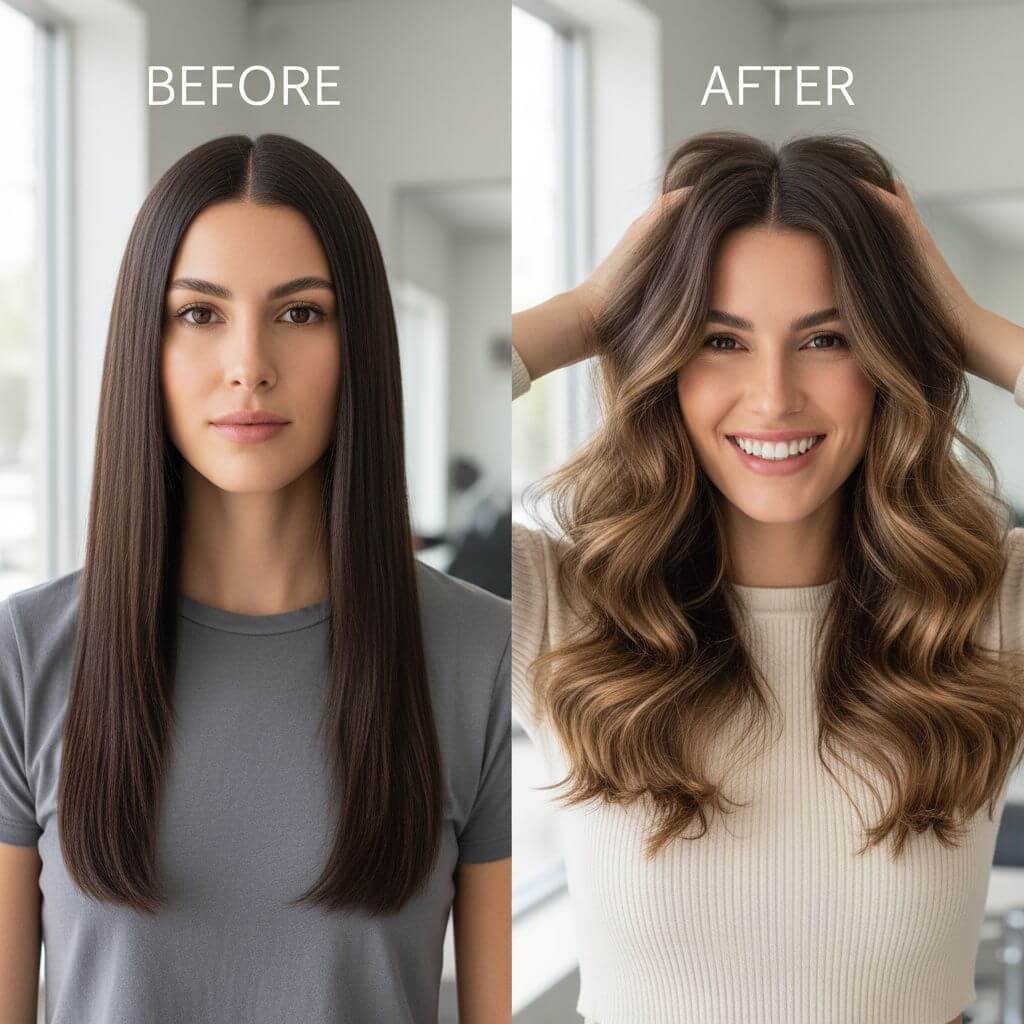
View your AI-transformed result and compare with the original

Example result

↑ Example result. Try it yourself!

Why Choose Our AI Perm Filter Tool

Our AI perm filter generator lets you virtually try perm and curly hairstyles with stunning realism. No more guessing—see exactly how every perm filter style looks on you before committing to the change.

  • Realistic AI Perm Filter Preview

    Our AI perm filter tool uses advanced AI to apply perm and curly hairstyles to your photo with photorealistic accuracy. See how each AI perm filter looks with natural hair texture, lighting, and shadows that blend perfectly with your face.

  • 9 Perm Filter Styles to Try

    Explore a curated collection of perm filter styles including beach waves, tight curls, spiral perm, body wave, and more. Our AI perm filter tool covers every popular perm variation so you can find your perfect match.

  • Preserves Your Natural Look

    Our AI perm filter generator changes only the hairstyle while keeping your facial features, expression, and overall appearance unchanged. The AI perm filter result looks like a real photo of you with a new curly hairstyle.

  • Instant Perm Filter Results

    Get your AI perm filter preview in seconds. No appointment needed—just upload a photo and our AI perm filter tool instantly shows you how different perm styles complement your face shape and features.

  • Save Time and Money

    Try multiple AI perm filter styles before visiting the salon. Our AI perm filter tool helps you make confident decisions, avoiding costly mistakes and ensuring you love your new curly hairstyle.

  • Professional Quality Output

    Every AI perm filter preview is generated in high resolution with professional quality. Share your AI perm filter results with your stylist as a reference to get the exact perm treatment you want.

Creative Ways to Use AI Perm Filter Tool

See how people use our AI perm filter generator to preview perm and curly hairstyles for different occasions and needs.

Pre-Salon Perm Filter Preview
Salon Visitors

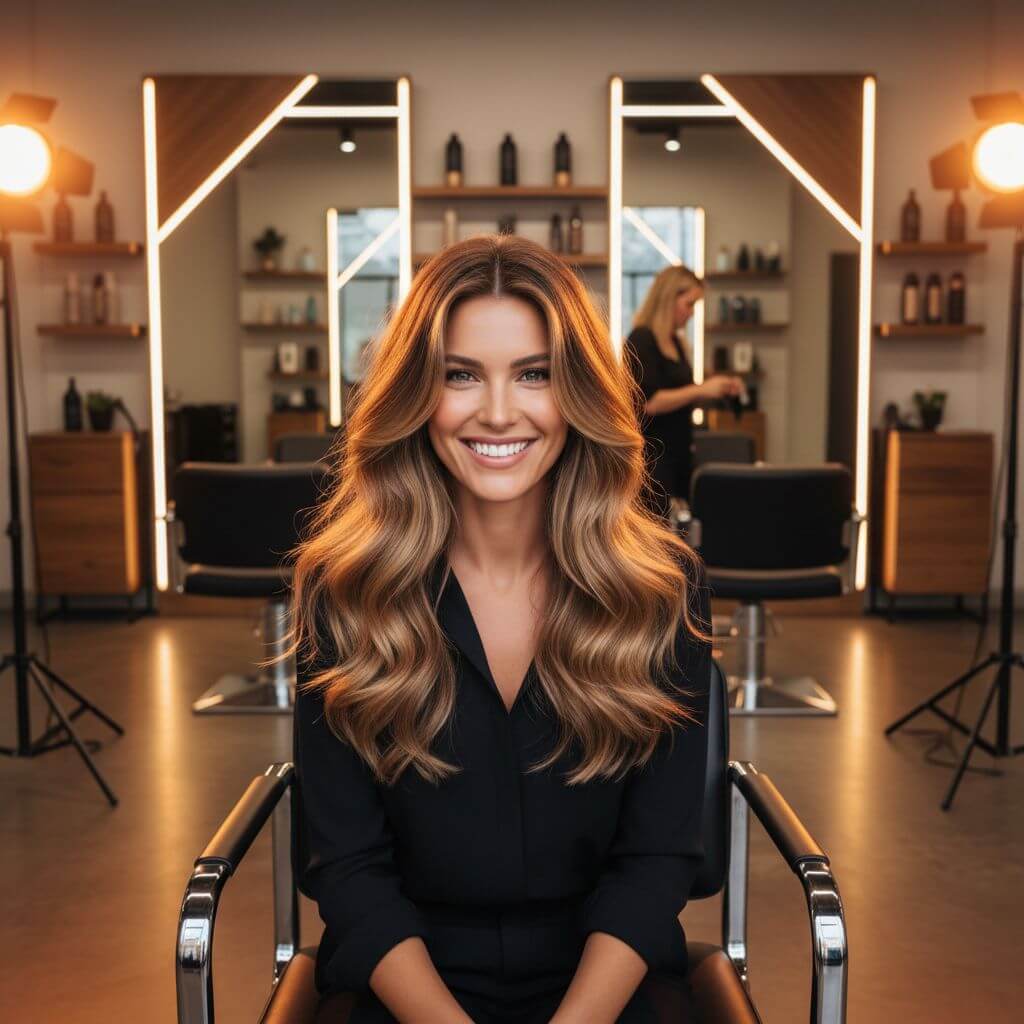
Pre-Salon Perm Filter Preview

Use our AI perm filter tool to virtually try different perm and curly styles before your salon appointment. Compare beach waves, tight curls, and body wave to find the perfect AI perm filter that complements your face shape and personal style.

Social Media Perm Filter Trends
Content Creators

Social Media Perm Filter Trends

Content creators and influencers use our AI perm filter tool to showcase trending perm and curly hairstyles on their photos. Create engaging AI perm filter before-and-after content that resonates with your audience.

Professional Style Consultation
Beauty Professionals

Professional Style Consultation

Hairstylists and beauty consultants use our AI perm filter generator to show clients how different perm and curl patterns look. Present AI perm filter previews during consultations to help clients make confident styling decisions.

How to Try AI Perm Filter Styles

Preview your perfect perm filter hairstyle in three simple steps with our AI perm filter tool. See how different perm and curly styles look on you instantly!

  • 1

    Upload Your Photo

    Upload a clear front-facing photo. Sign up to access our AI perm filter tool and get free credits to try multiple perm and curly hairstyle variations.

  • 2

    Choose a Perm Filter Style

    Browse 9 different perm filter styles including beach waves, tight curls, spiral perm, and more. Select your favorite AI perm filter style or write a custom description.

  • 3

    Preview and Download

    See how the AI perm filter looks on you and download the high-resolution result. Share it with your hairstylist as a reference for your next salon visit.

Pro Tips for Best AI Perm Filter Results

Clear Photo:

Use a well-lit, front-facing photo with your current hair visible. This helps our AI perm filter tool apply the perm hairstyle naturally and accurately to your photo.

Try Multiple Styles:

Experiment with different perm filter variations. Our AI perm filter tool makes it easy to compare beach waves, tight curls, and other styles to find what suits you best.

Show Your Stylist:

Download your favorite AI perm filter results and bring them to your salon appointment. Having a visual reference helps your stylist create the exact perm treatment you want.

Pricing

Transform your images with AI. Choose the plan that fits your needs.

Basic

$95.88/year

Perfect for personal use and casual creators.

2400 credits (≈ 1200 images / year)

Includes

  • Own your creations
  • Access to Standard Generation
  • Image history saved
  • Standard Quality Download

Equivalent to $7.99/month · Save $24/year

Cancel anytime. No lock-in contract.
Best Value · 4x MoreMost Popular

Pro

$191.88/year

For power users and professionals.

9600 credits (≈ 4800 images / year)

Everything in Basic, plus

  • Commercial License Included
  • Priority Support
  • 4x More Credits
  • Priority email support

Equivalent to $15.99/month · 75% cheaper per image

Cancel anytime. No lock-in contract.
Frequently Asked Questions

Everything you need to know about our pricing plans

Do unused credits roll over?+

To ensure we can offer the most competitive pricing and generous credit allowances each month, your credits reset at the start of each billing cycle. This model allows us to provide you with the best possible value in every billing period.

Can I use the generated images commercially?+

Yes, commercial use is a key feature of our Pro plan. Pro subscribers own the rights to their creations and can use them for any commercial purpose, including marketing, advertising, and resale. Images generated under the Basic plan are licensed for personal use only.

What happens if I run out of credits?+

Don't let your creativity stop! You can purchase a Credit Pack for an instant one-time top-up, or wait for your next billing cycle when subscription credits refresh. To switch subscription plans, cancel the current plan and select a new one after the paid period ends.

What are Credit Packs?+

Credit Packs are one-time purchases that give you credits instantly without a subscription. They do not auto-renew, so you only pay when you need more. Purchased credits are valid for 1 year from the date of purchase. You can buy multiple packs at any time to top up your balance.

How do I cancel my subscription?+

We believe in flexibility. You can cancel your subscription at any time with just a few clicks in your account settings. No questions asked. After canceling, you'll continue to have access to your plan's features and credits until the end of your current billing period.

What payment methods do you accept?+

We accept major credit cards through Stripe and PayPal. All transactions are handled securely by the selected payment provider.

What counts as one credit?+

Typically, generating one image uses 2 credits. However, certain advanced features or higher resolutions might consume more. You will always see the credit cost before you generate an image, so there are no surprises.

Do you offer a free trial?+

Yes! Every new user gets 4 free credits upon signing up to experience the power of our AI. No credit card required. If you love it and need more, you can subscribe to one of our plans anytime.

What's the difference between Basic and Pro plans?+

Basic plan is perfect for personal use and casual creators, offering 200 credits (~100 images) per month. Pro plan is designed for power users and professionals, with commercial license, priority support, and 800 credits (~400 images) — that's 4x more images for just $10 more!

Loved by 100,000+ Users Who Try AI Perm Filter Daily

"I've always wanted curly hair but was afraid of the commitment. This AI perm filter tool let me see exactly how beach waves would look on me. The result was so realistic! I showed it to my stylist and got the perfect perm."
Jessica T.
Marketing Manager
"As a hairstylist, I recommend this AI perm filter tool to all my clients considering a perm. It helps them visualize different curl patterns before I start the treatment. The AI perm filter previews are incredibly accurate!"
Michelle K.
Hair Stylist
"I tried the spiral perm AI filter and immediately fell in love with how it looked on me. This AI perm filter generator saved me from the anxiety of trying a new hairstyle blind. Highly recommend!"
Amanda L.
Fashion Blogger
"The AI perm filter tool helped me try different curl styles and intensities. I compared body wave and tight curls side by side. Best decision tool before getting a permanent perm!"
Rachel S.
Content Creator

AI Perm Filter: Frequently Asked Questions

Everything you need to know about using our AI perm filter tool to try perm and curly hairstyles virtually

An AI perm filter tool uses artificial intelligence to digitally apply perm and curly hairstyles to your photo. Upload your photo, select a perm style, and our AI perm filter generator instantly shows you how the curly hairstyle would look on you while preserving your natural facial features and expression.

Our AI perm filter tool offers 9 popular perm and curly styles: Beach Waves, Tight Curls, Loose Curls, Perm Bob, Spiral Perm, Body Wave, Afro Perm, Finger Waves, and Soft Perm. You can also describe any custom perm style using the custom prompt feature.

Yes! Our AI perm filter tool uses advanced AI to ensure the perm and curly hairstyle looks natural and realistic on your photo. The AI preserves your facial features, skin tone, and expression while applying the perm hairstyle with proper lighting, shadows, and curly texture.

We offer a free trial of our AI perm filter tool with complimentary credits so you can try multiple perm and curly hairstyle variations. Sign up to access the AI perm filter generator and start previewing perm styles for free today!

For the best AI perm filter results, use a clear, well-lit, front-facing photo where your current hair and face are clearly visible. Avoid photos with hats, heavy filters, or extreme angles for the most accurate AI perm filter preview.

Absolutely! Download your AI perm filter previews in high resolution and share them with your hairstylist as a visual reference. This helps your stylist understand exactly which perm style and curl pattern you want, ensuring you get the perfect treatment.