Diwali AI Prompt Gallery: Copy One, or Generate It on Your Photo

Nine complete Diwali AI prompt sets — for women, couples, men, family, and kids — each written to keep the face recognizable. Copy any Diwali AI prompt into your favorite AI tool, or upload one photo here and generate the look with the credit cost shown up front.

Diwali AI Prompts

Upload an image file to get started with your AI conversion

Upload Image

Scroll for more

Nano Banana is ready for this Tool input mode.

Preview

View your AI-transformed result and compare with the original

Example result

↑ Example result. Try it yourself!

Each style shows its complete prompt text with a one-tap copy button. Every Diwali AI prompt is a plain instruction that also works in any AI image tool that accepts a photo plus text — and in the editor on this page they load pre-filled, ready to generate.

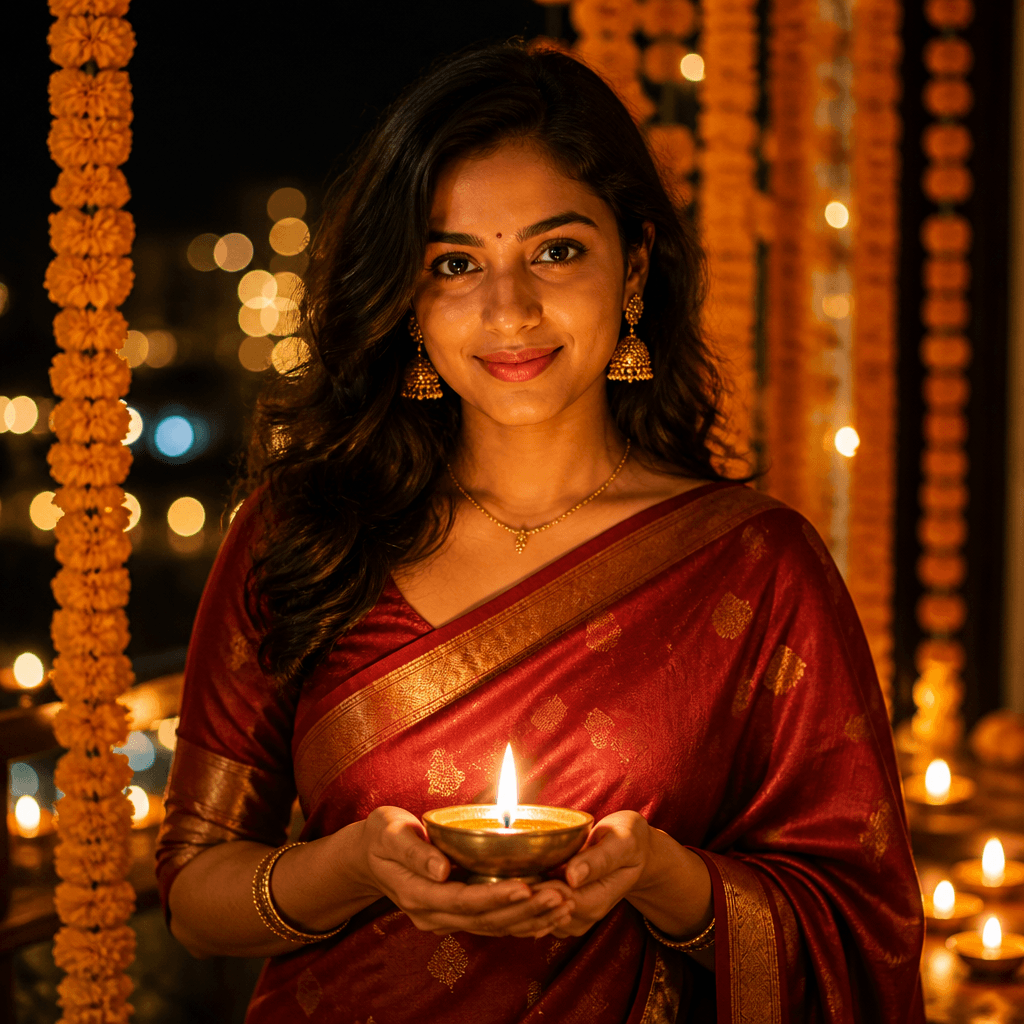
Saree & Diya Glow

Saree & Diya Glow

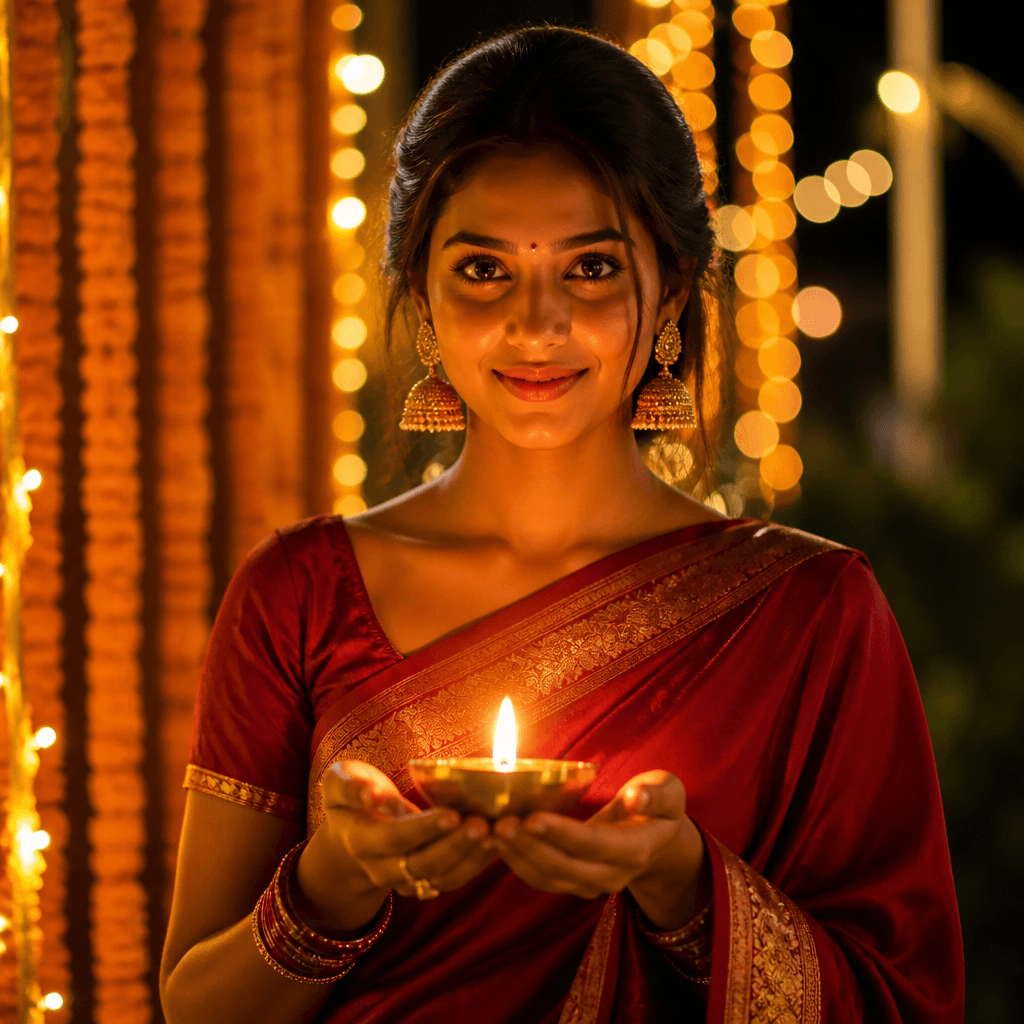
Generate a festive Diwali portrait of the person in this photo. Keep the same facial structure, face shape, and facial identity of the original person. Dress the subject in an elegant deep-red silk saree with a gold zari border, paired with gold jhumka earrings and bangles. Have the subject hold a lit brass diya at chest level so the warm flame lights the face from below. Set the scene at night with marigold garlands framing the background and soft bokeh from distant string lights. Warm amber palette with rich reds, candlelight mood, shallow depth of field, and a natural eye-level composition.
Use this prompt

Couple Diya Portrait

Couple Diya Portrait

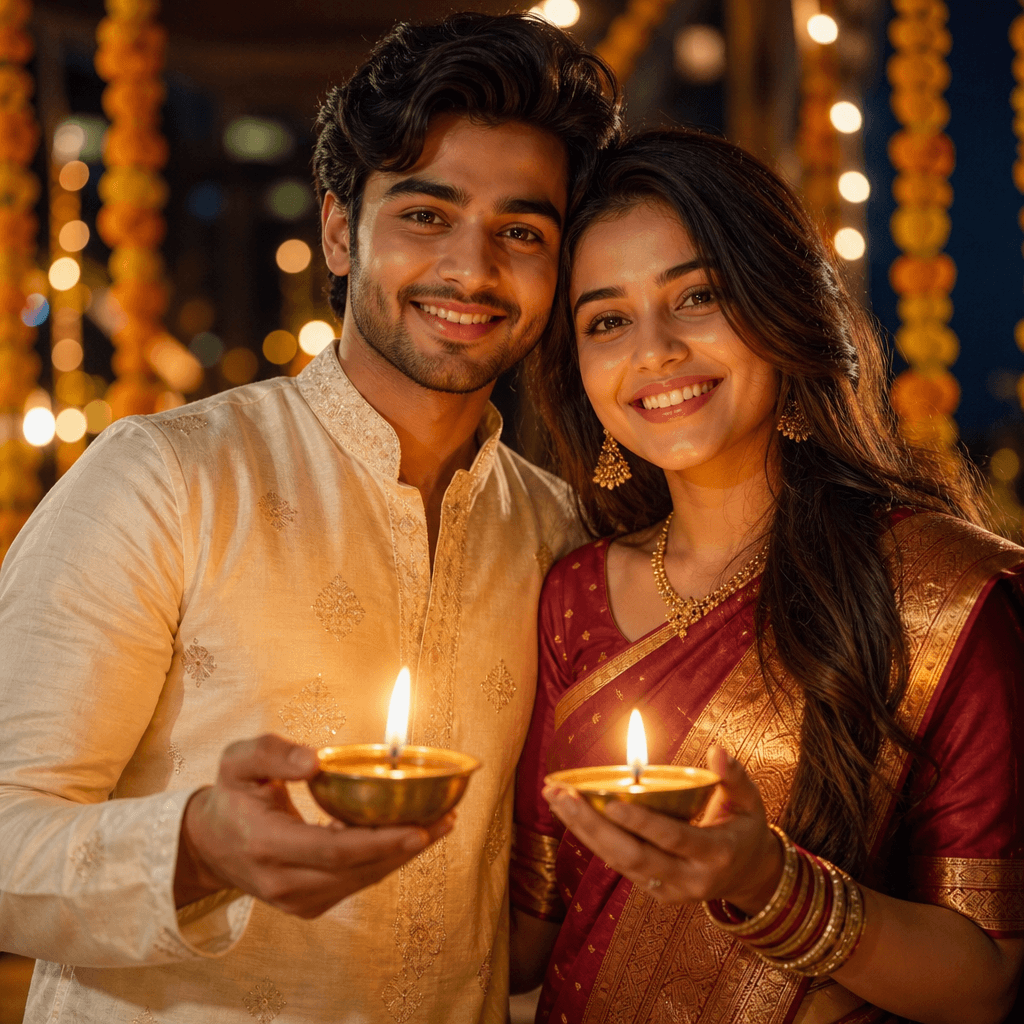
Generate a warm Diwali couple portrait using the people in this photo. Keep the same facial structures, face shapes, and facial identities of the original people. Dress the couple in coordinated traditional outfits — an ivory kurta and a maroon-and-gold saree or lehenga. Have both hold lit brass diyas close together at chest height so the twin flames glow upward onto their smiling faces. Frame them close, shoulders touching, with marigold garlands and softly blurred string lights behind. Warm amber candlelight mood, rich festive palette, gentle glow on skin, and an intimate eye-level composition.

Use this prompt

Kids Sparkler & Lantern

Kids Sparkler & Lantern

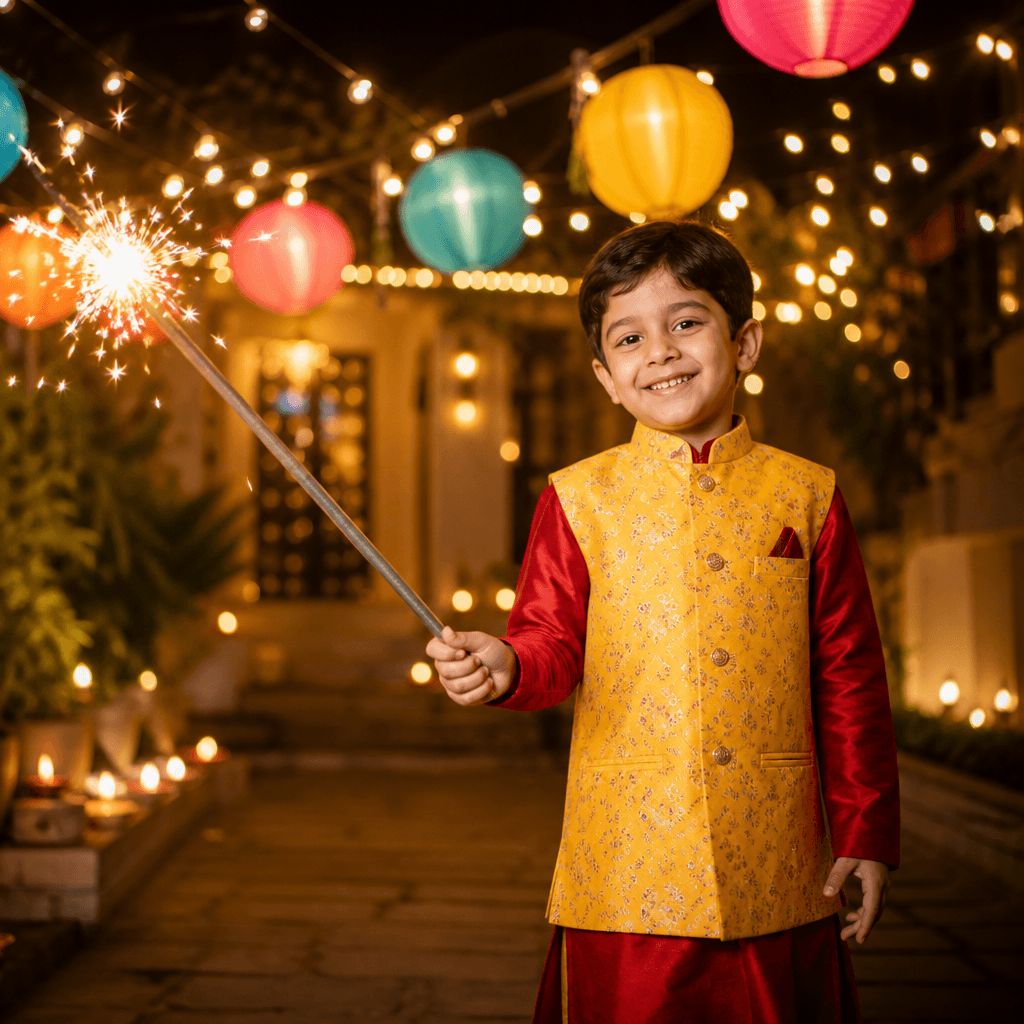
Generate a joyful Diwali portrait of the child in this photo. Keep the same facial structure, face shape, and facial identity of the original child. Dress the child in a bright festive kurta or lehenga in cheerful colors. Have the child hold a lit sparkler safely at arm's length, wonder and delight on the face, golden sparks glowing softly. Hang glowing paper lanterns above, with warm string lights and blurred diyas in the background night scene. Gentle warm lighting that keeps the child's features clear, a soft gold and multicolor palette, and eye-level candid framing — a happy festival moment for family albums.

Use this prompt

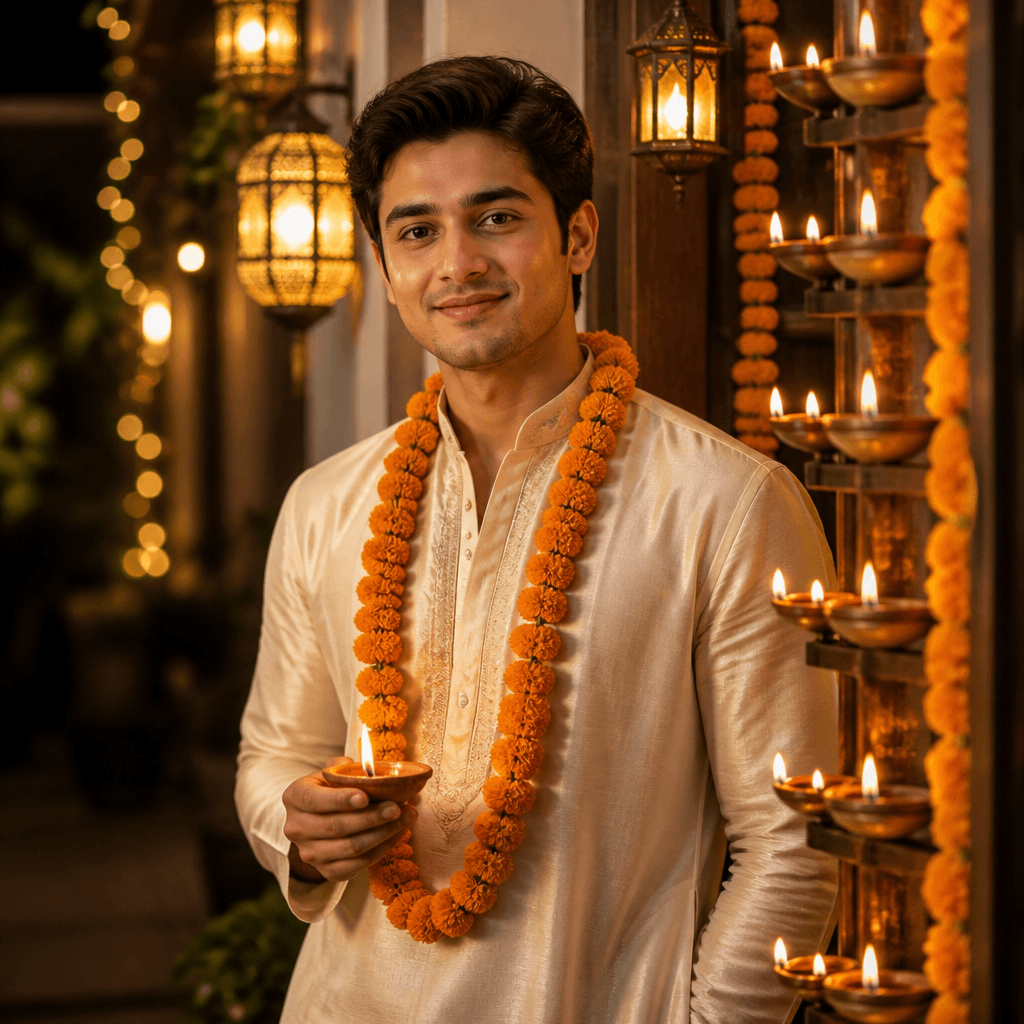
Kurta & Marigold

Kurta & Marigold

Generate a classic festive Diwali portrait of the person in this photo. Keep the same facial structure, face shape, and facial identity of the original person. Dress the subject in a crisp ivory silk kurta with subtle gold trim and place a fresh marigold garland around the neck. Pose the subject beside a warmly lit doorway decorated with rows of brass diyas and hanging lanterns, one hand holding a small diya. Warm evening light with amber tones, soft shadows, gentle depth of field on the lit doorway, and a confident eye-level three-quarter framing — a timeless festive look.

Use this prompt

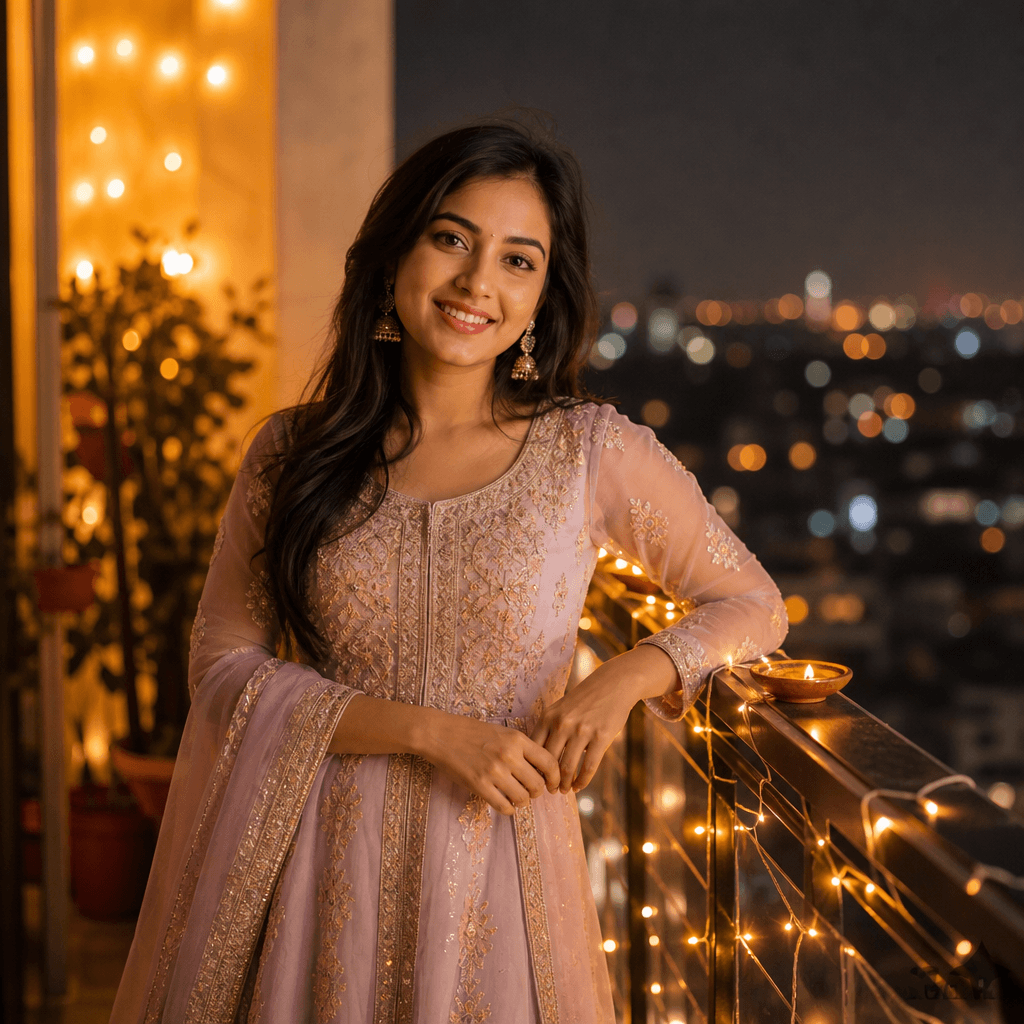
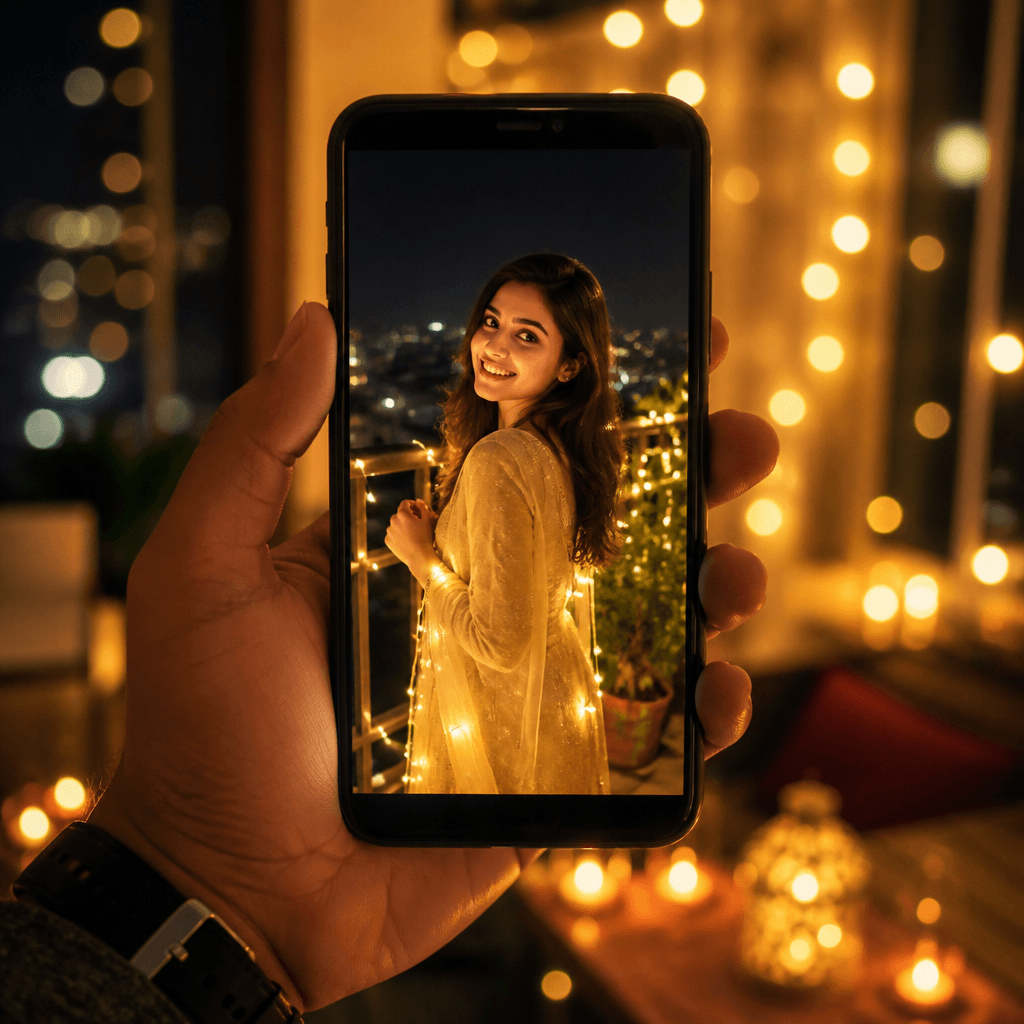
Balcony String Lights

Balcony String Lights

Generate a cozy modern Diwali portrait of the person in this photo. Keep the same facial structure, face shape, and facial identity of the original person. Place the subject on a home balcony at night, dressed in a pastel Anarkali kurta with delicate earrings, relaxed and smiling. Wrap the balcony railing with warm fairy string lights that blur into soft golden bokeh, and let distant city lights glow behind. A small lit diya on the railing adds a warm accent near the subject. Soft flattering night lighting, warm gold and cream palette, candid eye-level framing, and a clean shallow-depth-of-field look made for festive social posts.

Use this prompt

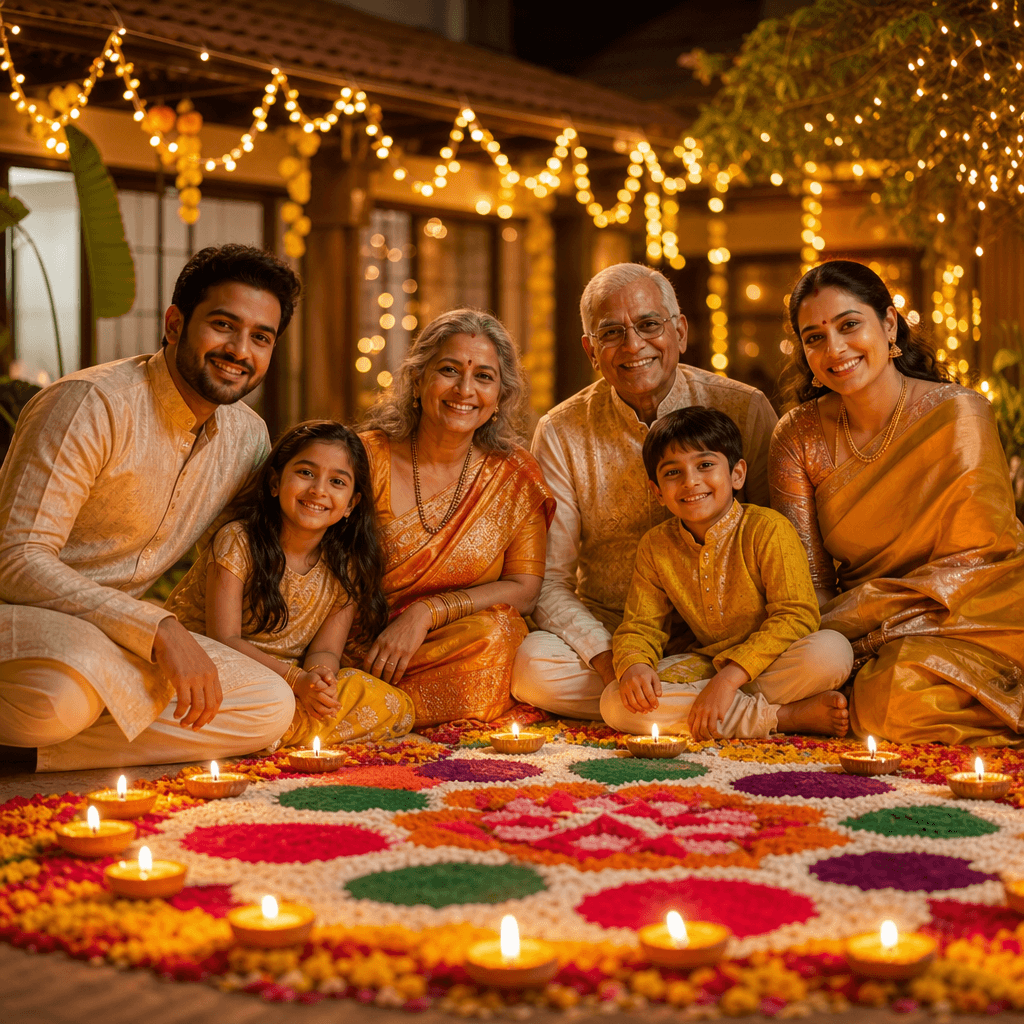
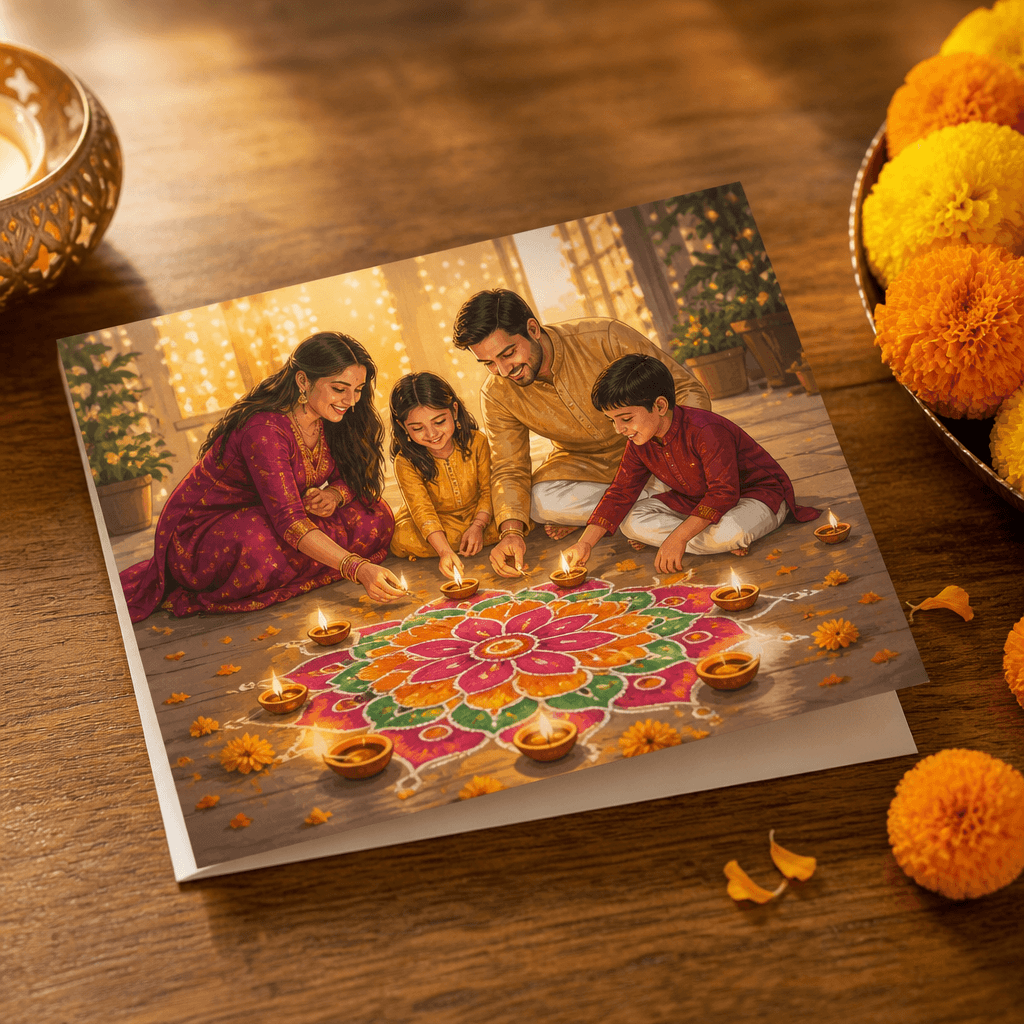
Family Rangoli

Family Rangoli

Generate a heartwarming Diwali family portrait using the people in this photo. Keep the same facial structures, face shapes, and facial identities of the original people. Dress the family in coordinated festive traditional outfits — kurtas, sarees, and lehengas in warm complementary colors. Arrange everyone around a large colorful rangoli of colored powders and flower petals, lit by small diyas at its edge, on a courtyard floor with string lights glowing softly overhead. Capture natural smiles and relaxed poses, warm golden light on every face, a rich palette of reds, golds, and greens, and eye-level group framing where both the family and the rangoli read clearly.

Use this prompt

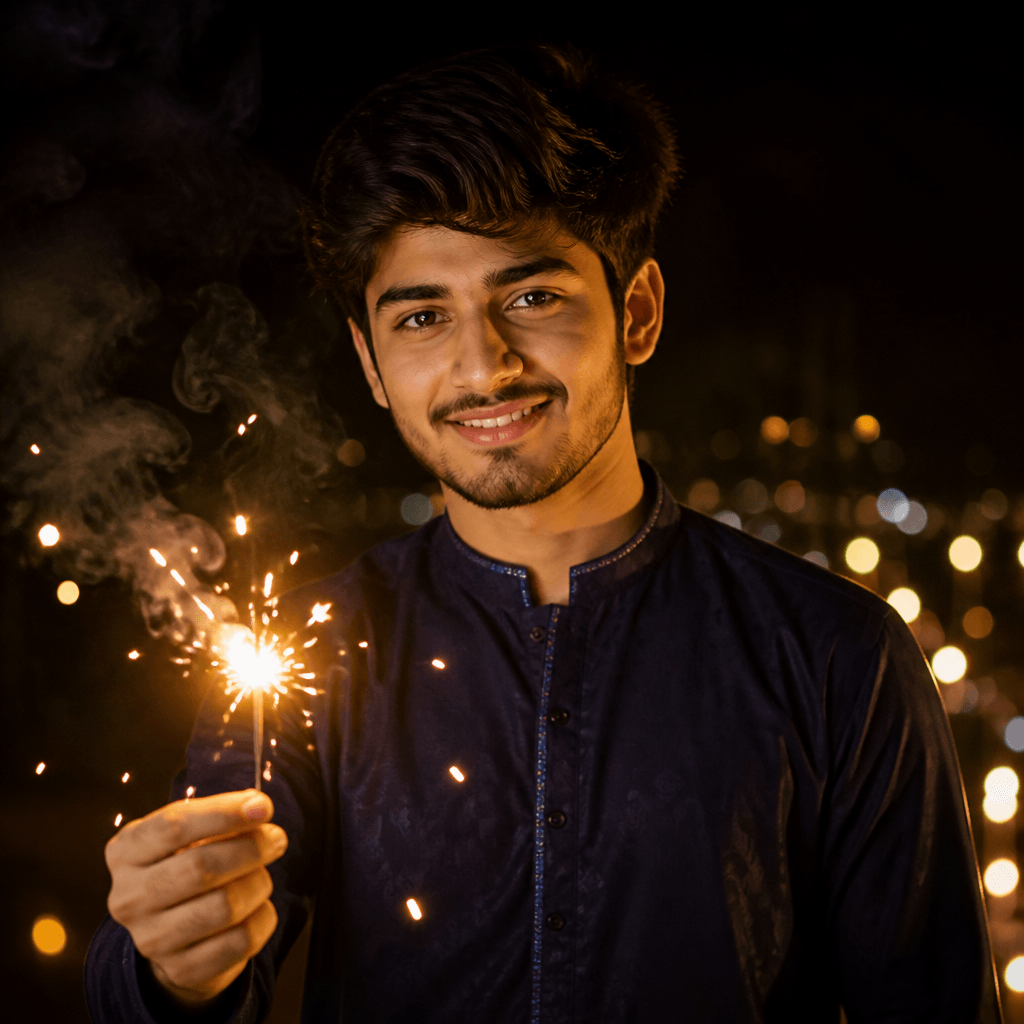
Kurta Night Sparkler

Kurta Night Sparkler

Generate a dramatic night-time Diwali portrait of the person in this photo. Keep the same facial structure, face shape, and facial identity of the original person. Dress the subject in a deep navy or black kurta with minimal accessories. Have the subject hold a burning sparkler extended slightly toward the camera, golden sparks scattering and lighting the face with a warm glow against the dark night. Add faint wisps of smoke, soft bokeh sparks, and distant blurred festival lights in the background. High-contrast cinematic lighting, a moody gold-on-dark palette, sharp facial detail with dreamy surroundings.

Use this prompt

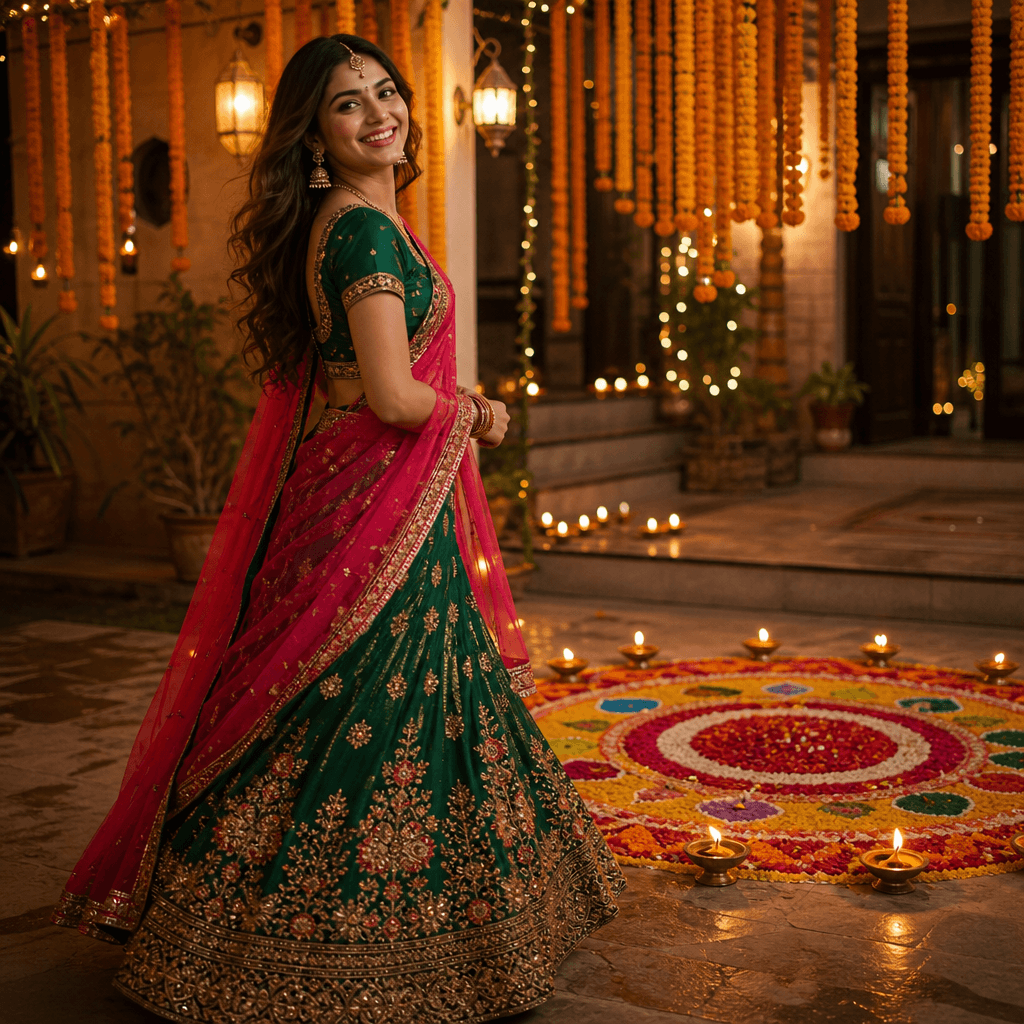
Lehenga & Rangoli

Lehenga & Rangoli

Generate a joyful Diwali portrait of the person in this photo. Keep the same facial structure, face shape, and facial identity of the original person. Dress the subject in a flowing emerald-green and rani-pink lehenga with gold embroidery and a sheer dupatta draped over one shoulder. Pose the subject beside a lit rangoli of vivid colored powders and fresh flower petals, with small diyas glowing around its edge. Warm evening courtyard light with golden-hour tones, marigold strings overhead, gentle depth of field, and a three-quarter angle that keeps both the outfit and the rangoli in frame.

Use this prompt

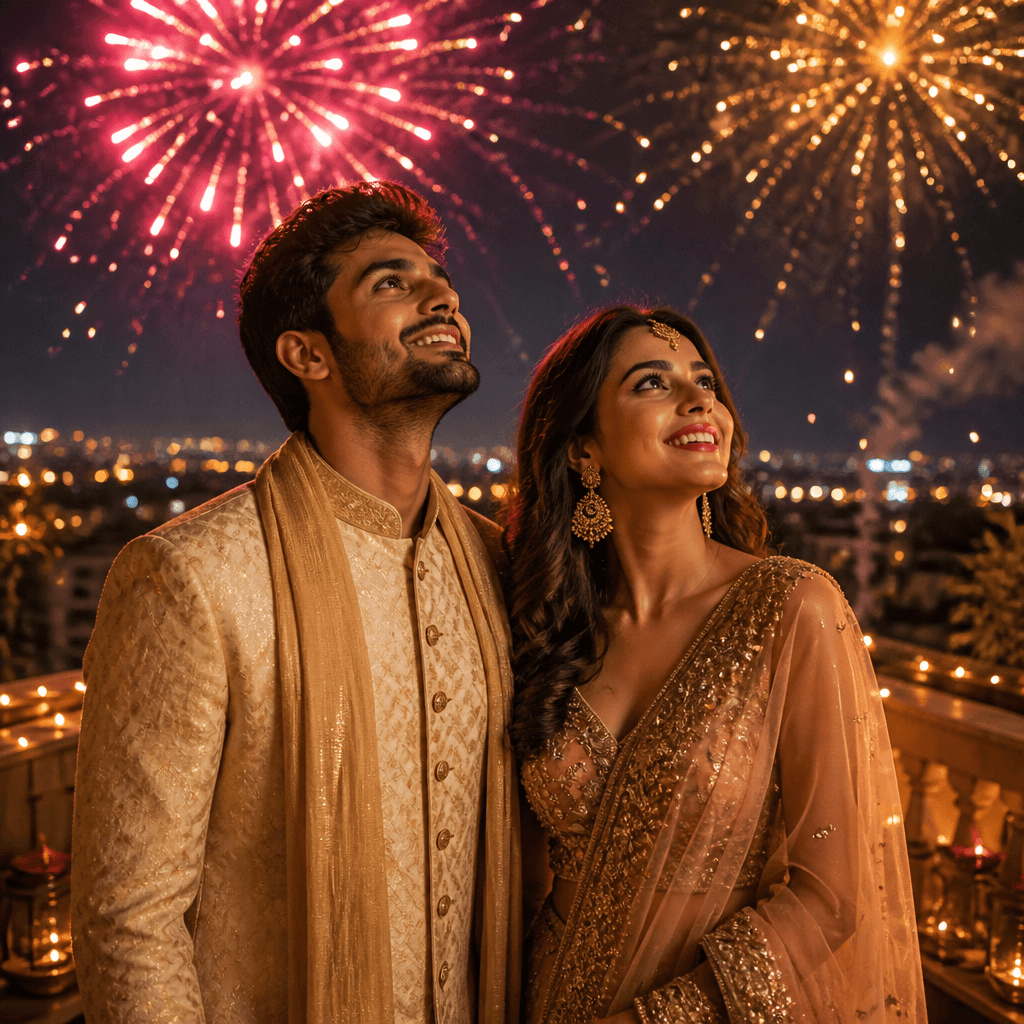
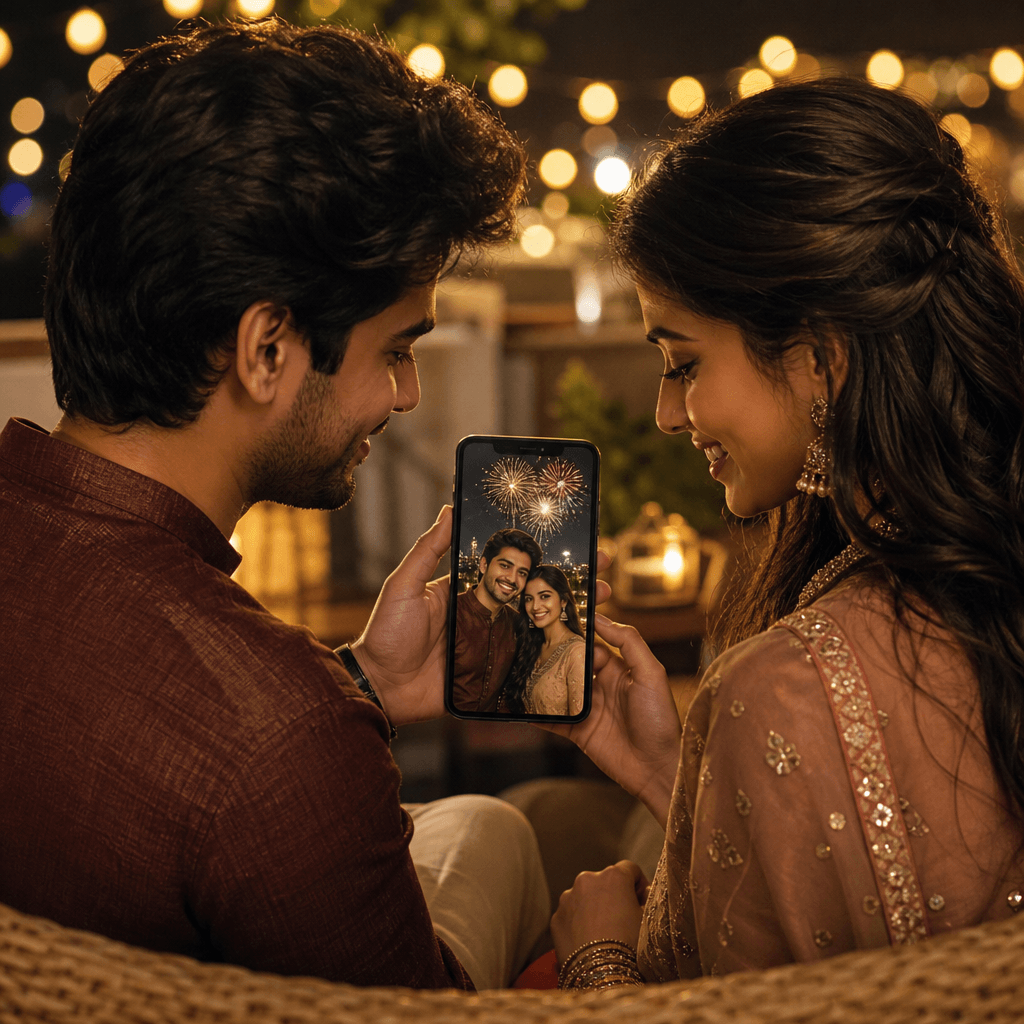
Fireworks Night Couple

Fireworks Night Couple

Generate a cinematic Diwali night portrait of the couple in this photo. Keep the same facial structures, face shapes, and facial identities of the original people. Pose the couple on a rooftop terrace at night in festive traditional outfits, faces lit with happy expressions while golden and rose-pink fireworks burst across the sky above. Light the couple with a soft warm rim light from the fireworks and a small nearby diya, keeping their features clearly visible against the night. Add sparkling bokeh embers drifting around them. Deep blue night palette with gold and pink accents, wide cinematic framing, romantic festive mood.

Use this prompt

What makes a good Diwali AI prompt

Most festive prompt lists give you half an idea. These are complete Diwali AI prompts — outfit, light, palette, and the identity line — ready to paste.

  • Complete prompts, not fragments

    Every style ships a full instruction — outfit, pose, lighting, palette, and composition — with "Keep the same facial structure, face shape, and facial identity" already included, so it reads like art direction instead of a riddle.

  • They work outside SketchTo too

    The prompt text is plain and portable: paste it into any AI image tool that accepts a photo plus a text instruction. SketchTo isn't affiliated with any AI provider — and on this page the same prompt loads pre-filled in the editor.

  • Your photo stays the subject

    Generation here is image-to-image: one uploaded photo (JPG, PNG, or WebP) is required, and the prompt keeps your facial features recognizable inside the festive scene.

  • Know the cost before you render

    The default Nano Banana render costs 2 credits, shown before you generate; other models are selectable at different costs. New accounts start with 4 credits.

  • Nine looks across the whole family

    Three looks for women, two for couples, two for men, plus family and kids styles — sarees, lehengas, kurtas, diyas, rangoli, garlands, string lights, and sparklers, with festival elements only and no religious imagery.

  • Results land in your History

    Every render is saved to your SketchTo History to download or share. Personal posting is fine on any plan; commercial use requires Pro.

Three ways to use a Diwali AI portrait

One good photo covers your festival posts, greetings, and family albums.

Festive posts that stand out
Creators

Festive posts that stand out

Turn a balcony string-light portrait into this year's Diwali post or story — copy the prompt, render the portrait, and download the finished image.

Family greetings and cards
Families

Family greetings and cards

Generate a family portrait around a lit rangoli and send it as this year's Diwali greeting to relatives near and far.

A couple's festival portrait
Couples

A couple's festival portrait

Render a traditional diya portrait or a fireworks-night shot for your shared album, festival announcements, or matching profile pictures.

How to use a Diwali AI prompt

From prompt to portrait in four steps — here or in any other AI tool.

  • 1

    Choose a photo

    Pick a clear, well-lit photo of the person or people you want in the portrait. JPG, PNG, and WebP work; one photo is required.

  • 2

    Pick a Diwali look

    Nine styles cover women, couples, men, family, and kids. Each loads a complete prompt with outfit, lighting, and the identity line built in.

  • 3

    Edit the prompt to taste

    Swap outfit colors — try "deep green silk saree" instead of red — change diyas to sparklers, or add details like jhumka earrings. The text is yours.

  • 4

    Generate and download

    The credit cost appears before you render. Check the face and details in the preview, regenerate if needed, then download from your History.

Three tips for a better festive portrait

Start with a bright, simple photo

A centered subject with visible faces re-renders far more cleanly than a dark, cluttered group shot.

Match the outfit to the person

Every prompt names an outfit; swap the color or garment — kurta, saree, lehenga — so the result feels like something they would actually wear.

Expect an approximation

AI keeps faces recognizable, not identical. Check the likeness in the preview and regenerate or tweak the prompt if it drifts.

Pricing

Transform your images with AI. Choose the plan that fits your needs.

Basic

$95.88/year

Perfect for personal use and casual creators.

2400 credits (≈ 1200 images / year)

Includes

  • Own your creations
  • Access to Standard Generation
  • Image history saved
  • Standard Quality Download

Equivalent to $7.99/monthSave $24/year

Cancel anytime. No lock-in contract.

Best Value4x MoreMost Popular

Pro

$191.88/year

For power users and professionals.

9600 credits (≈ 4800 images / year)

Everything in Basic, plus

  • Commercial License Included
  • Priority Support
  • 4x More Credits
  • Priority email support

Equivalent to $15.99/month75% cheaper per image

Cancel anytime. No lock-in contract.

Frequently Asked Questions

Everything you need to know about our pricing plans

Do unused credits roll over?+

To ensure we can offer the most competitive pricing and generous credit allowances each month, your credits reset at the start of each billing cycle. This model allows us to provide you with the best possible value in every billing period.

Can I use the generated images commercially?+

Yes, commercial use is a key feature of our Pro plan. Pro subscribers own the rights to their creations and can use them for any commercial purpose, including marketing, advertising, and resale. Images generated under the Basic plan are licensed for personal use only.

What happens if I run out of credits?+

Don't let your creativity stop! You can purchase a Credit Pack for an instant one-time top-up, or wait for your next billing cycle when subscription credits refresh. To switch subscription plans, cancel the current plan and select a new one after the paid period ends.

What are Credit Packs?+

Credit Packs are one-time purchases that give you credits instantly without a subscription. They do not auto-renew, so you only pay when you need more. Purchased credits are valid for 1 year from the date of purchase. You can buy multiple packs at any time to top up your balance.

How do I cancel my subscription?+

We believe in flexibility. You can cancel your subscription at any time with just a few clicks in your account settings. No questions asked. After canceling, you'll continue to have access to your plan's features and credits until the end of your current billing period.

What payment methods do you accept?+

We accept major credit cards through Stripe and PayPal. All transactions are handled securely by the selected payment provider.

What counts as one credit?+

Typically, generating one image uses 2 credits. However, certain advanced features or higher resolutions might consume more. You will always see the credit cost before you generate an image, so there are no surprises.

Do you offer a free trial?+

Yes! Every new user gets 4 free credits upon signing up to experience the power of our AI. No credit card required. If you love it and need more, you can subscribe to one of our plans anytime.

What's the difference between Basic and Pro plans?+

Basic plan is perfect for personal use and casual creators, offering 200 credits (~100 images) per month. Pro plan is designed for power users and professionals, with commercial license, priority support, and 800 credits (~400 images) — that's 4x more images for just $10 more!

Diwali AI prompt questions, answered

What the prompts are, what generation costs, and what to expect from the results.

A complete text instruction that tells an AI image model what festive portrait to create — outfit, pose, lighting, palette, and how to keep the face recognizable. The nine Diwali AI prompts on this page are full instructions you can copy and use as-is.

Yes — the text is portable. Paste any prompt into an AI image tool that accepts a photo plus an instruction. SketchTo isn't affiliated with Google or OpenAI; on this page the same prompt also loads directly into the editor so you can generate without leaving.

To generate here, yes — the editor works image-to-image with one photo (JPG, PNG, or WebP), which is what keeps the portrait recognizably yours. If you just want to copy a prompt for another tool, no photo is needed.

The default Nano Banana render costs 2 credits, shown before you generate; other models cost different amounts. New accounts start with 4 credits valid for a year, monthly credits renew every 30 days, and credit packs last a year.

No — the prompts keep your facial features recognizable, but AI results are approximations and faces can drift. Check the preview and regenerate, or adjust the prompt, until it looks right.

Your renders are saved in History to download or share. Personal posting is fine on any plan; commercial use requires the Pro plan.