Fake News Meme Generator: Your Photo, Breaking News

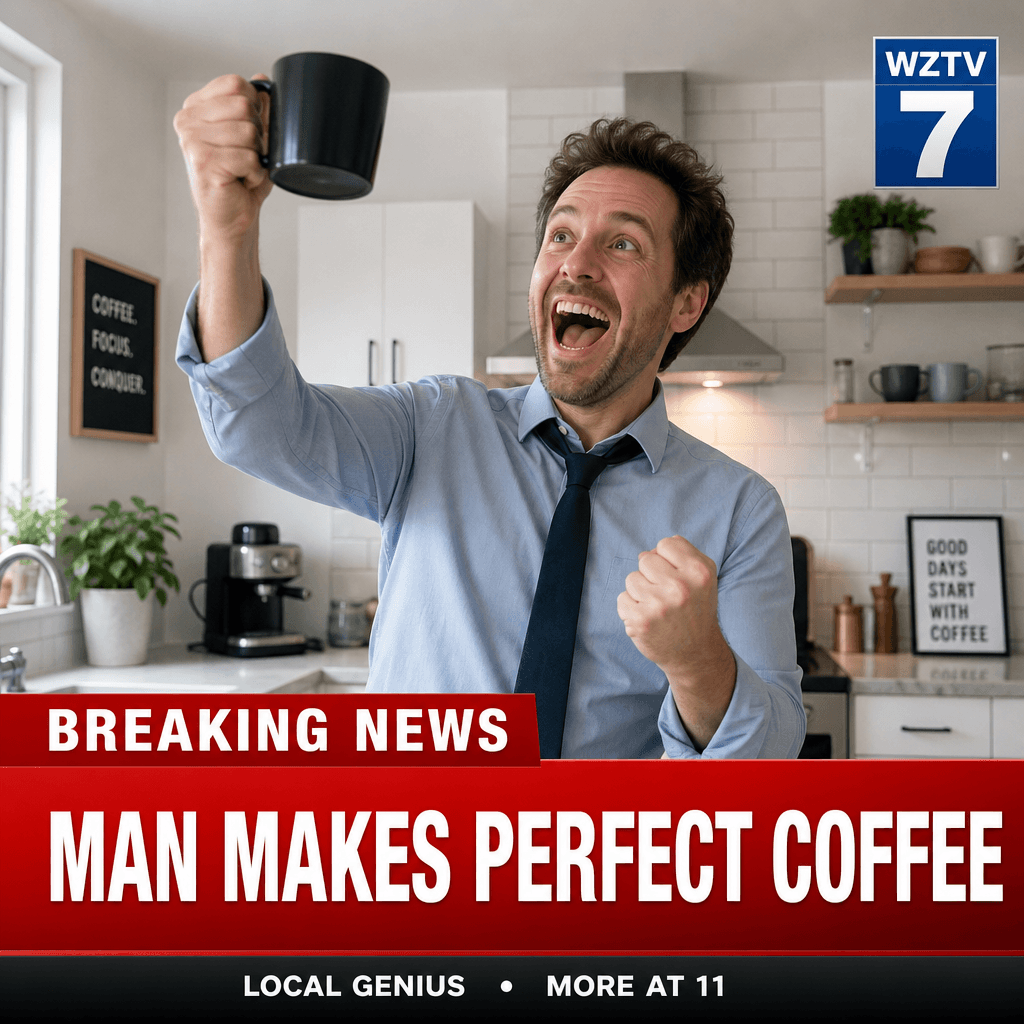
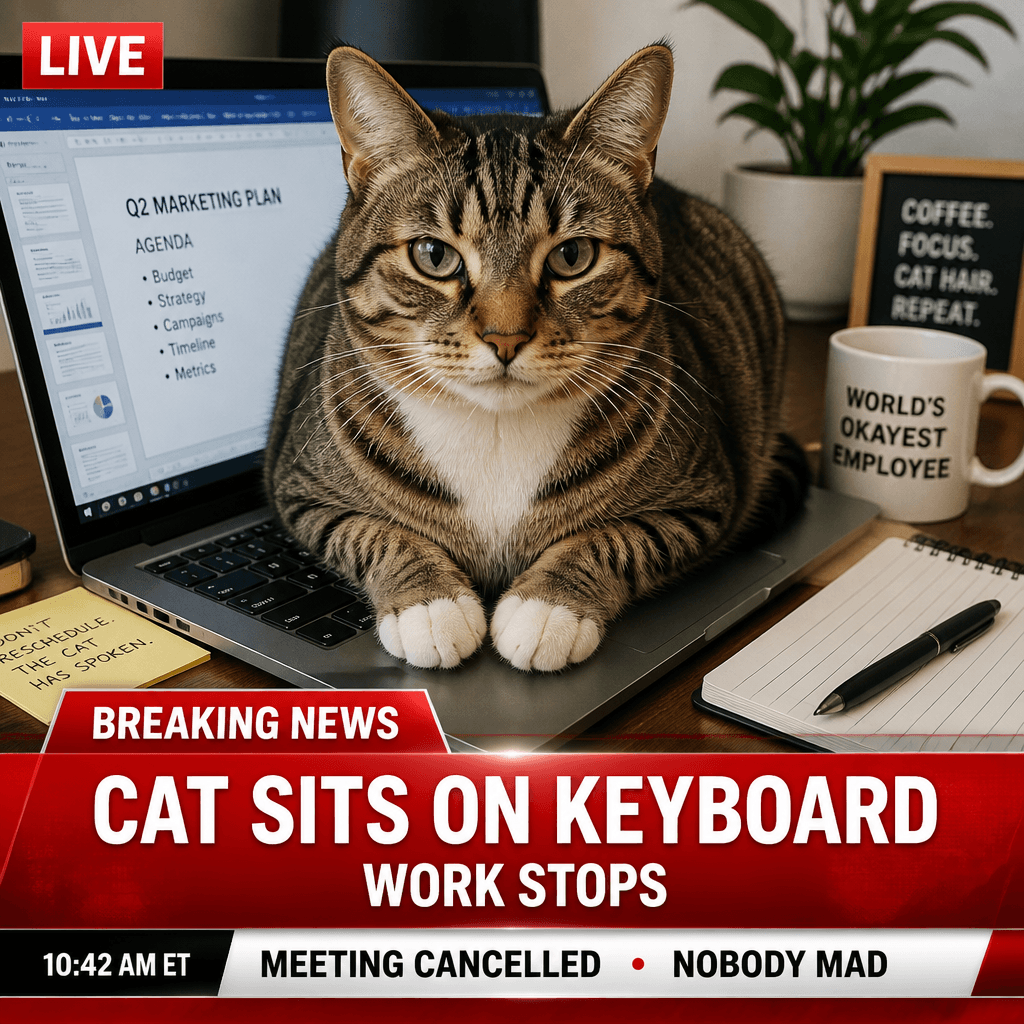
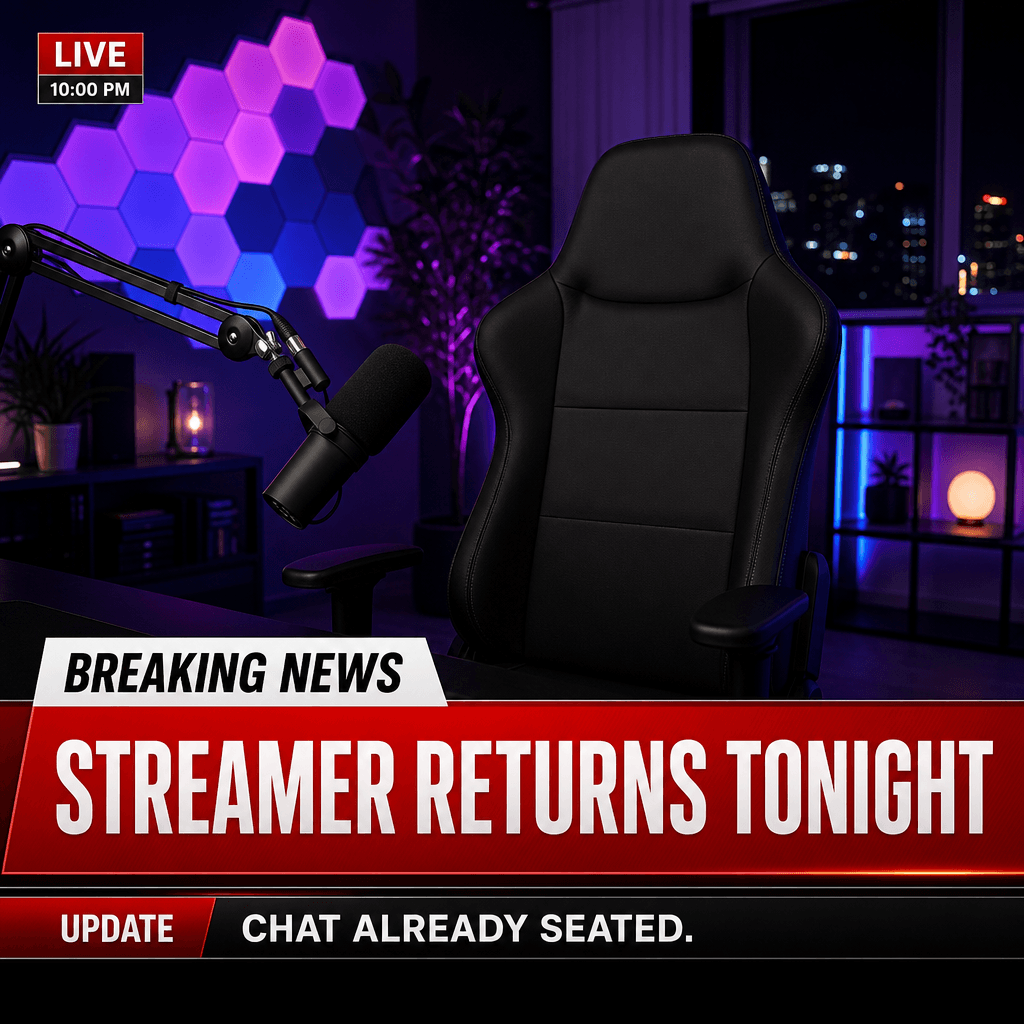
Upload any photo, pick one of nine breaking-news presets, and put your own headline and ticker into the editable prompt — the AI composes a fresh TV-news frame around your picture with Nano Banana for 2 credits. Template generators reuse the same backgrounds for everyone; here every frame is built around your image. Check the drawn text before you share: AI lettering can garble, and short headlines survive best.

Fake News Meme Generator

Upload an image file to get started with your AI conversion

Upload Image

Scroll for more

Nano Banana is ready for this Tool input mode.

Preview

View your AI-transformed result and compare with the original

Example result

↑ Example result. Try it yourself!

What this fake news meme generator does differently

Template sites hand everyone the same background. Here, your photo is the scene and the broadcast frame is composed around it — with your own headline and ticker wording.

  • Your photo is the scene, not a template slot

    Upload any image — a selfie, a pet, a screenshot — and the AI builds the BREAKING banner, lower third, ticker, and channel bug around it. No shared background a thousand memes already used.

  • Nine news formats

    Nine formats from Breaking News Studio to Special Report — each preset fills the prompt with its own broadcast graphics and example text.

  • Your words, not fixed captions

    The headline and ticker are plain quoted text inside an editable instruction box. Swap the examples for your own wording and generate — no fixed caption list.

  • Two credits, shown up front

    The default Nano Banana configuration costs 2 credits per generation, shown before you run it. Other image models are available in the selector.

  • Every run lands in your History

    Generations are saved to your private History with download, share, and delete — compare formats side by side and re-download the keeper later.

  • Built for parody — keep it kind

    Joke broadcasts, birthday announcements, pet standoffs — make parody, not deception: nothing unlawful, defamatory, or meant to be believed as real news.

What people make with it

Birthday chaos, pet breaking news, creator stingers — three uses the nine formats cover.

Birthday and inside-joke announcements
Friend groups

Birthday and inside-joke announcements

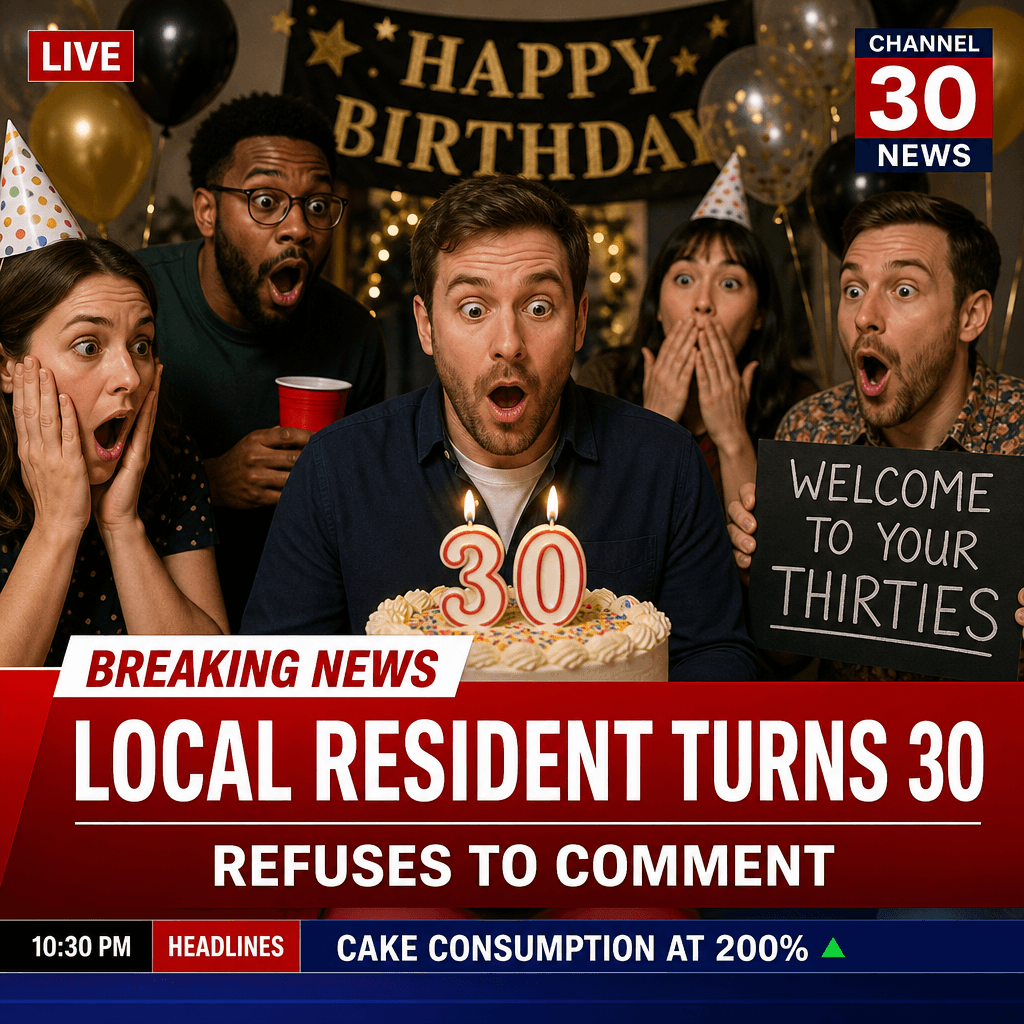
"LOCAL RESIDENT TURNS 30, REFUSES TO COMMENT" — drop a friend's milestone or the group's running joke into a studio broadcast Illustrative example — results depend on your photo and wording.

Pet breaking news for your feed
Pet accounts

Pet breaking news for your feed

A dog refusing to come inside, a cat ignoring a new bed — On-Scene Live and Press Briefing were made for animal standoffs. Illustrative example — check the text before posting.

Stream intros and community teasers
Creators

Stream intros and community teasers

Fake-broadcast stingers for a stream return, a Discord announcement, or an event teaser — your scene, your headline. Illustrative example — parody only.

How to make a fake news meme

Upload, pick a format, swap in your text, generate — four steps and one spelling check.

  • 1

    Upload one photo

    Add the image that becomes the news scene — a selfie, a pet, your lunch, a skyline. One image per run; clear, well-lit photos work best.

  • 2

    Pick a news format

    Choose one of nine presets — selecting fills the prompt box with that format's broadcast graphics and example headline and ticker.

  • 3

    Swap in your headline and ticker

    Replace the two quoted texts in the prompt with your own words — keep them short and in capitals for the classic look. Switching presets replaces the prompt text, so re-edit after any switch.

  • 4

    Generate, check the letters, share

    Generating costs 2 credits with the default Nano Banana. Read every letter — AI-drawn text can garble. Clean? Download or share from History; if not, tighten the wording and run it again.

Three checks before you share

Read every letter

AI image models draw text imperfectly — a great-looking frame can still hold a misspelled word. Zoom in on the banner and ticker; short headlines survive best.

Check what the graphics cover

The banner, lower third, and ticker overlay parts of your photo. If they hide the good part — a face, the punchline object — switch formats or adjust the framing words.

Keep it parody

The best fake-news memes are obviously jokes. Skip anything aimed at real people that could be taken as real reporting — funny beats believable, and kind beats both.

Pricing

Transform your images with AI. Choose the plan that fits your needs.

Basic

$95.88/year

Perfect for personal use and casual creators.

2400 credits (≈ 1200 images / year)

Includes

  • Own your creations
  • Access to Standard Generation
  • Image history saved
  • Standard Quality Download

Equivalent to $7.99/month · Save $24/year

Cancel anytime. No lock-in contract.
Best Value · 4x MoreMost Popular

Pro

$191.88/year

For power users and professionals.

9600 credits (≈ 4800 images / year)

Everything in Basic, plus

  • Commercial License Included
  • Priority Support
  • 4x More Credits
  • Priority email support

Equivalent to $15.99/month · 75% cheaper per image

Cancel anytime. No lock-in contract.
Frequently Asked Questions

Everything you need to know about our pricing plans

Do unused credits roll over?+

To ensure we can offer the most competitive pricing and generous credit allowances each month, your credits reset at the start of each billing cycle. This model allows us to provide you with the best possible value in every billing period.

Can I use the generated images commercially?+

Yes, commercial use is a key feature of our Pro plan. Pro subscribers own the rights to their creations and can use them for any commercial purpose, including marketing, advertising, and resale. Images generated under the Basic plan are licensed for personal use only.

What happens if I run out of credits?+

Don't let your creativity stop! You can purchase a Credit Pack for an instant one-time top-up, or wait for your next billing cycle when subscription credits refresh. To switch subscription plans, cancel the current plan and select a new one after the paid period ends.

What are Credit Packs?+

Credit Packs are one-time purchases that give you credits instantly without a subscription. They do not auto-renew, so you only pay when you need more. Purchased credits are valid for 1 year from the date of purchase. You can buy multiple packs at any time to top up your balance.

How do I cancel my subscription?+

We believe in flexibility. You can cancel your subscription at any time with just a few clicks in your account settings. No questions asked. After canceling, you'll continue to have access to your plan's features and credits until the end of your current billing period.

What payment methods do you accept?+

We accept major credit cards through Stripe and PayPal. All transactions are handled securely by the selected payment provider.

What counts as one credit?+

Typically, generating one image uses 2 credits. However, certain advanced features or higher resolutions might consume more. You will always see the credit cost before you generate an image, so there are no surprises.

Do you offer a free trial?+

Yes! Every new user gets 4 free credits upon signing up to experience the power of our AI. No credit card required. If you love it and need more, you can subscribe to one of our plans anytime.

What's the difference between Basic and Pro plans?+

Basic plan is perfect for personal use and casual creators, offering 200 credits (~100 images) per month. Pro plan is designed for power users and professionals, with commercial license, priority support, and 800 credits (~400 images) — that's 4x more images for just $10 more!

Fake news meme questions, answered

What it does, what it costs, and where it can go wrong.

It composites your uploaded photo into a TV breaking-news frame — banner, lower third, ticker, channel bug — with wording you control through the prompt. The AI draws the graphics; you get a static image to download and share.

Yes — the editor requires one image per run; there is no text-only mode. Bring your own photo, or generate a studio-style background with another SketchTo tool and bring that here.

Those tools paste your text onto fixed template art everyone shares. Here the frame is AI-composed around your photo in one of nine formats — background, lighting, and layout differ every run.

The default Nano Banana configuration costs 2 credits, shown before you run it. New accounts start with 4 credits — two default runs. Other models are selectable at their own rates.

Not always — AI lettering can garble, especially on long text. Keep text short, read every letter, and re-run with tighter wording if needed. Each run costs 2 credits.

For parody and jokes — yes, and the more obviously comic the better. Nothing meant to be believed as real reporting, defamatory, or unlawful. If it needs a disclaimer to be safe, it is not a good meme.