Sketch to Render: Bring Your Drawings to Life Instantly

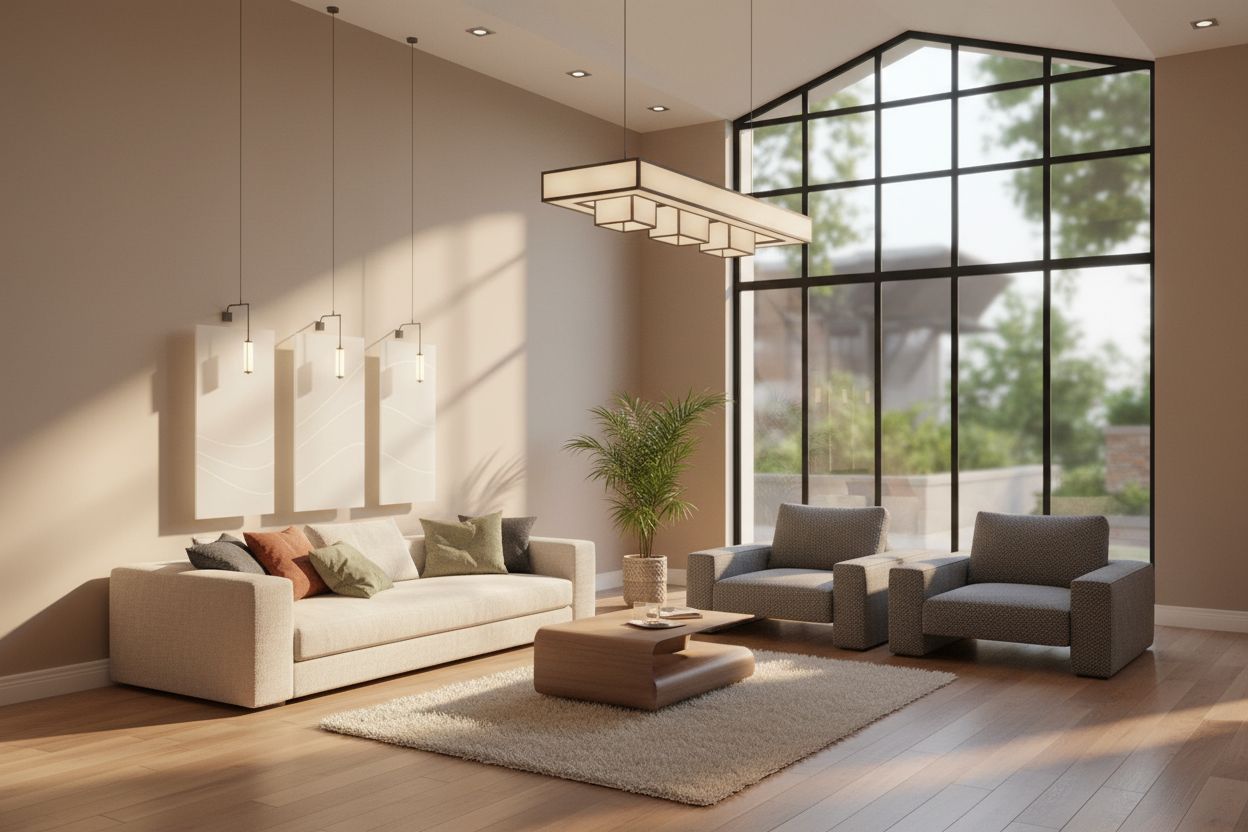
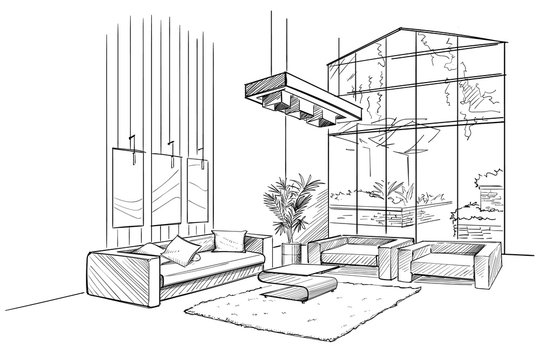
Experience the power of our AI sketch to render tool that transforms any sketch into stunning photorealistic renders. Whether you need to convert architectural sketches to render for presentations or turn concept art into polished renders, our sketch to render technology delivers professional results in seconds.

Sketch to Render

Upload an image file to get started with your AI conversion

Upload Image

Scroll for more

Nano Banana is ready for this Tool input mode.

Preview

View your AI-transformed result and compare with the original

Processed result
Original image

↑ Drag to compare. Try it yourself!

Why Our Sketch to Render Tool Leads the Industry

Discover how our sketch to render AI revolutionizes the way you transform sketches into professional renders. Say goodbye to hours of manual rendering and hello to instant, stunning results with our sketch to render technology.

  • Advanced Sketch to Render AI Technology

    Our sketch to render tool uses cutting-edge machine learning to understand your sketch and transform it into a photorealistic render. The sketch to render AI intelligently interprets lines, shapes, and perspectives to create stunning rendered images.

  • Instant Sketch to Render Conversion

    Upload your sketch and watch our sketch to render tool transform it into a professional render within seconds. No complex software needed—our sketch to render technology handles everything automatically for impressive results.

  • Architectural Sketch to Render Excellence

    Architects and designers trust our sketch to render tool to convert rough sketches into presentation-ready renders. Transform architectural sketches to render with realistic materials, lighting, and environmental details using our professional sketch to render solution.

  • Multi-Style Sketch to Render Options

    From photorealistic renders to stylized outputs, our sketch to render tool offers diverse rendering styles. Whether you need sketch to 3D render effects or artistic interpretations, our versatile sketch to render AI adapts to your vision.

  • Product Design Sketch to Render

    Industrial designers leverage our sketch to render capabilities to visualize product concepts quickly. Turn rough product sketches into polished renders that impress clients and stakeholders with our efficient sketch to render process.

  • Photorealistic Sketch to Render Quality

    Our sketch to render technology produces stunning photorealistic results with accurate lighting, shadows, and materials. The sketch to render AI ensures every detail from your sketch is faithfully transformed into a believable rendered image.

Real-World Applications for Sketch to Render

See how professionals across industries use our sketch to render tool to transform rough sketches into stunning photorealistic renders effortlessly.

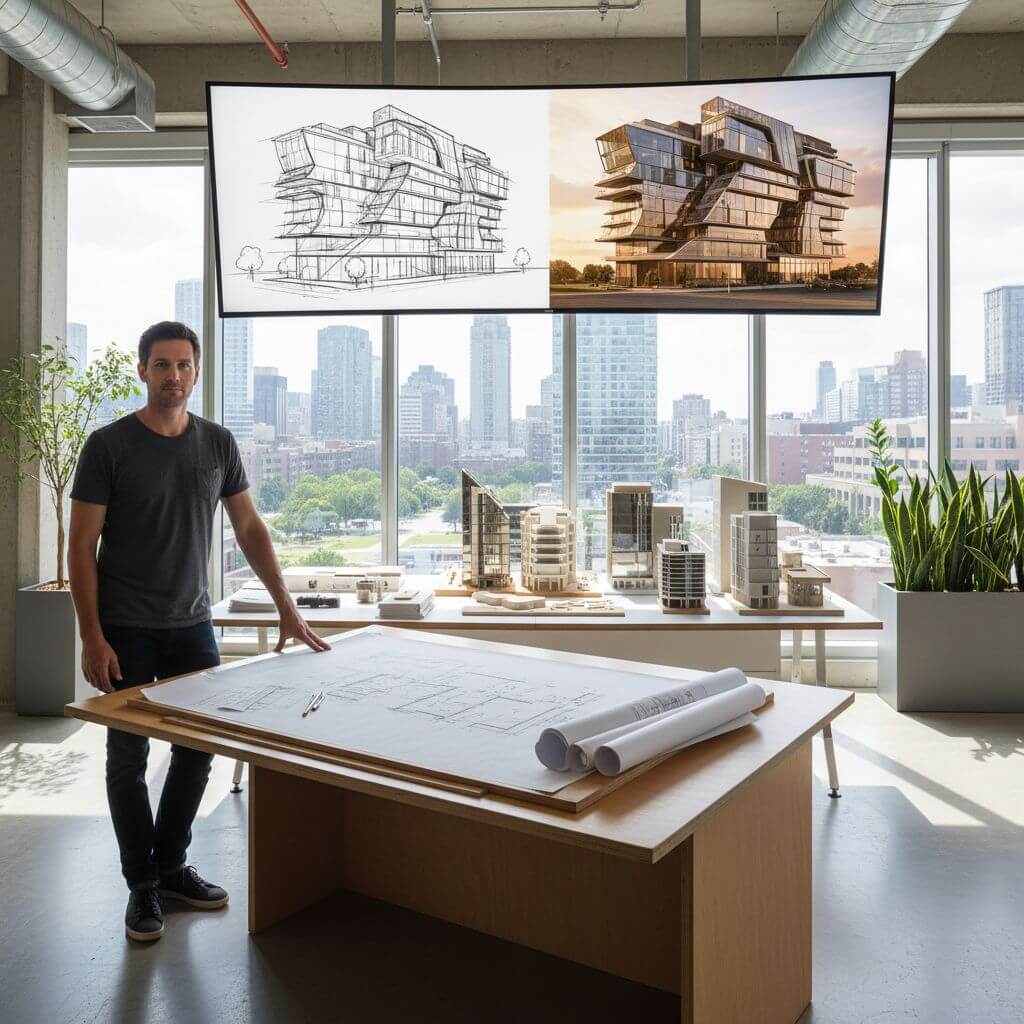
Architecture & Real Estate Visualization
Architects & Real Estate

Architecture & Real Estate Visualization

Architects and real estate professionals use our sketch to render tool to transform building sketches into photorealistic renders. Convert rough floor plans and elevation sketches to render for impressive client presentations and marketing materials.

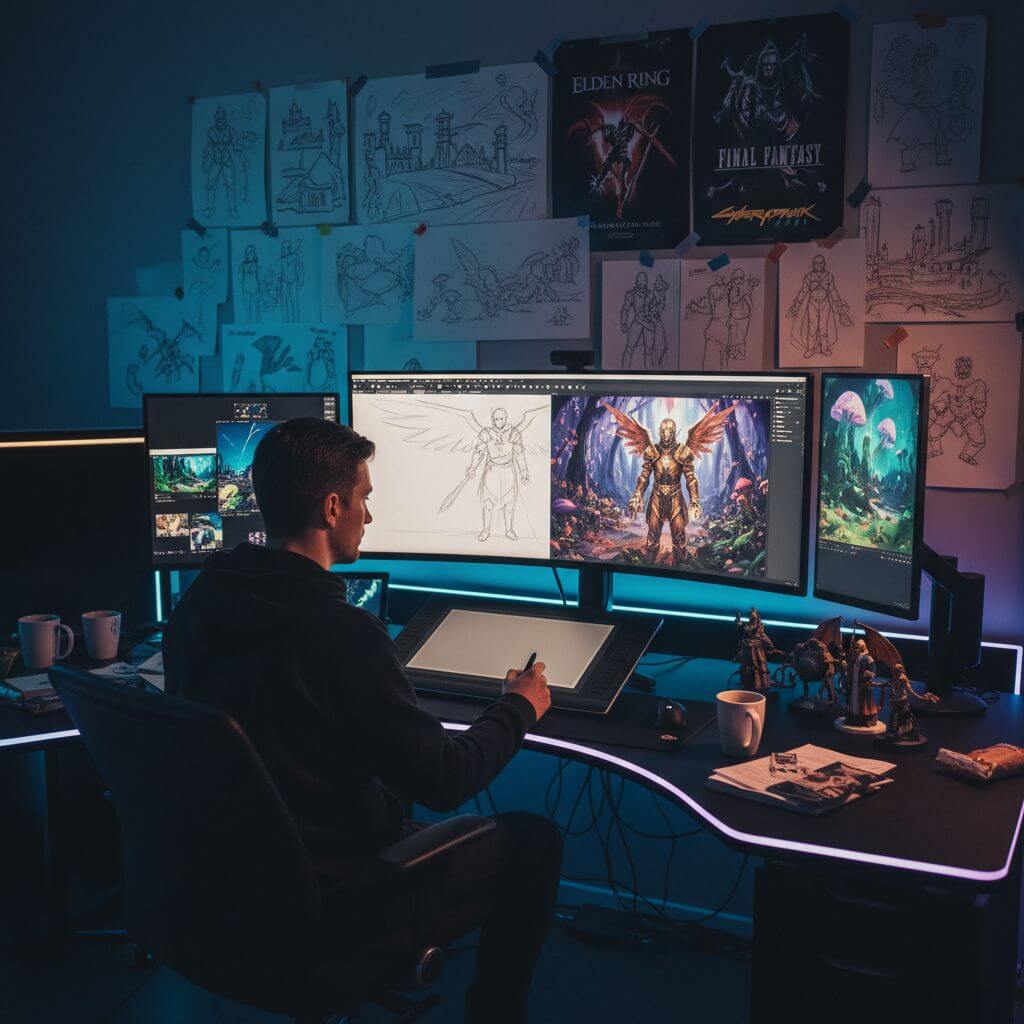
Game & Entertainment Concept Art
Game Developers & Studios

Game & Entertainment Concept Art

Game developers and entertainment studios leverage our sketch to render capabilities to visualize concept art. Turn character and environment sketches into detailed renders for production planning and stakeholder reviews.

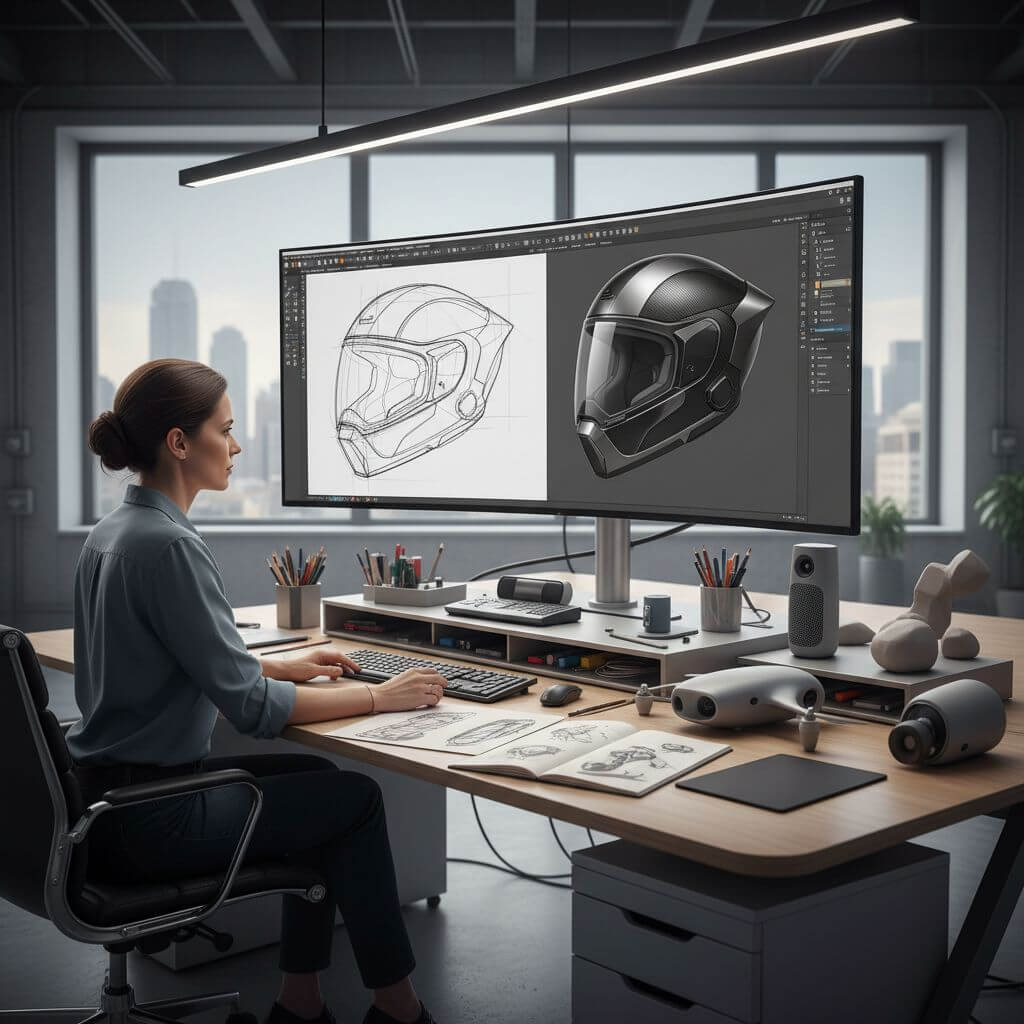
Product Design & Industrial Visualization
Designers & Engineers

Product Design & Industrial Visualization

Industrial designers and product teams use our sketch to render tool to bring product concepts to life. Transform rough product sketches into realistic renders with accurate materials and lighting for presentations and prototyping.

How to Use Our Sketch to Render Tool

Transform your sketches into professional renders in three simple steps using our intuitive sketch to render converter. Start creating stunning renders now!

  • 1

    Upload Your Sketch

    Drag and drop your sketch or click to upload. Sign up to access our sketch to render tool and get free credits to convert multiple sketches to render professionally.

  • 2

    Customize Your Render Style

    Describe the render style you want or use the default settings. Our sketch to render AI will intelligently transform your sketch into a photorealistic render with appropriate materials, lighting, and textures.

  • 3

    Download Your Rendered Image

    Preview your transformed sketch to render result and download in high resolution. Our sketch to render tool delivers professional quality renders every time you convert a sketch.

Pro Tips for Sketch to Render Success

Clear Line Work:

For best sketch to render results, use sketches with clear, defined lines. Clean line work helps our sketch to render AI accurately interpret your design and create better rendered outputs.

Add Context Details:

Include notes about materials or styles you want in your render. Our sketch to render tool works best when you specify details like 'wooden texture' or 'glass surface' for more accurate sketch to render conversions.

Use Premium Models:

Upgrade to premium AI models for the most photorealistic sketch to render results. Our advanced sketch to render technology provides superior detail, lighting accuracy, and material realism.

Pricing

Transform your images with AI. Choose the plan that fits your needs.

Basic

$95.88/year

Perfect for personal use and casual creators.

2400 credits (≈ 1200 images / year)

Includes

  • Own your creations
  • Access to Standard Generation
  • Image history saved
  • Standard Quality Download

Equivalent to $7.99/month · Save $24/year

Cancel anytime. No lock-in contract.
Best Value · 4x MoreMost Popular

Pro

$191.88/year

For power users and professionals.

9600 credits (≈ 4800 images / year)

Everything in Basic, plus

  • Commercial License Included
  • Priority Support
  • 4x More Credits
  • Priority email support

Equivalent to $15.99/month · 75% cheaper per image

Cancel anytime. No lock-in contract.
Frequently Asked Questions

Everything you need to know about our pricing plans

Do unused credits roll over?+

To ensure we can offer the most competitive pricing and generous credit allowances each month, your credits reset at the start of each billing cycle. This model allows us to provide you with the best possible value in every billing period.

Can I use the generated images commercially?+

Yes, commercial use is a key feature of our Pro plan. Pro subscribers own the rights to their creations and can use them for any commercial purpose, including marketing, advertising, and resale. Images generated under the Basic plan are licensed for personal use only.

What happens if I run out of credits?+

Don't let your creativity stop! You can purchase a Credit Pack for an instant one-time top-up, or wait for your next billing cycle when subscription credits refresh. To switch subscription plans, cancel the current plan and select a new one after the paid period ends.

What are Credit Packs?+

Credit Packs are one-time purchases that give you credits instantly without a subscription. They do not auto-renew, so you only pay when you need more. Purchased credits are valid for 1 year from the date of purchase. You can buy multiple packs at any time to top up your balance.

How do I cancel my subscription?+

We believe in flexibility. You can cancel your subscription at any time with just a few clicks in your account settings. No questions asked. After canceling, you'll continue to have access to your plan's features and credits until the end of your current billing period.

What payment methods do you accept?+

We accept major credit cards through Stripe and PayPal. All transactions are handled securely by the selected payment provider.

What counts as one credit?+

Typically, generating one image uses 2 credits. However, certain advanced features or higher resolutions might consume more. You will always see the credit cost before you generate an image, so there are no surprises.

Do you offer a free trial?+

Yes! Every new user gets 4 free credits upon signing up to experience the power of our AI. No credit card required. If you love it and need more, you can subscribe to one of our plans anytime.

What's the difference between Basic and Pro plans?+

Basic plan is perfect for personal use and casual creators, offering 200 credits (~100 images) per month. Pro plan is designed for power users and professionals, with commercial license, priority support, and 800 credits (~400 images) — that's 4x more images for just $10 more!

Trusted by 100,000+ Creators Using Sketch to Render Daily

"This sketch to render tool transformed my workflow completely! I can now convert rough architectural sketches to render in seconds instead of hours. The sketch to render quality is absolutely stunning and clients love the results."
David L.
Architect
"As a product designer, I use this sketch to render tool for every project. It turns my quick concept sketches into photorealistic renders instantly. The sketch to render AI understands exactly what I need."
Sarah M.
Product Designer
"The sketch to render feature is a game-changer for game development. I can quickly visualize environment concepts by converting sketches to render. This sketch to render tool saves me countless hours."
James K.
Game Artist
"I was amazed by how accurately this sketch to render tool captures my design intent. From rough sketches to polished renders in seconds—it's revolutionized how I present concepts to clients."
Emma T.
Interior Designer

Sketch to Render: Frequently Asked Questions

Everything you need to know about using our sketch to render tool to transform your sketches into photorealistic renders

Sketch to render is an AI-powered technology that transforms hand-drawn or digital sketches into photorealistic rendered images. Our sketch to render tool analyzes your sketch's lines, shapes, and composition, then applies realistic materials, lighting, and textures to create a professional render while maintaining the original design intent.

Our sketch to render technology is optimized for speed. Most sketch to render conversions complete within 10-20 seconds. Simply upload your sketch, and our sketch to render AI will transform it into a stunning photorealistic render almost instantly, delivering professional results in seconds.

Our sketch to render tool works excellently with various sketch types including architectural drawings, product designs, concept art, interior layouts, and character sketches. For best sketch to render results, use sketches with clear lines and defined shapes. The sketch to render AI handles both rough and detailed sketches effectively.

We offer a free trial of our sketch to render tool that includes complimentary credits to convert multiple sketches to render. This lets you experience the full power of our sketch to render technology before deciding to upgrade. Sign up today to start using sketch to render for free!

Yes! Our sketch to render tool supports multiple rendering styles. You can transform sketches into photorealistic renders, stylized artwork, or specific aesthetic styles. The sketch to render AI adapts to your requirements, whether you need architectural visualization, product renders, or artistic interpretations.

Absolutely! Our sketch to render technology is designed to faithfully interpret your original sketch. The sketch to render AI maintains the composition, proportions, and key design elements while adding realistic materials and lighting. Your creative vision is preserved throughout the sketch to render process.