

Best AI Sketch to Image Generators in 2026
On this page
Share
You just finished a rough sketch on your iPad. Maybe it's a character concept, a product mockup, or an architectural layout. Turning that sketch into a polished image used to mean hours in Photoshop or expensive freelance work. AI sketch to image generators changed that — but with dozens of tools available, picking the right one is its own challenge.
We tested 7 popular sketch to image AI tools in May 2026, comparing output quality, structural fidelity, ease of use, and pricing. Here's what we found.
Last updated: May 2026
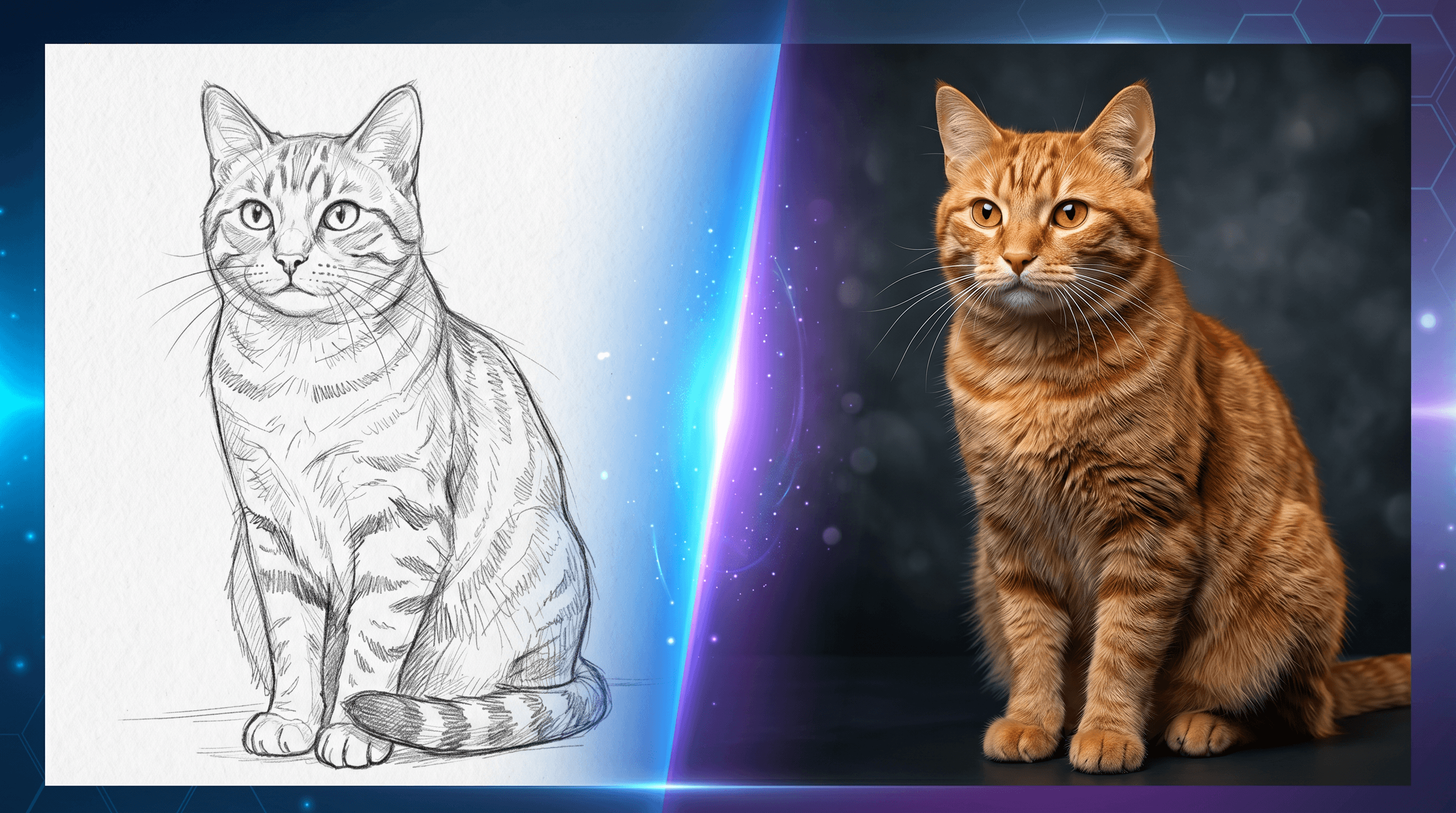
Table of Contents
- What Are AI Sketch to Image Generators?
- Top AI Sketch to Image Tools Compared
- Feature Comparison Table
- How to Choose the Right Tool
- How to Turn a Sketch Into an Image — Step-by-Step
- FAQ
What Are AI Sketch to Image Generators?
AI sketch to image generators take a hand-drawn sketch — from a rough scribble to a detailed line drawing — and transform it into a polished, realistic, or stylized image using artificial intelligence. They typically use diffusion models, ControlNet architectures, or vision-language models to interpret the structure and intent behind your drawing.
These tools fall into three categories:
- Online platforms (Sketch To, Leonardo AI, Krea AI, Midjourney) — no setup, works in a browser
- Open-source local tools (ControlNet + Stable Diffusion, Scribble Diffusion) — free but require technical setup or a GPU
- General-purpose AI with sketch support (ChatGPT / GPT Image) — conversational interface, flexible but less structurally precise
The best choice depends on your technical comfort level, budget, and how much control you need over the final output.
Top AI Sketch to Image Tools Compared
1. Sketch To
Best for: Quick, professional sketch-to-image conversion without technical setup
Sketch To is built specifically for sketch-to-image conversion. It offers two AI models: Standard (free trial credits included) and Professional (photo-realistic output for commercial work). Upload a sketch, pick a model, and get a rendered image in roughly 10 seconds.
- Pricing: Basic $8/month (960 credits/year, ~480 images), Pro $16/month (6,000 credits/year, ~3,000 images)
- Strengths: Purpose-built for sketch to image AI. Professional model produces strong detail and realism. Includes background remover, image upscaler, and uncrop tools. No technical setup required.
- Limitations: No free tier beyond trial credits. Fewer artistic style options compared to Midjourney or Leonardo AI.
- Online/Offline: Online
2. Midjourney
Best for: Highest aesthetic quality from rough sketches
Midjourney accepts sketches as image prompts alongside text descriptions. The --iw (image weight) parameter controls how tightly the output follows your sketch — --iw 2 or --iw 3 for close adherence, lower values for more creative freedom. V7 (April 2025) brought improved photorealism and prompt coherence.
- Pricing: No free tier. Basic $10/month, Standard $30/month, Pro $60/month, Mega $120/month
- Strengths: Best-in-class visual quality for artistic and concept work. Style reference (
--sref) and character reference (--cref) maintain consistency across generations. - Limitations: No dedicated sketch mode — works through general image prompting, which is less precise than ControlNet. Cannot guarantee pixel-accurate layout reproduction. Discord-based workflow can be cumbersome.
- Online/Offline: Online
3. ChatGPT / GPT Image
Best for: Beginners who prefer a conversational workflow
ChatGPT generates images natively through GPT Image (GPT-4o), replacing the earlier DALL-E 3. Upload a sketch and describe what you want: "turn this into a watercolor painting" or "make it photorealistic." Conversational iteration makes refinement natural — just ask for changes in plain language.
- Pricing: Free (2–3 images/day), Plus $20/month, Pro $200/month
- Strengths: Lowest learning curve of any tool tested. Excellent text rendering in generated images. GPT Image 2 (April 2026) improved instruction following and image-to-image transformation.
- Limitations: Very restricted free tier. May reinterpret your sketch layout rather than following it precisely. No seed system for reproducible results. No fine parameter control (CFG, steps, etc.).
- Online/Offline: Online
4. Leonardo AI
Best for: ControlNet-level power in a polished web interface
Leonardo AI pairs ControlNet-style structural control with an accessible web app. Its Realtime Canvas shows a split-screen where you draw on one side and see AI-rendered results update in near real-time. Stackable ControlNet parameters (depth, sketch, pose, edge detection) offer fine-grained composition control.
- Pricing: Free (150 tokens/day, ~50–75 generations), Apprentice $10/month, Artisan $24/month, Maestro $48/month
- Strengths: Best balance of power and accessibility for sketch to image AI. Generous free tier. Realtime Canvas makes the process interactive rather than batch-oriented. Built-in AI Canvas for in-painting and editing.
- Limitations: Token-based pricing makes costs unpredictable at high volume. Advanced features consume more tokens per generation.
- Online/Offline: Online
5. Krea AI
Best for: Fastest real-time sketch rendering available
Krea AI's Realtime Canvas responds in under 50 milliseconds — draw and watch the AI render simultaneously. It supports 64+ models (Flux, Ideogram, Krea's proprietary model) with native 4K output and 1,000+ style presets. A voice mode (added March 2026) lets you speak instructions while drawing.
- Pricing: Free (100 compute units/day, no commercial license), Basic $9/month, Pro $35/month, Max $70/month
- Strengths: Fastest sketch-to-render latency on the market. Large model selection. 4K native output.
- Limitations: Server reliability issues during US peak hours — users report generation times jumping from seconds to 2–3 hours during congestion. Compute unit costs vary wildly by model (1 Flux image ≈ 5 CU, but 1 Veo 3 video = 1,017 CU). Discord-only customer support. Free tier prohibits commercial use.
- Online/Offline: Online
6. ControlNet + Stable Diffusion
Best for: Maximum control with zero recurring costs (hardware required)
ControlNet's Scribble model was designed specifically for sketch-to-image conversion. Running it locally through ComfyUI with SDXL delivers the best quality-to-performance ratio in 2026. You can stack multiple control conditions — sketch + depth + pose — for precise structural guidance over the output.
- Pricing: Free and open source. Requires a GPU with 8GB+ VRAM (
$1,500–2,000 for a capable workstation) or cloud GPU access ($0.01–0.03/image via Stability AI or Replicate) - Strengths: No per-image cost after hardware investment. Most granular control of any option. Massive model ecosystem. Fully private — nothing leaves your machine.
- Limitations: Steep learning curve — Python environment setup, model downloads (2–8 GB each), CUDA configuration. No built-in sketch canvas; you draw in another app and import. First-time setup takes 30–60 minutes.
- Online/Offline: Offline (local GPU) or cloud API
7. Scribble Diffusion
Best for: Zero-friction experimentation, no account needed
An open-source tool built specifically for turning sketches into images. Draw on a browser canvas, type a prompt, and generate. No signup, no payment, no configuration. It runs ControlNet's Scribble model on Replicate's infrastructure.
- Pricing: Completely free. No account required. Open source and self-hostable.
- Strengths: Simplest sketch to image AI experience available. Zero barriers to entry. Good for quick concept tests and prototyping.
- Limitations: Output quality is functional but not competitive with Midjourney or a well-tuned ControlNet pipeline. No style control, no advanced parameters, no batch generation. Closer to a proof-of-concept than a production tool.
- Online/Offline: Online (source code available for self-hosting)
Feature Comparison Table
The table below compares all 7 AI sketch to image generators across key dimensions. Quality and ease-of-use ratings are based on our May 2026 testing.
| Tool | Free Tier | Starting Price | Real-Time | Sketch-Specific | Output Quality | Ease of Use |
|---|---|---|---|---|---|---|
| Sketch To | Trial credits | $8/mo | No | Yes | ★★★★☆ | ★★★★★ |
| Midjourney | None | $10/mo | No | Partial | ★★★★★ | ★★★☆☆ |
| ChatGPT / GPT Image | 2–3/day | $20/mo | No | Partial | ★★★★☆ | ★★★★★ |
| Leonardo AI | 150 tokens/day | $10/mo | Yes | Yes | ★★★★☆ | ★★★★☆ |
| Krea AI | 100 CU/day | $9/mo | Yes (<50ms) | Yes | ★★★★☆ | ★★★★☆ |
| ControlNet + SD | Yes (local) | $0 (own GPU) | No | Yes | ★★★★★ | ★★☆☆☆ |
| Scribble Diffusion | Unlimited | Free | No | Yes | ★★★☆☆ | ★★★★★ |
How to Choose the Right Tool
Pick the tool that matches your primary need:
Easiest experience → ChatGPT or Sketch To. Both work with a simple upload-and-describe flow. ChatGPT is more conversational; Sketch To gives more consistent structural fidelity to your original sketch.
Best visual quality → Midjourney for artistic and concept work. ControlNet + Stable Diffusion for photorealism with precise layout control.
Real-time feedback while drawing → Krea AI has the fastest response (sub-50ms), but server reliability is inconsistent during peak hours. Leonardo AI is more stable with stronger editing tools.
Tight budget → Scribble Diffusion (free, no signup) for quick tests. ControlNet is free with your own GPU. Leonardo AI's 150 daily tokens cover casual use without paying.
Commercial use → Sketch To, Leonardo AI, or Midjourney on paid tiers all permit commercial use. Adobe Firefly ($9.99/month) is another option — all outputs are cleared for commercial use since it trains exclusively on licensed content.
Offline or privacy-first → ControlNet + Stable Diffusion is the only fully offline option on this list. Every other tool requires cloud processing.
How to Turn a Sketch Into an Image — Step-by-Step
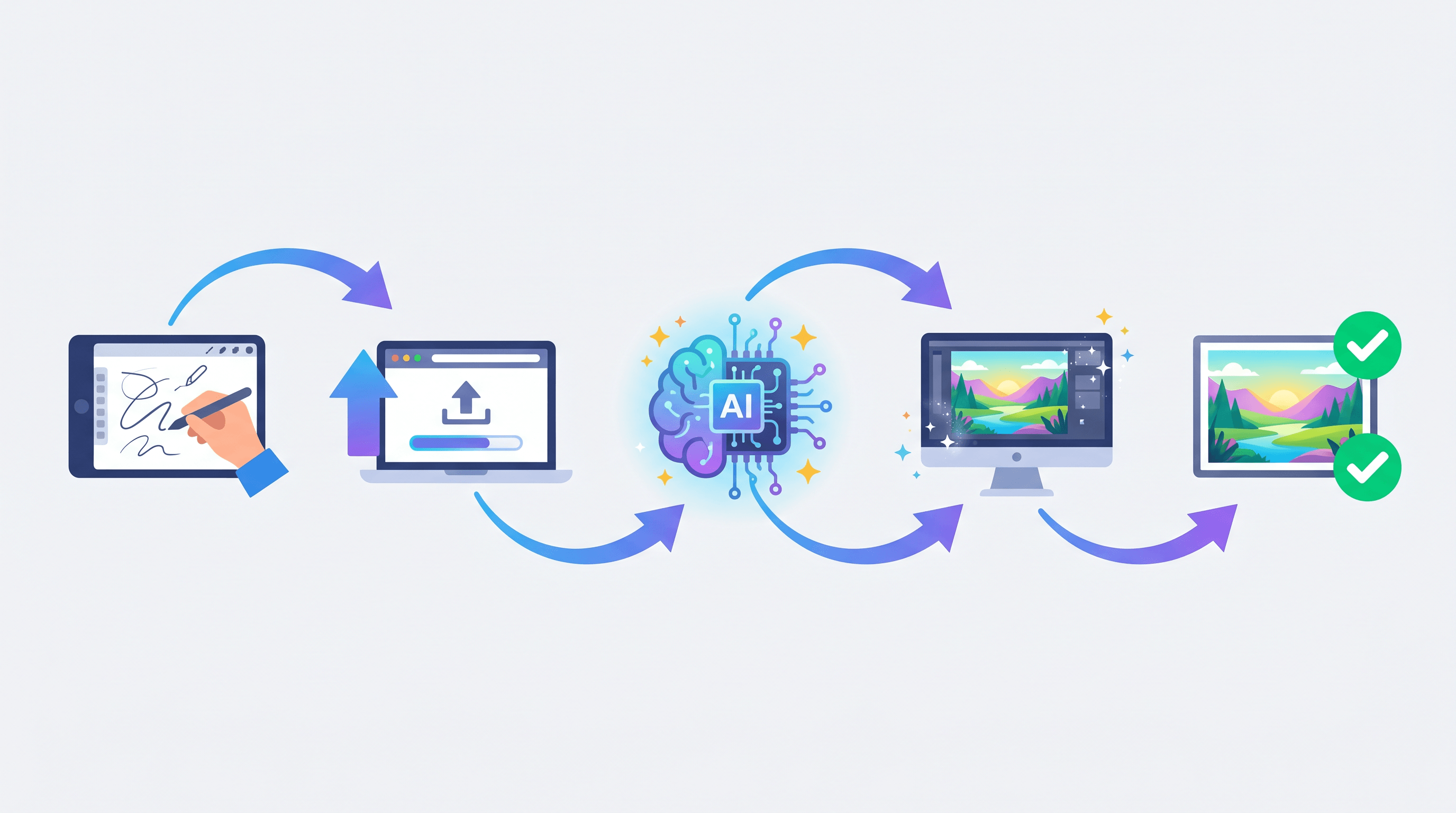
Here's a walkthrough using Sketch To as an example:
Step 1: Prepare your sketch. Scan or photograph your hand-drawn sketch. A clean white background with dark lines works best. Digital sketches from iPad or Wacom can be exported as PNG or JPEG.
Step 2: Upload your sketch. Go to Sketch To and upload your image. Accepted formats include PNG, JPEG, and WebP.
Step 3: Select a model. Choose Standard for quick iterations or Professional for maximum detail and realism. The Professional model excels at preserving fine line details and generating realistic textures.
Step 4: Add a prompt (optional). Describe the style or mood — "photorealistic portrait," "anime style," "oil painting." This guides the AI's interpretation of your sketch.
Step 5: Generate and refine. Results appear in about 10 seconds. Use the built-in background remover, image upscaler, or uncrop tool to polish the final output.
For comparison, running the same sketch through ControlNet requires installing Python, downloading models (2–8 GB each), configuring ComfyUI nodes, and tuning sampling parameters. The output ceiling may be higher with enough tweaking, but first-time setup alone takes 30–60 minutes.
FAQ
What is the best free AI sketch to image generator?
Scribble Diffusion is the best completely free option — no account required, unlimited generations, and open source. Leonardo AI offers 150 free tokens daily, enough for roughly 50–75 sketch-to-image generations. If you have an NVIDIA GPU with 8GB+ VRAM, running ControlNet locally is free after the initial hardware cost.
Can AI turn a rough sketch into a realistic photo?
Yes. Sketch To's Professional model, Midjourney with high image weight (--iw 2–3), and ControlNet with SDXL all produce photorealistic output from rough sketches. In our testing, ControlNet's Scribble model and Sketch To's Professional model preserved sketch structure most faithfully while generating realistic details.
What's the difference between online and local AI sketch to image tools?
Online tools (Sketch To, Midjourney, Leonardo AI, Krea AI) run in a browser — upload a sketch, get results, no setup needed. Local tools (ControlNet + Stable Diffusion) run on your own GPU, offering more control and full privacy but requiring hardware and technical configuration. Online tools typically cost $8–60/month; local tools are free to run after the GPU purchase.
How does sketch to image AI work?
Most tools use diffusion models guided by structural input. ControlNet, developed by Lvmin Zhang in 2023, introduced a way to condition image generation on edge maps, depth maps, or scribbles — telling the AI to generate an image while following your sketch's composition. Tools like Sketch To, Leonardo AI, and Krea AI build on this approach with user-friendly interfaces. ChatGPT takes a different path, using a vision-language model (GPT-4o) to interpret the sketch semantically and generate a corresponding image.
Is Midjourney good for sketch to image?
Midjourney produces excellent artistic output from sketches. Upload your sketch as an image prompt with --iw 2 or --iw 3 to make the output follow your drawing closely. However, it lacks a dedicated sketch mode — you're using general image prompting — so structural precision is lower than ControlNet-based tools like Sketch To or Leonardo AI. Plans start at $10/month with no free tier.
Can I use AI sketch to image tools for commercial projects?
Yes, but check each tool's license terms. Sketch To, Midjourney (paid plans), Leonardo AI (paid plans), and Adobe Firefly all permit commercial use of generated images. Scribble Diffusion is open source and commercially usable. Krea AI's free tier explicitly prohibits commercial use — you need a paid plan ($9/month minimum). ControlNet outputs are unrestricted since you own the models and run them locally.
Ready to turn your sketches into stunning images? Try Sketch To free → — professional AI sketch-to-image conversion with both standard and pro-grade models, no design skills needed.
Transform Your Images with AI
Turn sketches into stunning images, remove backgrounds, swap faces, and more — all powered by AI.
Try Sketch To FreeShare
Sketch To
Tech writer covering AI tools, image processing, and creative workflows.
Related Articles

Text to Image vs Sketch to Image: Krea 2 Lessons
Compare text to image vs sketch to image after Krea 2, and learn when prompts, sketches, or both fit concept art and design work.

Local AI Image Generator vs Online Sketch Tools
A local AI image generator gives you privacy and offline use; online sketch to image AI tools win on speed and polish. Full 2026 comparison.

Reve 2.0 Alternative: Sketch-to-Image Layout Control
Looking for a Reve 2.0 alternative? Compare 6 layout-based AI image generators and see when sketch-to-image beats 4K layout control.