
Best AI Image Generator Alternatives 2026: 5 Tools Tested
Searching for the best AI image generator alternatives 2026 has gotten harder, not easier. The open-source repo Open-Generative-AI gained 842 GitHub stars in a single day on April 25, 2026 — pitched as an uncensored replacement for Higgsfield, Freepik, Krea, and OpenArt. That signals one thing: users are actively shopping for alternatives, and a one-size-fits-all recommendation no longer holds.
We spent two weeks running the same set of prompts and reference sketches through five tools — Krea AI, Freepik AI, Openart AI, Higgsfield, and Sketch To — to map exactly which tool wins for which job. This is the result.
Evaluation criteria: model selection, sketch-to-image support, output quality, real-time canvas, pricing transparency, and commercial license terms.
Last updated: April 2026
Table of Contents
- What Counts as an AI Image Generator Alternative?
- Quick Comparison Table
- Krea AI
- Freepik AI
- Openart AI
- Higgsfield
- Sketch To
- How to Choose
- How to Turn a Sketch Into a Photo (Step-by-Step)
- FAQ
What Counts as an AI Image Generator Alternative?
An AI image generator alternative is any tool that lets you create or transform images using AI models — typically as a replacement for a single dominant platform like Midjourney or DALL·E 3. In 2026, the category has split into four sub-types: real-time canvas tools (Krea), all-in-one creative suites (Freepik), model-library sandboxes (Openart), and specialized workflow tools (Higgsfield for video, Sketch To for sketch↔image conversion).
The right alternative depends on what you're optimizing for: drawing speed, model variety, commercial license, or a specific input format like hand-drawn sketches. Below we break down the five strongest options.
Quick Comparison Table
| Tool | Best For | Models | Sketch→Image | Real-time Canvas | Free Tier | Starting Price |
|---|---|---|---|---|---|---|
| Krea AI | Real-time generation, brush-driven workflows | 64+ (Flux, Veo 3.1, Ideogram, Krea 1) | ✅ Sub-50ms | ✅ Yes | 100 units/day, no commercial use | $9/mo |
| Freepik AI | Photorealism + indemnified commercial output | 7+ named (Mystic, Imagen 4, Flux) | ✅ LCM-based | ✅ Yes | ~20 images/day | $5.75/mo |
| Openart AI | Maximum model variety + character consistency | 100+ (SDXL, Flux, Sora 2, Kling) | ✅ Dedicated app | ❌ No | 40 trial credits / 7 days | $14/mo |
| Higgsfield | Marketing video + UGC ad creative | 10+ (SOUL 2.0, KLING 3.0, Veo 3.1) | ❌ No | ❌ No | 10 credits/day | $15/mo |
| Sketch To | Bidirectional sketch ↔ image conversion | 2 (Standard + Professional) | ✅ Dedicated model | ❌ No | New-user trial credits | $8/mo |
Pricing verified April 2026 from each tool's pricing page.
Krea AI — Real-Time Canvas with the Broadest Model Library
Krea AI is the market leader in real-time AI image generation, with 30M+ users across 191 countries and a flagship Realtime Canvas that updates in under 50ms as you draw. In our testing, the brush-to-image latency felt closer to a Photoshop filter than a generative tool — there's no "generate" button, the image just keeps rebuilding while you sketch.
Key Features
- Realtime Canvas with sub-50ms generation — sketch → image while you draw
- Native 4K text-to-image with 1,000+ preset styles
- Image upscaling to 22K resolution; video upscaling to 8K + 120fps interpolation
- Webcam and screen-share input — model restyles your live video feed
- LoRA fine-tuning, with up to 2,000 training files on the Max plan
- Voice mode (March 2026 redesign) — speak instructions while drawing
Pricing
- Free: 100 compute units/day, no commercial license
- Basic: $9/mo (5,000 units)
- Pro: $35/mo (20,000 units, all video models)
- Max: $70/mo (60,000 units, unlimited LoRAs, 22K upscale)
- Business: $200/mo (50 seats)
Best For
Designers and digital artists who want stroke-by-stroke real-time generation across the broadest model selection on a single platform.
Not Ideal For
- Compute-unit pricing is opaque — heavy video use burns credits faster than expected
- Free tier blocks all commercial use, so client work requires a paid plan
- Realtime models prioritize speed over fidelity vs. dedicated photoreal models
- Steep learning curve for the node-based workflows on Pro+
Krea is the krea ai alternative leader for one reason: nothing else matches the realtime canvas. If you don't need that specific feature, the $9 Basic tier is overkill.
Freepik AI — Mystic Model + Legal Indemnification
Freepik AI is the AI generation arm of the Freepik stock library, anchored by the proprietary Mystic model family (built with Magnific.ai) for photorealistic 2K output. The killer feature for agencies is legal indemnification on Premium plans — Freepik covers commercial liability on AI-generated content, which most competitors do not.
Key Features
- Mystic model family (1.0, 2.5, 2.5 Flexible, 2.5 Fluid) — native 2K photorealism
- Real-time Sketch to Image powered by Latent Consistency Models (LCMs)
- Reimagine (image-to-image variations), inpainting, paint-over regeneration
- Webcam input → instant transformation
- Indemnified commercial generation on Premium plans
- Bundles AI generation with the Freepik stock library and Pikaso editor
Pricing (annual rates)
- Free: ~20 images/day
- Essential: $5.75/mo (8,000 AI credits)
- Premium+: $24.50/mo (heavy AI users, extra credit purchases)
- Premium: $40/mo (unlimited indemnified generation)
Best For
Marketing teams and agencies who need photorealistic output, legal indemnification, and a stock library on the same subscription.
Not Ideal For
- Credit system is hard to predict — different models cost different credits
- No real-time canvas like Krea (LCM sketch-to-image is fast but not stroke-by-stroke)
- Interface is busy; AI tools are buried inside the stock-asset marketplace
- Mystic 2K trails Krea's native 4K and OpenArt's upscale options for max resolution
In the freepik ai vs openart split, Freepik wins on commercial safety and photorealism; Openart wins on model count and creative range.
Openart AI — 100+ Models and Character Consistency
Openart AI markets itself as a "boundary-free AI drawing" sandbox, and the model library backs that up: 100+ premium models in one interface, the largest of any tool tested. The standout feature is Character 2.0 (released late 2025), which keeps a single character visually consistent across all shots from just one reference image — useful for comics, storyboards, and ad creative.
Key Features
- 100+ AI models (SDXL, Flux, Ideogram V3, Sora 2, Kling 2.6, plus 20+ public models)
- Character 2.0 — single-image character consistency across all generations
- Dedicated Sketch-to-Image app with line-following AI
- Custom LoRA training and bulk creation workflows
- Built-in editor: inpainting, hand/face fix, background removal, object replacement
- ComfyUI workflow marketplace for community-shared pipelines
Pricing
- Free: 40 trial credits over 7 days, private only
- Essential: $14/mo (4,000 credits ≈ 4,000 images / 50 videos)
- Advanced: $29/mo (12,000 credits, commercial rights)
- Infinite: $56/mo (24,000 credits, priority support)
- Wonder: $240/mo (106,000 credits, unlimited creation)
Best For
Hobbyists and creators who want maximum model variety, ComfyUI workflows, and consistent characters for serial storytelling.
Not Ideal For
- Trial credits expire in 7 days — short evaluation window
- No commercial rights below the $29 Advanced tier
- 100+ models with no clear default path is overwhelming for beginners
- No real-time canvas — slower iterative loop than Krea or Freepik Pikaso
Higgsfield — Marketing-Grade Video + Character ID
Higgsfield is the most video-centric tool on this list, built around its SOUL 2.0 image model and SOUL ID character consistency system (train from 20 photos in ~3 minutes). It's positioned as marketing infrastructure rather than a creative sandbox — the dashboard is organized into Marketing Studio, Cinema Studio, and Originals (their streaming platform for AI-generated shorts).
Key Features
- SOUL 2.0 photorealistic image model with curated aesthetic presets
- SOUL ID character consistency from 20 reference photos
- 50–60+ style presets ("Amalfi Summer", "0.5 Selfie", "Gorpcore Outdoor")
- Motion Control — up to 30 seconds of precise character animation
- 100+ one-click "creator apps" for UGC and ad creative
- Up to 8 parallel jobs on the top tier
Pricing
- Free: 10 credits/day, 1 concurrent job
- Starter: $15/mo (200 credits)
- Plus: $39/mo (1,000 credits, 5,000 free Soul V2 generations, 365-day unlimited image model access)
- Ultra: $99/mo (3,000 base credits up to 9,000, 10,000 free Soul V2 generations)
Best For
Marketers, UGC creators, and short-form video producers who need character-consistent ads and cinematic clips at scale.
Not Ideal For
- Heavily video-skewed — not the right tool for still-image-only workflows
- No real-time sketch canvas; text and photo input only
- SOUL ID requires 20+ reference photos vs. OpenArt's single-image Character 2.0
- Credit costs for video are steep; Ultra at $99 still gates the best models behind further upgrades
Sketch To — Bidirectional Sketch ↔ Image Conversion
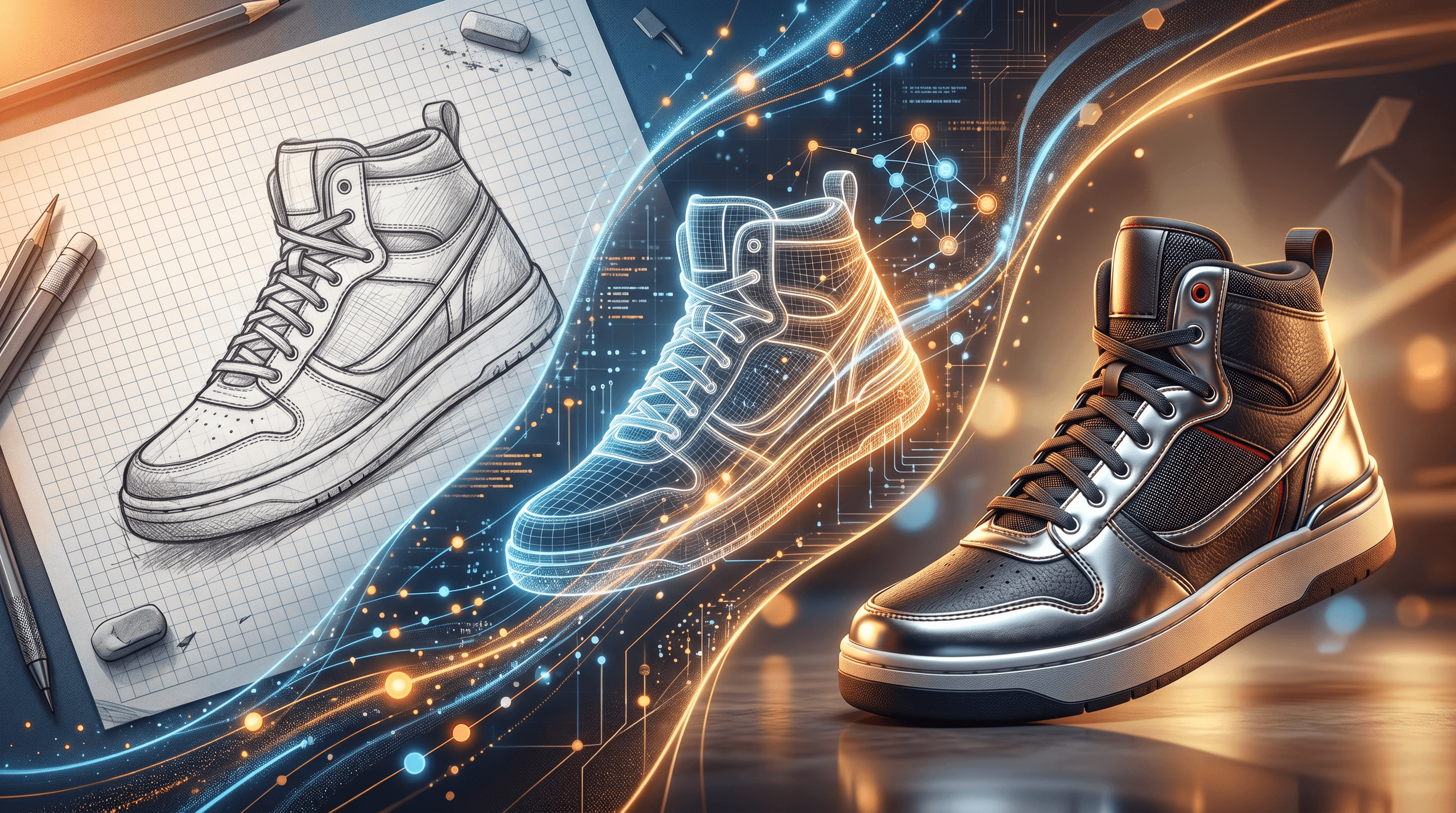
Sketch To takes a different angle from the four tools above: instead of competing on model count or video output, it specializes in bidirectional sketch ↔ image conversion. Most generators on this list accept text prompts and reference images; Sketch To is the only tool tested with a dedicated AI model that turns hand-drawn sketches into photorealistic images and turns photos back into pencil sketches. In our sketch to ai review testing, the Professional model produced realistic textures and lighting from rough pencil drawings in about 10 seconds.
Key Features
- Sketch to Image AI: turn hand-drawn sketches into photorealistic images
- Image to Sketch: convert any photo into a pencil sketch with adjustable detail
- Two AI models: Standard (fast, ~3 seconds) and Professional (high-detail, ~10–15 seconds)
- Background Remover: isolate subjects before or after conversion
- Image Upscaler: increase output resolution for print-quality results
- Uncrop: AI-fill image boundaries beyond the original frame
Pricing
- Basic: $8/mo (960 credits/year, ~480 images)
- Pro: $16/mo (6,000 credits/year, ~3,000 images)
- New users get free trial credits to test both models
Best For
Illustrators, product designers, and concept artists who sketch on paper and need to see realistic previews — or who need to turn finished photos into clean line art for tutorials, tattoos, or coloring books.
Not Ideal For
- Single-purpose tool — not a Krea/Openart replacement for general text-to-image work
- Two AI models vs. Krea's 64 or Openart's 100+
- No real-time canvas; conversions run as discrete jobs
- Web-only, no native desktop or mobile app
- New-user trial credits only; no permanent free tier
How to Choose the Right AI Image Generator Alternative
The best AI image generator alternatives 2026 split cleanly by use case. Pick based on the input you actually have and the output you actually need:
- Real-time, brush-driven generation: Krea AI at $9/mo. Sub-50ms canvas is unmatched.
- Photorealism + commercial safety: Freepik AI at $5.75/mo (Essential) or $40/mo (Premium for indemnification).
- Model variety + character consistency for storytelling: Openart AI at $14/mo, but jump to the $29 Advanced tier for commercial rights.
- Marketing video + UGC ad creative: Higgsfield at $15/mo Starter or $39/mo Plus for serious volume.
- Sketch ↔ photo conversion specifically: Sketch To at $8/mo. The only tool tested with dedicated bidirectional models.
Budget picks: Freepik Essential ($5.75/mo), Sketch To Basic ($8/mo), Krea Basic ($9/mo). Maximum range: Openart Advanced ($29/mo, 100+ models, commercial rights). Specialized workflow: Higgsfield Plus ($39/mo for video volume), Sketch To Pro ($16/mo for sketch-heavy work).
If you're shopping for a krea ai alternative because the credit system feels opaque or the realtime canvas is overkill, look at Freepik first for similar features at lower price, or Sketch To if your input is paper drawings rather than text prompts.
How to Turn a Sketch Into a Photorealistic Image (Step-by-Step)
Every tool on this list except Higgsfield supports some form of sketch-to-image, but the workflows differ significantly. Here's how to do it cleanly using Sketch To, which produced the most realistic results from rough drawings in our testing:
- Scan or photograph your sketch. Any phone photo works. Make sure the lines are clear against a light background — uneven lighting tends to confuse all sketch-to-image models, not just Sketch To's.
- Open Sketch To's Sketch to Image AI and upload the file. The tool accepts JPG, PNG, and WEBP up to standard sizes.
- Pick the model. Standard renders in about 3 seconds and works for casual previews. Professional takes 10–15 seconds and produces photo-realistic textures and lighting — use this for client work.
- Add a short text prompt describing materials and lighting (e.g., "chrome metal, studio lighting" or "oak wood, morning sun"). The model uses your sketch for shape and the prompt for surface treatment.
- Generate, then refine with the built-in upscaler if you need print resolution, or the background remover to drop the result into a different scene.
The whole pipeline runs in the browser, no install. For comparison: Krea's realtime canvas is faster but requires you to draw inside their UI, and Openart's sketch-to-image app needs you to navigate a 100-model selector first.
FAQ
What is the best AI image generator alternative in 2026?
There is no single best — it depends on the input and output. Krea AI wins for real-time brush-driven generation, Freepik AI for photorealism with commercial indemnification, Openart AI for model variety, Higgsfield for marketing video, and Sketch To for bidirectional sketch ↔ image conversion. For most general users, Freepik Essential at $5.75/mo offers the best price-to-feature ratio.
Is there a free AI image generator alternative?
Yes, but free tiers vary widely. Krea offers 100 compute units/day with no commercial use. Freepik allows about 20 images/day. Openart gives 40 trial credits over 7 days. Higgsfield provides 10 credits/day. Sketch To gives new users free trial credits to test both Standard and Professional models. None of these free tiers are sufficient for production work — expect to pay $5.75–$15/mo for sustained use.
Which tool supports sketch-to-image?
Four of the five tools tested support sketch-to-image: Krea (real-time canvas), Freepik (LCM-based Sketch to Image), Openart (dedicated app), and Sketch To (bidirectional dedicated model). Higgsfield does not — it accepts text and photo references but not hand-drawn sketches as a primary input. Sketch To is the only tool with a dedicated bidirectional model — it also turns photos back into sketches.
Freepik AI vs Openart AI: which should I pick?
In the freepik ai vs openart matchup, Freepik wins on commercial safety (indemnification on Premium plans) and photorealism (Mystic at native 2K). Openart wins on model count (100+ vs. 7+ named) and character consistency (Character 2.0 from a single reference image). Pick Freepik if you do client work and need legal coverage; pick Openart if you produce comics, character-driven art, or want to experiment across many models.
Are these AI image generator alternatives safe for commercial use?
Most are, with conditions. Freepik Premium plans include legal indemnification (the strongest commercial protection on this list). Openart grants commercial rights from the $29 Advanced tier upward. Krea blocks commercial use on the free tier — paid plans allow it. Higgsfield's terms allow commercial use on paid plans. Sketch To allows commercial use on both Basic and Pro plans. Always check each tool's current terms before publishing client work.
How do these compare to Midjourney or DALL·E 3?
All five tools here are positioned as alternatives to or replacements for Midjourney and DALL·E 3 specifically because they offer features those platforms lack: real-time canvases (Krea), commercial indemnification (Freepik), 100+ models on one platform (Openart), character ID systems (Higgsfield, Openart), and dedicated sketch-to-image models (Sketch To). If you're switching from Midjourney for a specific reason, that reason determines which alternative fits.
Conclusion
The best AI image generator alternatives 2026 aren't ranked one through five — they're sorted by job. Krea AI for real-time, Freepik for commercial photorealism, Openart for variety, Higgsfield for video, and Sketch To for the specific case of converting between sketches and photos. The fastest way to choose is to start with the input you have (text prompt, reference photo, or hand drawing) and the output you need (single image, character series, video clip, or sketch).
Ready to turn your sketches into photorealistic images? Try Sketch To free → — the only tool tested with a dedicated bidirectional model, no design skills needed.
Transform Your Images with AI
Turn sketches into stunning images, remove backgrounds, swap faces, and more — all powered by AI.
Try Sketch To FreeShare
Sketch To
Tech writer covering AI tools, image processing, and creative workflows.
Related Articles
Google Pics vs Independent AI Image Tools: Which One Fits Your Work?
Google Pics brings Nano Banana image editing into Slides, Docs, and Drive. See how it compares with independent AI image platforms — and which one fits your workflow.
Text to Image vs Sketch to Image: Krea 2 Lessons
Compare text to image vs sketch to image after Krea 2, and learn when prompts, sketches, or both fit concept art and design work.
Local AI Image Generator vs Online Sketch Tools
A local AI image generator gives you privacy and offline use; online sketch to image AI tools win on speed and polish. Full 2026 comparison.