
PhotoCraft vs Photoshop: Is the Open-Source Photoshop Alternative Worth Downloading?
PhotoCraft has been everywhere for the past two weeks: a free, open-source image editor that looks and behaves like Photoshop, built from scratch in Rust, with roughly 50,000 GitHub stars and a new release landing while the hype was still climbing. It opens real PSD files, runs on macOS, Windows, Linux, FreeBSD, and even in your browser, and it costs nothing.
So is it worth downloading? The honest answer, straight from the project itself: yes if you're curious — but it is officially in early alpha and "not yet a Photoshop replacement for daily professional work." That warning is in PhotoCraft's own README, and it's the most useful single fact about the project. This review walks through what PhotoCraft can and can't do today (v0.7.0, released October 11, 2026), how it stacks up against Photoshop on documented facts, and exactly how to install it from the official sources.
What is PhotoCraft?
PhotoCraft is one of seven "Crafting Apps" built by ArtCraft, a project founded about a year ago by software engineer Brandon Thomas — previously the CEO of Storyteller.ai and an engineer at Square. The suite takes aim at Adobe's lineup: PhotoCraft against Photoshop, FilmCraft against Premiere, LightCraft against Lightroom, and so on. PetaPixel's October 7 report describes how Thomas used Anthropic's Opus 5.5 LLM to accelerate development, while pushing back on the "vibe coder" label — he describes himself as a 15-year industry veteran who has worked in Rust for about a decade.
A few facts anchor what kind of project this is:
- Clean-room reimplementation. PhotoCraft is built from Adobe's public specifications and observed behavior — no proprietary code, shaders, or assets. That's why it can legally exist; it's also why its Photoshop compatibility claims are testable.
- Permissive license. The code is dual-licensed under MIT or Apache-2.0, so you can use, modify, and redistribute it freely.
- Fast, real traction. The GitHub repository was created on September 30, 2026 and passed 50,000 stars within two weeks; version 0.7.0 shipped on October 11 with installers for every major platform.
PetaPixel also raises the one open legal question worth knowing about: copyright is settled by the clean-room approach, but patents covering specific techniques remain an unresolved gray area. Nothing has come of it so far — it's context, not a blocker.
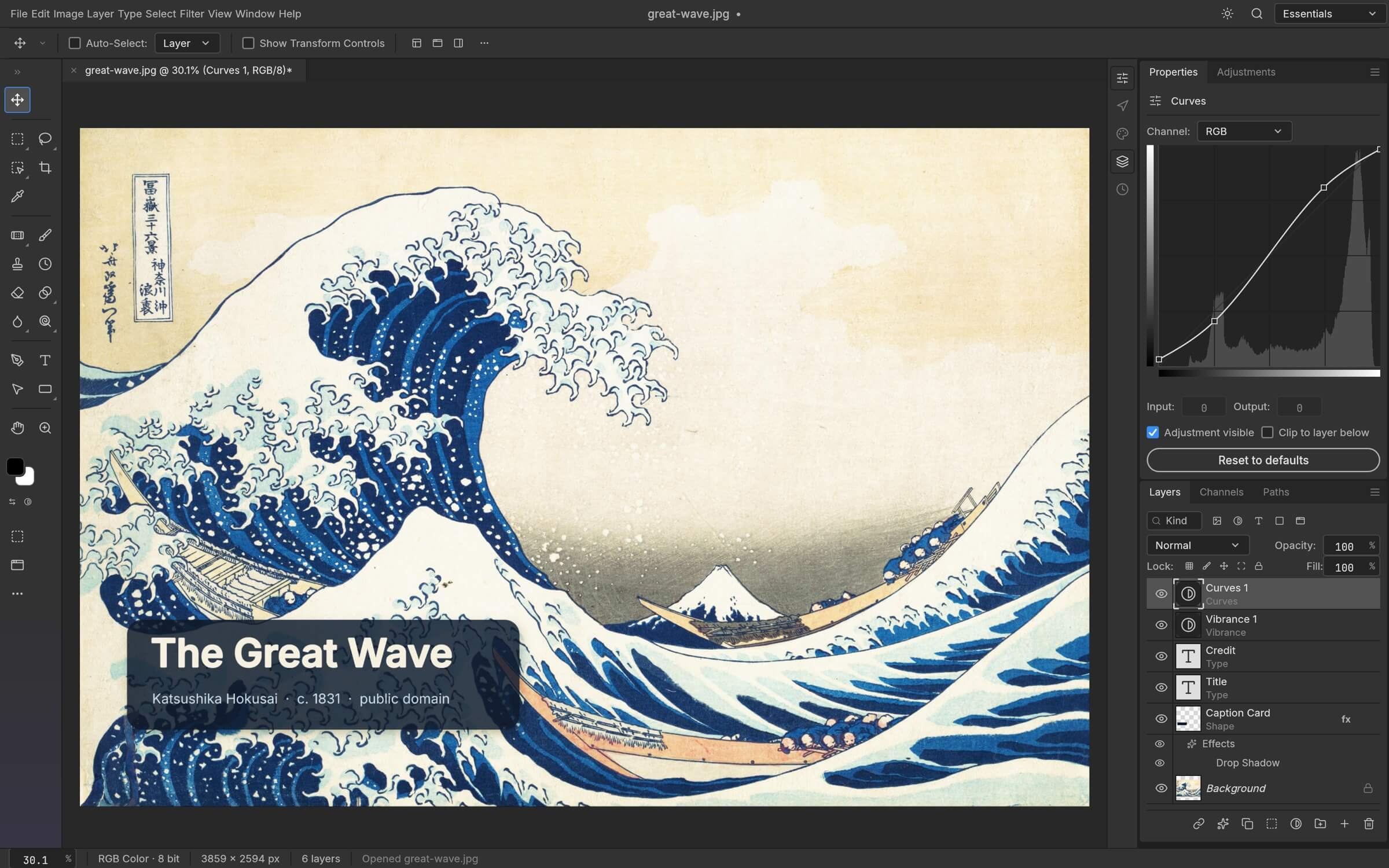
PhotoCraft's adjustment layers and live type in action — image from the official PhotoCraft README, courtesy of the ArtCraft team.
What PhotoCraft can do today
The feature list in the official README is unusually specific, which makes it verifiable. The documented surface includes:
- 67 tools, from marquees, lassos, and the Magic Wand through Quick Selection, Object Selection, and Select Subject, to the Pen family, Clone Stamp, Healing Brush, and Content-Aware Move.
- 16 adjustment layers (Curves with per-channel editing, Levels with a live histogram, Hue/Saturation, Channel Mixer, Color Lookup, and more) that keep every edit non-destructive and maskable.
- Layer styles — Drop Shadow, Outer/Inner Glow, Bevel & Emboss, Stroke, overlays — that round-trip through PSD files.
- A real type and vector stack: on-canvas point and paragraph text, Pen and shape tools, and boolean shape operations.
- Deep color support: RGB, grayscale, CMYK, and Lab documents at 8, 16, or 32 bits per channel, with real ICC color management, soft proofing, and gamut warning.
- Broad format support: PSD and PSB, layered TIFF, OpenRaster for Krita and GIMP, Paint.NET files, SVG, read-only imports of Affinity documents and iPhone HEIC photos.
Two documented numbers stand out because they go to the heart of "can I trust it with my files": opening and re-saving a document renders identically for 307 of 309 files in the independent psd-tools test corpus, and all 116 of 116 shape layers in the project's Photoshop-authored test corpus match Photoshop's pixels. The project also reports more than 1,700 automated tests, including a CPU compositor that serves as a reference oracle for the GPU renderer.
One more thing that separates PhotoCraft from most "free Photoshop" attempts: every one of its 500+ commands is scriptable. The same actions the UI performs can be driven through a CLI (photocraft-cli), a JSON control channel, or an MCP server — so the app is unusually automation-friendly for a desktop editor.
PhotoCraft vs Photoshop: the documented comparison
No hands-on benchmarks here — this is a comparison of the documented, verifiable feature surface as of v0.7.0:
| PhotoCraft v0.7.0 | Adobe Photoshop | |
|---|---|---|
| Price | Free | Subscription (no perpetual license) |
| Source / license | Open source, MIT or Apache-2.0 | Proprietary |
| Platforms | macOS, Windows, Linux, FreeBSD, browser (WASM) | macOS, Windows, iPad; no Linux |
| PSD support | Opens, edits, saves layered PSD/PSB; 307/309 round-trip fidelity on the psd-tools corpus | Native, the reference implementation |
| AI features | None (named as the biggest gap by the project) | Extensive generative AI toolset (Generative Fill, etc.) |
| Plug-ins | Not compatible with Photoshop plug-ins | Large third-party ecosystem |
| Maturity | Early alpha (project's own label) | Over 35 years of development |
| Offline use | Fully offline, no account | Requires Adobe sign-in / licensing |
The project's own README is admirably blunt about the last row's context: every Photoshop menu item is wired to a command, but "that measures wiring, not behaviour." In other words, PhotoCraft having a Curves dialog doesn't yet mean its Curves matches Photoshop's in every edge case — the parity checklist tracks wiring, and the honest dimension-by-dimension assessment lives in the project's roadmap.
Where PhotoCraft falls short today
The project lists its biggest gaps itself, and they're exactly what you'd expect at alpha:
- No AI/generative features — no generative fill, expand, or text-to-image. This is the single largest functional difference from modern Photoshop.
- 15 missing tools out of Photoshop's set.
- Depth in typography and professional workflows still being built out.
- No Photoshop plug-in compatibility — your Nik Collection or editor extensions don't carry over.
There are also platform-level rough edges, honestly documented: on Linux under Wayland, dragging a file onto the window doesn't work yet (a known windowing-library limitation, with workarounds in the README). Expect occasional bugs and file issues with your OS and document attached, as the project asks.
If what you actually want is AI-powered image creation rather than a layer-based manual editor, that's a different tool category entirely — browser-based AI studios like SketchTo's sketch-to-render turn a sketch or idea into a rendered image with generative models, which is precisely the territory PhotoCraft hasn't entered. For now, no single free tool covers both worlds.
For professionals whose income depends on exact color matching, plug-ins, or client files that must render identically everywhere, Photoshop (or Affinity Photo) remains the safer bet today — a caution PetaPixel's report echoes. For everyone else, the calculus is different.
Is PhotoCraft safe to download?
The code being open source under MIT/Apache-2.0 means nothing is hidden, but the practical question is where you download it. Search results for PhotoCraft are already crowded with third-party websites — various photocraft.* domains that are not among the official channels listed in the project's README. Some host re-packages or "guides"; none of them are the project's own.
Official channels only:
- github.com/storytold/photocraft — the source repository, with a Releases page carrying every installer plus a
SHA256SUMS.txtchecksum file so you can verify what you downloaded. - getartcraft.com/apps/photocraft — the official download page.
- Discord (discord.gg/artcraft) — community support.
Windows installers and macOS binaries are code-signed, and the macOS app and CLI are notarized by Apple, so Gatekeeper verification is normal. If you want to be thorough, compare your download's SHA-256 against SHA256SUMS.txt in the release.
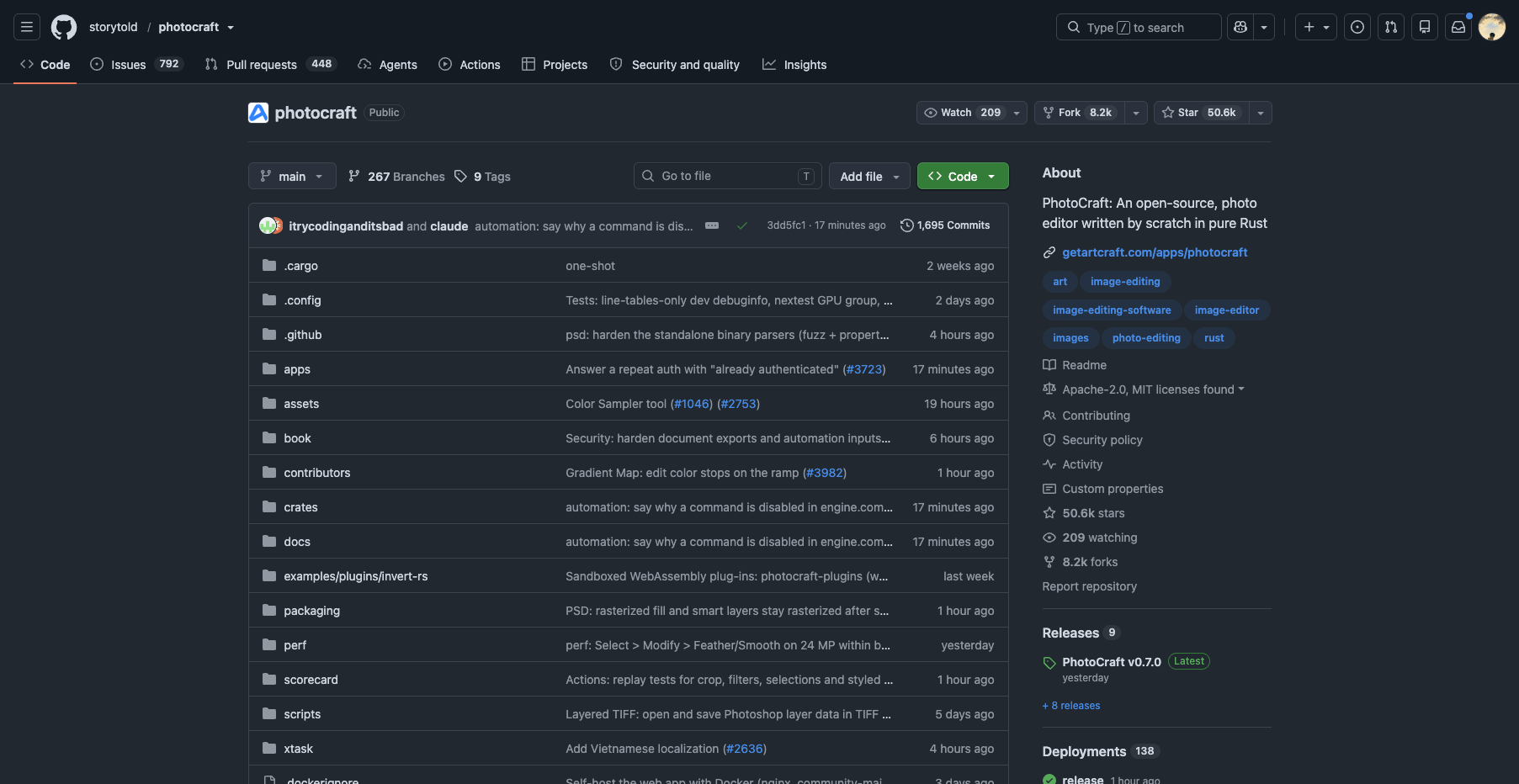
The official repository: github.com/storytold/photocraft — download only from sources listed in the project README (screenshot: Oct 12, 2026).
How to install PhotoCraft
Every installer comes from the latest GitHub release (v0.7.0 at the time of writing). Pick your platform:
macOS — download photocraft-<ver>-macos-universal.dmg (one binary for both Apple silicon and Intel; signed and notarized). Open the DMG and drag PhotoCraft to Applications. A separate signed CLI tool ships as photocraft-cli-<ver>-macos-universal.zip.
Windows — pick the MSI matching your CPU (-x64, -arm64 for Snapdragon machines, or -x86), or the -portable.zip if you prefer no install. Installers are code-signed.
Linux — the widest choice: an AppImage that runs anywhere (and self-updates via AppImageUpdate), a sandboxed Flatpak (flatpak install --user photocraft-<ver>-linux-x86_64.flatpak, then flatpak run ai.storyteller.photocraft), plus .deb, .rpm, and plain tarball builds for x86_64 and aarch64. On Wayland, use File › Open instead of drag-and-drop for now.
FreeBSD 14 — install the runtime libraries listed in the README (pkg install libxkbcommon wayland …), then unpack the tarball.
In the browser — the engine compiles to WebAssembly. The release includes photocraft-web-<ver>.zip that any static server can host (the docs include a Docker setup), so teams can self-host a no-install version.
From source — git clone https://github.com/storytold/photocraft && cd photocraft && cargo run --release -p photocraft. You'll need a Rust toolchain; the README covers optional font packs and build features.
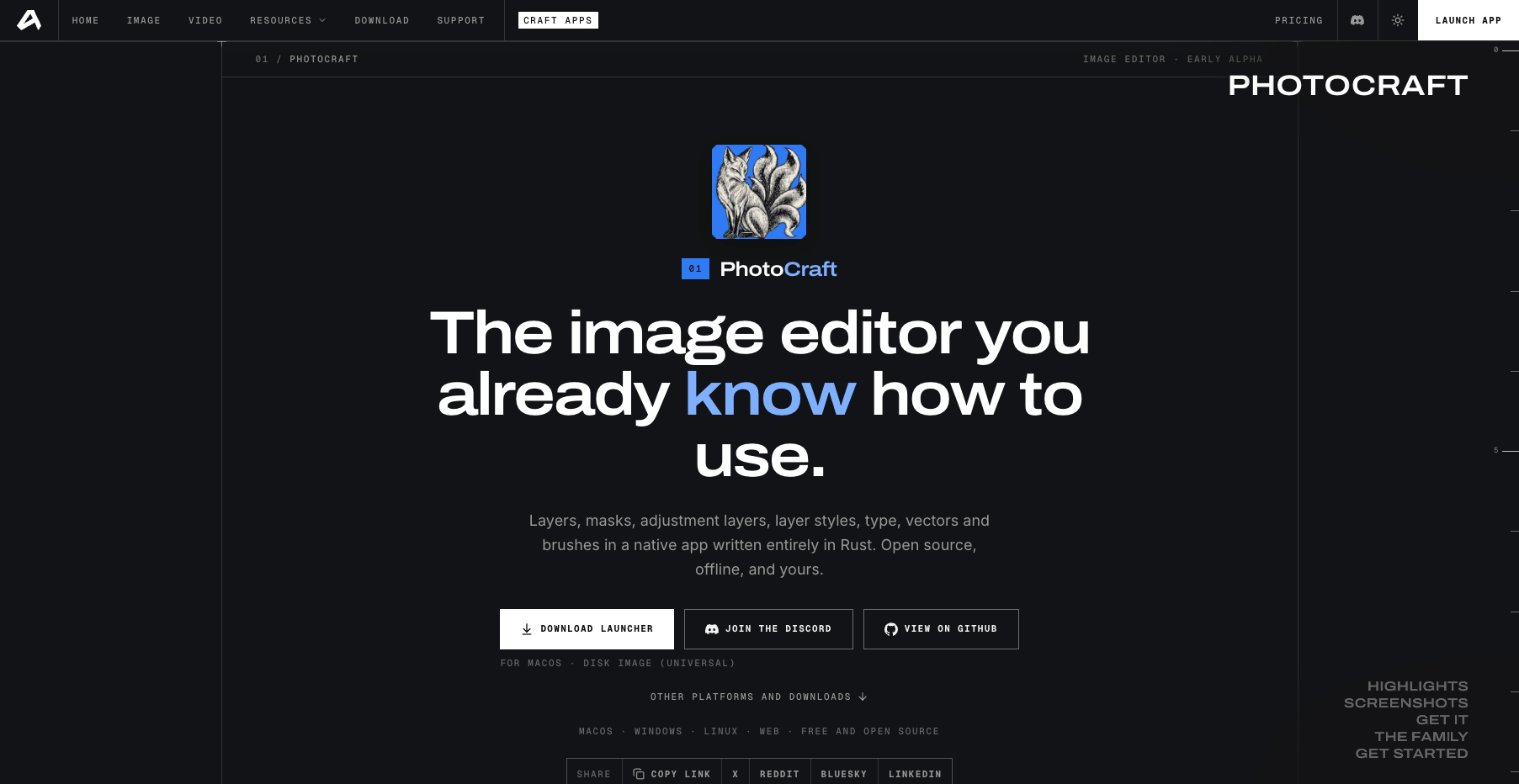
The official download page on getartcraft.com (screenshot: Oct 12, 2026).
Verdict: who should download PhotoCraft now?
Download it today if you're: a curious hobbyist who wants a Photoshop-style editor without a subscription; a Linux user (where Photoshop has never existed); a developer or automation tinkerer excited by a scriptable, agent-ready image engine; or anyone who enjoys watching a genuinely ambitious open-source project evolve in public.
Wait, or keep Photoshop alongside it, if you're: a working professional whose files must be pixel-identical across teams and plug-ins; someone who depends on generative AI features; or anyone whose workflow tolerates no alpha-stage surprises. Do try it on copies of your documents — the PSD round-trip numbers are impressive, but alpha means alpha.
The one-line summary: PhotoCraft is the most credible open-source run at Photoshop's actual feature set in years — its documented PSD fidelity and tool coverage are real — and it is exactly what it says it is: an early-alpha project on a fast trajectory, free in every sense, worth downloading to explore today and worth re-checking in six months.
Facts in this review come from the official PhotoCraft README and releases (v0.7.0, October 11, 2026), GitHub repository data, the official ArtCraft site, and PetaPixel's October 7, 2026 report. No hands-on testing is claimed; capability statements reflect the project's documented feature surface.
Transform Your Images with AI
Turn sketches into stunning images, remove backgrounds, swap faces, and more — all powered by AI.
Try Sketch To FreeShare
SketchTo Team
Tech writer covering AI tools, image processing, and creative workflows.
Related Articles
Google Pics vs Independent AI Image Tools: Which One Fits Your Work?
Google Pics brings Nano Banana image editing into Slides, Docs, and Drive. See how it compares with independent AI image platforms — and which one fits your workflow.
Text to Image vs Sketch to Image: Krea 2 Lessons
Compare text to image vs sketch to image after Krea 2, and learn when prompts, sketches, or both fit concept art and design work.
Local AI Image Generator vs Online Sketch Tools
A local AI image generator gives you privacy and offline use; online sketch to image AI tools win on speed and polish. Full 2026 comparison.