
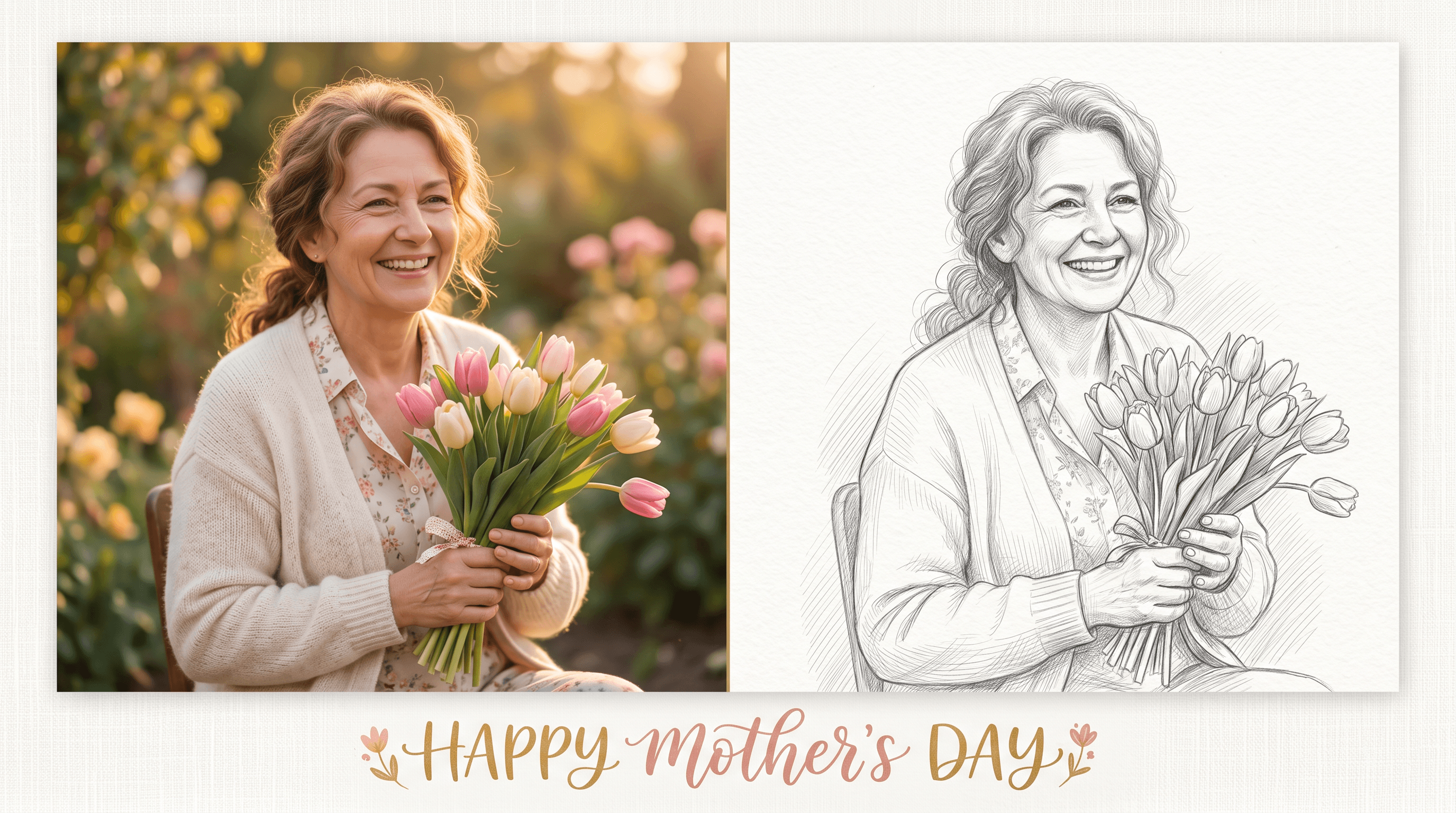
How to Turn a Photo into a Sketch for Mother's Day
Your mom's camera roll has hundreds of pictures she's never printed. The Mother's Day card aisle has the same five jokes you bought her last year. You want something in between — a gift that feels handmade without requiring an art degree.
Turning one of her photos into a hand-drawn sketch hits that middle ground. AI tools can convert a phone snapshot into a pencil, charcoal, or watercolor portrait in under a minute, and the result looks like an illustrator spent hours on it. Frame it, slip it into a card, or print it on a mug — the photo she's seen a hundred times becomes something she'll keep on her desk.
This tutorial walks through the full process: picking the right photo, choosing a sketch style, generating the portrait, and turning it into a gift she'll actually use.
Table of Contents
- Why a Sketch Portrait Makes a Good Mother's Day Gift
- Step-by-Step: Photo to Sketch in 3 Steps
- Pro Tips for a Sketch That Actually Looks Like Mom
- Gift Ideas Beyond the Print
- FAQ
- Conclusion
Why a Sketch Portrait Makes a Good Mother's Day Gift
A sketched portrait costs less than $20 to make at home and feels more personal than store-bought decor. Unlike a printed photo, a sketch invites a second look — the soft lines flatter the subject and turn a casual phone picture into something portrait-like.
The format also adapts to different kinds of moms. A grandmother might prefer a soft pencil portrait that slots into her existing photo wall. A mom with a modern apartment might like a bold charcoal sketch in a black frame. A creative mom might love a watercolor-line version printed on a mug or tote bag.
The data backs the timing. On TikTok in the past week, #mothersday tagged over 109K posts in the US, with #diadelasmadres adding another 41K from Spanish-speaking communities. Google Trends shows "día de la madre" searches up over 1,000% in May, and "personalized mom gift" queries spike each year in the first week of the month.
Personalized gifts also outperform generic ones on retention. Etsy's 2024 holiday report noted that gifts described as "custom" or "made-to-order" had 35% higher repeat-purchase rates than mass-produced items — a sign that recipients kept and noticed them.
Step-by-Step: Photo to Sketch in 3 Steps
Step 1: Pick the Right Photo of Mom
Not every photo converts well. AI sketch tools need a clear subject and even lighting to produce a portrait that's recognizable as her.
Look for a photo where:
- Mom's face is the focal point, ideally taking up at least 40% of the frame.
- Lighting is even — direct sunlight on one half of the face creates hard shadows that turn into harsh black blocks in the sketch.
- The background is simple — busy backgrounds (groups of people, cluttered rooms) often translate into messy lines that distract from the portrait.
- Resolution is at least 1500px on the longest side — anything smaller looks pixelated when scaled for an 8x10 print.
A favorite candidate: that photo from her birthday last year where she's laughing and the light is soft. Phone selfies in indoor light, group photos at a wedding, or old scanned prints all work — as long as her face is sharp.
If your best photo has a noisy background, crop tight around the head and shoulders before uploading. You'll get cleaner lines and a more poster-like result.
Step 2: Choose a Sketch Style
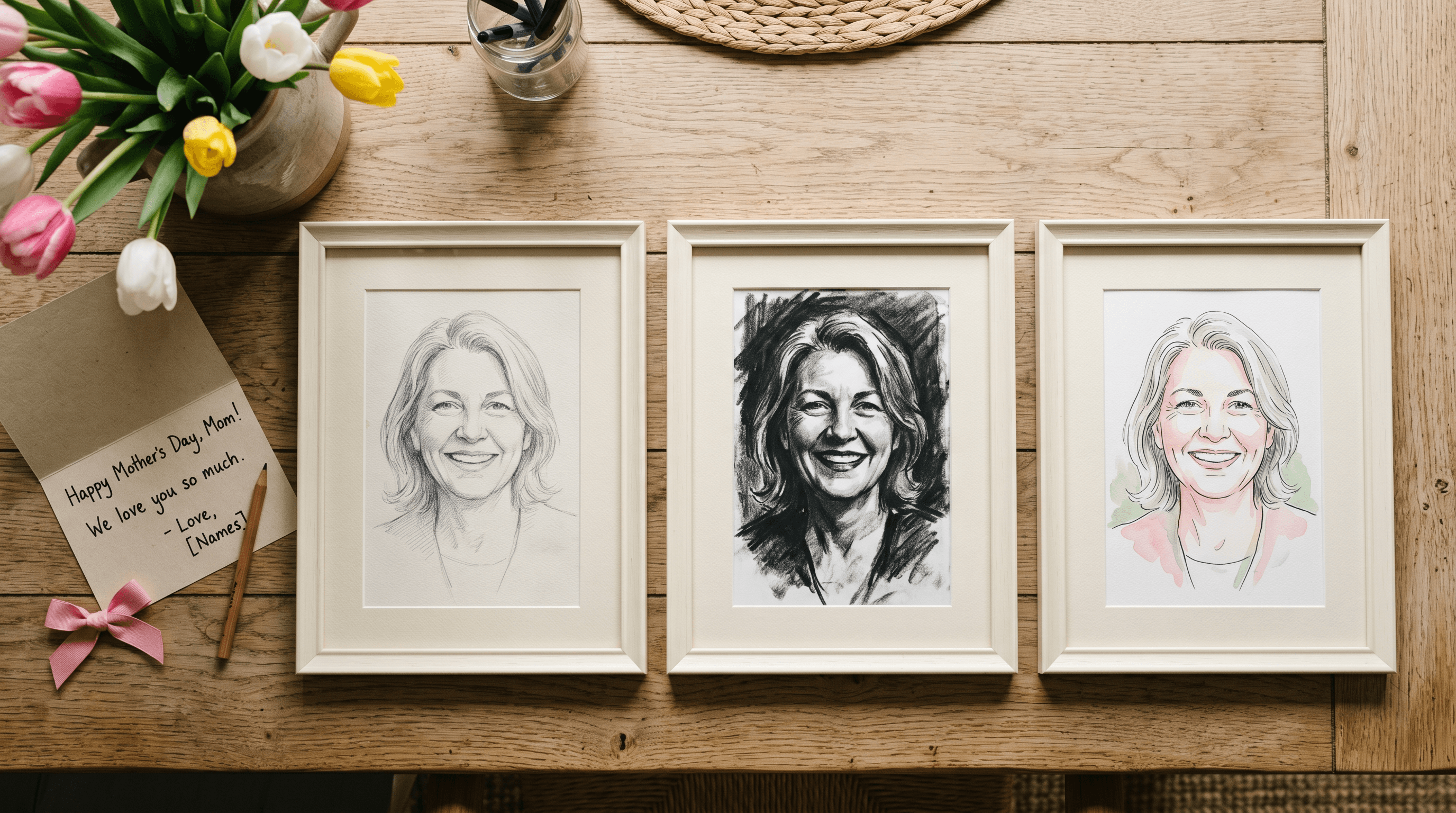
Three styles cover almost every taste:
| Style | Look | Best for |
|---|---|---|
| Pencil sketch | Soft, classic, looks like a graphite drawing | Traditional moms, framed prints, grandparents |
| Charcoal sketch | Bold, high contrast, dramatic shading | Modern frames, dark walls, statement gifts |
| Watercolor line | Clean outlines with light color washes | Mugs, tote bags, T-shirts where color reads well |
For most photos, head to a photo-to-sketch tool, upload the image, and select the style. Sketch To handles all three and offers a Professional Model that preserves facial features more accurately than the standard preset — which matters when the recipient is going to study every detail. Conversion takes about 10 to 30 seconds per photo and you can preview before downloading. (A free account covers several attempts with trial credits.)
If you want to test more variations, run the same photo through both the standard and professional models and compare. The difference shows up most clearly around the eyes and mouth — small line shifts there decide whether the sketch "looks like Mom" or not.
Step 3: Download, Add a Message, and Print
Once you've generated a sketch you're happy with, download it as a high-resolution PNG (most tools default to 1024x1024; Sketch To's Professional Model outputs at higher resolution).
Before printing, consider adding a short handwritten-style note:
- A favorite memory in one line ("the day you taught me to ride a bike")
- A phrase she always says
- Her name and the date as a small caption
- A heart and your signature in the corner
Add the text in Canva, Photoshop, or even Apple Preview's markup tools. A handwritten font (like Caveat or Homemade Apple from Google Fonts) reinforces the hand-drawn feel.
For printing, the most common sizes for Mother's Day portraits are:
- 5x7 in — fits in a card or small frame, prints on standard photo paper.
- 8x10 in — the standard "framed portrait" size, looks good on a desk or bookshelf.
- 11x14 in — wall-art size, best for a sketch with strong contrast.
Print on matte photo paper for a paper-like feel, or watercolor paper if you used the watercolor line style. Most local print shops (FedEx Office, Walgreens, CVS Photo) can print these in under an hour for $3–$8.
Pro Tips for a Sketch That Actually Looks Like Mom
-
Test with two or three photos before committing. The same person can look different across photos — small angle changes affect how the AI traces the face. Generate sketches from three candidates and pick the one that captures her expression best.
-
Avoid heavy-filter photos. Pictures already processed with beautifying filters (smooth skin, slim face) often produce sketches that don't look like the real person. Use an unfiltered original when possible.
-
For older photos, scan rather than re-photograph. A scanned print at 600 DPI gives the AI better edge data than a phone photo of a print, which adds a layer of camera noise.
-
For group portraits (mom + kids + grandkids), reduce the level of detail. Group sketches work better with simple line styles than with high-detail pencil renders that try to capture every face perfectly.
-
Save the source photo and the generated sketch together. When you reorder for next year's gift, you'll have everything in one folder instead of hunting through your camera roll.
Gift Ideas Beyond the Print
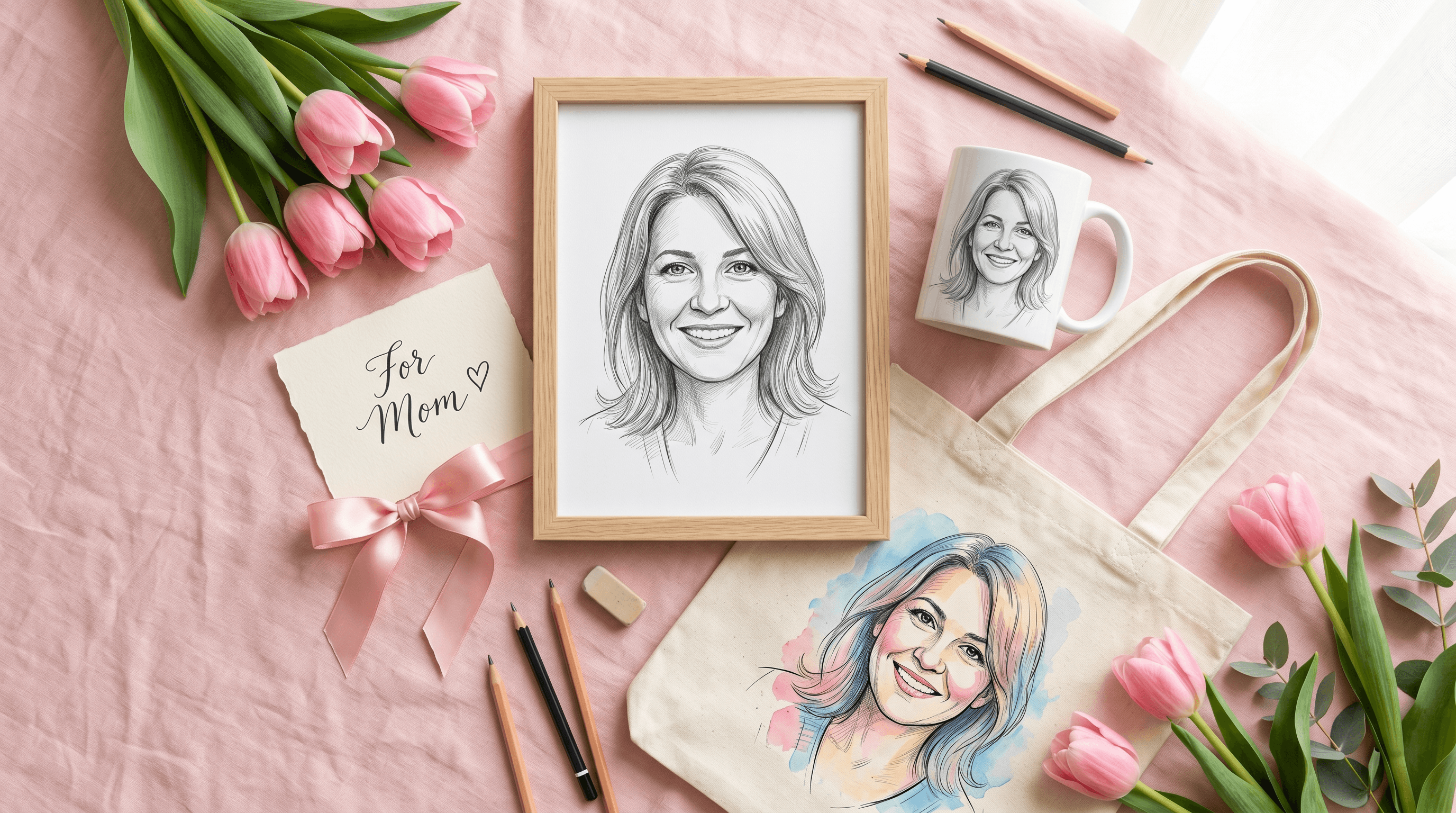
A framed sketch is the safe option. These cost a little more but feel like extra effort:
- Custom mug — Shutterfly and VistaPrint print sketches on 11oz mugs for around $15 with a 2–3 day turnaround.
- Tote bag — Society6 or Redbubble lets you upload a sketch and order a printed canvas tote for $20–$25. Works best with the watercolor line style.
- T-shirt — Same print-on-demand sites; pick a soft cotton tee for a wearable gift.
- Phone case — Casetify and Caseapp accept PNG uploads. The sketch wraps around the back of the case for a daily-use gift.
- Notecard set — Print 10 cards with the sketch on the front; she can use them as thank-you notes throughout the year.
- Digital wallpaper bundle — Format the sketch for phone and desktop wallpapers. Free, instant, and she sees it every day.
For a "wow" version, frame the sketch, write a letter to put behind it, and present both together. The letter adds the words a sketch can't say.
Working on themed cards or coloring pages instead of a portrait? The same image-to-line workflow applies — see our guide to creating line art from photos for that variation.
FAQ
Can I use any photo of my mom for the sketch?
Yes, as long as you own the photo or have permission to use it. Photos you took on your phone, scans of family albums, or pictures she's sent you are all fine for a personal gift. Avoid using photos taken by a professional photographer without their consent — those are typically licensed for personal display, not for re-distribution or commercial print.
Do I need any drawing or design skills?
No. The AI handles the sketch generation, and the gift assembly only needs basic uploading and cropping. If you can post a photo on Instagram, you can make a sketch portrait. Adding a handwritten note is optional and takes about two minutes in Canva.
How long does the whole process take?
About 15 to 30 minutes from start to print-ready file. Photo selection and cropping take the longest (around 10 minutes if you're picky). Sketch generation runs in 10 to 30 seconds. Adding text and exporting takes another 5 minutes. Printing at a local shop adds an hour.
What's the difference between the Standard and Professional sketch models?
Standard models work well for casual gifts where the sketch is clearly stylized. Professional models preserve more facial detail, which matters when the recipient is going to look closely — Mom is going to look closely. On Sketch To, the Professional Model produces noticeably sharper eyes, more accurate jawlines, and cleaner hair detail. Standard is fine for stylized prints; Professional is worth it for framed gifts.
Will an AI sketch look the same as a real artist's portrait?
It's close but not identical. A real portrait artist makes choices about what to emphasize and what to soften — they might exaggerate kind eyes or downplay a tired expression. AI sketches are more literal, but with a good source photo, the result is recognizable and flattering. For most people, the speed and cost trade-off makes AI worth it.
Can I print the sketch in color?
Yes. Pencil and charcoal styles are typically black and white, but watercolor line includes color washes. You can also colorize a black-and-white sketch in Canva or Photoshop using fill layers — useful if you want to match the sketch to a specific frame or room color.
Does Mother's Day fall on the same day in every country?
No. In the US, Canada, and Australia, Mother's Day is the second Sunday of May. Mexico and much of Latin America celebrate on May 10 each year. The UK observes Mothering Sunday in March or April. If you're shipping a gift internationally, build in an extra week of buffer.
Conclusion
A photo-to-sketch portrait is a Mother's Day gift that takes 30 minutes to make and lasts on her shelf for years. Pick a clear photo where her face is well-lit, run it through an AI sketch tool, choose the style that fits how she'd display it, and add a short handwritten message before printing.
The hardest part is picking the photo. Once that's done, the rest is upload, click, download, print.
Ready to make Mom's portrait? Try Sketch To free → — upload one photo, generate pencil, charcoal, and watercolor versions in under a minute, and download a print-ready file. No drawing skills required.
Last updated: May 2026
Transform Your Images with AI
Turn sketches into stunning images, remove backgrounds, swap faces, and more — all powered by AI.
Try Sketch To FreeShare
Sketch To
Tech writer covering AI tools, image processing, and creative workflows.
Related Articles

Qwen-Image-2.1 GGUF: Which Quant to Download and How to Run It in ComfyUI
All Qwen-Image-2.1 GGUF quants with real file sizes, which tier fits your VRAM, a working ComfyUI-GGUF setup, and the two errors everyone hits.
How to Make a Coloring Book: From Photos to a Print-Ready Book
Turn your photos or one theme into a complete printable coloring book: generate consistent AI coloring pages, assemble a margin-safe PDF, and compare printing vs KDP with real cost math.
How to Make Your Own Funko Pop: 3 Real Routes and What They Cost
Official Funko customizer, handmade makers, or DIY — see real prices and lead times for a personalized Funko Pop, then preview your design free with AI before you pay.