
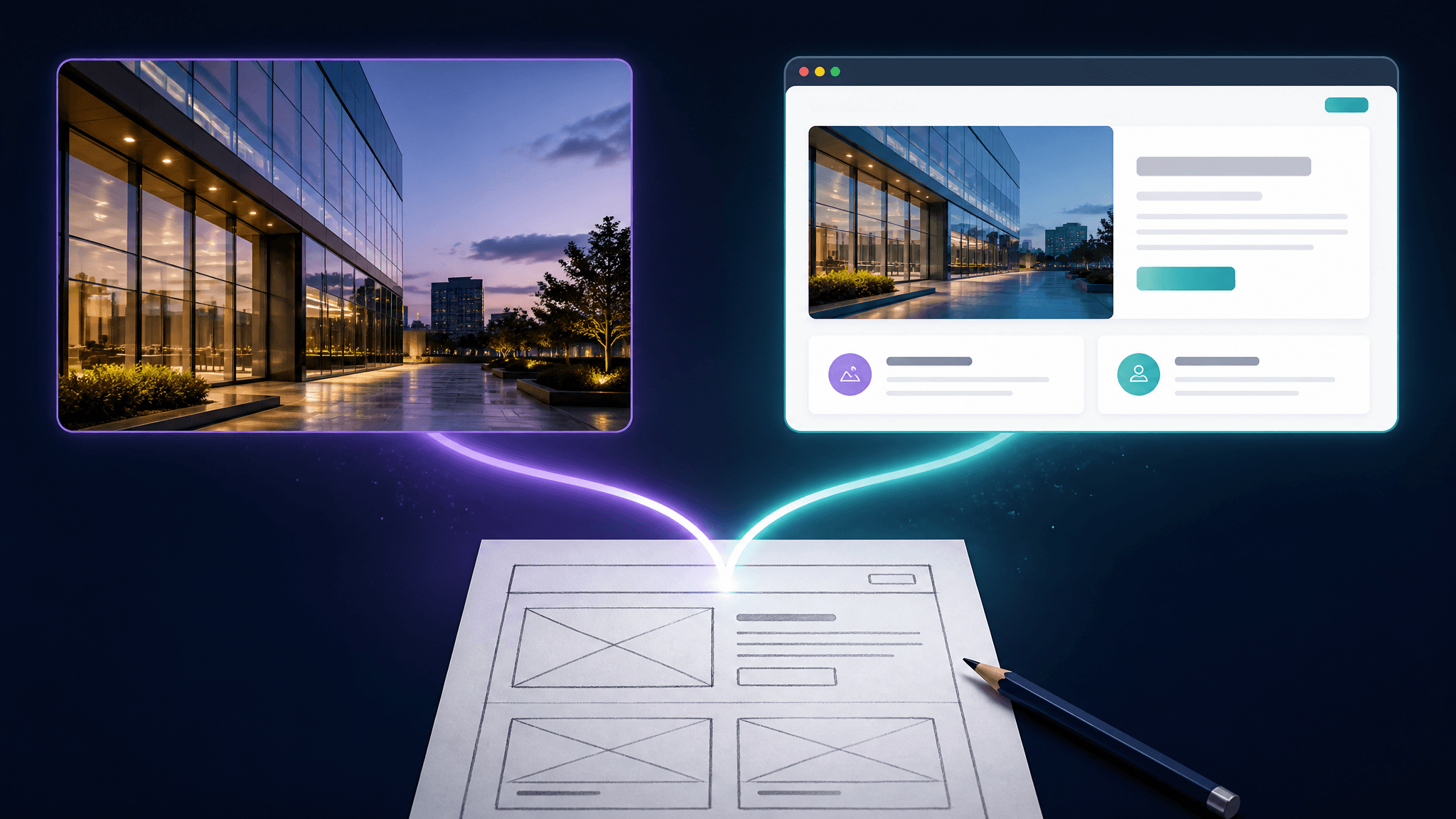
GPT-6 Astra Frontend Design: Can a Computer-Use Model Replace Your Sketch Tools?
OpenAI used the word "judgment" when it demoed GPT-6 Astra's frontend design abilities this week: give the model a sketch, and it answers with working UI. For anyone who pays for or builds specialized sketch tools, that demo raises an uncomfortable question — is the specialized sketch-to-render pipeline over?
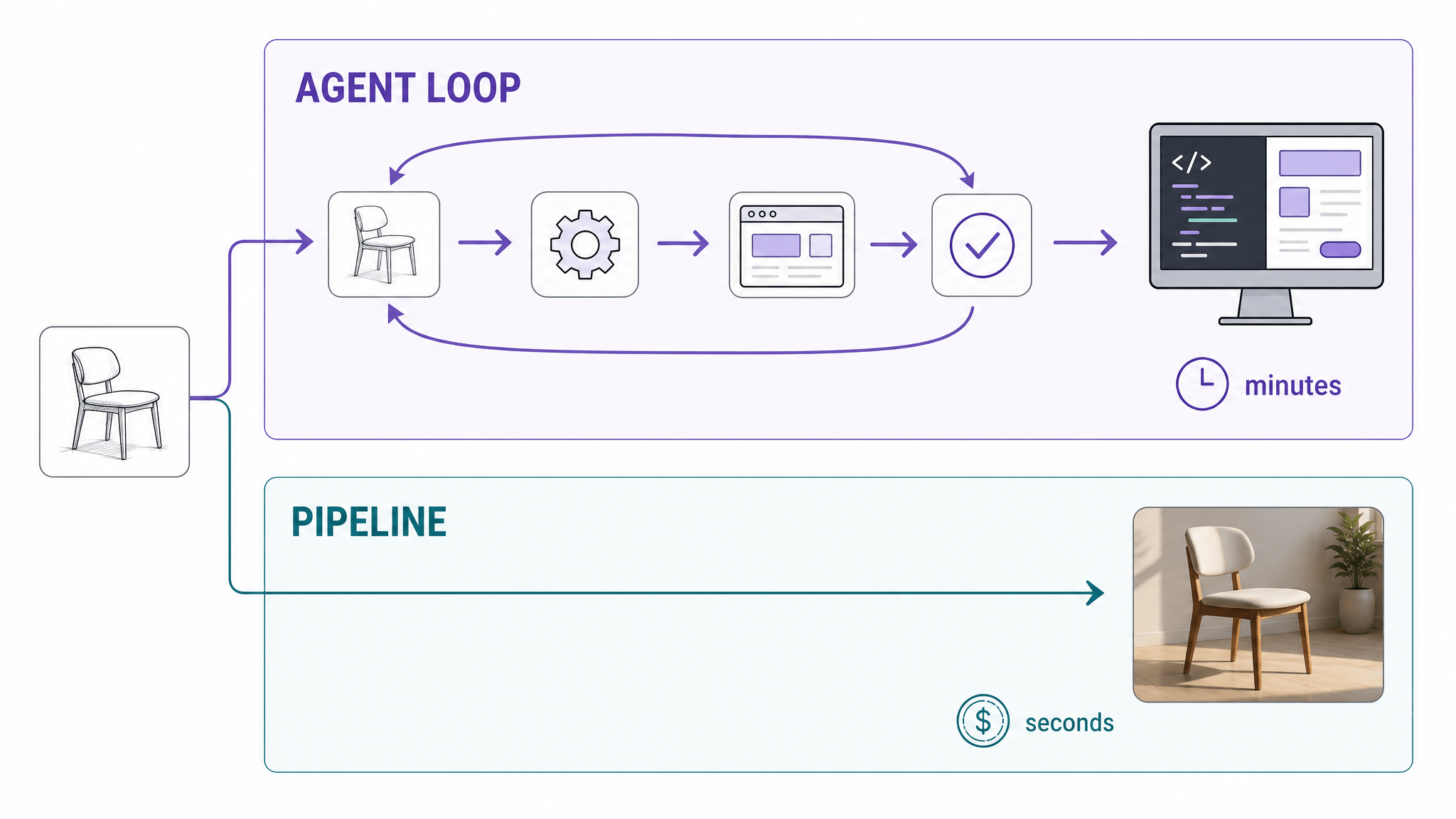
The short answer: no, but the ground is shifting. GPT-6 Astra frontend design demos show a general computer-use model doing real front-end work — turning references into working UI, refining layout, typography, and spacing, even running QA checks on the result. What it does not change, yet, is the economics and reliability of producing the other deliverable: a finished image. A specialized pipeline still turns a sketch into a photorealistic render in seconds for a couple of credits, while an agent loop spends minutes and metered tokens to produce code, not pixels.
This article compares the two approaches on the same criteria — deliverable, iteration loop, latency, cost metering, control, and access — using only what OpenAI has actually documented so far, and ends with a decision framework you can apply per project.
Key takeaways
- GPT-6 Astra is a computer-use model: text and images in, text (and code) out, operating real software — not an image generator.
- Its documented frontend claims cover converting a sketch or reference into working UI, refining design details, and screenshot-guided revision.
- Specialized sketch-to-render tools win where the deliverable is a rendered image: seconds-scale results, fixed credit costs, style presets, and repeatable settings.
- The general model wins where the deliverable is working software or a multi-app workflow.
- Public hands-on access is still rolling out, so every number in this comparison is OpenAI-reported; treat them as claims, not measurements.
What GPT-6 Astra actually is
GPT-6 Astra, announced September 3, 2026, is OpenAI's new frontier model — and the positioning matters more than the benchmark chart. OpenAI calls it a computer-use system rather than a chat model: software the model operates the way a person does, across browsers, desktop apps, and terminals, finishing multi-step jobs instead of describing them.
The model page lists a 1,050,000-token context window, 128,000 max output tokens, text and image input, and text-only output. Tool support includes computer use, a hosted shell, code execution, image generation, and MCP. API pricing is $10 per million input tokens and $50 per million output tokens, with a per-call fee for computer-use tools — and prompts beyond 272K input tokens are surcharged.
Availability is phased. Astra started with enterprises in OpenAI's Trusted Access Program, with ChatGPT Plus, Pro, Business, and Enterprise plans plus API access following "in the coming days." There's also an unusual brake pedal: Astra is the first OpenAI model to hit the "Critical" cybersecurity threshold, so its advanced capabilities are gated and its safeguards can slow, pause, or stop tasks — in the API, a stopped task just stops.
What the frontend design demo actually claims
The concrete frontend claims come from OpenAI's own developer account, which demonstrated giving Astra a sketch, reference, or existing UI and asking it to:
- turn the reference into a working UI;
- refine layout, typography, and spacing;
- adjust color and interactions;
- use screenshots to guide revisions.
The launch announcement frames the same capability more broadly: Astra "brings stronger visual judgment to the websites, games, applications, and renderings it builds." It can, per OpenAI, create a website and then run frontend QA checks to verify the features on that site work. With the Sites feature in ChatGPT, it can create, host, and share websites and web apps directly from a prompt. The demo reel goes further afield — a house modeled in Blender and turned into a walkable Unreal Engine 5 scene — which is the generalist's signature move: the deliverable chain crosses tools that have nothing to do with each other.
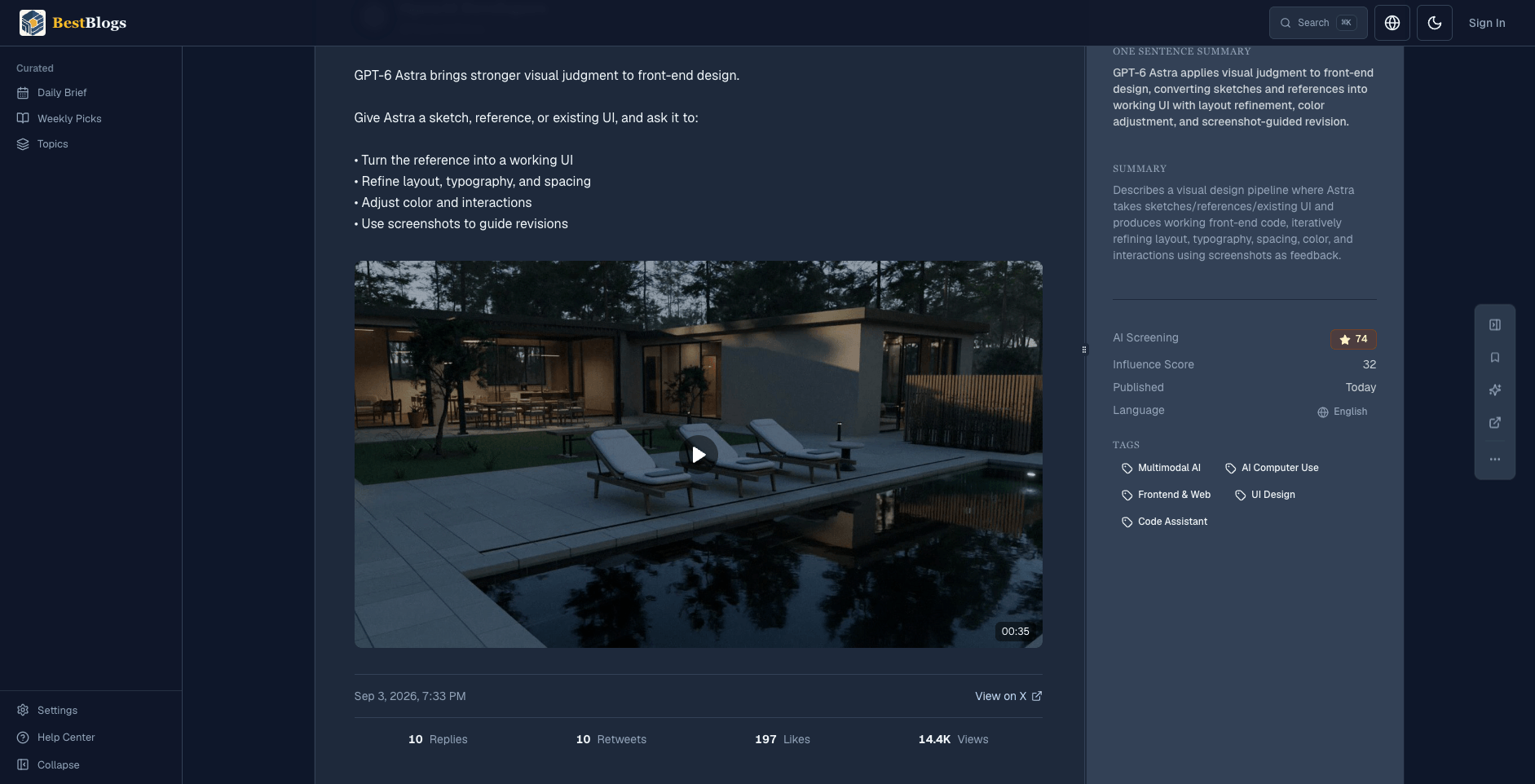
OpenAI Developers (@OpenAIDevs), Sep 3, 2026 — post viewed via BestBlogs.
Notice what all of these have in common: the output is software behavior. Working UI means HTML, components, and interactions you can run — not a picture of a user interface.
What a specialized sketch tool does instead
Now put the specialized pipeline next to it. Full disclosure: SketchTo publishes this blog and operates the tool below — weigh that when reading the specialized side of this comparison. SketchTo's Sketch to Render tool takes the same starting point — an uploaded sketch — and walks a fixed path: choose one of nine style presets (Photorealistic, Architectural Exterior, Interior Design, Game Concept, and so on), pick a rendering model from a price list (Nano Banana at 2 credits, GPT Image 2 at 3, Nano Banana Pro at 8), and generate. The result is a rendered image in seconds, with a before/after comparison and a history entry you can revisit.
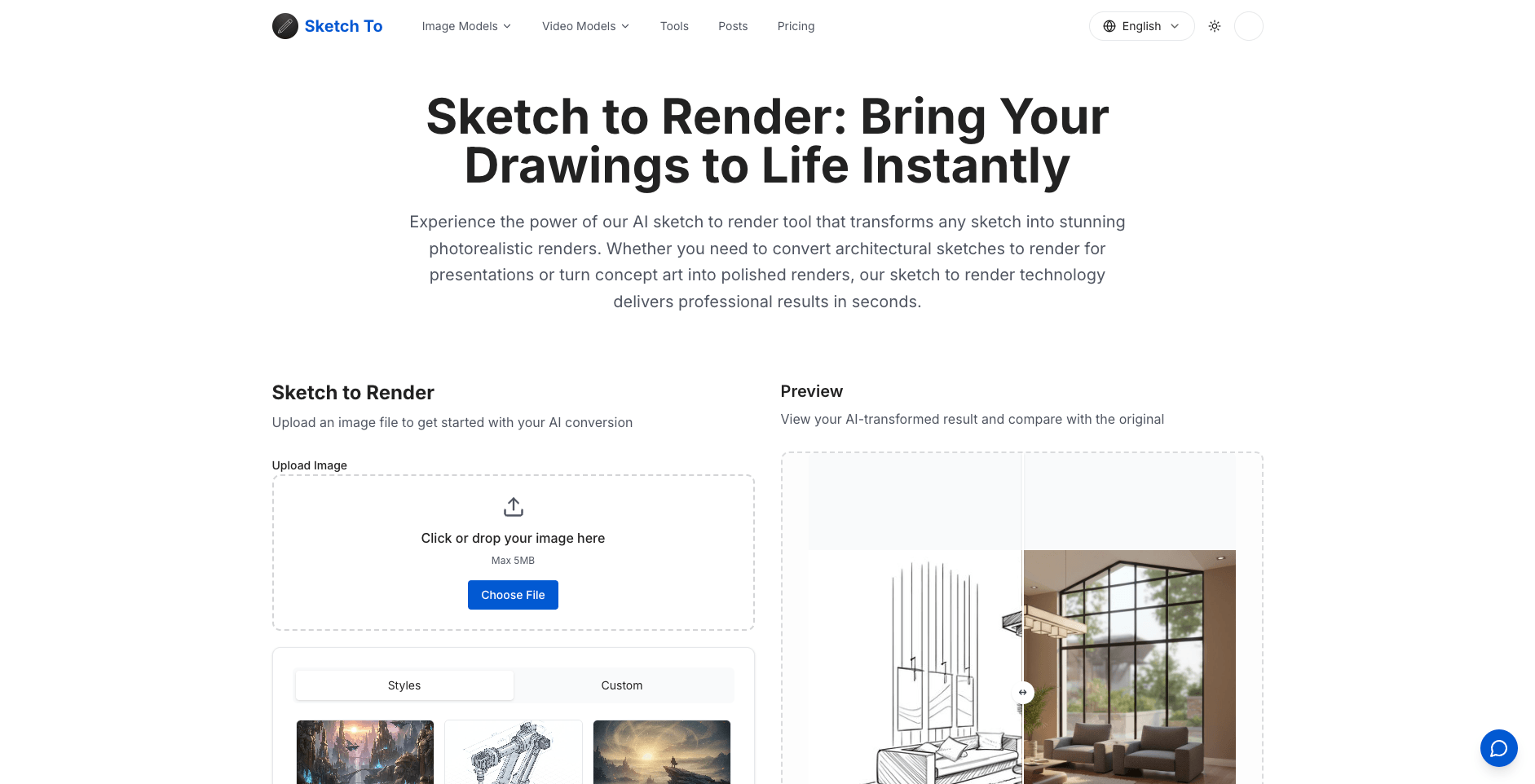
SketchTo's Sketch to Render tool: from upload to render in seconds, priced in credits.
The differences are structural, not cosmetic. The specialized tool's input and output are both images, so the model only has to be good at one thing: interpretation of visual intent into visual output. There is no operating system to control, no plan to derail, no task that might get paused by a safety system. Credits price each run identically regardless of complexity.
The comparison, criterion by criterion
| Criterion | GPT-6 Astra (general computer-use) | Specialized sketch-to-render pipeline |
|---|---|---|
| Deliverable | Working UI, code, runnable sites | Rendered images |
| Iteration loop | Conversational: screenshots in, revisions out | Re-run with adjusted style/model presets |
| Time to first result | Minutes (agent loop, per OpenAI's own OSWorld timing: ~40 min/task average) | Seconds per generation |
| Cost metering | API tokens ($10/$50 per 1M) plus per-call tool fees; or ChatGPT plan limits | Fixed credits per run (e.g., 2–8 credits) |
| Control & repeatability | Prompted judgment; outcomes vary run to run | Presets and pinned models; consistent style |
| Access today | Phased rollout; safeguards can pause/stop tasks | Available now, account + credits |
Two rows deserve honesty checks. On latency, OpenAI's own numbers are the source: Astra completes OSWorld computer-use tasks in about 40 minutes on average — a figure that describes heavy multi-step automation, not a single render, but it shows the shape of the loop. On access, the phased rollout means most readers cannot run Astra on their own sketches today, while every specialized tool mentioned here takes uploads right now.
Where the general model genuinely wins
If the deliverable is working software, the general model is simply operating in a different category. A sketch-to-render tool ends where the PNG begins; Astra's documented workflow continues into code, hosting, and QA. For a developer who sketches a landing page and wants a runnable first draft — then wants the model to click through it and fix what's broken — a computer-use model is the only one of the two that can even attempt the whole loop.
Breadth is the second advantage. The same agent that turns a sketch into UI can also update the spreadsheet behind it, check the result in a browser, and file the summary in a doc. Specialized tools compound depth in one job; computer-use models compound range across jobs. And with a 1M-token context window plus the new context-notes system in Codex — which keeps notes across context windows instead of summarizing them away — long engagements stop losing their history at exactly the point where real projects get messy.
Where specialized pipelines still win
The strongest specialized case is also the simplest: sometimes the deliverable is an image. Concept art for a pitch, an architectural render for a client meeting, a stylized illustration for content — these need to look finished, and they need to exist now. A pipeline that turns a sketch into a photorealistic render in seconds, for a fixed handful of credits, with a style preset you can reuse tomorrow, is a better tool for that job than an agent that takes minutes, costs tokens by the step, produces code rather than pixels, and can be paused mid-task by a safety check.
Repeatability matters more than it sounds. When a designer finds a preset-plus-model combination that matches a client's visual language, that combination behaves the same way on the next fifty sketches. An agent's "visual judgment" is explicitly a judgment — it will interpret, and sometimes it will surprise you. For exploration, surprise is a feature; for production rendering, it is a defect you pay for in review time.
If your day involves turning sketches into finished renders — and you want to judge the specialized route against Astra's demo yourself — SketchTo's sketch-to-render tool runs that exact pipeline in your browser, and new accounts start with free trial credits.
Choosing per deliverable, not per hype cycle
- Photorealistic render or finished visual from a sketch → specialized pipeline. Seconds, credits, presets.
- Working front-end from a sketch or reference → Astra-class computer-use model, once you can access it.
- Full app: sketch → UI → QA → fixes → agentic model; this chain is what computer use is for.
- Concept exploration with style control → specialized tools; iterate presets cheaply.
- Mixed real-world projects → combine them: render the look with a specialized tool, hand the result to the agent as the reference it explicitly accepts.
What to watch next
Three things will move this comparison, and none of them are settled. First, the rollout: Astra reaches all ChatGPT Plus, Pro, Business, and Enterprise users "in the coming days," which is when independent hands-on reports replace OpenAI-reported numbers. Second, how the "visual judgment" claims survive contact with real designers' sketches — the demos are OpenAI's own. Third, whether safeguard interruptions (which OpenAI admits can slow or pause legitimate work) stay rare enough for production use. Watch these, and re-run the decision framework above as the facts change.
Bottom line
GPT-6 Astra makes "sketch in, working software out" a documented capability of a general model, and for deliverables that are code or whole workflows, it is the new default candidate. But a general computer-use model does not out-specialize a specialized pipeline at its own game: for a finished image in seconds at a fixed credit price, sketch-to-render tools remain the right instrument. Choose by deliverable — pixels or software — and let the demos, not the benchmark table, make you re-test that choice each quarter.
Transform Your Images with AI
Turn sketches into stunning images, remove backgrounds, swap faces, and more — all powered by AI.
Try Sketch To FreeShare
SketchTo Team
Tech writer covering AI tools, image processing, and creative workflows.
Related Articles
Qwen-Image-2.1: One 7B Open-Weight Model for Image Generation, Editing, and Transparent Assets
Qwen-Image-2.1 unifies text-to-image, editing, and native RGBA transparency in one 7B open-weight model. What it does, what's new, how to run it today — and the license limits before you adopt it.
AI Image Generation Cost Comparison: What 20 Models Actually Billed
OpenRouter ran one prompt through 20 image models and recorded every bill — $0.006 to $0.134 for the same 1:1 image. The real per-image costs, and how to pick a model your budget agrees with.
GPT-6 Astra Use Cases for Image and Design Work: What's Real So Far
A source-attributed catalog of GPT-6 Astra's real image and design use cases — 3D worlds, frontend design, media production — plus the honest gap and what it means for your tools.