
GPT-6 Astra Use Cases for Image and Design Work: What's Real So Far
OpenAI released GPT-6 Astra on September 3, and launch week has been a firehose of demo clips: 3D cities, walkable Unreal Engine worlds, a Van Gogh painting turned into an explorable environment. If you do image or design work, the real question isn't whether the demos look impressive — it's which of these use cases are actually real, who has actually run them, and where a general agent still isn't the right tool.
Sorted by evidence rather than hype, Astra's image and design use cases fall into three families, plus one honest gap:
- Building 3D worlds and game environments by driving professional tools — the strongest documented pattern, confirmed by both OpenAI's demos and the first published hands-on reviews.
- Frontend and web design work — turning sketches and references into working UI, with OpenAI's own QA framing.
- Video and media production tasks — real but mostly secondhand reports so far.
- The gap: standalone visual asset creation — where early hands-on testers say Astra explicitly does not lead.
One note on method before the catalog: everything below is attributed. OpenAI's demos are official claims; Matt Shumer's experiments are his documented first-party runs; the remaining examples circulate as reports from early-access users, and I've labeled them as such. Nobody outside OpenAI's orbit has had the model for more than a couple of days.
What Astra actually is (the 30-second version)
Astra is a computer-use model, not an image generator. Per OpenAI's model page, it takes text and image input and produces text — including code — with a 1,050,000-token context window. It has no image output mode at all; image generation exists only as a separate hosted tool that Astra can call.
That single spec explains most of what follows. Astra doesn't "make" a 3D world the way an image model makes a picture. It operates real software — Blender, Unreal Engine, a browser — the way a skilled operator would, and the output is whatever that software produces. OpenAI's announcement puts it directly: Astra brings "stronger visual judgment to the websites, games, applications, and renderings it builds."
Use case 1: Building 3D worlds by driving professional tools
This is the most convincing family of use cases, because it's the one where official demos and independent hands-on accounts tell the same story.
OpenAI's own launch demo models a house in Blender, then turns it into a walkable scene in Unreal Engine 5 — framed as something "designers and clients" can use to explore a layout before it's built. There's also a Kart Racer game demo on the same page.
Matt Shumer, who published a detailed hands-on review on launch day, went much further. He used Astra to build a simulated civilization — a world with animals and human inhabitants, each person driven by an Astra agent, complete with conversations you could hear from the next room. He also reported that Astra built a Manhattan-scale world in Unreal Engine "over the course of a week. It was literally able to go street by street to make each one perfect."
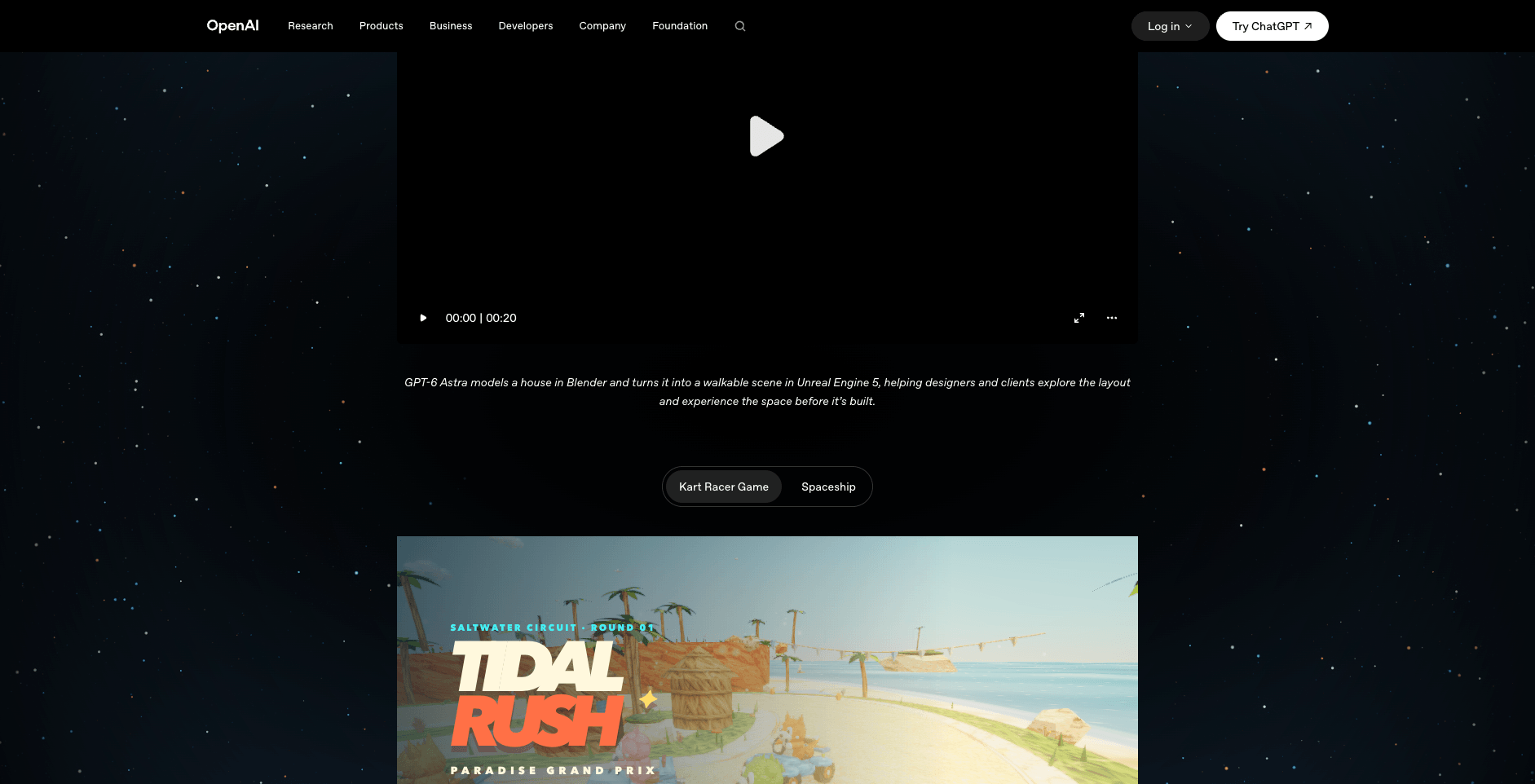
OpenAI's GPT-6 Astra announcement, viewed September 5, 2026.
Two details in Shumer's account matter more than the headline demos:
- Astra worked with existing assets, not from scratch. His Unreal builds used ready-made resources including MetaHuman characters. The agent's skill is orchestration — assembling professional tools and asset libraries — not inventing geometry.
- It tested its own work. In an earlier game experiment, he reports Astra "got cars working using existing assets, opened the game, played it, and made adjustments based on what happened." A model that plays the thing it built is doing quality control, not just generation.
Beyond the documented runs, early-access reports collected in The AI Advantage's roundup of twenty Astra examples point the same direction: a usable Blender reconstruction of San Francisco's Palace of Fine Arts, a SimCity-like 3D city called New Haven, a Van Gogh painting turned into a navigable 3D world, and a one-sentence request that reportedly produced a Mac app built around a Blender-modeled iPod. These are reports, not verified reproductions — but the consistency of the pattern (agent + professional tool + existing assets + long persistence) is itself information.
The honest cost side: Shumer's Manhattan world took a week of agent time, and he notes his large experiments "consumed enormous amounts of tokens." This is hours-to-days work, not seconds.
Use case 2: Frontend and web design
The most immediately practical design use case is also the one OpenAI has promoted most directly. The company's developer account framed it plainly: give Astra a sketch, reference, or existing UI, and it can turn the reference into a working UI, refine layout, typography, and spacing, adjust color and interactions, and use screenshots to guide revisions.
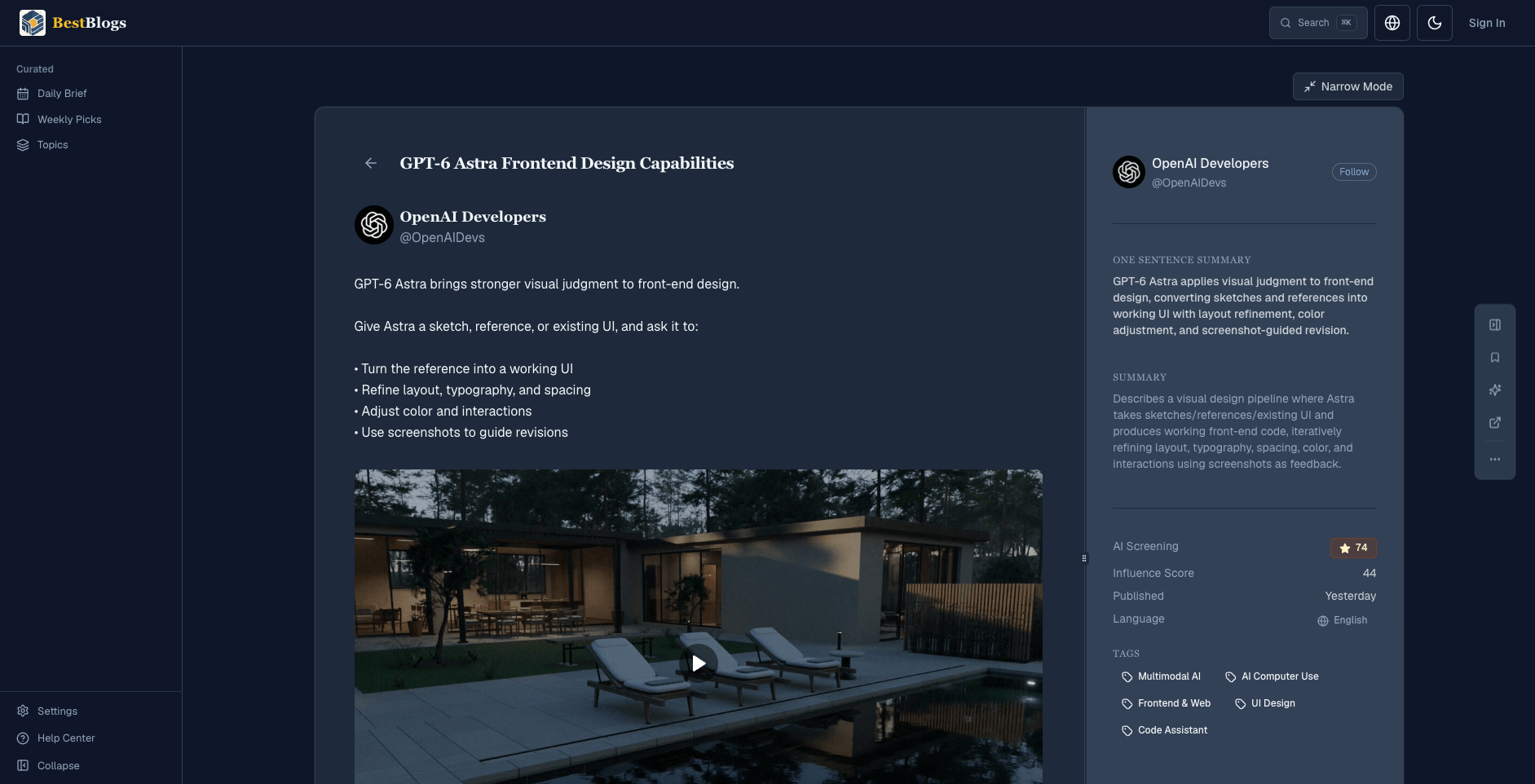
OpenAI Developers (@OpenAIDevs), Sep 3, 2026 — post viewed via BestBlogs.
The announcement adds two adjacent capabilities: Sites in ChatGPT, where Astra can "create, host, and share websites, web apps, and games directly from a prompt," and frontend QA — the claim that Astra can create a website and then run checks to make sure all the features on the site actually work. That build-then-verify loop is what distinguishes this from a code generator; the model is positioned to click through its own output.
Among the reported early-access examples, one of the more interesting is Claire's one-shot "Minority Report" interface — a Mac controlled with hand gestures, built from a single short request (reported in the same roundup).
If your question is the sharper one — should this replace a specialized sketch-to-UI or design tool in your workflow — that's a comparison we examined separately in GPT-6 Astra Frontend Design: Can a Computer-Use Model Replace Your Sketch Tools?. The short version: the demo covers the front door, but latency, metering, and repeatability still matter once you're doing this all day.
Use case 3: Video and media production
The thinnest but fastest-moving family. The strongest reported example comes from video editors who gave Astra a deliberately bounded Final Cut Pro task: import specific files, color-grade the footage, and synchronize screen recordings with video. According to the roundup, Astra built a shareable folder structure, made a reasonable color grade, and picked the best of several audio tracks while removing the rest — a useful step beyond the literal instruction. The presenter's own caveat is worth keeping: this was not a full editorial test, and the model made none of the hard storytelling decisions.
Other reported cases: a polished educational video about T-cells generated from a single prompt, clean enough that it doesn't immediately read as AI output, and an underwater world that extended an open-source procedural ocean generator beneath its waterline. Both suggest the same underlying skill — extending an existing system coherently — that powers the 3D work above.
Where Astra does not lead (yet): standalone visual assets
Here's the finding most launch coverage glosses over, and it comes from Astra's most prolific public tester. Shumer's verdict, in his own words: "Claude still has better visual taste and is better at creating visual assets. I still reach for Claude for design and certain 3D tasks." Asked to build the same thing in Blender or Three.js, Astra's results were good — "if I'd seen it before Claude's version, I would have been thrilled" — but side by side, the difference was clear. The gap, he says, is specifically in creating convincing, good-looking visual assets.
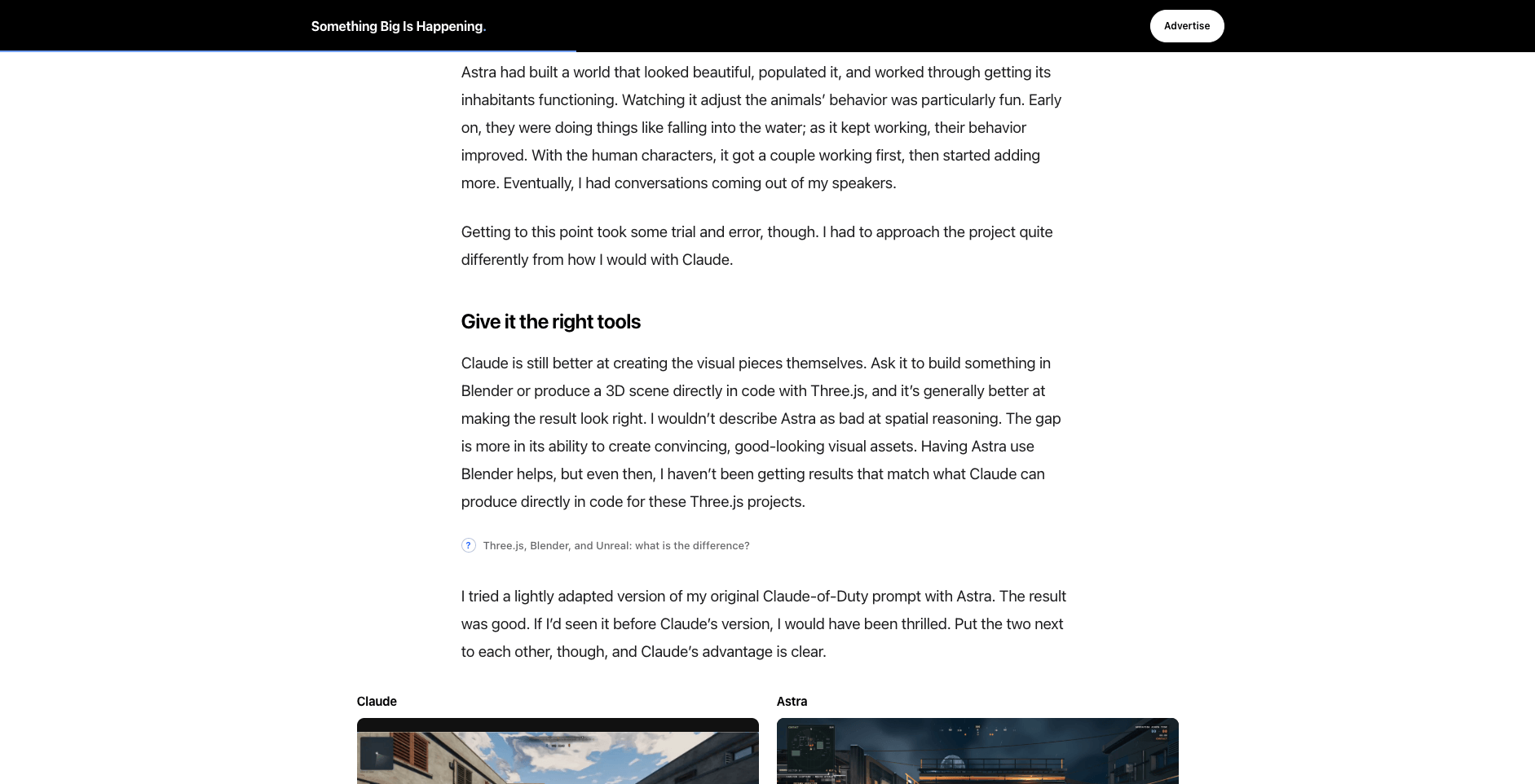
Matt Shumer, "My GPT-6 Astra Review", Something Big, Sep 3, 2026.
This is the structural limitation, not a bug that updates will necessarily fix quickly: Astra doesn't output images at all, so any visual asset it produces has to come from code it writes or a tool it drives. An agent loop working through Blender spends minutes and metered tokens getting there. When the deliverable is simply a finished image from a sketch — a product render, a concept piece, a styled scene — a dedicated pipeline is still the direct route: seconds per render, a fixed credit cost you can see before you generate, and style presets that behave the same way on every run.
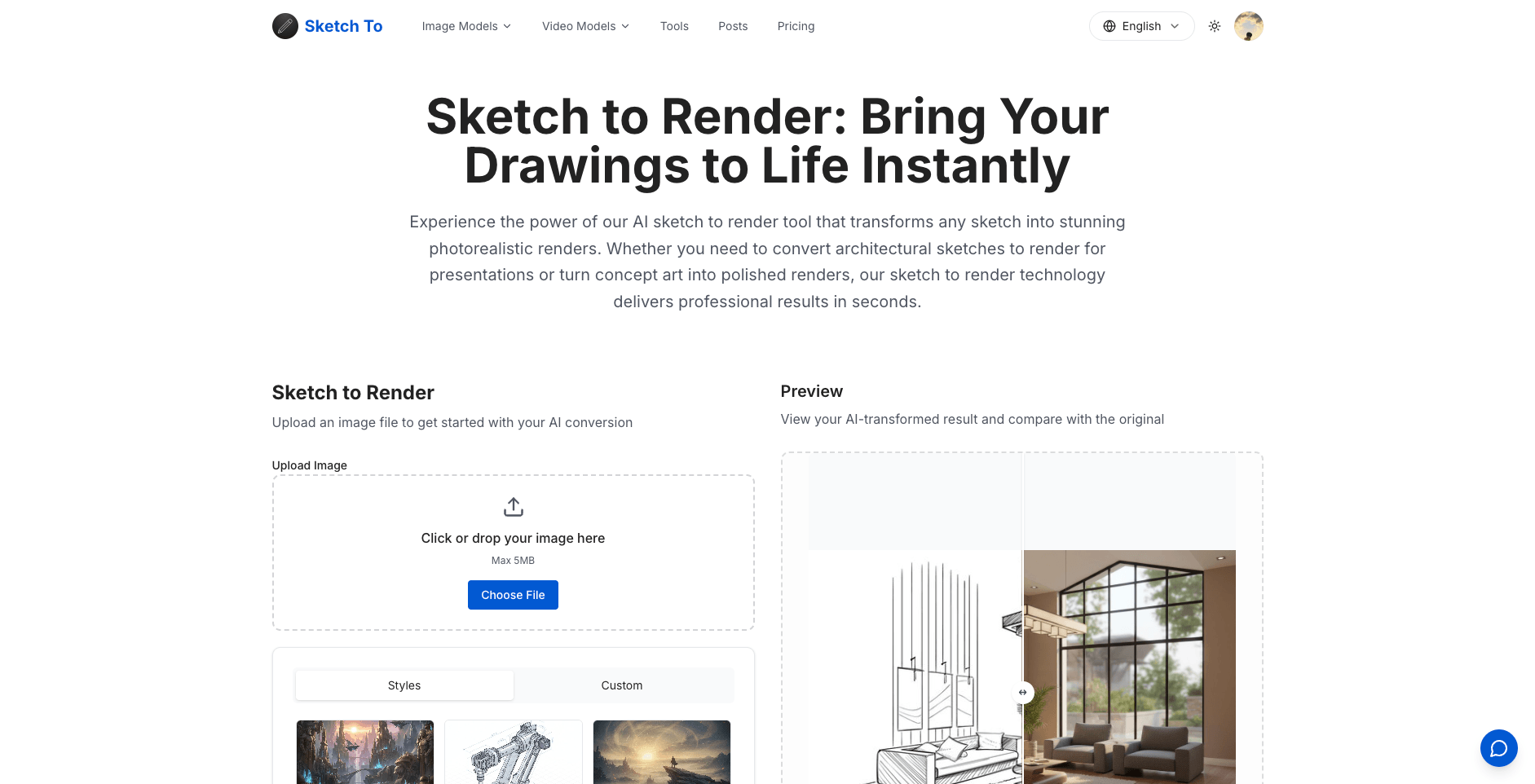
SketchTo's sketch-to-render tool, viewed September 5, 2026.
That's exactly the lane our own SketchTo sketch-to-render tool occupies — upload a sketch, pick from nine style presets from Game Concept to Architectural Exterior, choose a model, and get a rendered image before an agent loop would finish its first planning step. (Full disclosure: this is SketchTo's blog, and that's our tool.) The two approaches aren't really competing for the same deliverable — which is the point of this section.
The practical reality check
Three constraints sit under every use case above:
- Access. Astra is still rolling out — OpenAI's announcement says it reached a limited set of organizations first, with all ChatGPT Plus, Pro, Business, and Enterprise users following "over the coming days." Many of the people posting demos had early access you may not have yet.
- Cost. The model page lists $10 per million input tokens and $50 per million output tokens, with computer-use tool calls carrying a per-call fee. Shumer's warning that "how much model usage you can afford is going to matter a lot more" is the practical translation.
- Time. Verified image-and-design wins so far are measured in minutes to days of agent runtime. If a task takes a specialized tool thirty seconds, an agent needs a reason to be worth the detour.
How to read the demo wave
The strongest verified pattern isn't "AI makes 3D worlds now." It's narrower and more useful: an agent that can operate professional tools for hours, assemble existing assets, and check its own output — that combination is new, and every credible use case above runs through it. The secondhand reports are best treated as leads worth watching, not proven workflows.
And pick your tool by the deliverable. If the output is working software, a buildable 3D scene, or a tested website, a computer-use agent is now a legitimate — if slow and metered — route. If the output is an image you need in the next thirty seconds, a dedicated generator still gets there first.
Transform Your Images with AI
Turn sketches into stunning images, remove backgrounds, swap faces, and more — all powered by AI.
Try Sketch To FreeShare
SketchTo Team
Tech writer covering AI tools, image processing, and creative workflows.
Related Articles
MOSS-Image: OpenMOSS's Open-Source Image Model Built for Text and Layout Control
MOSS-Image is OpenMOSS's open-source text-to-image model for accurate in-image text and JSON layout control. What it is, how it differs from other models, and three ways to try it.
Qwen-Image-2.1: One 7B Open-Weight Model for Image Generation, Editing, and Transparent Assets
Qwen-Image-2.1 unifies text-to-image, editing, and native RGBA transparency in one 7B open-weight model. What it does, what's new, how to run it today — and the license limits before you adopt it.
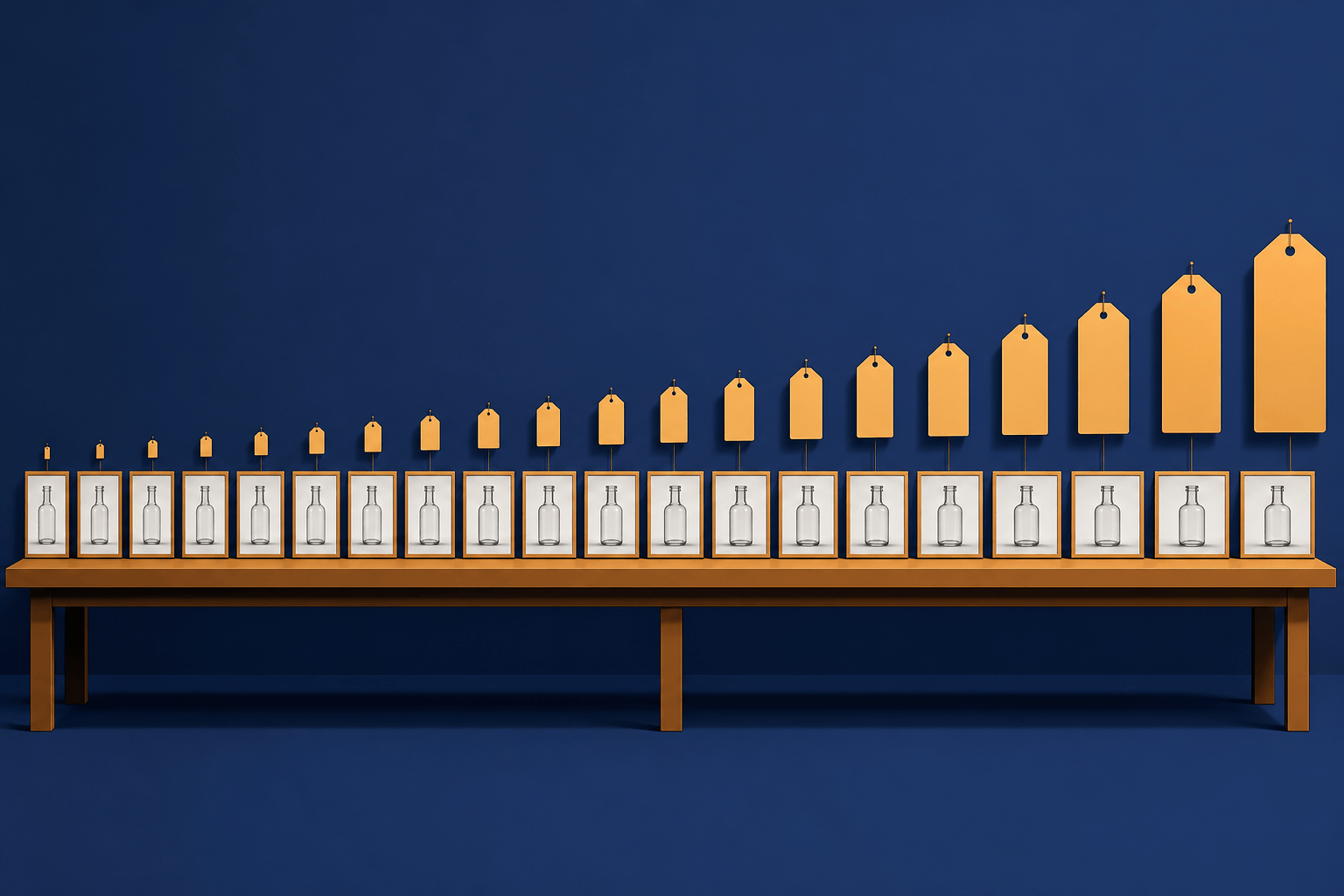
AI Image Generation Cost Comparison: What 20 Models Actually Billed
OpenRouter ran one prompt through 20 image models and recorded every bill — $0.006 to $0.134 for the same 1:1 image. The real per-image costs, and how to pick a model your budget agrees with.