
MOSS-Image: OpenMOSS's Open-Source Image Model Built for Text and Layout Control
MOSS-Image is a new open-source, open-weight text-to-image model family from the OpenMOSS team: two checkpoints (MOSS-Image-Base and MOSS-Image-SFT) with public code and weights, released on October 16, 2026 under the Apache 2.0 license, alongside a technical report on arXiv. Its core bet is unusual for an open-weight release: instead of chasing general image quality, it attacks the two things open models are historically worst at — rendering dense, accurate text inside images and controlling where every element sits. (And no, searching the phrase will mostly surface photos of plant moss; the model lives on the OpenMOSS GitHub repo and Hugging Face.)
If you follow image models even casually, the release is worth ten minutes of your attention. Here is what it is, what it can do, how it differs from the generators you already know, and three realistic ways to try it.
Key takeaways
- MOSS-Image is a 5B-parameter, single-stream diffusion transformer (DiT) pretrained from scratch, optimized for bilingual (English/Chinese) in-image text rendering and layout control.
- Two checkpoints ship: Base (full training information preserved, LoRA-friendly) and SFT (fine-tuned on curated data, cleaner out-of-box text grouping and layouts).
- Its signature trick is JSON layout prompts: you describe elements and give each one a bounding box, and the model composes the scene to match.
- Per its own technical report, it scores 96.3% average text coverage on the LongLongTextBench benchmark — claimed state of the art among open-weight models.
- You can try it today in a browser on the official Hugging Face Space, in ComfyUI, or locally via diffusers — no sign-up list, no waitlist.
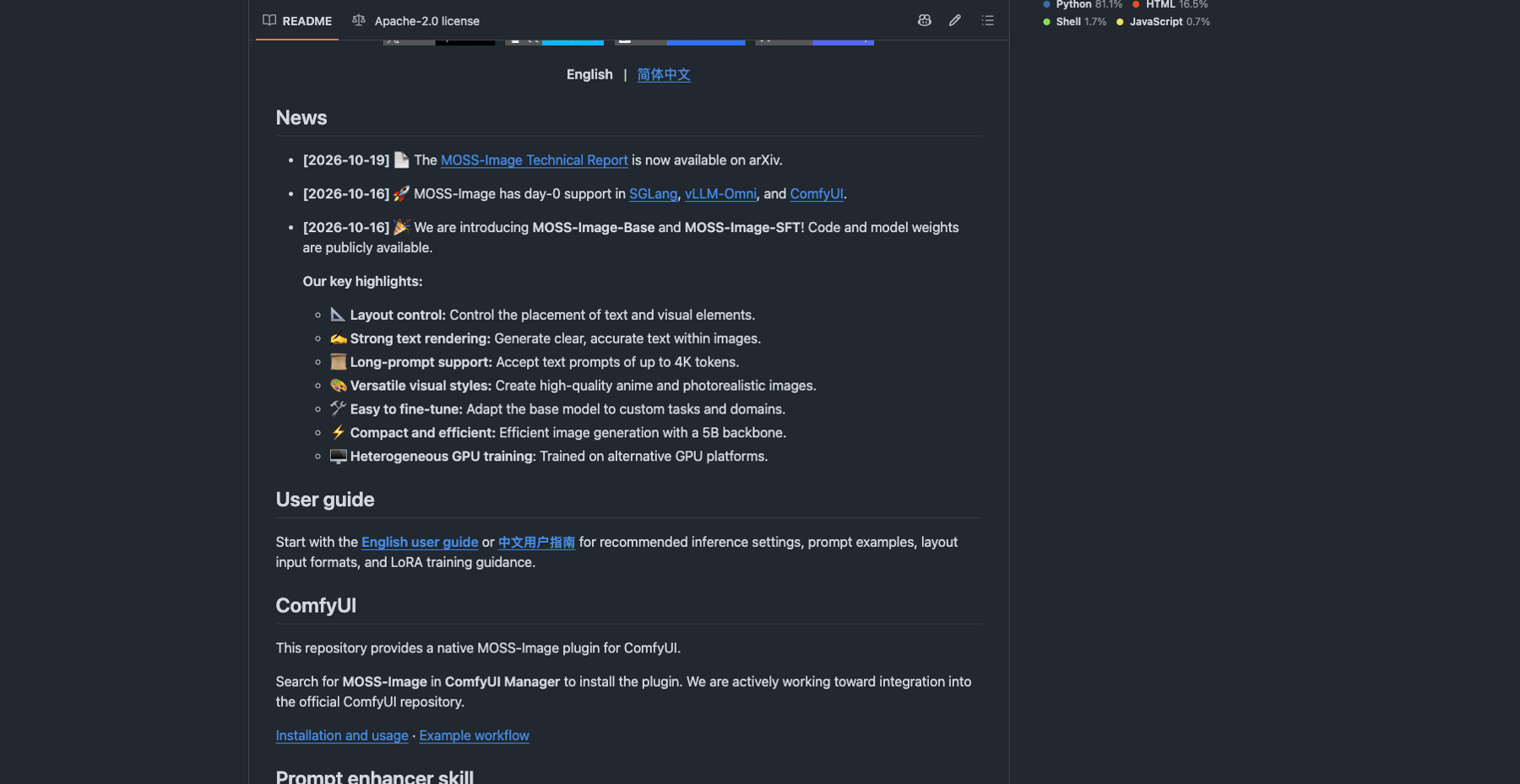
Source: OpenMOSS/MOSS-Image on GitHub (accessed Oct 19, 2026)
What MOSS-Image actually is
MOSS-Image comes from OpenMOSS and ships as two models trained from the same foundation:
| MOSS-Image-Base | MOSS-Image-SFT | |
|---|---|---|
| What it is | The raw base text-to-image model | Base fine-tuned on curated data |
| Inference parameters | No post-training or distillation of settings like CFG | Tuned for better out-of-box results |
| Best for | Community LoRA training, research, custom domains | Direct generation with cleaner text grouping and more organized layouts |
The base model keeps its training information "in full" by design — the team explicitly positions it as a foundation for the community to train LoRAs on (their one rule: keep the text encoder frozen). The SFT variant trades some of that flexibility for immediately better composition; in the team's own side-by-side example, SFT produces clearer text grouping and a more organized whiteboard layout.
Under the hood, the technical report describes a 5B single-stream diffusion transformer pretrained from scratch, which is compact by modern image-model standards — small enough to be practical for fine-tuning and self-hosting, large enough (the report argues) to carry dense compositions.
What it can do
Render real text — in two languages
In-image text is where most image models fall apart: logos misspell themselves, posters sprout glyph soup, and Chinese characters fare even worse than Latin ones. Text rendering is MOSS-Image's headline claim. The technical report introduces LongLongTextBench (LLTB), a benchmark for long-form English and Chinese text rendering, and reports a 96.3% average text coverage — which the authors state is the best among open-weight models. Treat that number as the team's own benchmark claim rather than an independent verdict, but the capability itself is clearly the release's center of gravity.
Two practical details from the official user guide: the model renders English best (it has the most training data, with Chinese also supported), and you can control line breaks by inserting \n directly in your prompt rather than hoping the layout engine guesses your intent.
Control composition with JSON layouts
This is the most distinctive feature. MOSS-Image accepts structured layout prompts: a JSON object describing the scene plus individual items — each with a label, a caption, and a bounding box — and optionally the exact text to render:
{
  "summary": {
    "meta": ["poster"],
    "canvas": "single",
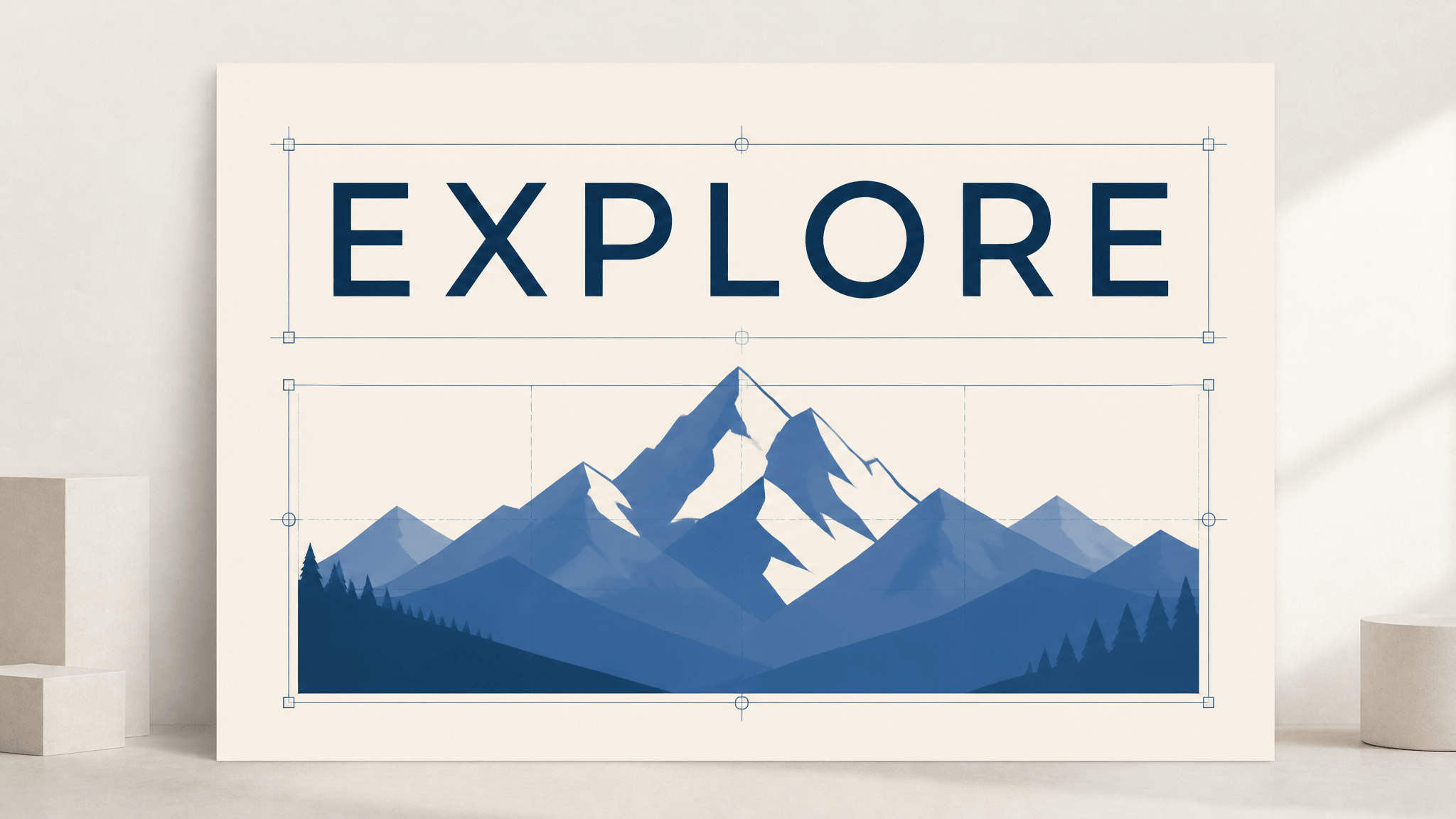
    "caption": "A minimalist travel poster with a cream background, a blue mountain illustration, and the title EXPLORE at the top."
  },
  "items": [
    {
      "label": "text",
      "caption": "Large dark-blue uppercase title centered at the top.",
      "text": "EXPLORE",
      "bbox": [-416, -384, -288, 384]
    },
    {
      "label": "object",
      "caption": "A flat blue mountain illustration in the lower center.",
      "bbox": [-192, -288, 384, 288]
    }
  ],
  "bbox_coord_space": "abs_centralized",
  "bbox_format": "yxyx"
}
Bounding boxes use absolute pixel coordinates measured from the canvas center (yxyx order: y-min, x-min, y-max, x-max). The user guide notes this is a deliberate departure from the relative coordinates used in some recent work — the authors argue absolute coordinates transfer better across different resolutions and aspect ratios. The feature is labeled experimental, and it changes how you "edit": to move a title or swap an object, you change the JSON and regenerate, which is a different workflow than selecting and dragging in an editor.
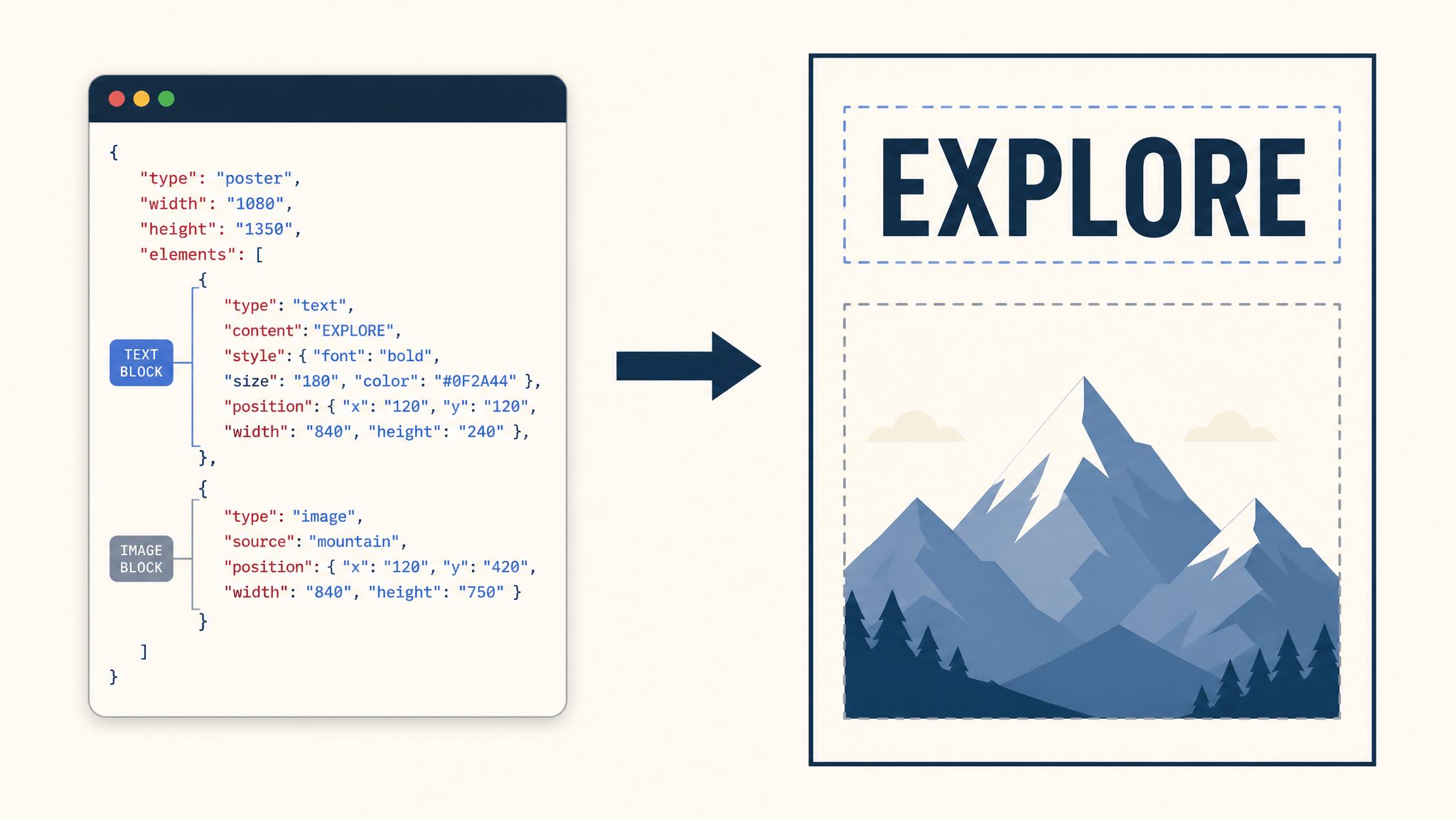
Conceptual illustration of a layout-JSON workflow; the schema shown is generic and illustrative, not MOSS-Image's actual format — see the code example above. Not a real model output.
Take long, flexible prompts
Prompts can run to 4K tokens, and the model accepts three input styles — natural language, danbooru-style tag sequences (with a recommended order: Quality → Score → Meta → Year → Character → Series → Artist → General, a clear nod to anime-model workflows), and JSON layouts. You can mix natural language with structured input. The release also outlines an agentic prompt enhancer that turns rough requests into detailed content and layout specifications; a training-free version ships as a skill in the repo, with a fine-tuned layout-enhancer model teased as future work.
Pick your resolution and style
The recommended output sizes are 1M, 1.5M, or 2M total pixels, with usable extrapolation from 0.25M (512×512) up to 4M (2K) at arbitrary aspect ratios — in multiples of 16 — rather than a fixed list of presets. Style-wise, the release highlights high-quality anime and photorealistic output; the tag-sequence support and the recommended negative-prompt set (nsfw, worst quality, bad anatomy, watermark, jpeg artifact) read like someone expects the anime-community workflow to show up on day one. It did: MOSS-Image got day-0 support in SGLang, vLLM-Omni, and ComfyUI.
How it differs from other image models
Not a full comparison — but four differences matter when you decide whether to care:
- The control surface is a contract, not a wish. Most text-to-image models take prose and approximate. MOSS-Image's layout JSON tells it where things go; the report's whole framing is that open-weight models lose to closed systems specifically on dense text and intricate layouts, and the layout language is the mechanism it uses to close that gap.
- Two checkpoints instead of one. Most releases ship a single fine-tuned model. Shipping an untouched Base alongside the polished SFT is a statement about the open ecosystem: you can train LoRAs on a model whose inference behavior hasn't been nudged by post-training.
- Benchmarks aimed at the open-weight field. On the report's own numbers, the backbone ranks first among generators evaluated with shared enhanced prompts on RealLayoutArena (RLA), while the full system ranks second in the end-to-end comparison — an honest nuance, since the prompt-enhancement module visibly contributes.
- Compact and pragmatic. A 5B backbone, support for serving stacks (SGLang, vLLM-Omni), a native ComfyUI plugin, and training on alternative GPU platforms all point at accessibility rather than a benchmark-only showcase.
Set expectations honestly, too: this is a text-to-image generator. There is no photo-upload, brush-over-the-image editing story here — "editing" means adjusting the layout JSON and regenerating — and fast few-step distillation (the DMD methods that make commercial models feel instant) is announced as future work.
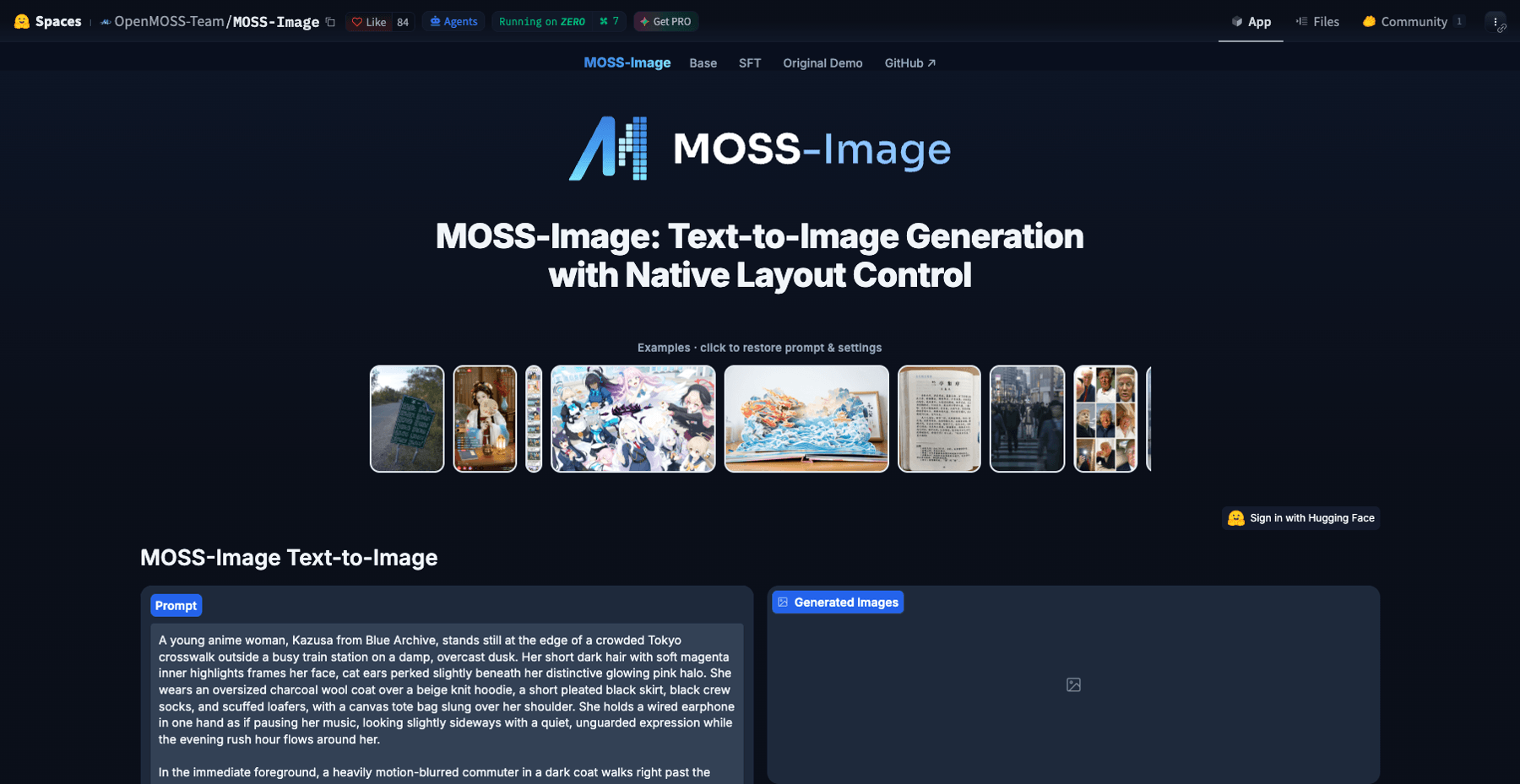
Source: OpenMOSS-Team/MOSS-Image Space on Hugging Face (accessed Oct 19, 2026)
How to try MOSS-Image
Zero setup — the Hugging Face Space. The official demo Space runs the same Gradio interface as the repo's local app: a model picker (Base or SFT), prompt and negative-prompt boxes, resolution and aspect-ratio controls, plus advanced sliders for steps, CFG, Shift, and skip-layer guidance. Paste the poster JSON above straight into the prompt field and set the matching width and height. Expect queues at launch week.
In ComfyUI. Search for "MOSS-Image" in ComfyUI Manager and install the native plugin; the repo includes example workflows. If you serve models, SGLang and vLLM-Omni both added support on release day.
Locally with diffusers. You need Python 3.10+, PyTorch 2.9+, and diffusers>=0.38; the model card's quickstart loads OpenMOSS-Team/MOSS-Image-Base through the custom pipeline_moss_image pipeline. The recommended sampling settings: Euler sampler, at least 50 steps, CFG 3.0 (raise it for short prompts), Shift 5.0, and negative-branch skip at layer 22 for the skip-layer guidance. If you're short on VRAM, the Memory mode dropdown offers component offload and a slower Sequential fallback.
Should you pay attention?
If you make posters, graphics, or marketing assets where text must actually be readable, MOSS-Image is one of the most interesting open-weight options to watch — text rendering and layout control are exactly the gaps it was built to close. If you train LoRAs, a preserved raw Base checkpoint is a genuinely useful starting point. If you just want images without owning a GPU, the calculus is different: self-hosting a 5B diffusion model is a hobby, and hosted tools — including the open-weight releases we've covered before — remain the faster path from prompt to picture.
The open question is whether JSON-layout control spreads. If it becomes the way people direct image models — the way structured JSON reshaped how we talk to language models — MOSS-Image's release will look less like another checkpoint and more like an interface proposal. Worth ten minutes, in other words.
Transform Your Images with AI
Turn sketches into stunning images, remove backgrounds, swap faces, and more — all powered by AI.
Try Sketch To FreeShare
SketchTo Team
Tech writer covering AI tools, image processing, and creative workflows.
Related Articles
Qwen-Image-2.1: One 7B Open-Weight Model for Image Generation, Editing, and Transparent Assets
Qwen-Image-2.1 unifies text-to-image, editing, and native RGBA transparency in one 7B open-weight model. What it does, what's new, how to run it today — and the license limits before you adopt it.
AI Image Generation Cost Comparison: What 20 Models Actually Billed
OpenRouter ran one prompt through 20 image models and recorded every bill — $0.006 to $0.134 for the same 1:1 image. The real per-image costs, and how to pick a model your budget agrees with.
GPT-6 Astra Use Cases for Image and Design Work: What's Real So Far
A source-attributed catalog of GPT-6 Astra's real image and design use cases — 3D worlds, frontend design, media production — plus the honest gap and what it means for your tools.