MOSS-Image Edit in ComfyUI: The Documented Setup
MOSS-Image edit works in ComfyUI, but not with the base model alone. MOSS-Image is a
text-to-image model with no image input; instruction editing comes from a community edit
LoRA that feeds your photo into the sampler as reference latents. You need ComfyUI 0.43.0 or
later, the built-in Text Encode MOSS-Image Edit node, and an edit_format value that matches
how that LoRA was trained. ComfyUI's documentation is direct about the cost of the last
requirement: a different value still returns an image, but identity, framing and fine detail
drift away from the source.
This guide covers what the edit path actually does, the files and versions to install, the template run, the instruction phrasing the LoRA was trained on, and the settings that decide whether the rest of the frame survives. It is written from ComfyUI's official MOSS-Image tutorial, the OpenMOSS repository and the model cards that ship the LoRAs; no first-hand run was performed for this article.
Key takeaways
- MOSS-Image is OpenMOSS's 5B open-weights text-and-layout model, released 2026-10-16 with Base and SFT checkpoints.
- Instruction editing arrived on 2026-10-22 as a community rank-64 LoRA, with ComfyUI core support for that class of adapter merging the same day.
- The image edit template needs ComfyUI 0.43.0 or later; the text-to-image templates need 0.42.0 or later.
- Template weights total roughly 13 GB at int8, plus a 297 MB edit LoRA.
- Each edit LoRA is wired to one training layout, and the built-in template expects chinoll's.
What "MOSS-Image edit" actually means
MOSS-Image is a single-stream diffusion transformer in the FLUX.2 latent space with a Qwen3.5-9B text encoder. It renders legible English and Chinese type, accepts prompts of roughly 4K tokens, and can take a JSON layout that places objects and text blocks by bounding box. ComfyUI merged native support in PR #17095 on release day, so the standard path needs no plugin.
What it does not have is an image input. ComfyUI's own tutorial says a reference image can reach the prompt enhancer, but not the diffusion model. Before the edit LoRA, that left two kinds of "editing": rewrite the layout JSON and regenerate, or push a photo through the color/depth control adapter. Neither changes a jacket.
On 2026-10-22, chinoll/Moss-Image-Edit, a rank-64 edit LoRA trained on MOSS-Image Base and
SFT, appeared on Hugging Face, and ComfyUI core merged PR #17296 for edit LoRAs the same day.
That PR added the Text Encode MOSS-Image Edit node and the LoRA key aliases that let
ai-toolkit-format adapters load in the stock LoRA loader. It landed after the v0.42.1 tag,
which is why the edit template asks for 0.43.0 or later.
The mechanism explains the rest of the settings. Your reference image is VAE-encoded into latent tokens and appended to the image sequence at timestep zero, attending only to the other reference tokens. Those tokens do not change during sampling, so their attention keys and values are cached instead of recomputed at every step. The text encoder reads your instruction; whether it also sees the photos depends on the layout you declare.
| A native instruction-edit model | MOSS-Image + edit LoRA | |
|---|---|---|
| Image input | Part of the model | Only through the LoRA's reference latents |
| Where instruction understanding lives | Trained into the base model | Trained into a small community adapter |
| Support status | Vendor-maintained | ComfyUI core node, marked experimental |
| Layout requirement | None beyond the vendor's own API | References must match the adapter's training layout |
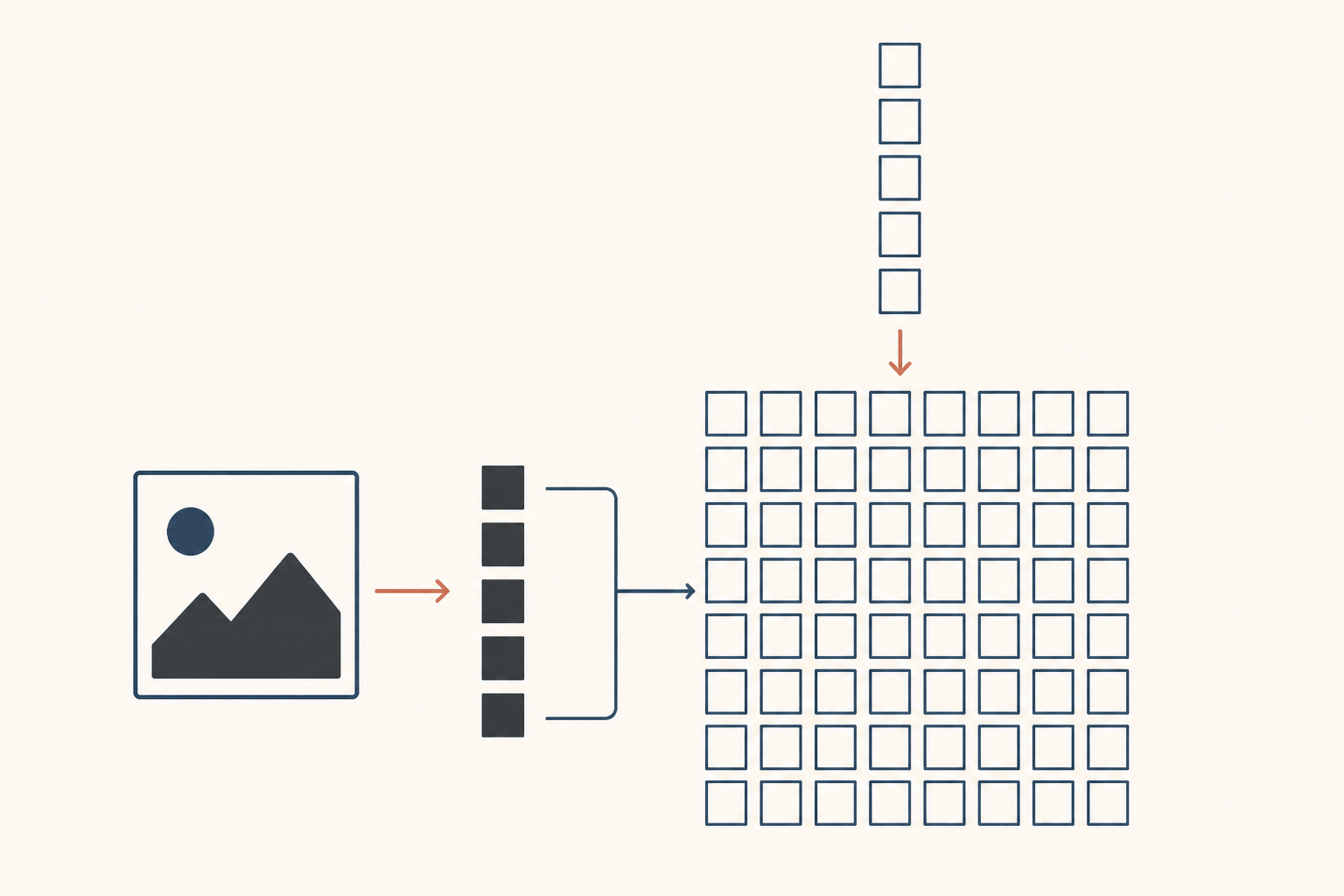
Illustrative diagram of the reference-latent path described in ComfyUI's MOSS-Image documentation; not a screenshot.
What you need before you start
Two version facts decide whether the rest of this guide applies:
- ComfyUI 0.43.0 or later for the image edit and color/depth control templates.
- ComfyUI 0.42.0 or later for the text-to-image templates, if you want to compare the base model against the edit path first.
The weights live in Comfy-Org/MOSS-Image on Hugging Face. Sizes below are the real file
sizes from that repository, so you can plan disk and memory before downloading:
| File | Folder | Size | What it is |
|---|---|---|---|
moss_image_sft_int8_convrot.safetensors |
models/diffusion_models/ |
5.41 GB | Instruction-tuned checkpoint the edit template loads |
qwen3.5_9b_w4a8_gptq.safetensors |
models/text_encoders/ |
7.34 GB | Text encoder for the text-to-image and edit templates |
flux2-vae_small.safetensors |
models/vae/ |
249 MB | VAE |
moss_image_edit_lora_rank_64_bf16.safetensors |
models/loras/ |
297 MB | The edit LoRA |
That is about 13 GB before activations. The bf16 builds — moss_image_sft_bf16 at 10.16 GB
and qwen3.5_9b_bf16 at 19.3 GB — trade roughly 16 GB more disk for more memory headroom, so
the int8 pair is the reasonable first download unless you already know your card is
comfortable. ComfyUI's tutorial describes the weights as Apache 2.0.
Download the files
The template route handles placement:
- Update ComfyUI to 0.43.0 or later and restart.
- Open Workflow → Browse Templates and search for MOSS-Image: Image Edit.
- Let the template prompt for the listed models, or download them yourself into the four folders above.
- Load a photo into Load Image and describe only the change in the positive prompt.
For the command line, the LoRA card documents equivalent hf download commands: the adapter
files go into a Moss-Image-Edit directory that the Diffusers-style plugin path points at,
while the single-file template path only needs the .safetensors files in the folders above.
Two things are easy to get wrong here:
- Plugin-era workflows do not convert by swapping the loader. The native model uses a
different timestep multiplier; OpenMOSS's README says to import a native workflow rather
than port an old plugin graph, and not to carry over
ModelSamplingSD3. - The text encoder must be the w4a8 build for the text-to-image and edit templates. The color/depth control template is the one that loads the int8 encoder instead.
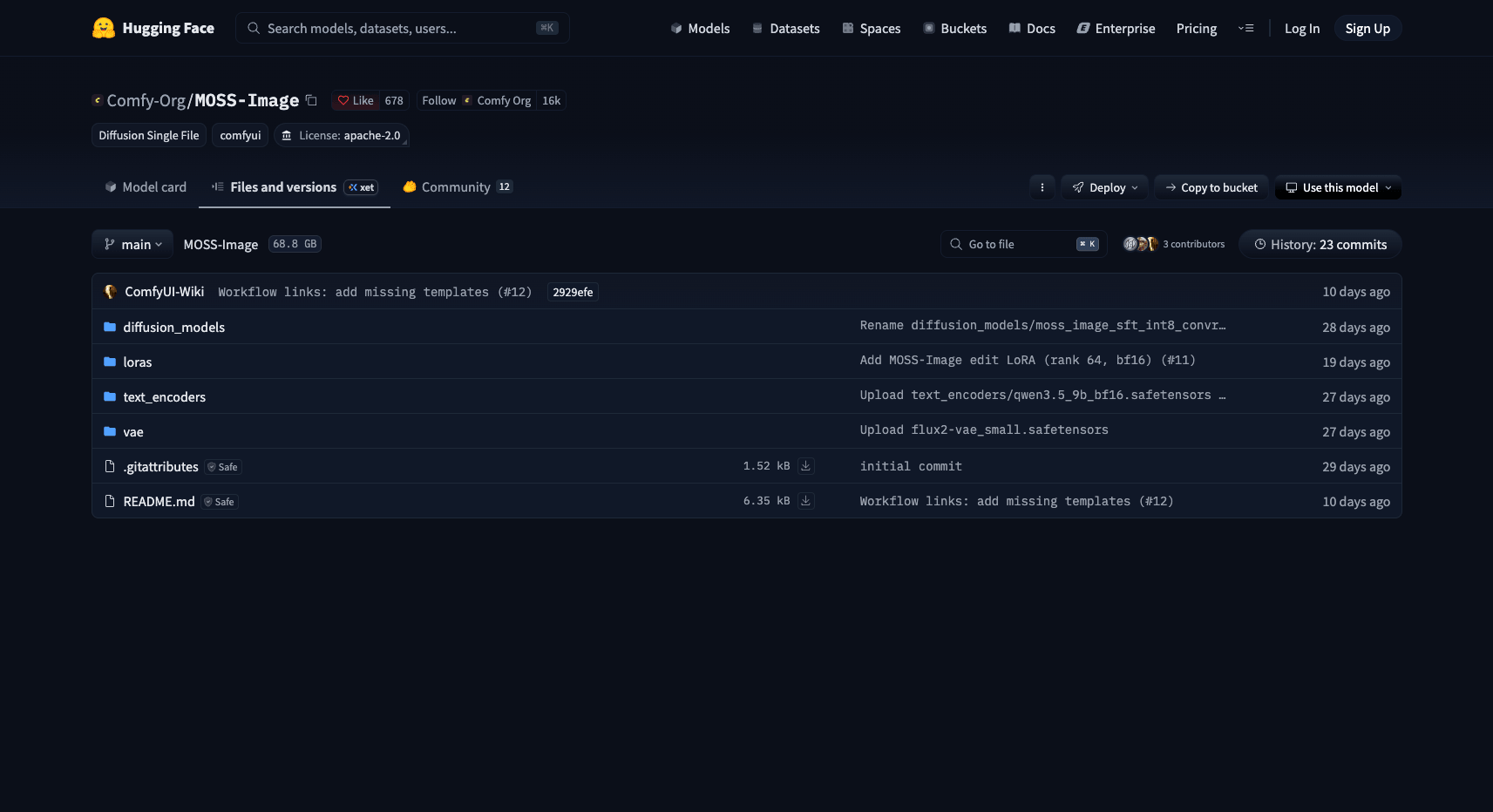
Comfy-Org/MOSS-Image on Hugging Face, repository root (accessed 2026-11-14). The four template files used here total about 13 GB.
Run the built-in Image Edit template
The edit graph is the ordinary MOSS-Image graph with two additions:
- Load Diffusion Model loads the SFT int8 checkpoint.
- LoRA Loader applies
moss_image_edit_lora_rank_64_bf16.safetensors. - CLIPLoader loads
qwen3.5_9b_w4a8_gptqwith typemoss_image; Load VAE loads the FLUX.2 small VAE. - Text Encode MOSS-Image Edit runs twice — once for the positive instruction, once for the negative — with the same references connected to both.
- Sample, decode, save. The template resizes your photo to about 1.0 MP while keeping its aspect ratio.
Two details in that list are easy to get wrong. The encode node's reference images are used
at the size they arrive, so scale them to roughly 1 MP before connecting or you pay for
tokens you do not want. And image_strength only controls how much the text encoder attends
to the images, in the ai-toolkit layouts or when no VAE is connected; at 0 the instruction
stops seeing the photos, above 1 it over-weights them.
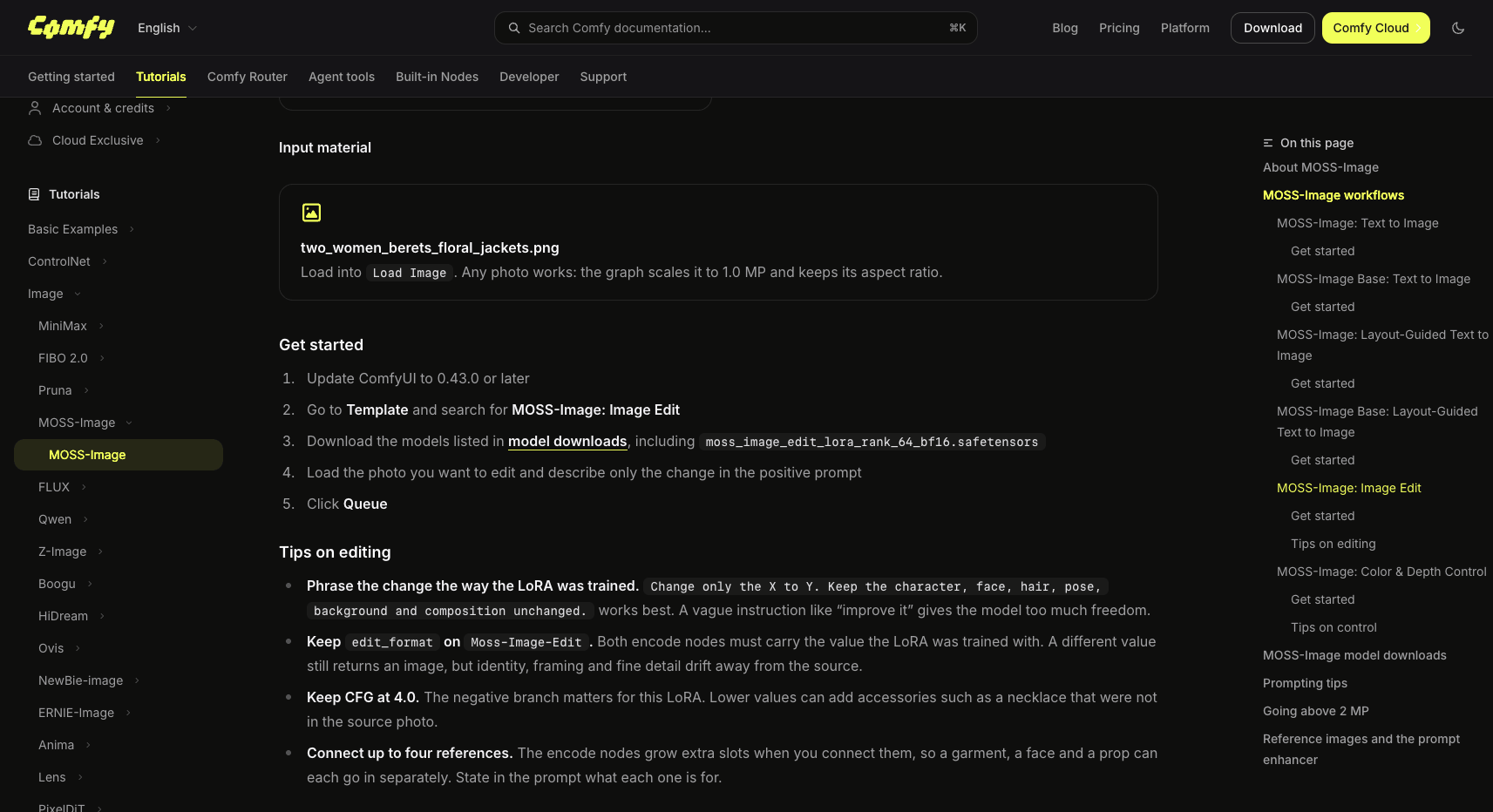
ComfyUI documentation, MOSS-Image tutorial (accessed 2026-11-14).
Write an instruction the LoRA was trained on
The LoRA was trained on a narrow instruction shape, and the model card and ComfyUI's tips agree on what it looks like: name the change, then explicitly protect everything else.
Change only the jacket to a black leather biker jacket. Keep the character, face, hair, pose, background and composition unchanged.
Two variations that follow the same pattern:
Change only the lighting to warm late-afternoon sun from the left. Keep the face, hair, clothing, pose and background unchanged.
Change only the background season to winter with light snow. Keep the character, outfit, pose and framing unchanged.
Vague requests ("improve it", "make it better") give the model license to redraw the frame. With more than one reference, say what each image is for — the adapter does not assign roles itself, and the node's slots grow as you connect them, up to four. The documented example is a person from image 1 wearing the outfit from image 2.
The settings that decide the result
| Setting | Value | Why |
|---|---|---|
edit_format |
Moss-Image-Edit for chinoll's LoRA; ai-toolkit for MOSS-Image-Edit-HQ |
Selects the reference-latent layout and whether the text encoder sees the photos. A mismatch still renders, but identity, framing and detail drift. |
| CFG | 4.0 for the edit template | The negative branch matters for this LoRA. Lower values can add accessories that were not in the source photo. |
| Steps / sampler | 25 steps, CFG 2.5, er_sde in the template; 50 steps, CFG 3, Euler for the official look |
The template is tuned for speed; the official Base settings are slower and cleaner. |
| Output size | 1–2 MP recommended, multiples of 16 | The model extrapolates from about 0.25 MP to 4 MP, and quality falls off outside 1–2 MP. |
| Reference size | Scale before the encode node | Each reference is used at arriving size, so a large one adds tokens to every sampling step |
| SLG | Layer 22, on | Turning skip layer guidance off can look more realistic but may collapse detail. |
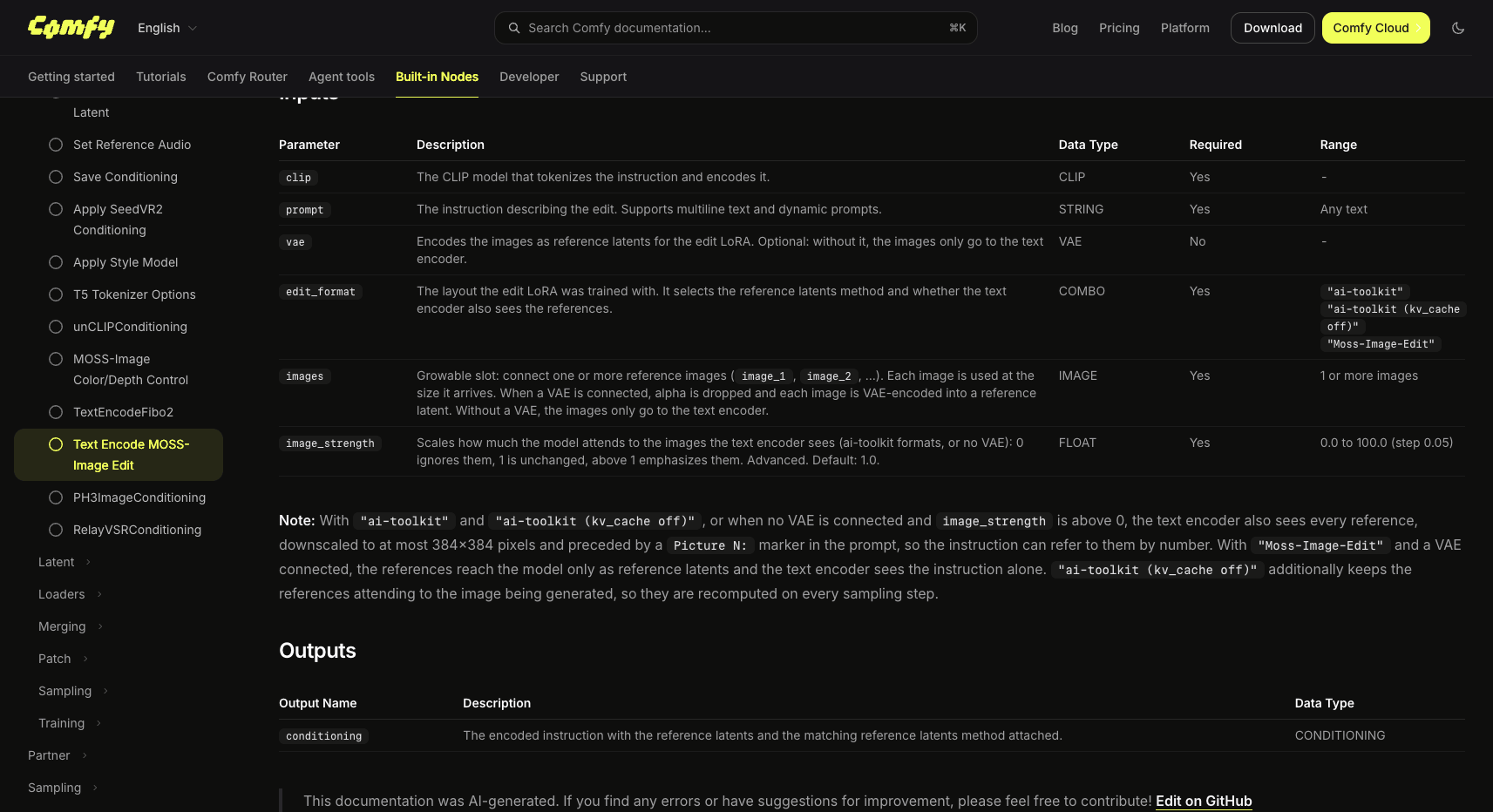
ComfyUI built-in node reference (accessed 2026-11-14).
Which edit LoRA to run
Two community families dominate the current results, and they are not interchangeable:
chinoll/Moss-Image-Edit— rank 64, trained on both Base and SFT, one to four references, aimed at colour, outfit, lighting, season and style edits. This is the layout ComfyUI wired its core support around, and the one the built-in template expects. In this layout the text encoder does not receive the photos, so your instruction has to carry the intent on its own.akhaliq/MOSS-Image-Edit-HQ— an unofficial fine-tune of MOSS-Image-SFT, recommended checkpointarmV5, in ai-toolkit format. Its card recommends 50 steps at CFG 3.0, Euler, SLG layer 22, and documents the trade-offs: edits can come out more saturated than the source, multi-reference compositing is not what it was trained for, and Base/Kromoss compatibility is unverified.
There is also a community 8-step DMD distillation of MOSS-Image-SFT that stacks after the edit LoRA (strength 1.0 each, 8 steps, CFG 1). Its card reports it as roughly six times faster and equally clear that it softens results: object additions land weakly and colour containment degrades. Use it for iteration, then finish at 50 steps.
A third path exists: the Chenkin-x plugin keeps its own Diffusers snapshot and defaults to 512×512, 30 steps, CFG 4.0 and a 512-pixel reference long edge. Installing it means running a different graph with different defaults — do not mix its settings with the native template's.
Troubleshooting
| Symptom | Likely cause | Fix |
|---|---|---|
| The face or framing changes even though the instruction was explicit | edit_format does not match the LoRA's training layout |
Set Moss-Image-Edit for chinoll's LoRA, ai-toolkit for the HQ LoRA, on both encode nodes |
| The edit barely registers | Too few steps or CFG too low | Move toward 50 steps and CFG 3.5–4 for ai-toolkit LoRAs; confirm the LoRA strength is 1.0 |
| New accessories appear that were never in the photo | CFG below the recommended value on the Moss-Image-Edit layout | Keep CFG at 4.0 |
| The whole frame shifts on a small edit | The instruction asked for more than a change | Rewrite as "change only X to Y, keep everything else unchanged" |
| Results look soft or washed | The 8-step speed stack was used for a final render | Re-run at 50 steps with the edit LoRA alone |
| The reference is ignored entirely | Reference connected without a VAE, or image_strength at 0 |
Connect the VAE for reference latents; raise image_strength above 0 |
When local MOSS-Image edit is the wrong tool
MOSS-Image edit is a reasonable fit if you already run ComfyUI, you want local control, and your edits are the kind the LoRA was trained on: outfit, colour, light, season, style. It is a poor fit if any of these are true:
- You do not have ~13 GB of weights and the memory to match. The int8 build keeps the footprint plausible on consumer cards, but the text encoder is most of it.
- You need compositing or object insertion from another photo. The architecture accepts up to four references; the LoRAs are trained on single-reference edit pairs, and the HQ card says outright that compositing is not what it learned.
- You need an official editing model. There is no OpenMOSS edit checkpoint as of this writing, and the base model has no image input at all.
- You need a browser, not a GPU. If the edit is the point and the local stack is overhead, instruction-based editing also runs on hosted models — SketchTo serves Qwen-Image-Edit in the browser, a different model with different strengths, not a MOSS-Image port.
Bottom line
Use MOSS-Image edit when you want a 5B local model that renders text well and you are editing a
photo in place rather than rebuilding it. Get the version right (0.43.0+), download four files
(about 13 GB at int8), pick the LoRA and set edit_format to its layout, and write
instructions that name one change and protect everything else. The failure modes the sources
document are those setup steps, not the model.
Transform Your Images with AI
Turn sketches into stunning images, remove backgrounds, swap faces, and more — all powered by AI.
Try Sketch To FreeShare
SketchTo Team
Tech writer covering AI tools, image processing, and creative workflows.
Related Articles
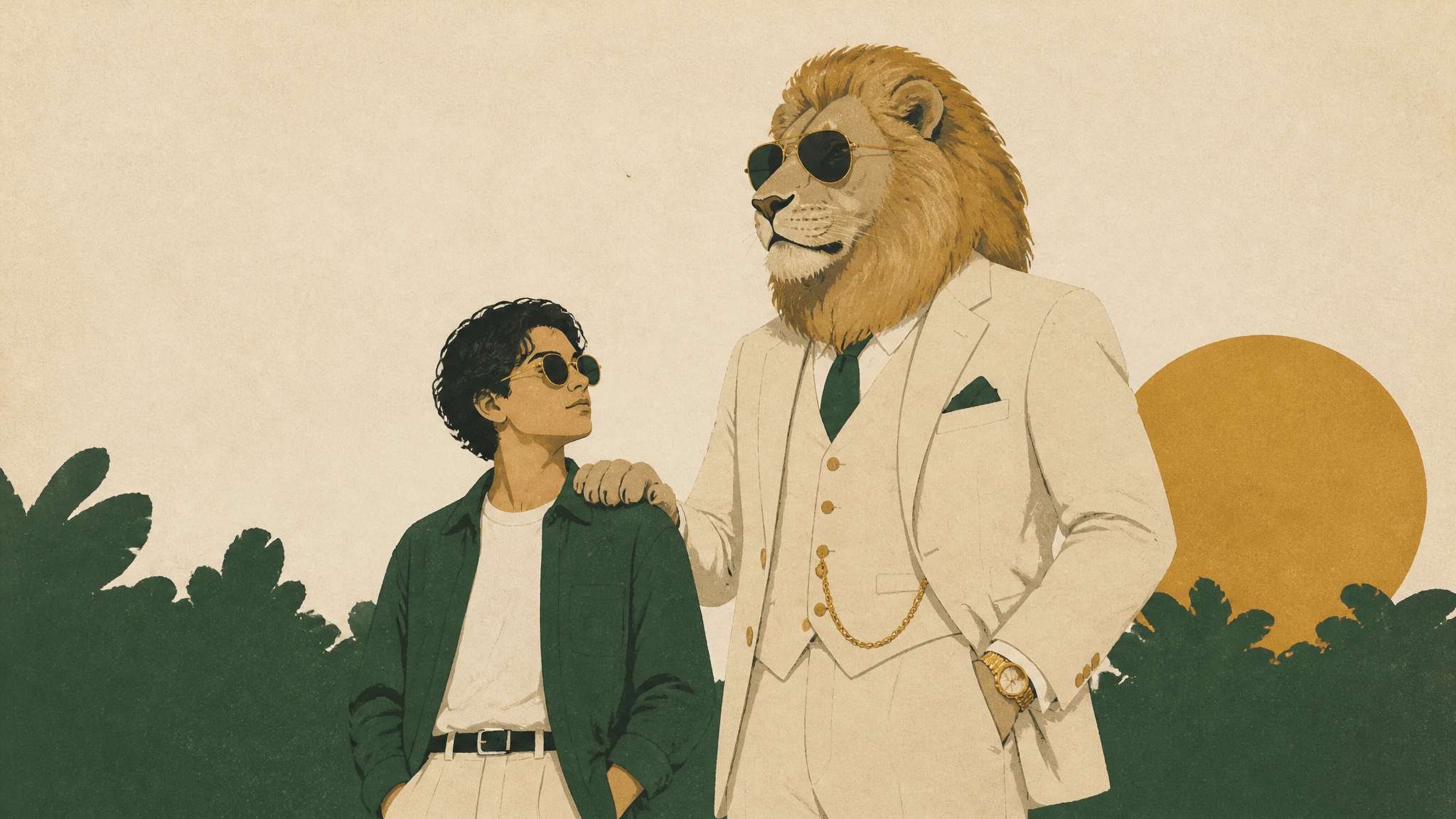
Sheru Bhai Prompt: How to Make Your Own Photo With the Lion
Copy-paste Sheru Bhai prompts: one character block, three scene recipes, the step-by-step flow, and fixes for a drifting face and melted paws.
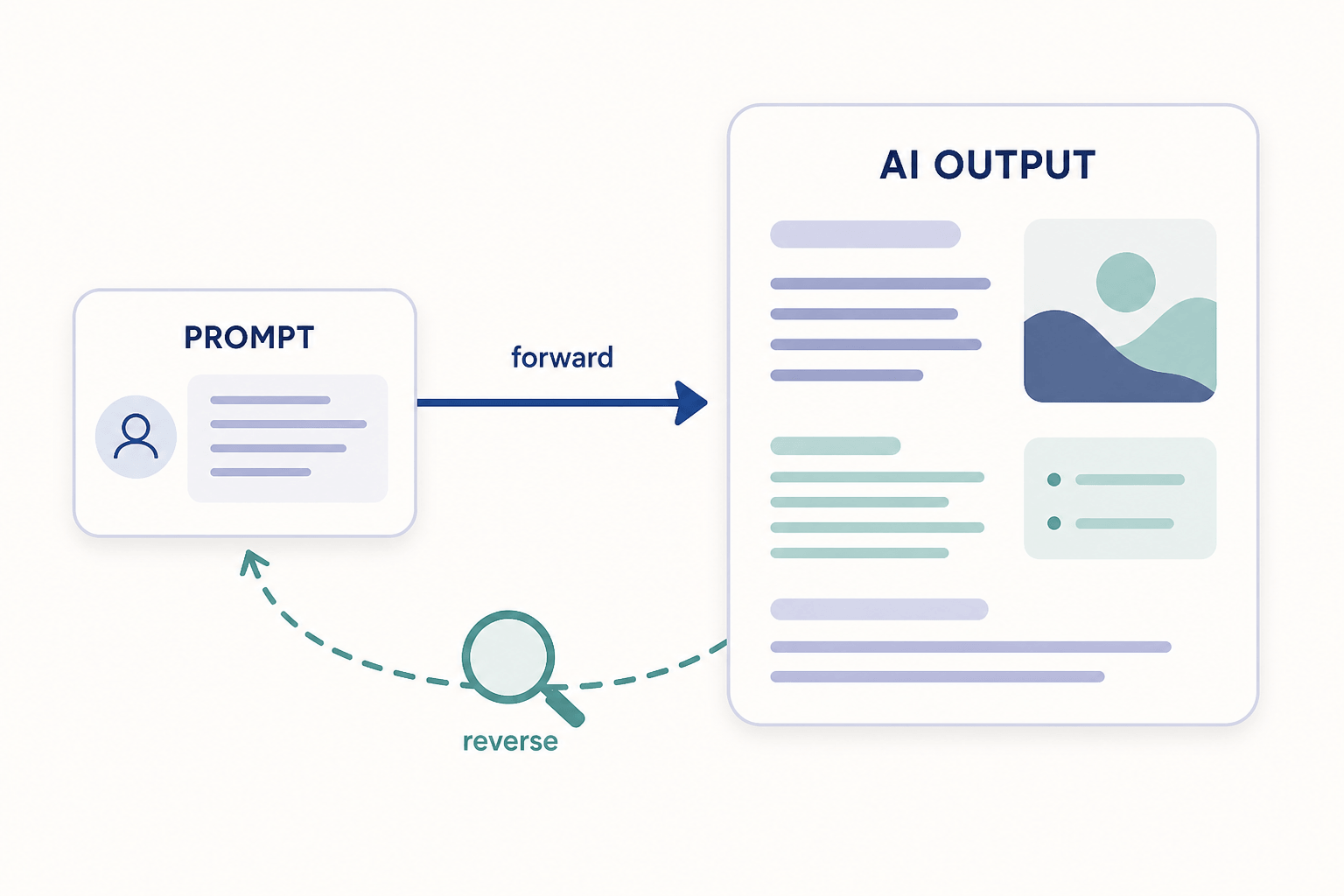
Reverse Engineering Prompt: What It Is and How to Do It
Reverse engineering a prompt means inferring the prompt behind an AI output. Learn the documented method researchers use, a manual checklist you can apply today, and where the technique breaks down.
AI Action Figure Generator Prompt: The Copy-Paste Template (Plus a No-Prompt Shortcut)
A working action figure prompt for ChatGPT and Gemini — packaging, accessories, base, and pose wording explained — plus honest caveats and a preset-style generator shortcut.