
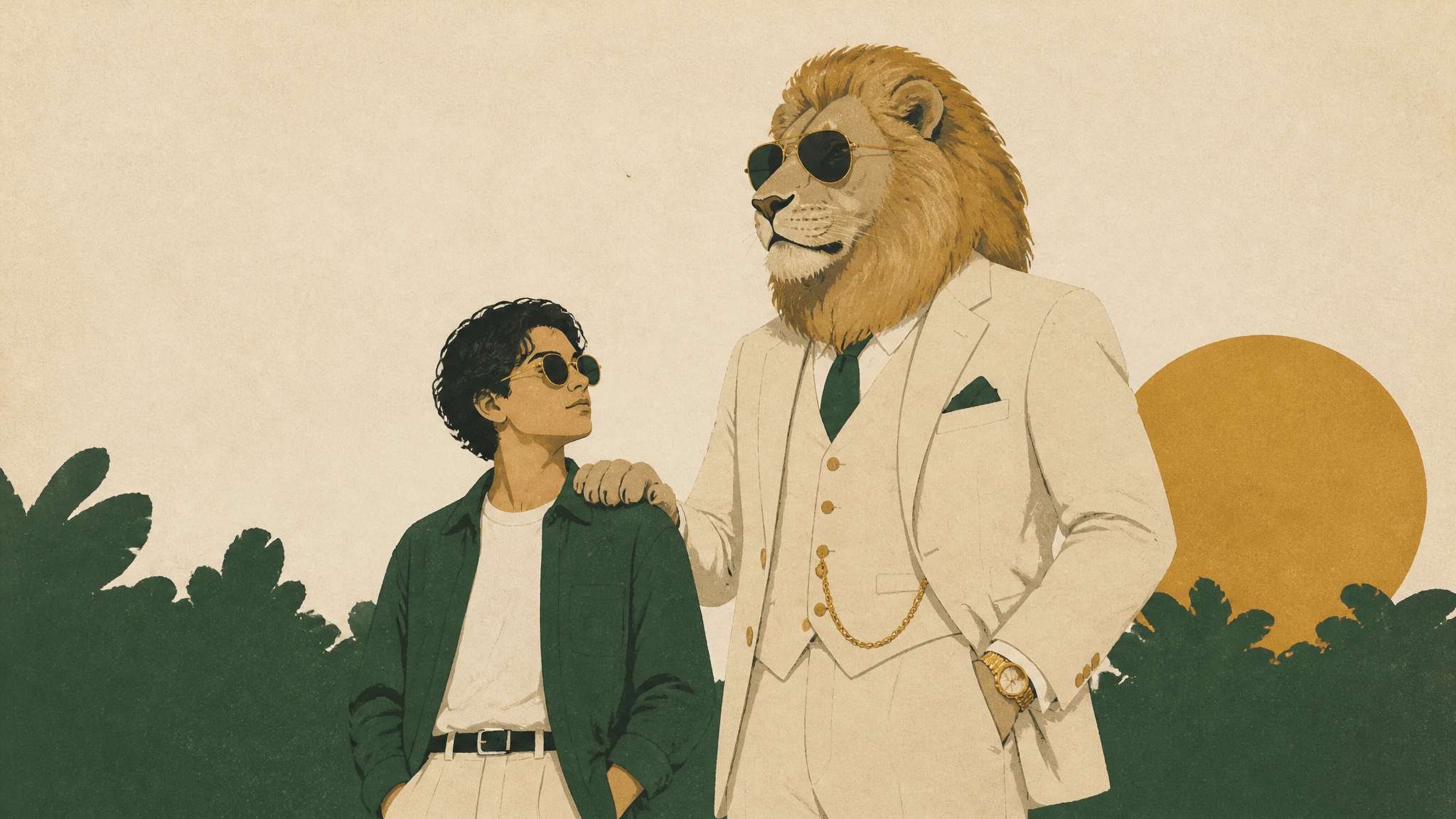
Sheru Bhai Prompt: How to Make Your Own Photo With the Lion
A Sheru Bhai prompt does two jobs at once: it locks the character (an anthropomorphic lion in a three-piece suit, gold chain, aviator sunglasses) and it locks your place in the frame (standing beside him, his paw on your shoulder). Paste one character block, add one scene paragraph, upload a clear selfie as a reference image, and instruct the model to keep your face identical. That is the whole method. Everything below is the text to copy, the order to do it in, and the three things that usually break.
Key takeaways
- The character, not the scenery, is what makes a photo read as "Sheru Bhai": mane, eyes, suit, gold accessories, sunglasses.
- There is no official prompt. Trend sources publish descriptive text, so treat every prompt as a starting point you edit.
- Two looks dominate: a white lion in a white three-piece suit, and a golden lion businessman in a cream suit.
- Keep the character block verbatim across every image and change only the scene paragraph — that is how consecutive photos stay consistent.
- Most failures are not model quality; they are conflicting instructions and a messy point of physical contact.
What the Sheru Bhai photo trend actually is
Sheru Bhai is a fan-made AI character: an anthropomorphic lion styled as a wealthy "Don" in tailored suits. The trend began as short vertical AI videos and then split, as these things do, into stills — people generating a photo of themselves standing next to the lion, usually with his paw on their shoulder or posed beside a luxury car (documented photo prompts, November 2026).
Two details are worth knowing before you write a prompt.
First, there is no canonical reference image. A fan project that documents the character's plays describes him as a tall white lion with a snow-white mane, pale gold eyes, a white three-piece suit, a gold Cuban-link chain, gold watch, gold rings and black aviator sunglasses. A separate prompt page documents a golden lion businessman in an ivory double-breasted suit and charcoal waistcoat in a luxury auction hall. Both circulate. Pick one and stay consistent inside a set.
Second, these are descriptive prompts, not a preset. The published pages that document the look describe plain text instructions and explicitly do not promise exact identity preservation — which is why the failure section below matters more than the prompt itself.
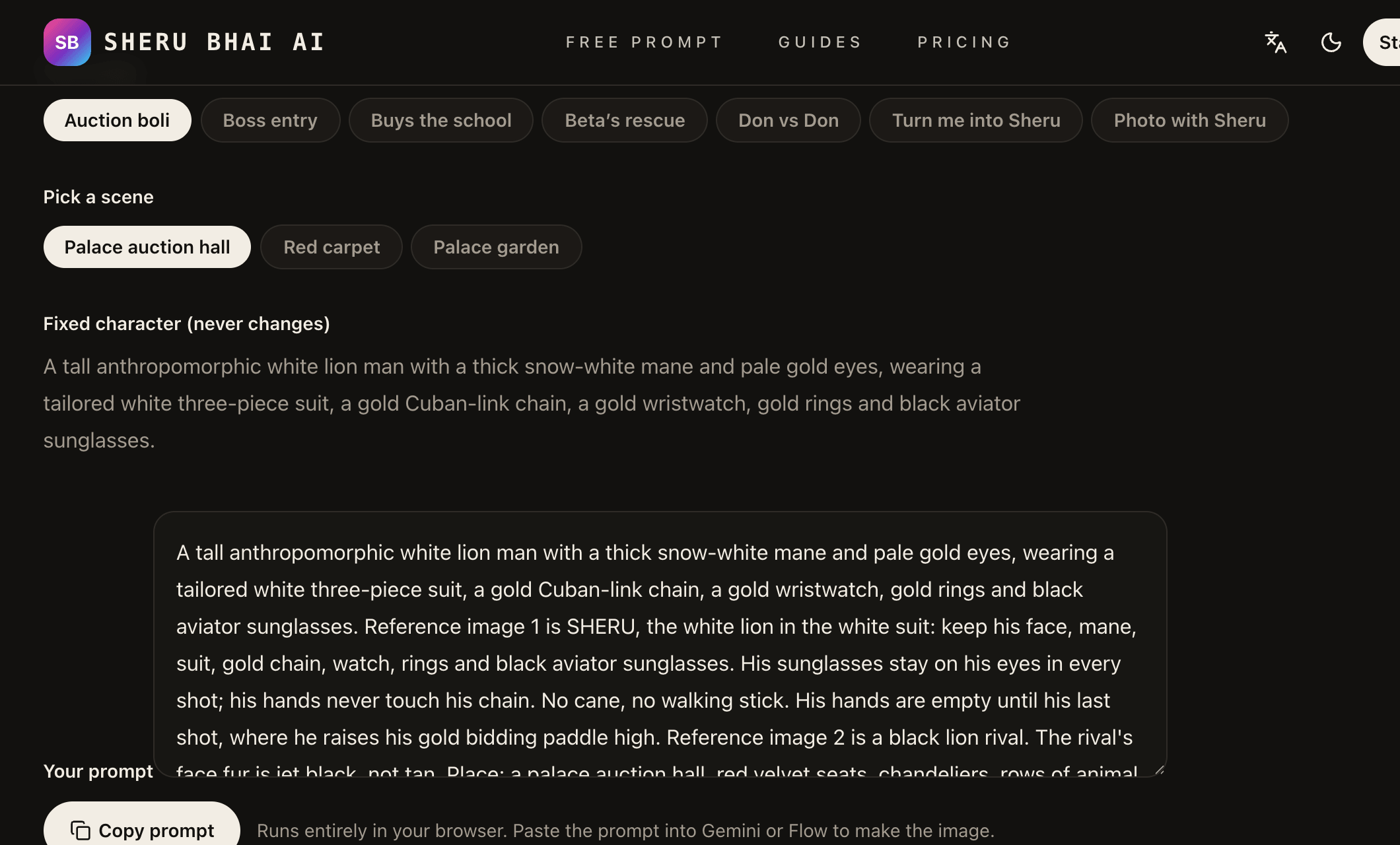
The documented fixed character and the 'Photo with Sheru' play, screenshot from sherubhai.co (accessed 2026-11-14).
One more thing to skip: the origin story. Several unverified claims circulate about who started the trend and none is confirmed, so it does not belong in your prompt or your caption.
The character block: paste this first
This is the part you do not improvise. It fixes species, mane, eyes, wardrobe, jewellery and eyewear — the details that make the lion recognizable from one image to the next.
A photorealistic anthropomorphic lion character: a tall white lion with a thick
snow-white mane, pale gold eyes and a calm, confident expression, wearing a
tailored white three-piece suit with a crisp white shirt, a gold Cuban-link
chain, a gold wristwatch, gold rings and black aviator sunglasses. Natural fur
texture, realistic anatomy with five-fingered hands, editorial fashion
photography lighting, 50mm lens, shallow depth of field, no logos, no text.
For the golden-lion variant, swap only the first line and the suit: "a muscular golden lion with an amber mane and amber eyes" and "an ivory double-breasted suit with a charcoal waistcoat". Leave the rest alone. The mane, the gold and the sunglasses are what people recognize.
Two phrases in that block are doing quiet work. "Photorealistic" plus "natural fur texture" keeps the model out of cartoon territory, and "five-fingered hands" is a cheap guard against the melted paws that ruin the paw-on-shoulder pose.
Three scene prompts you can copy
Each prompt below is the character block plus a scene paragraph. Replace anything in square brackets.
A. Sunlit courtyard, paw on your shoulder
The mainstream version of the trend: the arrangement most Sheru Bhai photos use.
[CHARACTER BLOCK]

The lion stands on the right side of the frame with its right paw resting
lightly on the shoulder of the person in the reference image, who stands on
the left in [a light blue linen shirt and white trousers]. Keep the person's
facial structure, skin tone, hairstyle and expression identical to the
reference image. Sunlit stone courtyard with columns and green foliage,
golden-hour light from the left, both subjects sharply in focus, 50mm lens,
eye-level camera, three-quarter body framing, photorealistic, natural skin
texture.
B. Luxury car at night
The "flex" frame. It reads as a flex because of the light, not the car brand, so describe light and let the model invent a generic car.
[CHARACTER BLOCK]

The lion stands beside an unbranded black luxury sedan in an underground
parking garage, one paw in his pocket, chin slightly raised. The person from
the reference image stands beside him, half a step forward, looking at the
camera. Keep the person's facial structure, skin tone and hairstyle identical
to the reference image. Cool overhead garage lights with warm rim light on
the fur, wet concrete floor with soft reflections, 35mm lens, low camera
angle, full-body framing, cinematic contrast, photorealistic.
C. Palace auction hall
The scene that matches the video branch of the trend: the lion as the buyer who cannot be outbid.
[CHARACTER BLOCK]

The lion sits in the front row of an opulent auction hall, holding a numbered
paddle, the person from the reference image seated beside him. Keep the
person's face, skin tone and hairstyle identical to the reference image.
Warm chandelier light, blurred bidders in the background, dark wood and gold
details, 85mm lens, shallow depth of field, editorial cinematic lighting,
photorealistic.
What to change between images: the scene paragraph, the pose, and the lens. What not to change: the character block. Consistency in a set comes from repetition, not from re-describing the lion more colourfully.
Running it in SketchTo, step by step
The workflow below needs one panel that takes a reference image and a custom prompt together, which is what the AI Character Generator does — upload, prompt and model cost sit on the same screen.
- Open the tool and stay in Custom Prompt. The page opens with an image slot and a prompt box; ignore the preset styles, since you are supplying the text.
- Upload your selfie as a reference image. The tool accepts up to three reference images. One sharp, front-lit, unoccluded photo of your face is enough; adding two more frames of the same person helps the model hold the likeness when the scene is busy.
- Paste the full prompt. Character block, blank line, scene paragraph. Replace the bracketed clothing and any scene detail you want changed.
- Pick the model and read the credit cost before you generate. Nano Banana costs 2 credits per image, so the 4 new-account credits cover two attempts; the picker also lists higher-cost options such as FLUX 2 Flex at 6 credits and Nano Banana Pro at 8 credits, and the balance is displayed in the same panel.
- Generate, compare against the reference, then iterate with the fixes below. Change one thing per attempt — pose, light, or likeness instruction. Changing three at once makes it impossible to tell what helped.
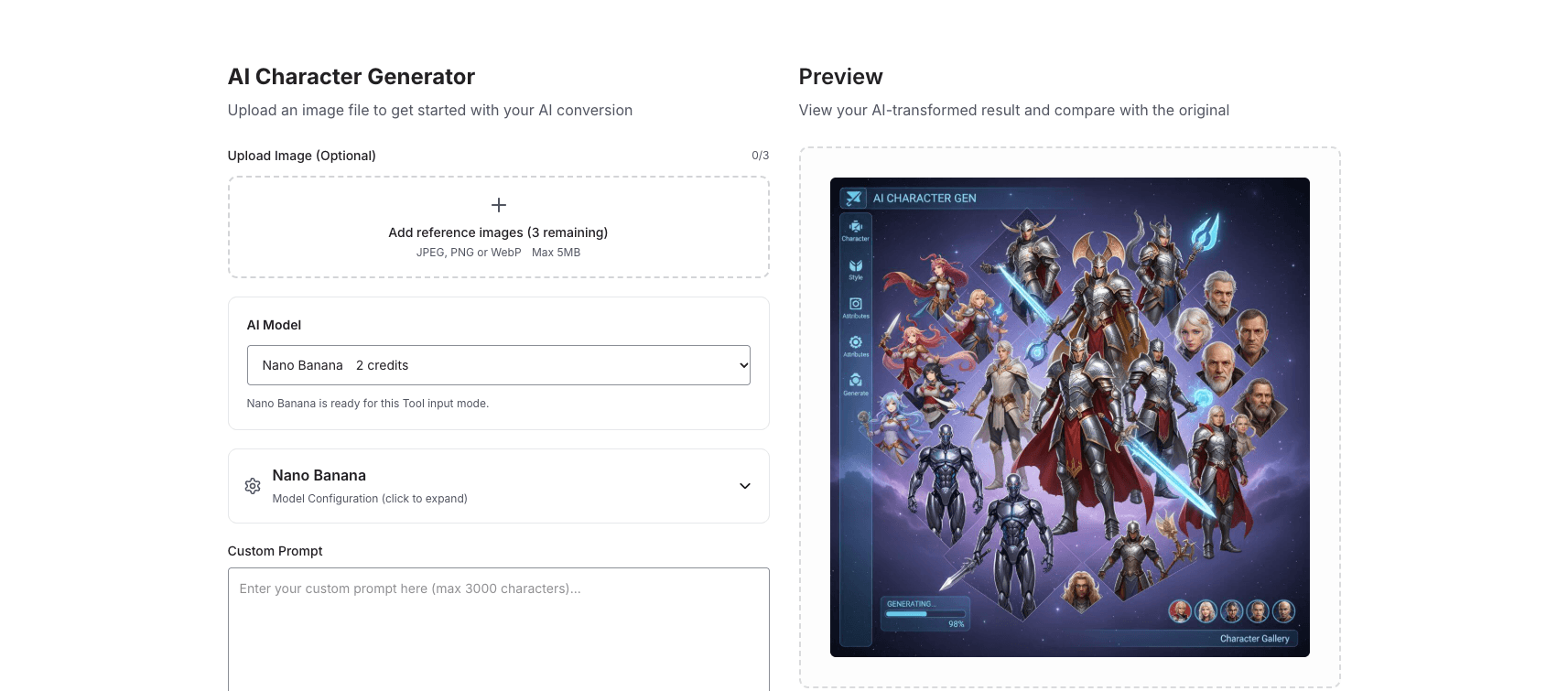
The live tool: up to three reference images, a custom prompt box and the per-model credit cost on one screen.
When it goes wrong: three fixes
1. Your face drifts. The usual cause is a conflict: you described your own face in the prompt and uploaded a reference, so the model averages two descriptions. Upload one clear photo, delete any sentence that describes your face, and keep a single instruction: "keep facial structure, skin tone, hairstyle and expression identical to the reference image". If the face still changes, simplify the scene — fewer people, less occlusion, no profile angle.
2. The paw and the hand melt together. Physical contact between two subjects is the hardest thing you are asking for. Either state the arrangement precisely ("the lion's right paw rests on the person's left shoulder, arm crossing behind the neck") or remove contact entirely and let them stand shoulder to shoulder. A slightly less intimate pose that renders cleanly beats a perfect pose with a fused hand.
3. The lion turns into a cartoon or a different animal. This happens when the scene paragraph re-describes the character in new words. Delete those adjectives, keep the character block untouched, and add "photorealistic, not a cartoon, not an illustration". If a model keeps drifting, switch models rather than rewriting the character.
Making it read less like AI
- Frame it vertical. A 4:5 or 9:16 crop matches where these photos get posted, and it forces a tighter, more believable composition.
- Name a lens. "50mm" and "eye-level" produce a normal, human-looking perspective; "wide-angle" produces the stretched, obviously generated look.
- Keep one imperfection. The character block already asks for natural fur texture; add a little grain and off-centre framing yourself if you want the photo to sit closer to a phone snapshot than a studio frame.
- Avoid symmetry. Two subjects staring straight at the camera at the same height looks synthetic. Turn one head.
FAQ
Is there an official Sheru Bhai prompt? No. The character is fan-made, and the pages documenting it publish descriptive text rather than an official preset; they also note that exact identity preservation is not guaranteed.
Can I use my own photo? Yes — the reference-image slot is what makes the photo "you beside the lion" rather than "a lion". Use a photo of yourself that you have the right to edit, and keep other people out of it.
Do I need the video tools too? No. The video branch of the trend (story, image, then image-to-video) is a separate workflow. A single still is a complete deliverable and takes one generation. Still photo jobs on SketchTo keep the editor, credit balance and generation history in one account, which matters if you plan to make a set.
The short version
Write the character once, paste it unchanged into every scene, describe your pose and the light, upload one clean selfie, and lock the likeness with a single sentence. Then fix failures one at a time: remove conflicting face descriptions, simplify or remove physical contact, and stop re-describing the lion. The prompt is the easy part; the discipline of changing one variable per attempt is what gets you a photo that survives a second look.
Transform Your Images with AI
Turn sketches into stunning images, remove backgrounds, swap faces, and more — all powered by AI.
Try Sketch To FreeShare
SketchTo Team
Tech writer covering AI tools, image processing, and creative workflows.
Related Articles
MOSS-Image Edit in ComfyUI: The Documented Setup
MOSS-Image has no image input, so instruction editing comes from a community edit LoRA. The documented files, edit_format values, and settings for ComfyUI.
Reverse Engineering Prompt: What It Is and How to Do It
Reverse engineering a prompt means inferring the prompt behind an AI output. Learn the documented method researchers use, a manual checklist you can apply today, and where the technique breaks down.
AI Action Figure Generator Prompt: The Copy-Paste Template (Plus a No-Prompt Shortcut)
A working action figure prompt for ChatGPT and Gemini — packaging, accessories, base, and pose wording explained — plus honest caveats and a preset-style generator shortcut.