
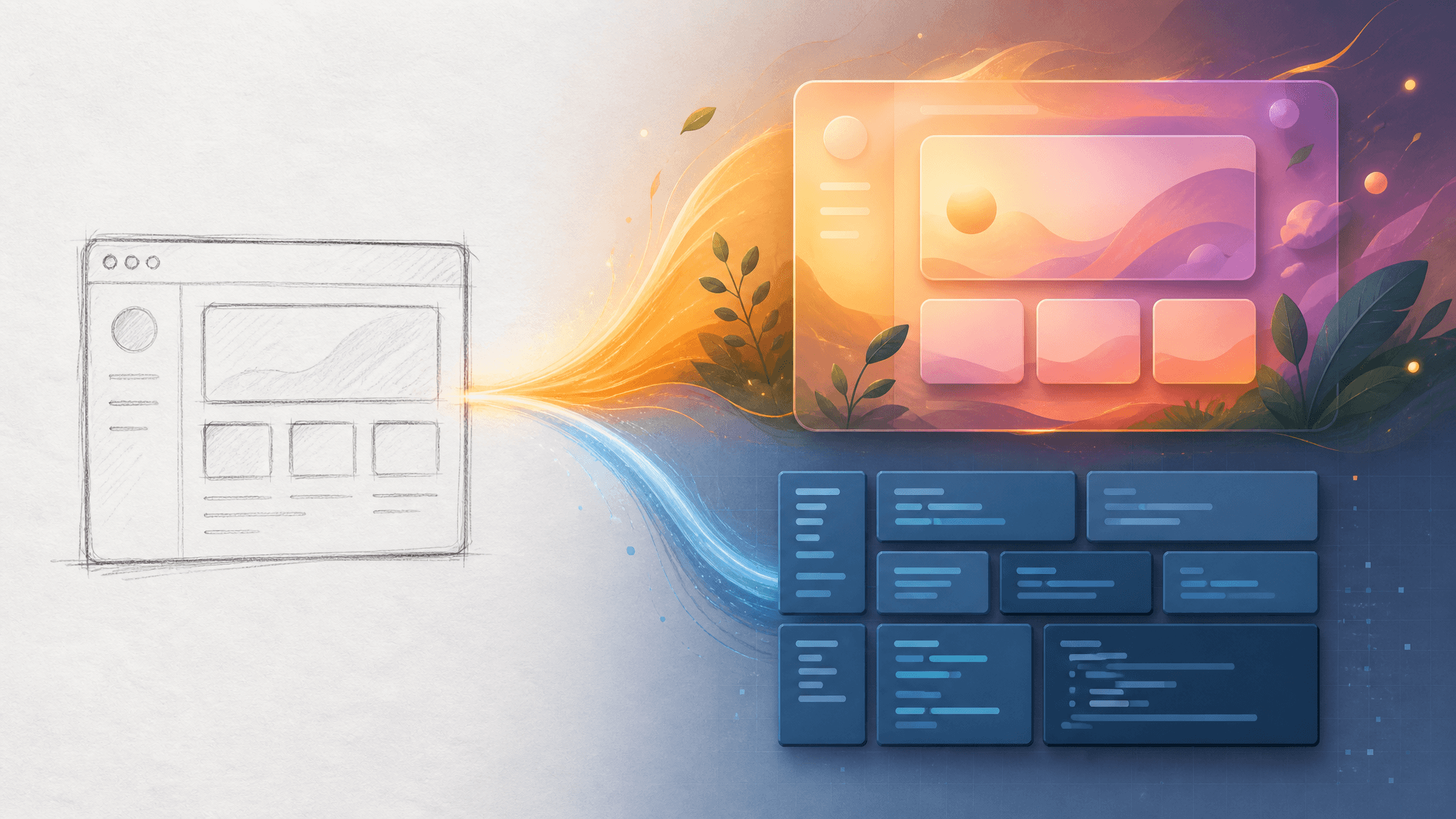
AI UI Generation: World-Model Interfaces vs Sketch-to-Code
Two announcements landed this week that point AI interface work in opposite directions. On August 31, Runway introduced Solaris, a model that generates an entire interface frame by frame — the image itself is the interaction layer, with no code underneath. A day later, World Labs shipped Atlas, another sign that world models are moving fast. Meanwhile, the established route keeps compounding: AI UI generation that turns a sketch, a screenshot, or a sentence into runnable code you can edit, version, and ship.
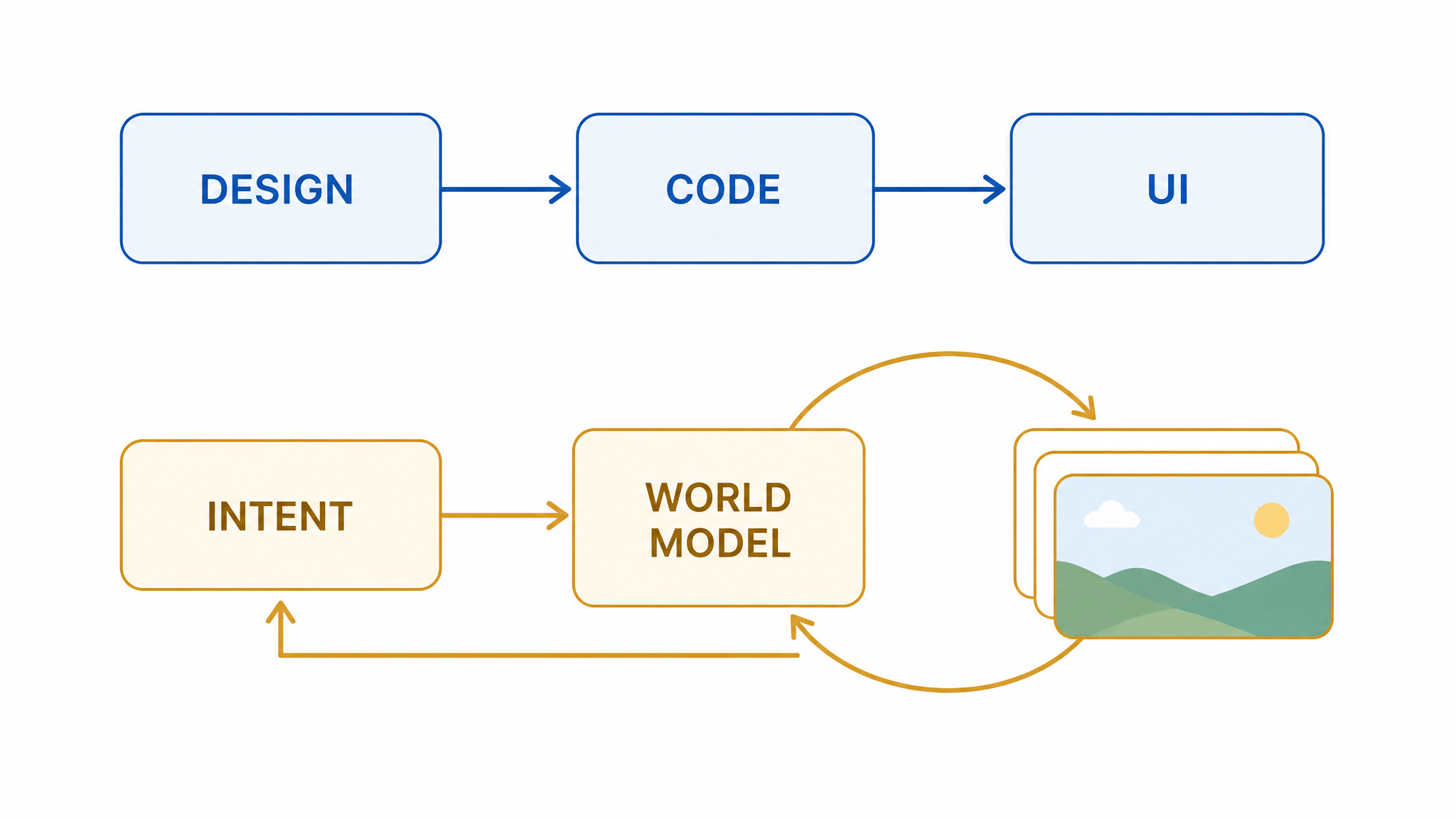
So which road should designers and developers take through AI UI generation? The honest answer: they lead to different destinations. The world-model route produces experiences — living, responsive visuals you can explore and pitch. The code route produces systems — software that runs in production, survives maintenance, and integrates with everything else you've built. This article compares the two routes on the same criteria and ends with a decision framework for choosing between them per project, not per hype cycle.
What Solaris actually is
Solaris is the first model in Runway's new Interface World Models family, and the framing matters more than the benchmark numbers. Instead of building an interface out of components and code, Solaris renders it — every frame is synthesized in real time as you click, drag, or type, so the interface responds continuously to your actions. There is no intermediate representation between the visual and the behavior: the model generates the interface directly, pixel by pixel.
Under the hood, Runway adapted its Gen-4.5 video model to do two new things: understand interaction (clicks and drags become conditioning signals for the next frame) and run in real time (autoregressive frames plus a distilled, few-step denoising process). An LLM sits in front and decides how the interface should evolve; the world model renders that decision at interactive speeds, with visual quality holding at 720p.
Runway's own reported results make the contrast with coded interfaces vivid. In its screenshot-reconstruction test, state-of-the-art multimodal LLMs — including Claude Fable 5 — lost fidelity as interfaces got visually more complex, across 30 test interfaces measured with SSIM and DINOv3 features. In a follow-up user study of 250 participants and nearly 7,500 pairwise judgments against a coded interface built by Claude Opus 5, participants preferred Solaris 61% to 24% for following the requested interaction, and 71% to 21% for behaving naturally within the scene. These are Runway's numbers from its own announcement, not independent replication — but the direction is clear enough to plan around.
The image-as-interaction-layer route: real strengths, real limits
What you gain with a generated interface is exactly what coded interfaces struggle to fake. The scene is alive: reflections shift with lighting, objects respond when manipulated, and the same drag can produce different plausible outcomes. Interactions are open-ended rather than limited to what a developer anticipated — Runway demos picking up a shirt in a virtual store, or building a salad by dragging ingredients into a bowl. And because the interface is continuously generated, it doubles as a dynamic training environment for computer-use agents, which Runway explicitly positions as a second use case.
The limits are equally structural, and Runway names them itself:
- Text. Stable, legible text remains one of the hardest problems in video generation — and interfaces depend on text more than almost any other visual domain.
- Trust. For instructional or commercial experiences, a convincing wrong answer is worse than no answer. Today Solaris stays anchored mainly through its starting frame.
- Long sessions. Coherence over extended, open-ended interactions is still an open research problem.
- Accessibility and integration. A generated interface still has to work with screen readers, accessibility APIs, and the rest of the software stack — none of which exists for a synthesized frame.
There's a fifth limit Runway doesn't list because it's the premise, not a defect: a generated image layer is not a software artifact. You can't open it in an editor, diff it in a pull request, reuse its components, or hand it to another team to extend. When the session ends, what persists is the impression, not an asset your codebase owns.
The code route: what "runnable" buys you
The second route is the one most working designers and developers already touch: describe or draw an interface, and AI UI generation tools return editable code — React components, Tailwind classes, design tokens. Flowstep, which launched as Product Hunt's #3 product on May 6, 2026 billed as an "AI design engineer that turns thoughts into editable UI," is one visible example of this AI design engineer wave; v0-style generators are the broader pattern. The deliverable is code, and that changes everything downstream.
Here's the counterintuitive part: the very translation Runway criticizes as "lossy" is what makes the code route shippable. When an interface is expressed as code, its behavior is explicit and deterministic. Text is real text that screen readers can parse. States, data bindings, and API integrations are declared, not hallucinated per frame. The interface can be versioned, reviewed, tested, and reused. Runway's reconstruction benchmark shows this trade-off precisely: translating a visual design through language loses visual richness as complexity grows — but it preserves the one thing production software cannot live without, a specification of behavior that survives the session.
A useful way to hold both facts: code is a lossy channel for visuals and a faithful channel for behavior. World models invert that — faithful to the visual moment, speculative about behavior. Neither is wrong; they're optimized for different definitions of "working."
World-model momentum and the pragmatic middle
The same-week arrival of Atlas underlines how fast this field is moving. World Labs describes Atlas as an omni world model, pretrained from scratch to operate natively across text, images, video, and 3D, with capabilities like camera-controlled generation and spatial reconstruction — and it will power future versions of Marble. You don't need the 3D details; the signal is that world models just went from research curiosity to back-to-back major releases from independent labs. Interfaces generated this way will get cheaper, longer-running, and more coherent on a timescale of years, not decades.
Between the two poles, the industry is already shipping a middle path. As Gus Iwanaga argues in The End of the Static Screen, intent-driven software adapts to users through declarative UI, curated component contracts, and explicit information architecture — generated variation inside a governed structure. That's worth noting because it's the version of "dynamic interfaces" that survives contact with production today: the structure is coded and auditable, while AI fills in what varies.
Choosing between the routes: a decision framework
Run both routes against the same five criteria and the choice mostly makes itself:
| Criterion | World-model interface (Solaris) | Code route (sketch/screenshot → code) |
|---|---|---|
| Artifact produced | A living visual session | Editable, deployable code |
| Interaction feel | Open-ended, scene-natural | Deterministic, predefined |
| Text fidelity | Known weakness (per Runway) | Exact |
| Production integration | None yet (a11y, APIs open problems) | The whole point |
| Maintainability | Impression persists, asset doesn't | Versions, reviews, reuse |
From there, match the route to the job:
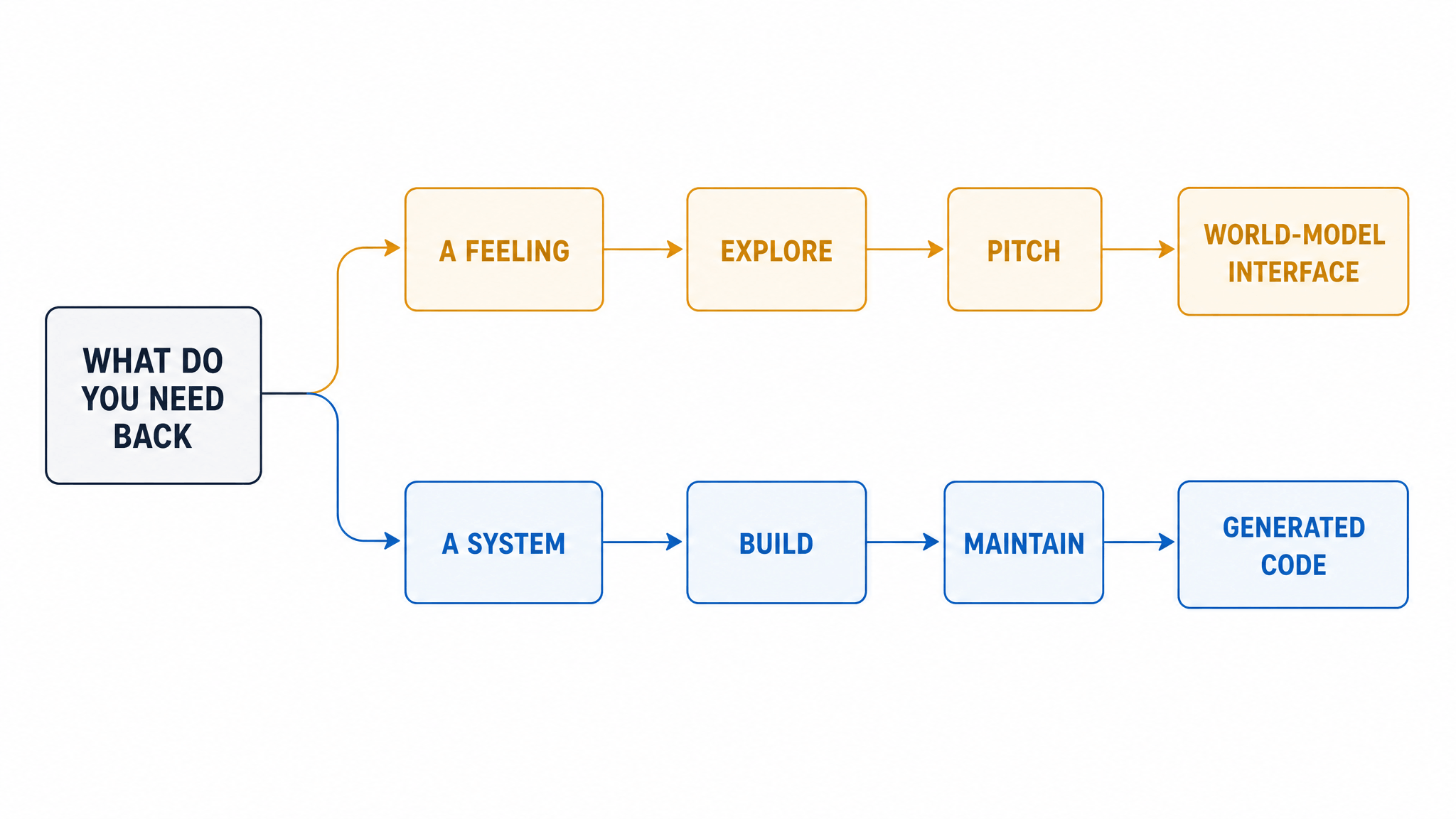
- Exploring a concept (mood, spatial feel, a product experience you can't spec yet): the world-model route. A Solaris-style session communicates an experience in a way no wireframe does.
- Pitching an experience to stakeholders or users: world-model route, treated as a living prototype. Judge it as a visualization, not as software.
- Building a product: the code route. Whatever you learned from the prototype gets expressed as components and behavior that can ship.
- Maintaining software over time: only the code route. This is where generated images simply don't go.
The rule of thumb: if the deliverable is a feeling, generate the interface; if the deliverable is a system, generate the code. Most real projects need both in sequence — which raises the question of what sits between the sketch and either route.
Where visualization fits: the job both routes start from
Notice what both routes consume: a visual idea. Solaris needs a starting frame; code generators need a sketch, screenshot, or spec. Turning a rough sketch into a faithful, presentable image is its own job in the pipeline — and it's the one we know from the inside, so a disclosure: SketchTo operates here.
Our sketch-to-render tool takes a sketch upload and returns a photorealistic render in a selectable style — photorealistic, interior design, game concept, technical, 3D, and others — with a choice of models at disclosed credit costs (for example, Nano Banana at 2 credits or Seedream 4.5 at 4 credits). To be precise about the boundary: sketch-to-render outputs images, not runnable code. It won't build your product. What it does is compress the distance between "napkin sketch" and "image good enough to pitch, refine, or feed forward" — whether that feed-forward destination is a design review, a client, or the prompt box of a code generator. If you want to see the render stage of the pipeline on real tools, our reasoning-first AI imaging workflow walks through it.
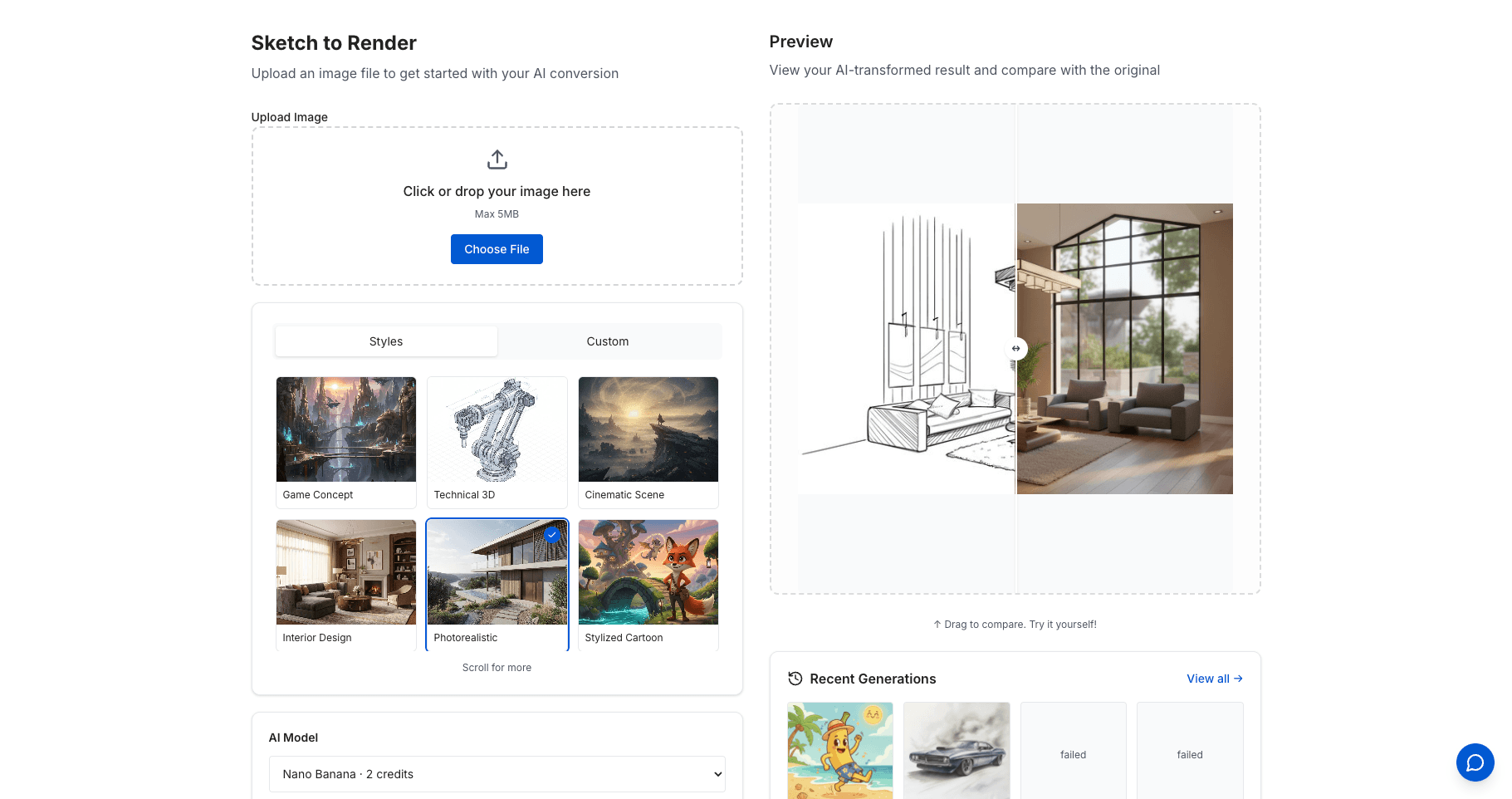
Source: sketchto.com/tool/sketch-to-render, accessed September 2, 2026.
The bottom line
Solaris and its successors are genuinely new: an interface that is rendered, not programmed, and that responds open-endedly to whatever you do. Sketch-to-code and its AI design engineer cousins are genuinely useful: interfaces specified as behavior, ready for production. The comparison ends the same way it started — decide what you need back. If you need an experience to explore or sell, the world-model route is already worth your time. If you need software to run tomorrow, generate the code, and treat the generated images — including the ones that start from your own sketches — as the fastest way to know what to build. Expect the boundary to blur as world models mature; that's a prediction, not a product today.
Transform Your Images with AI
Turn sketches into stunning images, remove backgrounds, swap faces, and more — all powered by AI.
Try Sketch To FreeShare
SketchTo Team
Tech writer covering AI tools, image processing, and creative workflows.
Related Articles
Qwen-Image-2.1: One 7B Open-Weight Model for Image Generation, Editing, and Transparent Assets
Qwen-Image-2.1 unifies text-to-image, editing, and native RGBA transparency in one 7B open-weight model. What it does, what's new, how to run it today — and the license limits before you adopt it.

AI Image Generation Cost Comparison: What 20 Models Actually Billed
OpenRouter ran one prompt through 20 image models and recorded every bill — $0.006 to $0.134 for the same 1:1 image. The real per-image costs, and how to pick a model your budget agrees with.
GPT-6 Astra Use Cases for Image and Design Work: What's Real So Far
A source-attributed catalog of GPT-6 Astra's real image and design use cases — 3D worlds, frontend design, media production — plus the honest gap and what it means for your tools.