

Image to Prompt with DeepSeek V4.1-Flash: A Beginner's Guide
You found a photo, a screenshot, or an old sketch that deserves a better AI version. Then you opened the prompt box and froze: what do you actually write to get that image back?
There is a direct way around the blank box now. On September 10, 2026, DeepSeek released V4.1-Flash, the smallest model in its new architecture series — and the first deepseek-flash generation with native vision. You can send it an image and ask it to write the prompt instead of you. Because the model's API price dropped to around 1–2 CNY per million input tokens, running this "image to prompt" loop costs fractions of a cent.
This guide walks through the documented workflow: what the model actually offers, how to send an image through the API, a reverse-prompt template you can adapt, what it costs, and where the resulting prompt goes — including into image tools like SketchTo's Sketch to Render, which turns a sketch plus a prompt into a finished render.
What DeepSeek V4.1-Flash actually is
DeepSeek-V4.1-Flash, published on the official changelog on 2026-09-10, is the smallest model built on DeepSeek's new architecture series. The company describes that architecture as aiming for a higher capability ceiling, faster inference, and higher throughput, with room to scale to larger models later.
The facts that matter for image-to-prompt work:
- Native vision. V4.1-Flash understands images out of the box. The pricing page lists image understanding as supported on
deepseek-flash— and explicitly not supported on the largerdeepseek-v4-pro. - 1M-token context, 384K max output. Long conversations and many reference images fit without tripping a context limit.
- Cheap, with off-peak pricing. Input costs 1–2 CNY per million tokens depending on time of day (details below). SiliconFlow, which hosted the model on day zero, lists comparable USD pricing at $0.15/M input and $0.60/M output off-peak.
- Open weights. SiliconFlow describes the model as MIT licensed, and a
deepseek-ai/DeepSeek-V4.1-Flashrepository is live on Hugging Face. SiliconFlow also reports it as a 552B-parameter MoE with roughly 8B active parameters during prefill.
One naming note before anything breaks: the API model name is deepseek-flash. The older names deepseek-v4-flash and deepseek-v4-flash-vision-exp still work, but those models are offline — DeepSeek routes those requests to V4.1-Flash. New code should use deepseek-flash directly.
Why a vision model can write your prompts
"Image to prompt" sounds like a trick, but it is a description task with a format. A vision language model looks at a picture and can report what it sees: subject, pose, composition, color palette, lighting direction, art style, even text inside the image. A prompt is just that same information, written in the compressed style that image models expect.
Two related jobs are worth separating, because they produce different outputs:
- Reverse prompting (image → generation prompt). You give the model an image and want a prompt that could regenerate something similar from scratch. This is the classic "image to prompt" use case.
- Edit-instruction prompting (image + intent → edit prompt). You have an image and a change in mind — new background, different style, same face — and need the instruction phrased the way image-editing models understand. DeepSeek's own documentation notes the model can "describe images and analyze screenshots," which is exactly the perception layer this job needs.
The second job is the underrated one. Most image tools now accept an input image plus instructions, and the failure mode is almost always vague instructions. A VLM that has actually looked at your image can anchor those instructions to what is really in the frame.
The documented workflow: sending an image to deepseek-flash
What follows is documentation-based — it follows DeepSeek's image understanding guide rather than a personal test bench. The API is OpenAI-compatible: content becomes an array of blocks mixing text and images.
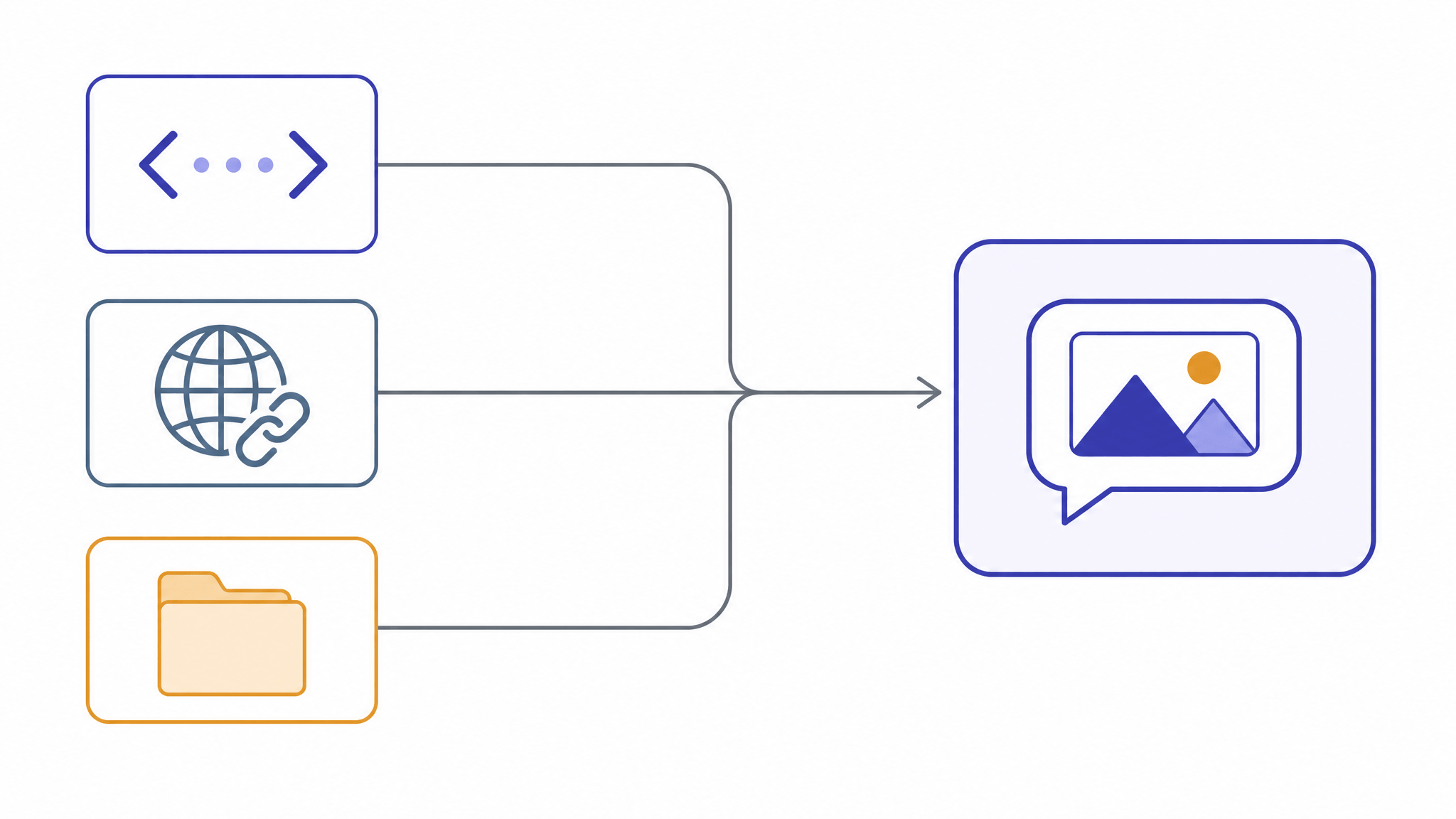
There are three ways to hand over the image:
| Method | How | Limits |
|---|---|---|
| Base64 inline | Embed a data: URL in the request |
Counts against the 48 MiB request cap |
| Public URL | Pass an https:// link |
Max 32 MiB per image, 60 s download window |
| Files API | Upload once, reference by file_id |
Up to 64 MiB; best for reusing one image |
The base64 path is the one you will use most for local files:
import base64
from openai import OpenAI

client = OpenAI(
    api_key="<DeepSeek API Key>",
    base_url="https://api.deepseek.com",
)

with open("reference.jpg", "rb") as f:
    b64 = base64.b64encode(f.read()).decode("utf-8")

response = client.chat.completions.create(
    model="deepseek-flash",
    messages=[
        {
            "role": "user",
            "content": [
                {"type": "text", "text": "Describe this image as a generation prompt."},
                {"type": "image_url",
                 "image_url": {"url": f"data:image/jpeg;base64,{b64}"}},
            ],
        }
    ],
)
print(response.choices[0].message.content)
Three documented details worth knowing before you run this:
- Images only go in
usermessages. An image in asystemorassistantmessage returns a 400 error. - The
detailfield controls preprocessing.detail: "low"downscales the image to 512×512 — faster and cheaper when you do not need fine detail.high,original, andautokeep the original resolution. - Image tokens are capped. Every image is scaled to roughly 1300×1300 and costs at most 1,024 tokens, whether it started at 800×600 or 5000×5000. A full analysis pass therefore costs well under a cent at the rates below.
Supported formats are JPEG, PNG, GIF, and WebP, judged by the file's actual content. If you work at higher volume, the Files API route avoids re-uploading the same reference image, and up to 600 images can ride in one request.
A reverse-prompt template you can adapt
The template below is a starting point, not a proven benchmark — this guide did not run quality evaluations, so treat the outputs as drafts to iterate on, not finished prompts. The structure follows how image models parse prompts: subject first, then composition, then style, then technical modifiers.
You are a prompt engineer for AI image generation.
Look at the image and write ONE generation prompt that could
recreate a similar image.

Cover, in this order:
1. SUBJECT: the main subject, its pose, and expression — concrete nouns, no adjectives yet
2. COMPOSITION: framing (close-up / medium / wide), camera angle, where the subject sits
3. ENVIRONMENT: background, setting, time of day
4. LIGHT & COLOR: light direction, contrast, dominant palette
5. STYLE: medium and art style (e.g. watercolor, product photo, anime cel)
6. TECHNICAL: aspect ratio guess, detail level, any visible text to preserve

Rules:
- One paragraph, under 120 words, comma-separated phrases.
- No speculation about things you cannot see; mark unclear areas as [unclear].
- End with a one-line "EDIT NOTES" section listing two things a user
  would most likely want to change.
The EDIT NOTES line is what turns this into an editing workflow: those two lines become the instructions you pair with the original image in an image-editing tool. Variables to adapt: the word count if your target tool prefers longer prompts, and the style list if you already know the medium you want.
If your goal is a direct edit instruction instead, swap the task line for: "Write one edit instruction that changes only [TARGET] while preserving the subject's identity, pose, and composition." Vague edit instructions are the number-one cause of ruined edits — a model that has seen the image can name what must stay.
From prompt to render: putting the output to work
The prompt is an intermediate product; it needs an image tool to become something. The loop that works for sketch-based work:
- Sketch or screenshot the rough idea.
- Run it through
deepseek-flashwith the template above — you get a structured description plus edit notes. - Feed prompt and image into an image tool together.
This is where SketchTo's Sketch to Render tool fits the workflow directly: you upload your sketch, and the tool pairs it with your prompt under a style preset — options include Game Concept, Interior Design, Photorealistic, and Architectural Exterior — with a model picker (Nano Banana, FLUX 2, GPT Image 2, Seedream, and others) that shows each model's credit cost before you generate.
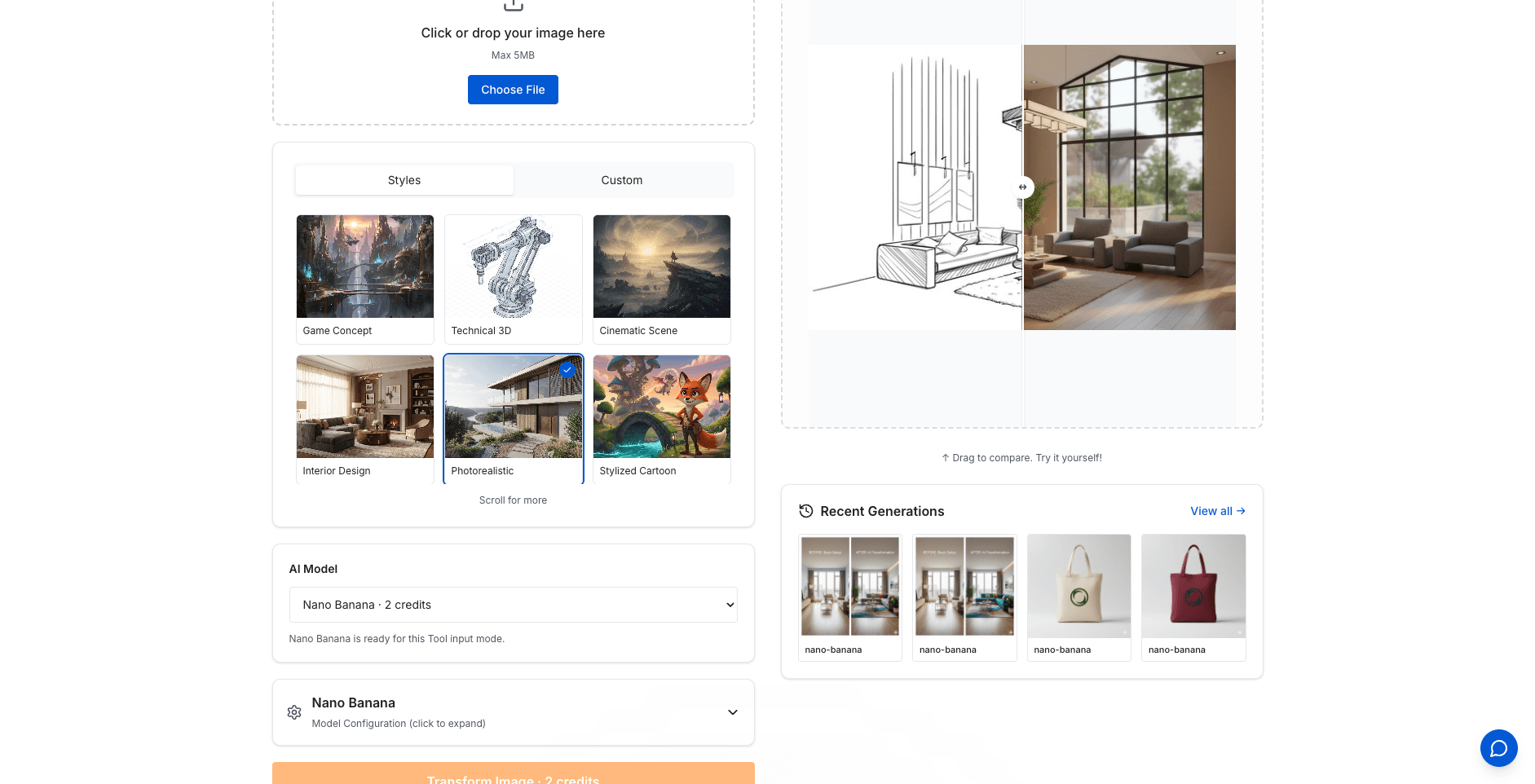
The VLM-written prompt does the describing; the render tool does the rendering. If you fight with prompts drifting away from your layout, the site's guide on sketch-to-image layout control covers how a sketch constrains composition in a way text alone cannot.
What it costs, in practice
With prices from DeepSeek's pricing page (peak hours are Beijing time Monday–Friday, 9:00–12:00 and 14:00–18:00; all other hours are off-peak at half price):
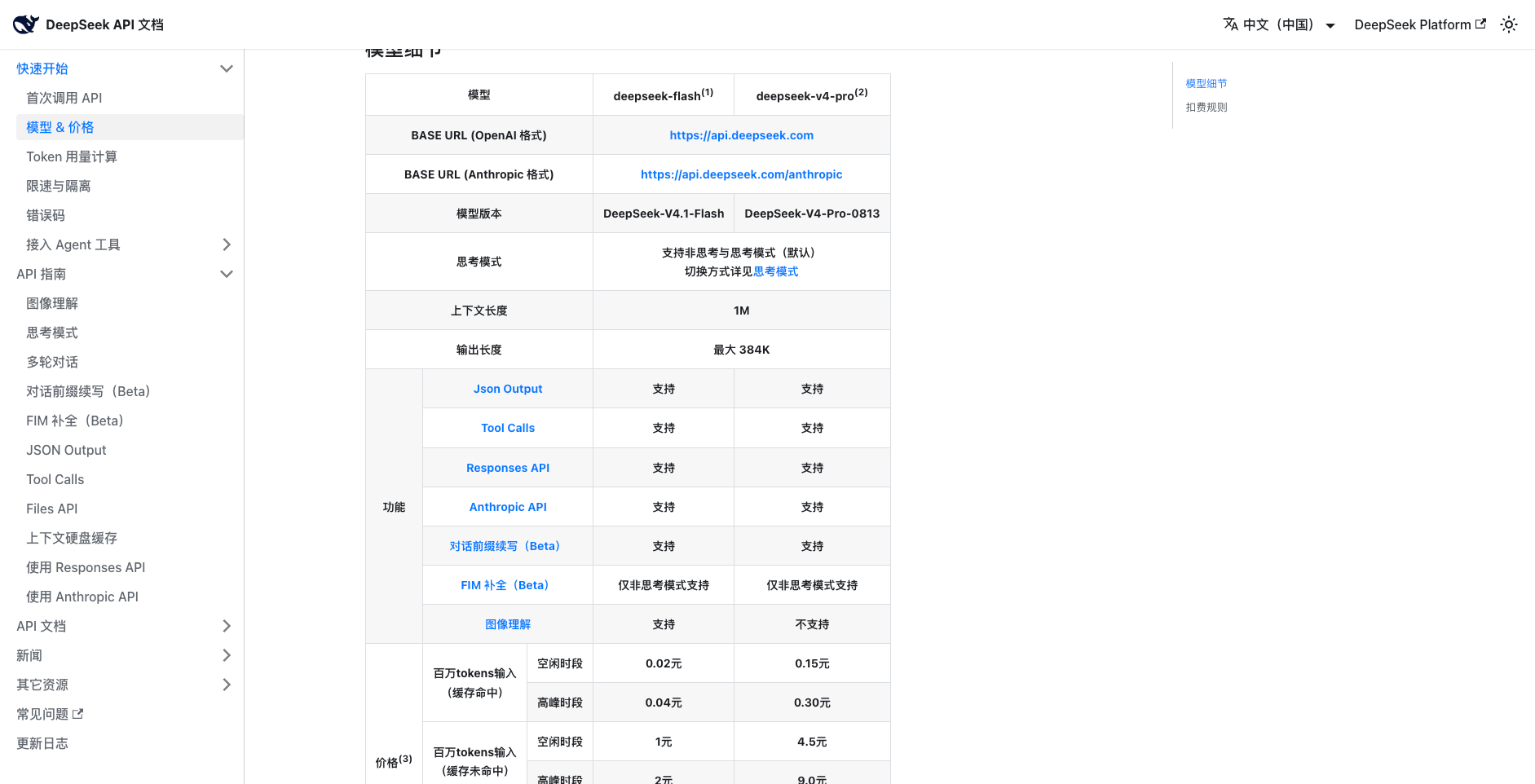
Source: DeepSeek API docs, pricing page (accessed Sep 12, 2026)
| Token type | Off-peak | Peak |
|---|---|---|
| Input, cache hit | ¥0.02 / M | ¥0.04 / M |
| Input, cache miss | ¥1.00 / M | ¥2.00 / M |
| Output | ¥4.00 / M | ¥8.00 / M |
A realistic single image-to-prompt call — one image (≤1,024 image tokens) plus a ~200-token instruction, generating a ~300-token prompt — is a few hundred tokens each way. Even at peak pricing you are paying thousandths of a cent, which is the practical difference from earlier vision APIs that made casual reverse-prompting uneconomical. Thinking mode defaults to on; for a bounded description task, the documented non-thinking mode is the cheaper setting to try first. For reference, SiliconFlow's hosted version lists $0.15/M input and $0.60/M output off-peak.
Also documented: deepseek-flash allows 2,500 concurrent requests (versus 500 for deepseek-v4-pro), so batching a folder of reference images is feasible — though one image at a time still gives you the iteration loop where prompt-writing actually improves.
Where this guide's evidence stops
To keep expectations honest: the workflow above follows DeepSeek's official documentation, not a hands-on evaluation. The benchmark numbers DeepSeek published (GPQA Diamond 90.9, Terminal-Bench 2.1 90.6, vision-tool scores like BabyVision 89.6) are vendor-reported; the 552B MoE and KV-cache figures come from SiliconFlow's announcement. None of that tells you how well the reverse-prompt template works for your images — that part you test in an afternoon for less than the price of a coffee.
The takeaway
Image-to-prompt used to mean squinting at an image and guessing at style tags. With a native-vision model this cheap, the loop is now: send the image to deepseek-flash, get back a structured description with edit notes, and hand that prompt — plus the original image — to whichever image tool finishes the job. For sketches and rough concepts, pairing that prompt with a render tool like Sketch to Render closes the gap between "I have an idea" and "I have the image."
Prices, limits, and model behavior in this article follow DeepSeek's documentation as of September 12, 2026; API details change, so check the official docs before building on them.
Transform Your Images with AI
Turn sketches into stunning images, remove backgrounds, swap faces, and more — all powered by AI.
Try Sketch To FreeShare
SketchTo Team
Tech writer covering AI tools, image processing, and creative workflows.
Related Articles

How to Turn a Photo Into Pop Art (Warhol-Style Prompts and Fixes)
Learn how to turn a photo into pop art with copyable Warhol, comic halftone, and WPAP prompts — plus fixes for face collapse, dense dots, and flat filter results.
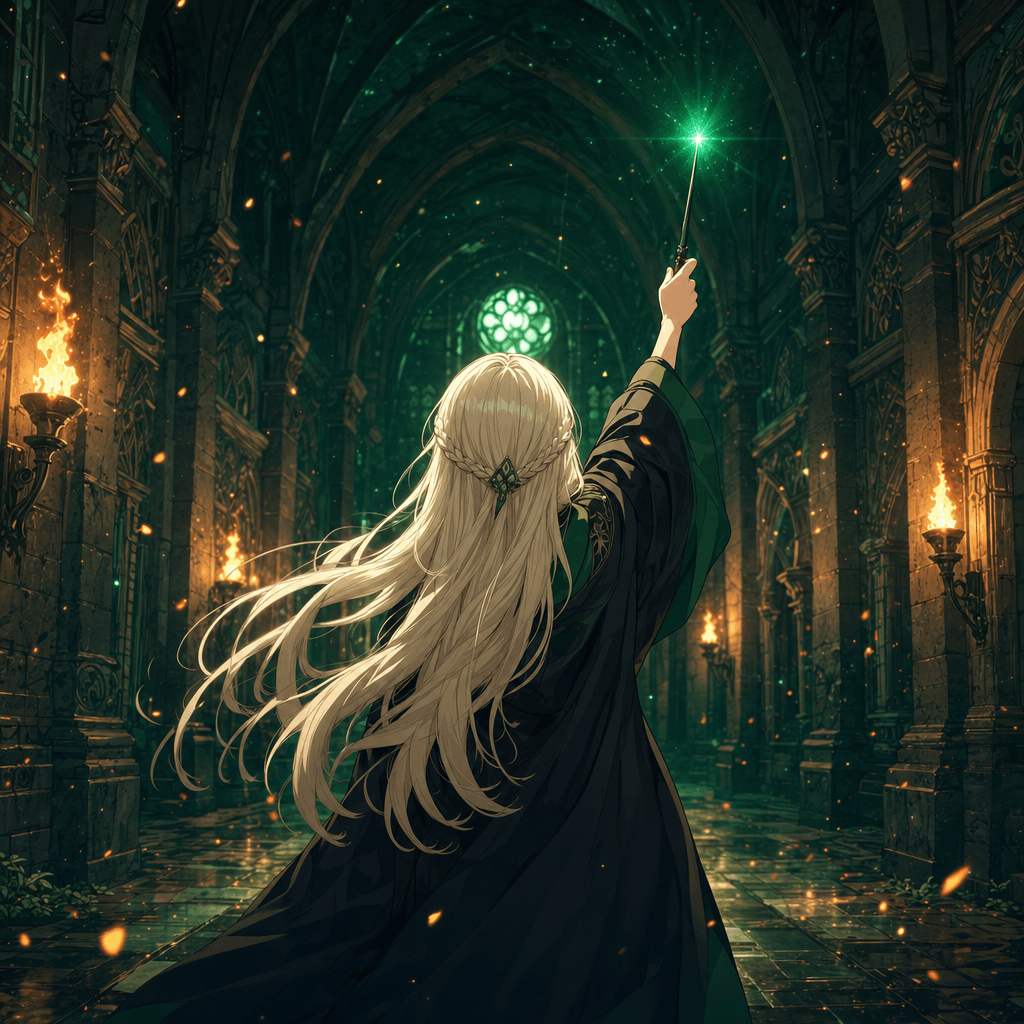
Harry Potter Anime AI: What the Malfoid Trend Is and How to Make Your Own Clips
The Harry Potter anime clips on your feed are AI fan works, not a real anime. What the Malfoid trend is, why it exploded in October 2026, the workflow and prompts behind it, and the IP rules worth knowing.
Qwen-Image-2.1 GGUF: Which Quant to Download and How to Run It in ComfyUI
All Qwen-Image-2.1 GGUF quants with real file sizes, which tier fits your VRAM, a working ComfyUI-GGUF setup, and the two errors everyone hits.